1. Company Overview |
Zhuhai Global Technology Co., Ltd., also known as Xprinter, is a prominent manufacturer specializing in various types of printers, including thermal receipt printers, thermal label printers, mobile printers, thermal transfer printers, and panel printers. Established in Guangdong, China, the company has gained a reputation for producing high-quality, reliable, and competitively priced printing solutions. With a strong focus on technological innovation, Zhuhai Global Technology has obtained numerous national patents and international certifications such as ISO9001:2015, CCC, CE, FCC, RoHS, KC, SAA, BIS, and BSMI. |
|
2. Product Range |
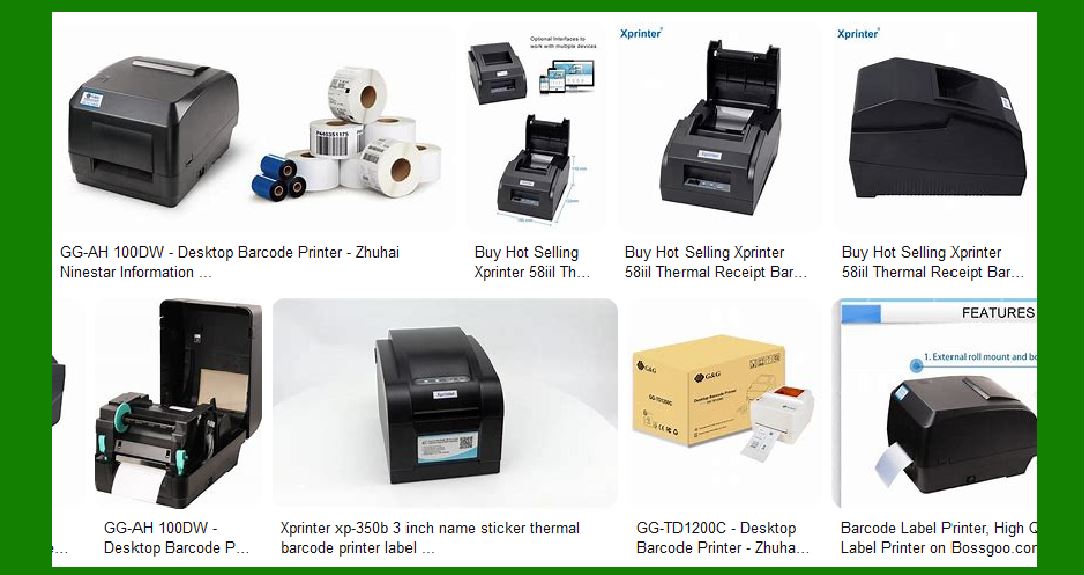
Zhuhai Global Technology offers a wide range of barcode label printers, catering to different needs and applications. Their product lineup includes: |
2.1 Thermal Label Printers |
These printers use heat to transfer ink onto labels, making them ideal for high-speed printing without the need for ink or toner. Key models include: |
XP-420B: A 4-inch thermal shipping label printer known for its inkless operation and high efficiency. XP-365B: An 80mm thermal POS printer with USB and serial connectivity, suitable for receipt printing. XP-D465B: A mini portable printer with wireless Bluetooth capabilities, perfect for mobile printing needs. |
2.2 Thermal Transfer Printers |
These printers use a ribbon to transfer ink onto labels, providing durable and long-lasting prints. Notable models include: |
XP-TT426B: A 4-inch thermal transfer ribbon printer designed for high-quality barcode printing. XP-TT424B: Another 4-inch model, offering robust performance and reliability for various labeling tasks. |
2.3 Mobile Printers |
Designed for on-the-go printing, these compact and portable printers are ideal for field operations. Examples include: |
XP-233B: A 2-inch mobile shipping label printer that combines portability with high performance. XP-410B: A mini barcode sticker printer suitable for shipping waybills and other mobile printing applications. |

|
3. Key Features |
Zhuhai Global Technology’s barcode label printers come with a range of features that enhance their functionality and usability: |
3.1 Connectivity Options |
Most models offer multiple connectivity options, including USB, serial, LAN, Bluetooth, and Wi-Fi, ensuring seamless integration with various systems and devices. |
3.2 High Print Speed |
The printers are designed for high-speed printing, making them suitable for environments where quick and efficient label production is essential. |
3.3 Durability and Reliability |
Built with high-quality materials and components, these printers are designed to withstand rigorous use and deliver consistent performance over time. |
3.4 Ease of Use |
User-friendly interfaces and straightforward setup processes make these printers accessible to users with varying levels of technical expertise. |
3.5 Versatility |
The printers can handle a wide range of label sizes and types, making them suitable for diverse applications, from shipping labels to retail tags. |

|
4. Applications |
Zhuhai Global Technology’s barcode label printers are used in various industries and applications, including: |
4.1 Retail |
In retail environments, these printers are used for printing price tags, shelf labels, and promotional stickers, helping streamline operations and improve customer service. |
4.2 Logistics and Shipping |
The high-speed and reliable performance of these printers make them ideal for printing shipping labels, waybills, and tracking tags, ensuring efficient logistics and supply chain management. |
4.3 Healthcare |
In healthcare settings, these printers are used for printing patient wristbands, prescription labels, and laboratory tags, contributing to accurate patient identification and medication management. |
4.4 Manufacturing |
Manufacturers use these printers for labeling products, components, and packaging, aiding in inventory management and quality control. |

|
5. Technological Innovations |
Zhuhai Global Technology invests heavily in research and development, leading to several technological advancements in their printers: |
5.1 Advanced Printing Mechanisms |
The company employs cutting-edge printing mechanisms that ensure high-resolution prints and precise barcode generation, enhancing readability and scan accuracy. |
5.2 Energy Efficiency |
Many models are designed with energy-saving features, reducing power consumption and operational costs while maintaining high performance. |
5.3 Customizable Solutions |
Zhuhai Global Technology offers OEM and ODM services, allowing businesses to customize printers according to their specific needs and branding requirements. |

|
6. Certifications and Compliance |
The company’s commitment to quality and safety is reflected in its numerous certifications, including: |
ISO9001:2015: International Quality Management System certification. CCC, CE, FCC, RoHS: Certifications ensuring compliance with international safety and environmental standards. KC, SAA, BIS, BSMI: Regional certifications for markets in Korea, Australia, India, and Taiwan, respectively. |
7. Customer Support and Service |
Zhuhai Global Technology provides comprehensive customer support and service, including: |
Technical Assistance: Expert technical support to help with installation, troubleshooting, and maintenance. Warranty and Repairs: Warranty coverage and repair services to ensure the longevity and reliability of their printers. Training and Resources: Training programs and resources to help users maximize the potential of their printing solutions. |

|
8. Market Presence |
With a strong global presence, Zhuhai Global Technology serves customers in over 200 countries and regions. Their extensive distribution network and strategic partnerships enable them to deliver products and services efficiently worldwide. |
9. Environmental Responsibility |
The company is committed to environmental sustainability, implementing eco-friendly practices in their manufacturing processes and product designs. This includes using recyclable materials and reducing waste and emissions. |

|
10. Future Prospects |
Zhuhai Global Technology continues to innovate and expand its product offerings, aiming to remain at the forefront of the printing industry. Their focus on technological advancement, quality, and customer satisfaction positions them well for future growth and success. |

|
11. Conclusion |
Zhuhai Global Technology’s barcode label printers are a testament to the company’s dedication to quality, innovation, and customer service. With a diverse product range, advanced features, and a strong global presence, they are well-equipped to meet the needs of various industries and applications. Whether for retail, logistics, healthcare, or manufacturing, their printers offer reliable and efficient solutions for all labeling needs. |
 cs@easiersoft.com