21. Advanced Warehouse Scenarios and Scanner Selection Strategies |
21.1 Multi-Warehouse and Multi-Site Operations |
Enterprises operating multiple warehouses face complexity beyond single-site operations. Barcode scanner selection must consider standardization versus localization. |
21.1.1 *Standardization Benefits* |
Using the same scanner models across sites simplifies training, spare parts inventory, device configuration, and IT support. |
21.1.2 *Localized Adaptations* |
Some warehouses may require specialized scanners due to climate, product type, or workflow. A controlled deviation strategy is often ideal. |
21.1.3 *Centralized Device Management* |
Scanners should support centralized configuration, firmware updates, and monitoring to ensure consistency across sites. |
21.2 High-Mix, Low-Volume vs. Low-Mix, High-Volume Warehouses |
21.2.1 *High-Mix, Low-Volume* |
Warehouses handling many SKUs in small quantities require scanners with high accuracy, strong decoding of small and dense barcodes, and fast user feedback. |
21.2.2 *Low-Mix, High-Volume* |
Facilities with fewer SKUs but massive throughput prioritize speed, durability, and long-range scanning for palletized goods. |
21.3 E-Commerce Fulfillment Centers |
E-commerce warehouses have unique requirements: |
21.3.1 Fast-paced picking with high SKU counts |
21.3.2 Frequent scanning of small items |
21.3.3 High return volumes requiring reverse logistics scanning |
Wearable scanners and lightweight handheld imagers are often preferred. |
21.4 Manufacturing-Adjacent Warehouses |
These environments often scan components, work-in-progress items, and finished goods. Scanners must handle: |
21.4.1 Poorly printed or damaged barcodes |
21.4.2 Direct Part Mark (DPM) codes |
21.4.3 Integration with Manufacturing Execution Systems (MES) |
21.5 Third-Party Logistics (3PL) Warehouses |
3PLs support multiple clients, each with different labeling standards. Scanners must be flexible in symbology support and data parsing. |

|
22. Deep Dive into Scanner Performance Metrics |
22.1 First-Read Rate (FRR) |
FRR measures how often a scanner successfully reads a barcode on the first attempt. High FRR reduces user frustration and operational delays. |
22.2 Motion Tolerance |
Warehouse workers rarely scan stationary items. High motion tolerance ensures reliable decoding while the scanner or item is moving. |
22.3 Scan Angle and Aiming Precision |
Wide scan angles reduce the need for precise alignment, increasing speed. However, narrow aiming can be beneficial in dense barcode environments. |
22.4 Low-Quality Barcode Decoding |
Warehouse labels can be wrinkled, scratched, faded, or poorly printed. Advanced imagers outperform basic scanners in these conditions. |
22.5 Latency Between Scan and System Response |
Fast scanners must be paired with responsive software and connectivity. Latency affects worker confidence and speed. |
22.6 Consistency Across Lighting Conditions |
Warehouses have varied lighting: bright docks, dim aisles, shadowed racks. Scanners must maintain accuracy across conditions. |

|
23. Human Factors Engineering in Scanner Selection |
23.1 Impact of Scanner Weight on Productivity |
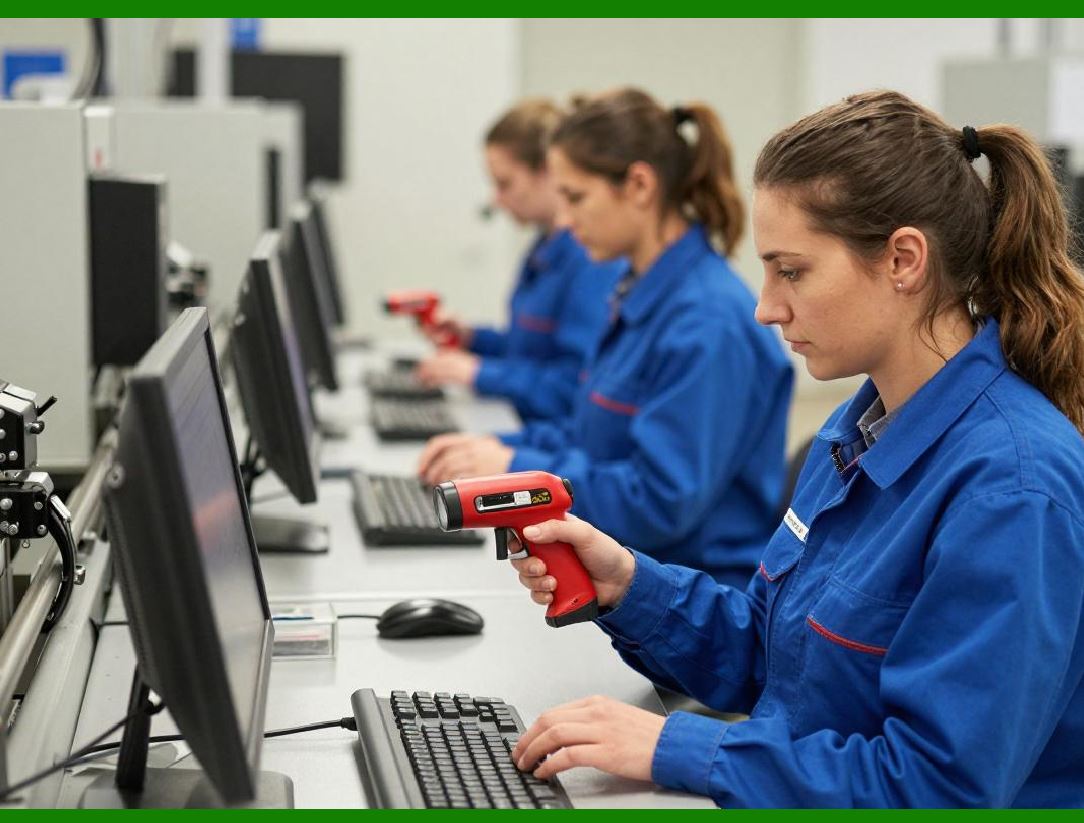
Even small weight differences matter during long shifts. Heavier scanners increase fatigue and injury risk. |
23.2 Grip Design and Balance |
Poorly balanced scanners strain wrists. Ergonomic design supports neutral wrist posture. |
23.3 Trigger Placement and Actuation Force |
Triggers should be easily reachable without excessive force. Poor trigger design leads to repetitive strain injuries. |
23.4 Left-Handed vs. Right-Handed Use |
Ambidextrous design ensures inclusivity and flexibility in workforce deployment. |
23.5 Use with Gloves or Protective Gear |
Cold storage and industrial warehouses require scanners that function reliably with gloved hands. |
23.6 Auditory and Visual Feedback Customization |
Configurable beeps, vibrations, and LEDs help adapt scanners to noisy or quiet environments. |
|
24. Organizational Decision-Making and Procurement Process |
24.1 Stakeholder Involvement |
Scanner selection should involve: |
24.1.1 Warehouse operations managers |
24.1.2 IT and systems integration teams |
24.1.3 Procurement and finance |
24.1.4 Health and safety representatives |
24.2 Defining Clear Selection Criteria |
Criteria may include durability, cost, integration, ergonomics, vendor support, and scalability. |
24.3 Request for Proposal (RFP) Best Practices |
When issuing an RFP: |
24.3.1 Clearly describe warehouse conditions |
24.3.2 Specify required barcode types |
24.3.3 Outline integration expectations |
24.3.4 Request pilot units |
24.4 Avoiding Common Procurement Mistakes |
Common pitfalls include focusing solely on price, ignoring user feedback, or underestimating integration effort. |
24.5 Total Lifecycle Evaluation |
Procurement decisions should consider the full lifecycle, from deployment to retirement. |

|
25. Training, Adoption, and Operational Excellence |
25.1 Initial User Training Programs |
Training should cover basic operation, troubleshooting, and proper handling. |
25.2 Advanced Training for Supervisors and IT Staff |
Supervisors should understand configuration and diagnostics, while IT handles deeper integration. |
25.3 Reducing User Resistance to New Devices |
Involve users early in pilots to build ownership and acceptance. |
25.4 Documentation and Knowledge Transfer |
Clear manuals, quick-start guides, and internal documentation reduce dependency on vendors. |
25.5 Continuous Improvement Through Feedback |
Collect and act on feedback to refine scanner usage and configurations. |

|
26. Scanner Maintenance and Lifecycle Management |
26.1 Preventive Maintenance Practices |
Regular cleaning of lenses and inspection of housings prevent failures. |
26.2 Firmware and Configuration Management |
Keep scanner firmware up to date for performance improvements and security patches. |
26.3 Spare Device and Swap Pool Strategy |
Maintain spare scanners to avoid downtime during repairs. |
26.4 End-of-Life Planning |
Plan device replacement before vendor support ends. |
26.5 Asset Tracking and Inventory Control |
Track scanner assignments to reduce loss and misuse. |

|
27. Advanced Integration Topics |
27.1 Terminal Emulation vs. Modern App-Based Interfaces |
Legacy systems often rely on terminal emulation, while modern WMS platforms use web or native apps. |
27.2 Offline Scanning and Store-and-Forward Modes |
Some scanners can store scans offline and sync later, useful in connectivity gaps. |
27.3 Data Validation at the Scanner Level |
Scanners can enforce rules, such as length checks or prefix validation, reducing errors upstream. |
27.4 Multi-Barcode Scanning and Parsing |
Advanced scanners can read multiple barcodes in one scan, useful for cartons with multiple labels. |
27.5 Integration with Voice and Vision Systems |
Scanners increasingly work alongside voice picking and vision-based verification. |

|
28. Industry-Specific Compliance and Safety Considerations |
28.1 Food and Beverage Warehouses |
Scanners must meet hygiene standards and withstand washdowns. |
28.2 Pharmaceutical and Healthcare Logistics |
High accuracy and traceability are mandatory, including support for serialized barcodes. |
28.3 Chemical and Hazardous Materials Storage |
Explosion-proof or intrinsically safe scanners may be required. |
28.4 Aerospace and Defense Warehousing |
High durability, long lifecycle support, and strict compliance standards apply. |
28.5 Government and Public Sector Warehouses |
Security, audit trails, and long-term support contracts are often critical. |

|
29. Measuring Success After Deployment |
29.1 Key Performance Indicators (KPIs) |
Track metrics such as scan success rate, picking accuracy, and order cycle time. |
29.2 User Productivity Metrics |
Compare picks per hour before and after scanner deployment. |
29.3 Error Rate Reduction Analysis |
Measure reduction in mis-picks, mis-shipments, and inventory discrepancies. |
29.4 Downtime and Failure Rate Tracking |
Monitor device reliability to inform future purchasing decisions. |
29.5 Financial ROI Assessment |
Quantify labor savings, reduced errors, and improved throughput. |

|
30. Long-Term Strategy and Future-Proofing |
30.1 Designing for Technology Evolution |
Choose scanners with upgrade paths and strong vendor roadmaps. |
30.2 Preparing for Automation and Robotics |
Scanners may integrate with autonomous mobile robots and automated picking systems. |
30.3 Sustainability and Environmental Considerations |
Durable scanners reduce electronic waste and replacement frequency. |
30.4 Cloud-Based Device Intelligence |
Analytics on scanner usage and performance will drive continuous improvement. |
30.5 Convergence with Computer Vision and AI |
Future scanning systems may automatically identify items without explicit barcode scans. |
|
31. Final Comprehensive Recommendations |
31.1 Start with a Deep Understanding of Warehouse Reality |
Technology must serve actual workflows, not idealized ones. |
31.2 Prioritize Reliability and Ergonomics Over Lowest Price |
Operational stability delivers far greater value than short-term savings. |
31.3 Test in Real Conditions Before Full Rollout |
Pilots uncover hidden issues early. |
31.4 Invest in Training, Support, and Change Management |
People and processes matter as much as hardware. |
31.5 Continuously Review and Optimize |
Scanner selection is not a one-time decision but an ongoing strategy. |
|
Closing Summary |
Choosing a barcode scanner suitable for warehouse management is a strategic operational decision that directly impacts efficiency, accuracy, labor cost, employee satisfaction, and scalability. By systematically evaluating warehouse environments, workflows, barcode types, technical specifications, human factors, integration requirements, and long-term strategy as detailed across these sections organizations can select scanning solutions that not only meet current needs but also support future growth and innovation. |
 cs@easiersoft.com