1. Introduction to Barcode Scanners |
Barcode scanners are essential tools in various industries, including retail, logistics, healthcare, and manufacturing. They enable the quick and accurate capture of data encoded in barcodes, which can be used for inventory management, point-of-sale transactions, and tracking of goods. Barcode scanners come in various types, including handheld, fixed-mount, wearable, and mobile devices, each designed to meet specific needs and environments. |
|
2. Multi-Symbol Reading: An Overview |
Multi-symbol reading refers to the ability of a barcode scanner to read multiple barcodes simultaneously or in quick succession. This feature is particularly useful in environments where items are labeled with multiple barcodes, such as in warehouses, manufacturing plants, and retail stores. Multi-symbol reading can significantly enhance efficiency and accuracy in data capture processes. |

|
3. How Multi-Symbol Reading Works |
Multi-symbol reading is achieved through advanced imaging technology and sophisticated algorithms. Here’s a step-by-step explanation of how it works: |
3.1. Imaging Technology |
Modern barcode scanners use imaging technology, such as area imagers, to capture images of barcodes. These imagers can capture a wide field of view, allowing them to read multiple barcodes within a single frame. |
3.2. Decoding Algorithms |
Once the image is captured, the scanner’s decoding algorithms process the image to identify and decode each barcode. These algorithms are designed to recognize various barcode symbologies and can handle different orientations and sizes of barcodes. |
3.3. Data Output |
After decoding the barcodes, the scanner outputs the data to the connected system, such as a computer or mobile device. The data can be transmitted via wired or wireless connections, depending on the scanner’s capabilities. |

|
4. Advantages of Multi-Symbol Reading |
Multi-symbol reading offers several advantages, particularly in environments where efficiency and accuracy are critical. Here are some key benefits: |
4.1. Increased Efficiency |
By reading multiple barcodes simultaneously, multi-symbol reading reduces the time required to scan items. This is particularly beneficial in high-volume environments, such as warehouses and distribution centers, where speed is essential. |
4.2. Enhanced Accuracy |
Multi-symbol reading minimizes the risk of human error by automating the scanning process. This ensures that all relevant barcodes are captured accurately, reducing the likelihood of missed or incorrect data. |
4.3. Versatility |
Multi-symbol reading is versatile and can be used in various applications, including inventory management, shipping and receiving, and point-of-sale transactions. This versatility makes it a valuable feature for businesses across different industries. |
4.4. Improved Workflow |
By streamlining the scanning process, multi-symbol reading can improve overall workflow efficiency. Employees can complete tasks more quickly and with fewer interruptions, leading to increased productivity. |
|
5. Disadvantages of Multi-Symbol Reading |
While multi-symbol reading offers numerous benefits, it also has some limitations. Here are some potential disadvantages: |
5.1. Compatibility Issues |
Not all barcode scanners support multi-symbol reading. Businesses may need to invest in specialized equipment to take advantage of this feature, which can be costly. |
5.2. Complexity |
Multi-symbol reading requires advanced technology and sophisticated algorithms, which can make the scanners more complex and potentially more prone to technical issues. |
5.3. Training Requirements |
Employees may need additional training to use multi-symbol reading scanners effectively. This can add to the overall cost and time required to implement the technology. |
5.4. Environmental Limitations |
Multi-symbol reading may not be suitable for all environments. Factors such as lighting conditions, barcode quality, and the presence of obstructions can affect the scanner’s performance. |

|
6. Applications of Multi-Symbol Reading |
Multi-symbol reading is used in various industries and applications. Here are some examples: |
6.1. Warehousing and Distribution |
In warehouses and distribution centers, multi-symbol reading can streamline the process of receiving and shipping goods. Scanners can quickly capture data from multiple barcodes on packages, pallets, and containers, improving efficiency and accuracy. |
6.2. Manufacturing |
In manufacturing environments, multi-symbol reading can be used to track components and finished products. This ensures that all relevant data is captured, facilitating quality control and inventory management. |
6.3. Retail |
In retail settings, multi-symbol reading can enhance the checkout process by allowing cashiers to scan multiple barcodes on products and packaging quickly. This reduces wait times for customers and improves overall service efficiency. |
6.4. Healthcare |
In healthcare, multi-symbol reading can be used to track medications, medical devices, and patient information. This ensures that accurate data is captured, reducing the risk of errors and improving patient safety. |

|
7. Types of Barcode Scanners with Multi-Symbol Reading |
Several types of barcode scanners support multi-symbol reading. Here are some common types: |
7.1. Handheld Scanners |
Handheld scanners are versatile and can be used in various environments. They are typically equipped with advanced imaging technology and decoding algorithms to support multi-symbol reading. |
7.2. Fixed-Mount Scanners |
Fixed-mount scanners are installed in specific locations and are used for automated scanning processes. They are commonly used in manufacturing and distribution environments where items pass through a scanning area. |
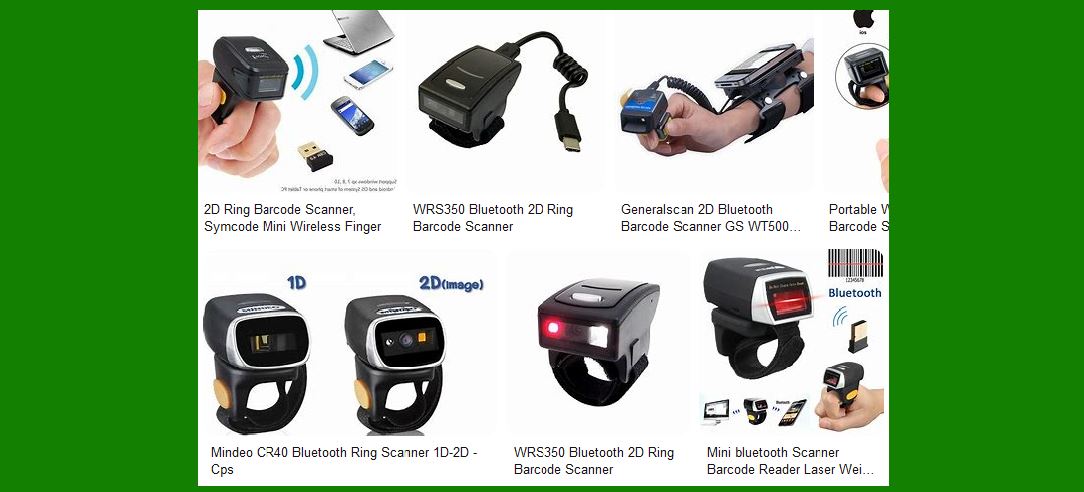
7.3. Wearable Scanners |
Wearable scanners are designed to be worn by employees, allowing for hands-free scanning. These scanners are ideal for environments where workers need to move freely while capturing data. |
7.4. Mobile Computers |
Mobile computers combine the functionality of barcode scanners with mobile computing capabilities. They are equipped with advanced imaging technology and can support multi-symbol reading, making them suitable for various applications. |

|
8. Key Features to Consider |
When selecting a barcode scanner with multi-symbol reading capabilities, several key features should be considered: |
8.1. Scanning Speed |
The scanning speed is crucial, especially in high-volume environments. Look for scanners that can capture and decode multiple barcodes quickly and accurately. |
8.2. Durability |
Durability is essential, particularly in industrial environments. Choose scanners that are rugged and can withstand harsh conditions, such as extreme temperatures, humidity, and physical impact. |
8.3. Connectivity |
Consider the connectivity options available, such as wired, wireless, or Bluetooth. Ensure that the scanner can integrate seamlessly with your existing systems and infrastructure. |
8.4. Ease of Use |
Ease of use is important to ensure that employees can operate the scanners efficiently. Look for scanners with intuitive interfaces and minimal training requirements. |
8.5. Compatibility |
Ensure that the scanner is compatible with the barcode symbologies used in your environment. Some scanners may support a wide range of symbologies, while others may be limited. |

|
9. Future Trends in Multi-Symbol Reading |
The field of barcode scanning is continually evolving, and several trends are shaping the future of multi-symbol reading: |
9.1. Artificial Intelligence |
Artificial intelligence (AI) is being integrated into barcode scanners to enhance their capabilities. AI-powered scanners can improve accuracy and efficiency by learning to recognize and decode barcodes more effectively. |
9.2. Internet of Things (IoT) |
The Internet of Things (IoT) is enabling the development of connected barcode scanners that can communicate with other devices and systems. This connectivity can enhance data capture and analysis, leading to more informed decision-making. |
9.3. Enhanced Imaging Technology |
Advancements in imaging technology are improving the performance of barcode scanners. High-resolution imagers and advanced optics are enabling scanners to capture barcodes more accurately and in challenging conditions. |
9.4. Integration with Mobile Devices |
Barcode scanners are increasingly being integrated with mobile devices, such as smartphones and tablets. This integration allows for more flexible and versatile data capture solutions. |
|
10. Conclusion |
Multi-symbol reading is a valuable feature in barcode scanners that can significantly enhance efficiency and accuracy in various environments. While there are some limitations and challenges associated with this technology, the benefits often outweigh the drawbacks. By understanding the capabilities and applications of multi-symbol reading, businesses can make informed decisions when selecting barcode scanners to meet their needs. |
 cs@easiersoft.com