Choosing the right barcode reader is essential for ensuring that your barcode scanning processes are efficient and accurate. With a wide variety of barcode readers available on the market, selecting the one that suits your specific needs can be a challenging task. This guide will take you through the detailed considerations necessary to make an informed decision, covering the different types of barcode scanners, key features to look for, and practical tips on usage, maintenance, and compatibility. |
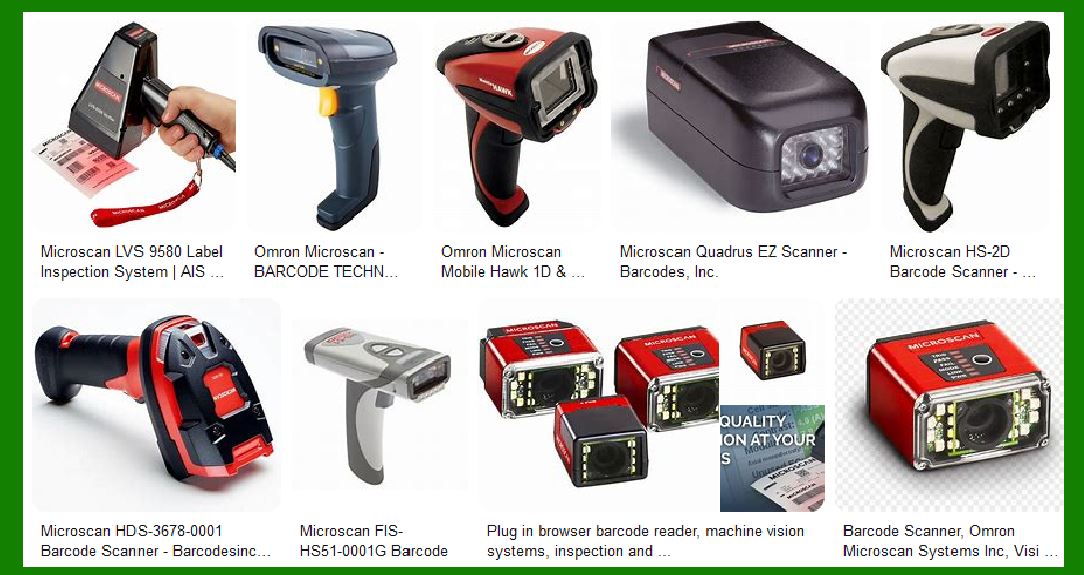
|
1. Introduction to Barcode Readers |
Barcode readers, also known as barcode scanners, are devices that are used to capture and decode information from a barcode. The reader interprets the encoded data and translates it into a readable format for use in inventory systems, point-of-sale (POS) systems, and various other applications. There are various types of barcode scanners designed for different environments, each with specific advantages and limitations. |
Types of Barcode Readers: |
Laser Scanners: These use a laser beam to scan barcodes and are suitable for scanning barcodes from a distance. |
Imager Scanners: These use cameras to capture a 2D image of the barcode and can scan both 1D and 2D barcodes. |
CCD Scanners (Charge-Coupled Device): These scanners use an array of light sensors to scan the barcode and are known for being compact and lightweight. |
2D Scanners: Capable of scanning QR codes, DataMatrix, and other 2D codes, these are essential for businesses that use advanced barcodes. |
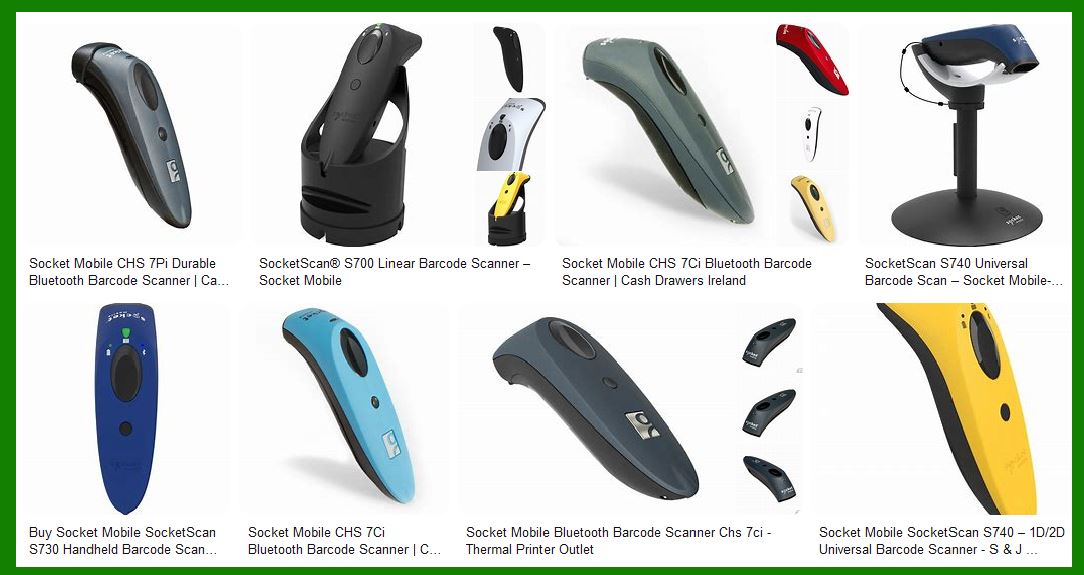
Wired and Wireless Scanners: Wired scanners are connected directly to a system via cables, while wireless scanners communicate via Bluetooth or Wi-Fi. |
|
2. Understanding Your Needs |
Before selecting a barcode reader, it's important to assess your needs carefully. Consider the following factors: |
a. Type of Barcodes to Scan |
Different barcode types require different scanners. While most barcode readers can handle 1D barcodes, not all can read 2D barcodes (like QR codes and DataMatrix codes). If your business relies on 2D barcodes, you will need a 2D imager or a 2D-specific scanner. |
b. Scanning Environment |
The environment in which the barcode reader will be used is a crucial factor. Some environments may require a scanner that works well in harsh conditions, such as warehouses, outdoor environments, or manufacturing floors, where barcodes may be damaged or covered in dirt. |
Retail Environments: In retail, barcode readers need to be fast and accurate for quick transactions. A general-purpose scanner will often suffice. |
Industrial Environments: Industrial environments may require rugged scanners that can withstand drops, dust, and moisture. |
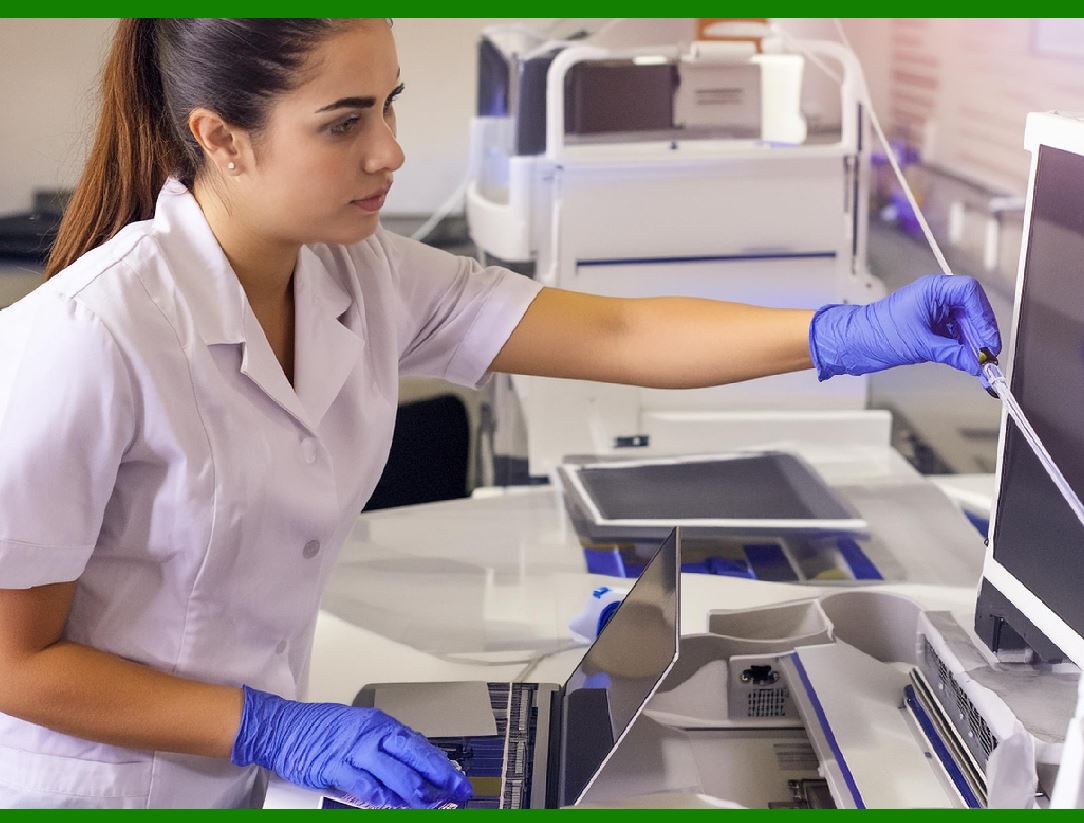
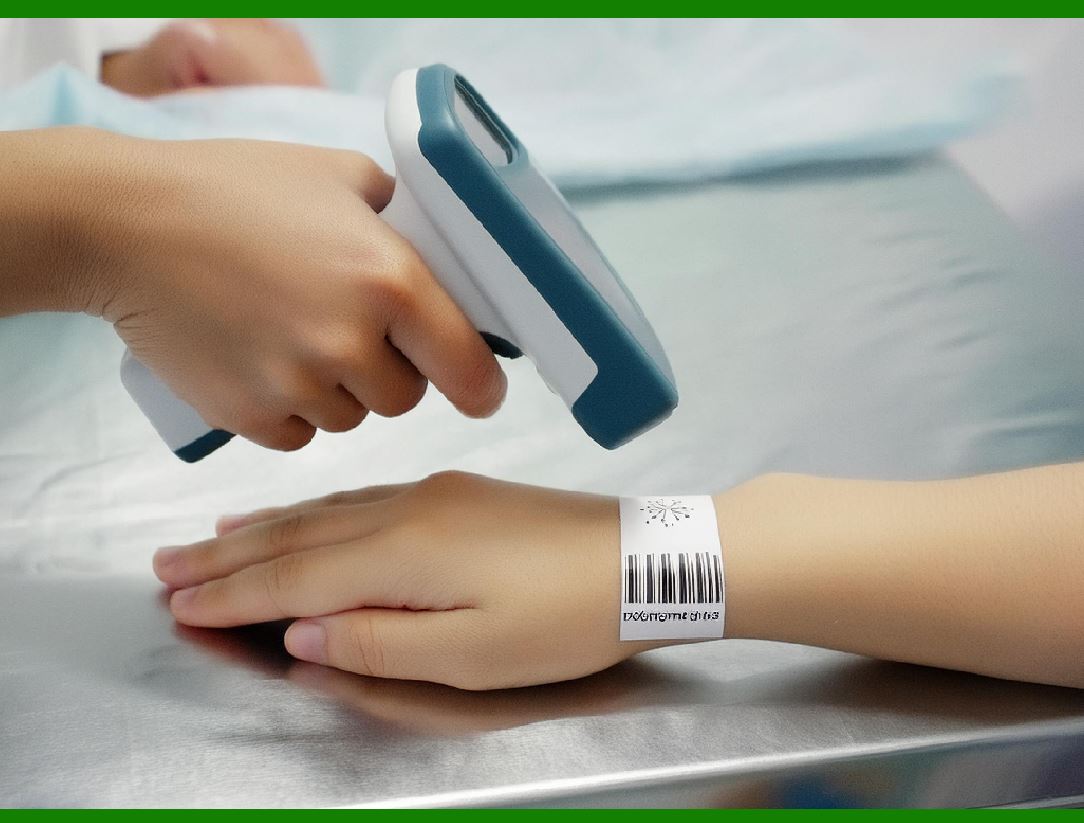
Healthcare: In healthcare, scanners need to read small or irregular barcodes and be highly accurate to prevent errors in patient identification. |
c. Volume of Scanning |
High-volume scanning will require a more durable and faster scanner to ensure productivity. If you need to scan a large number of items, you should consider investing in a high-speed imager scanner or a handheld scanner with a long battery life. |
d. Range of Scanning |
Consider the distance at which you need to scan the barcode. If you're scanning barcodes from a distance, such as in large warehouses, you will need a scanner with a long scanning range, often offered by laser scanners or high-performance imager scanners. |

|
3. Key Features to Consider |
Once you understand your needs, focus on the features that will help you get the most out of your barcode scanner. Key features to look for include: |
a. Scan Range |
Barcode scanners have different ranges. Some can read a barcode from just a few inches, while others can read barcodes from several feet away. For example, if you're working in a warehouse, you'll likely need a scanner with a long scan range. |
b. Scan Speed |
Scan speed is crucial in high-volume environments. A scanner that can process data quickly reduces wait times and increases productivity. For retail and POS systems, a scanner that can read barcodes in less than a second is ideal. |
c. Durability |
Durability is especially important in environments where the scanner is likely to be dropped or exposed to dust, moisture, and harsh conditions. Look for scanners with IP ratings (Ingress Protection) that indicate how resistant they are to water and dust. A scanner with a rugged design is also a good choice for industrial settings. |
d. Connectivity |
Barcode readers can connect in several ways, including: |
USB: Wired scanners are connected via a USB port. |
Bluetooth: Wireless scanners use Bluetooth technology to connect to devices like tablets, smartphones, and computers. |
Wi-Fi: Some high-end scanners have Wi-Fi capabilities, allowing them to communicate over a network without relying on Bluetooth. |
e. Compatibility |
Ensure the barcode reader is compatible with your existing systems. Some barcode readers work only with certain operating systems (Windows, iOS, Android) or software applications. Most modern scanners are plug-and-play, meaning they can easily integrate with a variety of systems. |
f. Battery Life |
For wireless barcode scanners, battery life is crucial. If you’re using a scanner in an environment where charging is inconvenient, look for a scanner with extended battery life. Some wireless scanners offer rechargeable batteries that can last a full shift, while others may require more frequent recharging. |
g. Ergonomics |
If your employees will be using the barcode scanner for extended periods, consider its ergonomics. A lightweight, comfortable, and easy-to-hold design will prevent fatigue. Scanners that are too bulky or awkward can lead to discomfort and lower productivity. |
|
4. Different Types of Barcode Scanners and Their Applications |
a. Handheld Barcode Scanners |
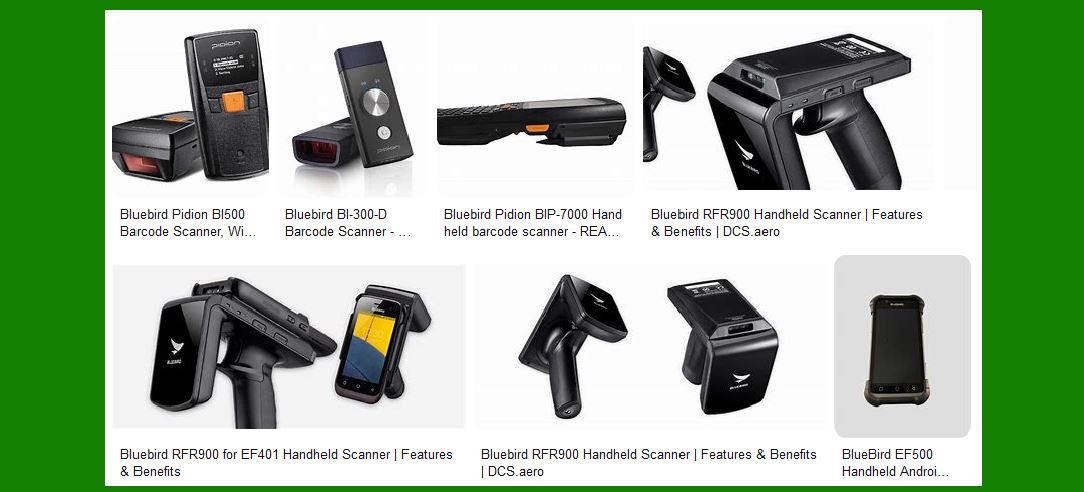
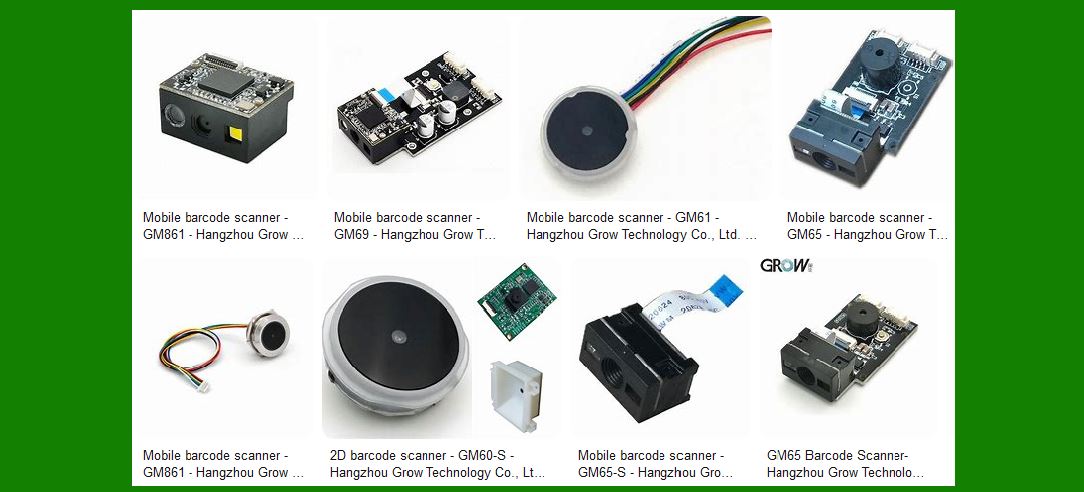
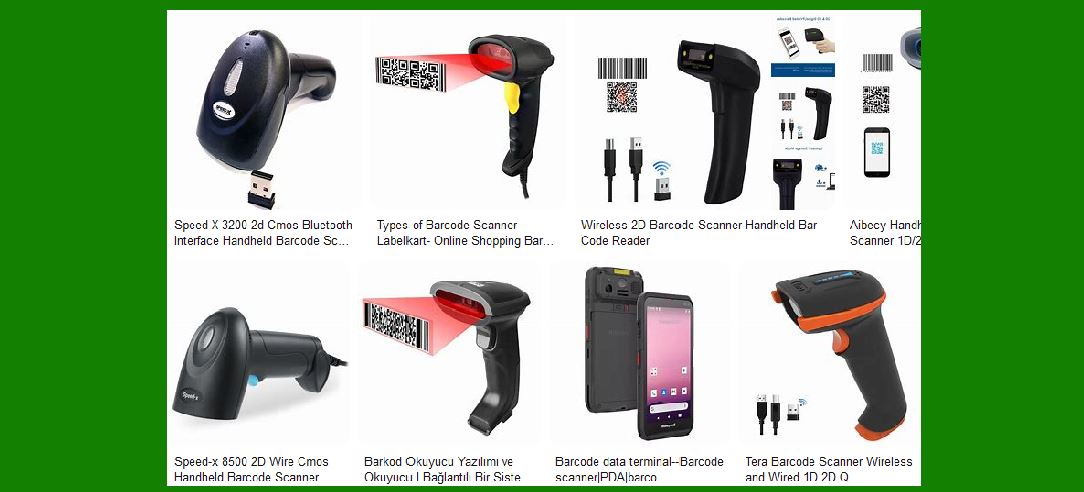
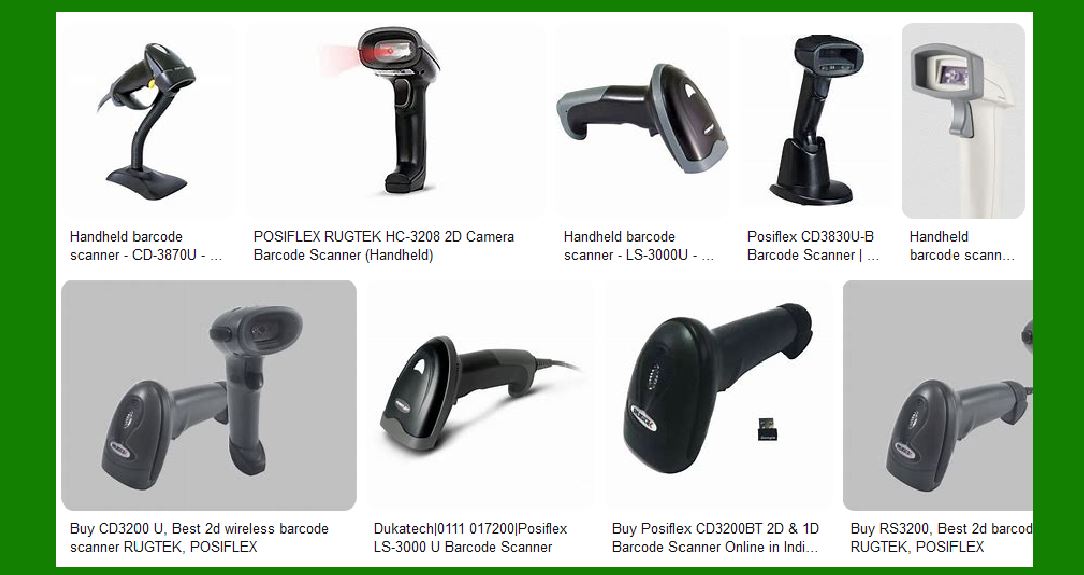
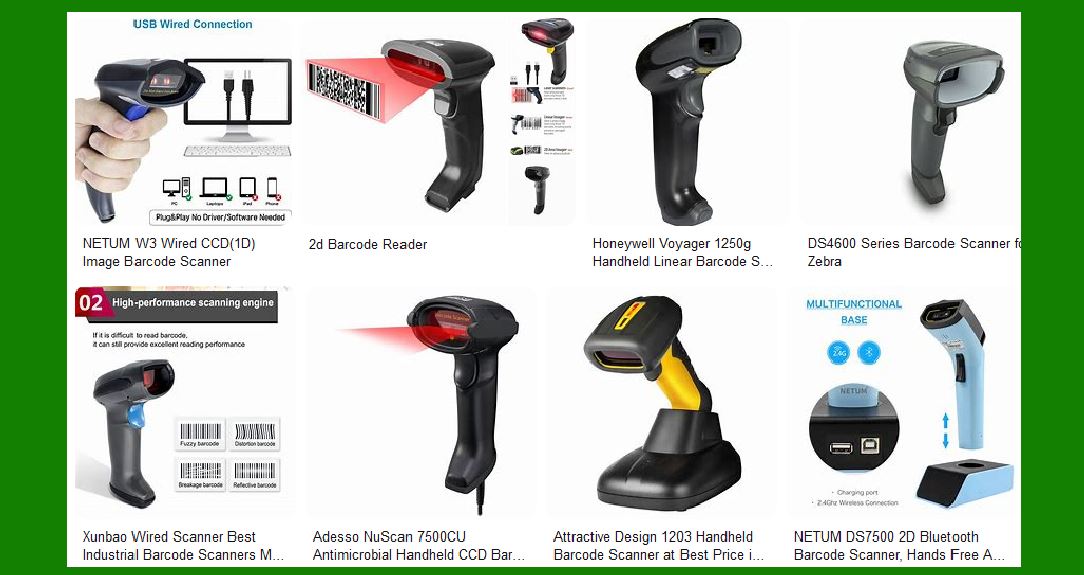
Handheld scanners are the most commonly used type of barcode scanner. These are versatile and suitable for a range of applications, from retail POS systems to warehouse inventory management. They are available in both wired and wireless versions. |
b. Stationary Barcode Scanners |
Stationary barcode scanners are typically used at checkout counters or fixed locations where items can be placed for scanning. They are often used in retail environments for scanning multiple items quickly. |
c. Fixed-Mount Scanners |
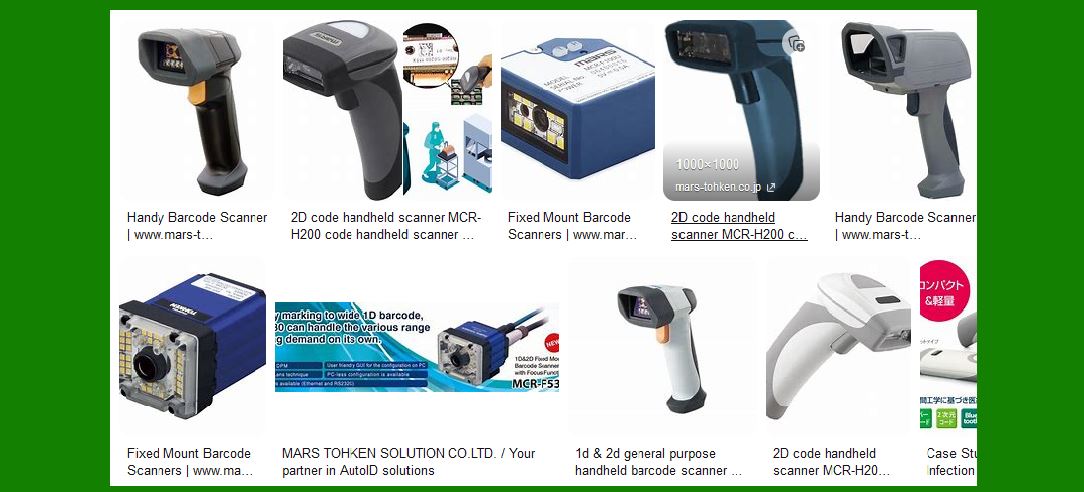
Fixed-mount scanners are installed at a specific location, such as an assembly line or conveyor belt, and automatically scan items as they pass by. These scanners are used in logistics and manufacturing environments to track items through the production process. |
d. Wearable Barcode Scanners |
Wearable scanners are designed to be worn on the body, often on the wrist or finger. These scanners are ideal for workers in warehouses or distribution centers who need to have their hands free while scanning items. |
|
5. Barcode Reader Performance in Different Conditions |
Certain barcode readers perform better under specific conditions. When choosing a barcode reader, consider the following environmental factors: |
a. Low-Light Environments |
In low-light environments, an imager scanner may be more effective, as they use LED lighting to illuminate the barcode. Laser scanners, on the other hand, may struggle to read barcodes in poorly lit areas. |
b. Dirty or Damaged Barcodes |
Some barcode readers are equipped with advanced error-correction technology to decode damaged or dirty barcodes. In environments where barcodes may get dirty (such as warehouses or manufacturing floors), it’s essential to choose a scanner with strong error correction capabilities. |
c. Cold and Hot Environments |
Certain scanners are designed to withstand extreme temperatures. If you’re operating in a cold storage area or a hot manufacturing floor, you may need a rugged scanner rated for such environments. |

|
6. Barcode Scanner Maintenance and Longevity |
A barcode scanner's longevity depends on proper maintenance. Regular cleaning and occasional software updates will help ensure your scanner continues to function optimally. Consider the following maintenance tips: |
a. Cleaning the Scanner |
Regularly clean the lens or scanning area of the barcode reader to avoid dirt buildup that can affect its ability to scan barcodes accurately. Some scanners have self-cleaning features that can help minimize manual cleaning. |
b. Firmware Updates |
Keep the firmware of your barcode scanner up to date. Manufacturers often release updates to improve performance, fix bugs, or enhance compatibility with new types of barcodes. |
c. Storing the Scanner |
When not in use, store the barcode reader in a safe, dry place. Avoid dropping the scanner or exposing it to extreme temperatures or moisture, as these factors can damage the internal components. |
|
7. Cost Considerations |
Barcode readers vary widely in price, depending on features, brand, and durability. Basic handheld scanners may cost as little as $30, while more advanced 2D or imager scanners may cost several hundred dollars. While it may be tempting to choose a lower-cost option, remember that the total cost of ownership includes factors like: |
Initial Purchase Cost |
Maintenance and Repair Costs |
Downtime due to Scanner Malfunctions |
Total Productivity Gains |
Sometimes, investing in a higher-quality scanner may provide a better return on investment over the long term. |
|
8. Testing and Trial Periods |
Before committing to a specific barcode reader, take advantage of trial periods or product demos. Many suppliers offer a trial period during which you can evaluate how well a scanner meets your needs. This allows you to assess factors like scan speed, accuracy, and compatibility with your systems. |
9. Customer Support and Warranty |
Choose a barcode scanner from a company that offers excellent customer support and a solid warranty. Reliable support ensures that any issues you encounter can be quickly addressed. A warranty will protect you in case of any defects or issues with the scanner. |
10. Conclusion |
Selecting the right barcode reader is a crucial decision that affects the efficiency of your operations. By carefully assessing your needs, considering key features, and weighing performance in different environments, you can ensure that you choose the best barcode scanner for your business. |
|
Deeper dive into the Types of Barcode Readers |
1. Types of Barcode Readers |
The types of barcode readers vary based on the technology they use, the environments in which they are suited, and the specific tasks they are designed to perform. In this section, we will delve into the different types of barcode readers, explaining their underlying technology, advantages, and best-use cases. |
|
2. Laser Scanners |
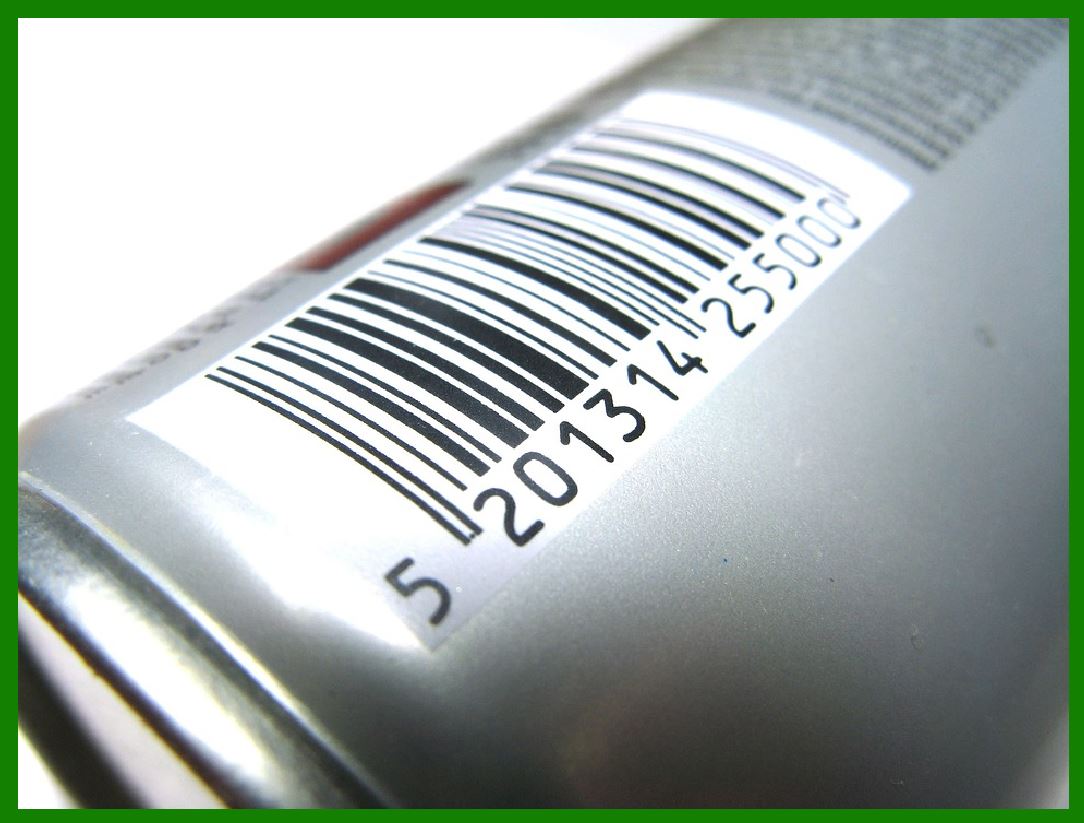
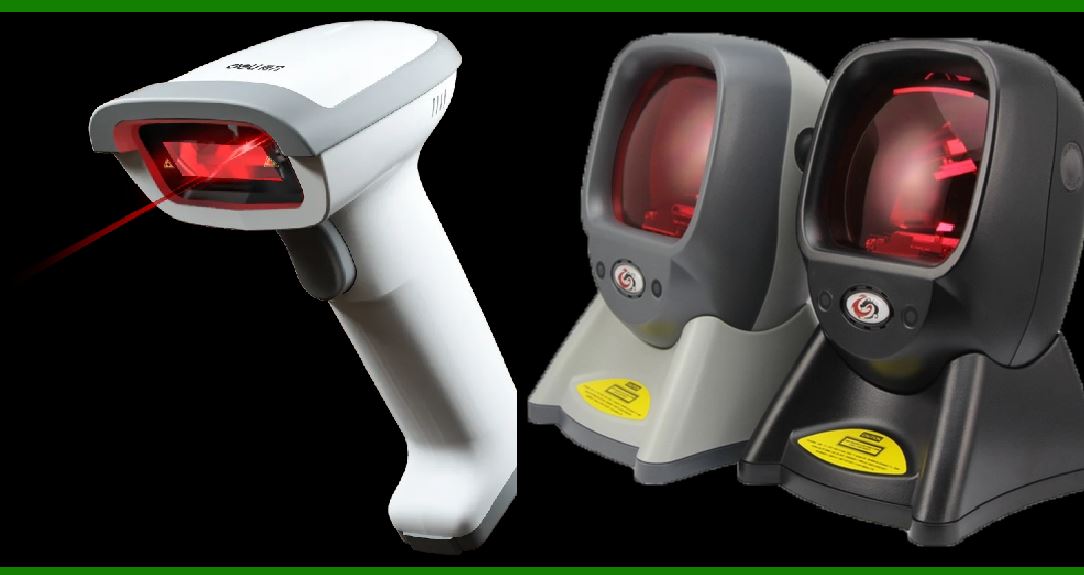
Laser scanners are one of the oldest and most commonly used barcode readers, especially for 1D barcodes. They use a laser beam to scan barcodes and rely on the reflection of the laser light to capture the barcode information. There are two main types of laser scanners: single-line laser scanners and multi-line laser scanners. |
a. Single-Line Laser Scanners |
Single-line laser scanners direct a single laser beam across the barcode. The scanner reads the barcode by detecting the reflection of the laser beam as it crosses the barcode's black and white bars. These scanners are best suited for situations where the barcode is relatively easy to scan in a controlled environment, such as retail checkout counters or warehouse aisles. |
Advantages: |
High speed: Single-line laser scanners can scan barcodes very quickly, making them ideal for high-volume retail environments. |
Long range: Laser scanners can typically scan barcodes from several inches up to several feet, depending on the model. |
Cost-effective: Single-line laser scanners are generally affordable, making them a popular choice for businesses looking for a budget-friendly option. |
Limitations: |
Limited to 1D barcodes: These scanners can only read 1D barcodes, not 2D barcodes like QR codes or DataMatrix codes. |
Cannot scan damaged or poorly printed barcodes: Laser scanners depend on clear contrasts between the black and white bars, making them less effective at reading damaged or poorly printed barcodes. |
b. Multi-Line Laser Scanners |
Multi-line laser scanners, often referred to as laser omni-directional scanners, use multiple laser beams to scan barcodes from various angles. These scanners allow users to scan barcodes in any orientation, making them ideal for situations where barcodes are not aligned in a specific direction. |
Advantages: |
Omni-directional scanning: Multi-line scanners can read barcodes from multiple angles without requiring the user to orient the barcode correctly. |
Fast scanning: The ability to scan quickly in multiple directions increases throughput and reduces the chances of missed scans. |
Limitations: |
Limited to 1D barcodes: Just like single-line laser scanners, multi-line scanners can only read 1D barcodes. |
Less effective on damaged barcodes: If the barcode is obscured, scratched, or poorly printed, these scanners may struggle to read it. |
|
3. Imager Scanners |
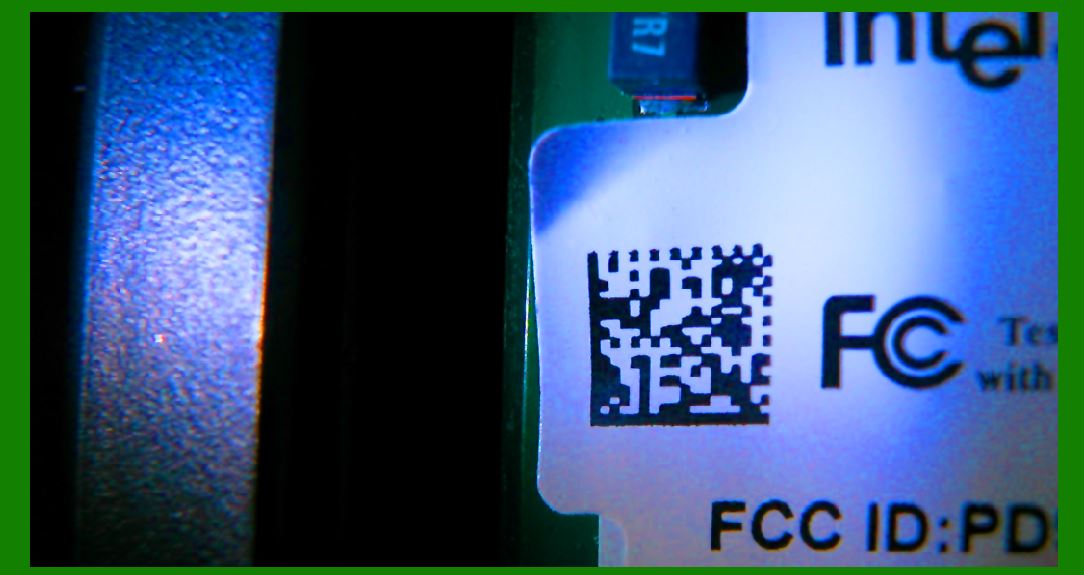
Imager scanners, also known as image-based scanners or 2D scanners, use a camera to capture an image of the barcode. The image is then processed by the scanner's software to decode the barcode. Imager scanners can handle both 1D and 2D barcodes, including QR codes, DataMatrix, and PDF417. |
a. CCD (Charge-Coupled Device) Imagers |
CCD imagers use an array of light sensors to capture an image of the barcode. These scanners tend to be smaller and more compact than laser scanners and are capable of scanning both 1D and 2D barcodes. |
Advantages: |
Can read 2D barcodes: CCD imagers are capable of reading 2D barcodes, making them more versatile than laser scanners. |
Compact design: CCD scanners are typically more lightweight and smaller, making them easy to use in confined spaces. |
Limitations: |
Shorter scanning range: CCD imagers have a relatively short scanning range, typically only a few inches or up to 2 feet, depending on the model. |
Lower performance in low-light conditions: Since CCD imagers depend on ambient light for scanning, their performance can degrade in dark environments. |
b. Area-Imaging Scanners |
Area-imaging scanners use a 2D camera sensor to capture an image of the entire barcode at once. These scanners are more advanced than CCD imagers and can scan both 1D and 2D barcodes from any angle. |
Advantages: |
Versatile: They can read 1D and 2D barcodes, as well as damaged or distorted barcodes. |
High-quality imaging: These scanners offer higher resolution and can decode complex barcodes, such as those used in healthcare or industrial applications. |
Omni-directional scanning: Like multi-line laser scanners, area-imaging scanners can read barcodes from any orientation. |
Limitations: |
Cost: Area-imaging scanners tend to be more expensive than laser and CCD scanners due to their higher capabilities. |
Larger size: They are often bulkier, which may make them less ideal for portable applications. |
|
4. 2D Barcode Scanners |
2D barcode scanners are a specific subset of imager scanners designed to handle 2D barcodes. These scanners are ideal for environments that use QR codes, DataMatrix, and other types of 2D codes. |
a. Linear Imagers |
Linear imagers use a single row of sensors to capture the barcode. Unlike laser scanners, they capture the entire barcode in a single pass rather than relying on a laser beam. Although they can read both 1D and 2D barcodes, they are more commonly used for 2D barcodes, especially in applications that require higher-density codes. |
Advantages: |
Can handle high-density 2D barcodes: Linear imagers excel at reading 2D barcodes with high data density, such as QR codes. |
Cost-effective: These scanners tend to be less expensive than area-imaging scanners while still offering good performance for 2D barcodes. |
Limitations: |
Limited scanning range: They tend to have a shorter scanning range than area-imaging scanners, which can be restrictive in some applications. |
|
5. Wired vs. Wireless Barcode Scanners |
Barcode scanners come in both wired and wireless varieties, with each type having its advantages and drawbacks. |
a. Wired Barcode Scanners |
Wired barcode scanners connect directly to a computer or point-of-sale (POS) system via a cable, often using USB, serial, or PS/2 connectors. |
Advantages: |
Stable connection: Since the connection is wired, there are no issues with interference or signal loss. |
No need for battery: Wired scanners do not rely on batteries, so you don't need to worry about charging or replacing batteries. |
Limitations: |
Limited mobility: The main drawback of wired scanners is their lack of mobility. Workers need to stay close to the computer or POS terminal. |
Cables can create clutter: Depending on the environment, cables may get tangled or create tripping hazards. |
b. Wireless Barcode Scanners |
Wireless barcode scanners use wireless technologies like Bluetooth, Wi-Fi, or radio-frequency identification (RFID) to communicate with the host device. These scanners offer greater mobility and flexibility than wired scanners. |
Advantages: |
Greater mobility: Wireless scanners allow users to move around freely while scanning items, which is ideal for warehouse environments or inventory management. |
Reduced clutter: Since they don't require cables, wireless scanners help reduce cable clutter and improve workspace organization. |
Limitations: |
Battery life: Wireless scanners depend on battery power, and users must ensure they are regularly charged to avoid downtime. |
Signal interference: In some environments, wireless signals can be subject to interference, leading to connectivity issues. |
|
6. Omni-Directional vs. Single-Line Scanners |
Scanners can be classified based on how they scan the barcode. Omni-directional scanners are capable of reading barcodes in any orientation, while single-line scanners require the barcode to be positioned at a specific angle for accurate scanning. |
a. Omni-Directional Scanners |
Omni-directional scanners, often multi-line laser or area-imaging scanners, can scan barcodes from any angle, making them ideal for high-volume environments like retail checkout counters. |
Advantages: |
Ease of use: Users do not need to align the barcode properly, improving scanning speed. |
Increased productivity: Faster scanning means less time spent aligning barcodes. |
Limitations: |
Higher cost: Omni-directional scanners are typically more expensive than single-line scanners due to their increased functionality. |
Larger size: These scanners are often bulkier than single-line models. |
b. Single-Line Scanners |
Single-line scanners are typically easier to use in environments where barcodes are always aligned in a specific direction, such as warehouses or assembly lines. |
Advantages: |
Cost-effective: Single-line scanners are generally cheaper than omni-directional scanners. |
Simple design: These scanners tend to be smaller and simpler, making them lightweight and easy to handle. |
Limitations: |
Requires alignment: The user must orient the barcode correctly for accurate scanning, which can slow down the process. |

|
7. Wearable Barcode Scanners |
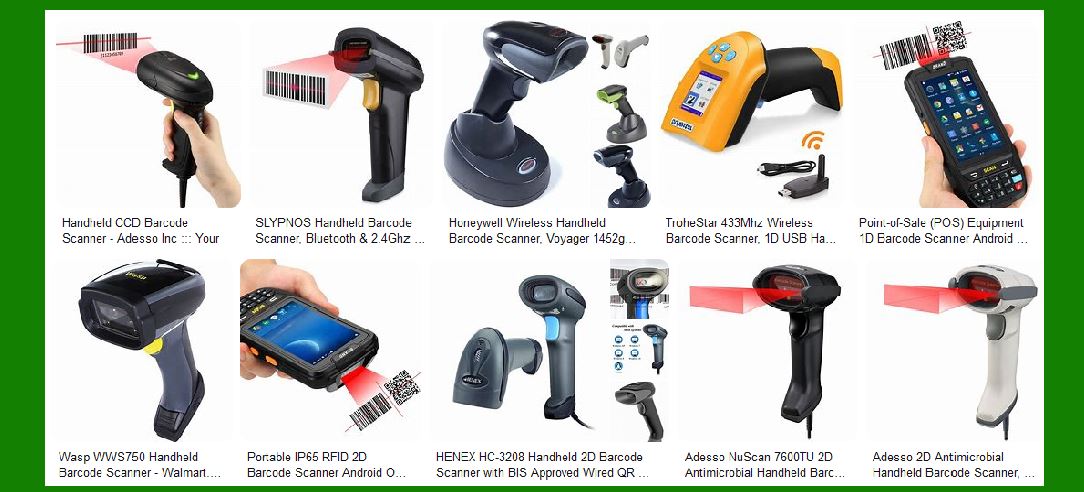
Wearable barcode scanners are designed to be worn on the body, often on the wrist or finger, allowing the user to scan barcodes while keeping their hands free for other tasks. These scanners are ideal for environments like warehouses or distribution centers, where employees need to move quickly and efficiently while scanning items. |
Advantages: |
Hands-free operation: Workers can scan barcodes without needing to hold a handheld scanner, improving efficiency. |
Compact design: Wearable scanners are lightweight and do not add significant bulk to the user's movements. |
Limitations: |
Battery life: Like other wireless scanners, wearable scanners rely on batteries, which may need to be charged frequently. |
Limited range: The scanning range of wearable scanners can be more limited compared to handheld models, depending on the device. |
|
8. Fixed-Mount Barcode Scanners |
Fixed-mount barcode scanners are stationary devices that are installed in a specific location, often above a conveyor belt or assembly line. They automatically scan items as they pass by, without the need for a worker to hold the scanner. |
Advantages: |
Automation: Fixed-mount scanners can automatically capture barcodes without requiring manual input from an employee. |
Continuous scanning: These scanners are ideal for high-throughput environments where items move quickly and need to be scanned continuously. |
Limitations: |
Less flexibility: Fixed-mount scanners are not portable, so they can only be used in specific locations. |
Higher installation cost: Setting up fixed-mount scanners requires an investment in infrastructure and setup. |

|
9. Conclusion |
The type of barcode reader you choose depends on various factors, such as the specific application, the environment in which it will be used, and the types of barcodes you need to scan. From the simplicity of single-line laser scanners to the versatility of 2D area imagers, each barcode reader offers unique advantages suited to different tasks. By understanding the characteristics and best-use scenarios of each type of barcode reader, you can make an informed decision that maximizes efficiency and productivity for your business or organization. |
|
Deeper dive into the Scanning Environment and the barcode reader type |
1. Scanning Environment and Barcode Reader Type |
The scanning environment plays a significant role in determining which type of barcode reader is best suited for your needs. Factors such as lighting conditions, physical environment (e.g., warehouse, retail store, healthcare facility), type of barcodes, and expected wear and tear can influence your choice of barcode scanner. In this section, we will explore how different environments impact the selection of barcode scanners and which types are best suited for specific conditions. |

|
2. Retail Environments |
Retail environments are typically characterized by high transaction volumes, fast-paced workflows, and the need for quick and accurate barcode scanning. The key requirements in retail scanning include speed, ease of use, and flexibility in reading barcodes at various orientations. |
Best Barcode Reader Types for Retail |
Omni-Directional Scanners |
Advantages: Omni-directional barcode scanners are excellent for retail environments because they allow for fast, multi-angle scanning. They can read barcodes from any orientation, which means customers do not need to line up the barcode in a specific direction. |
Use Case: Commonly used at point-of-sale (POS) systems where products are passed over the scanner by both staff and customers. With the ability to scan barcodes from any direction, these scanners improve speed and efficiency. |
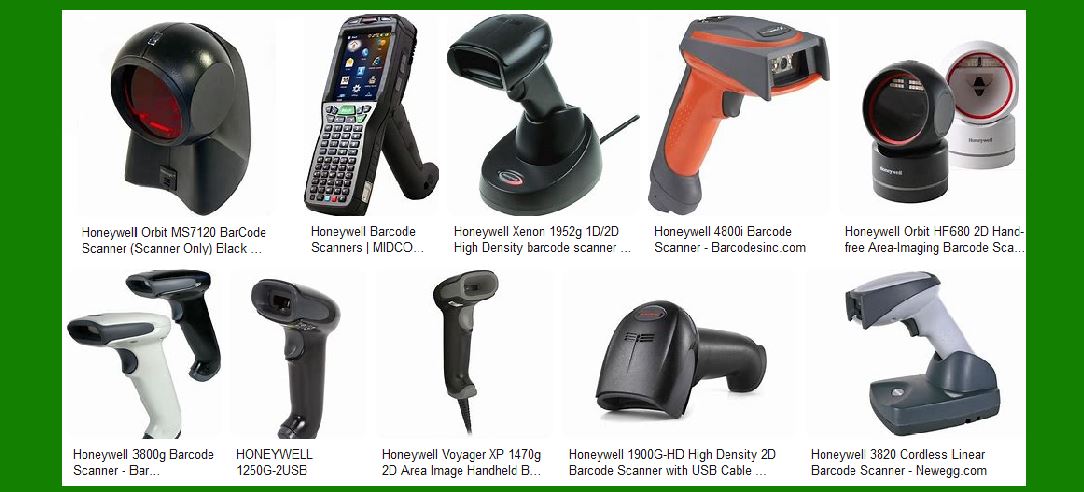
Example: The Honeywell Xenon 1900 is an omni-directional scanner that’s widely used in retail settings for scanning barcodes on various products, from groceries to clothing. |
Handheld 1D Laser Scanners |
Advantages: These scanners are a cost-effective solution for 1D barcode reading in retail. They provide quick and accurate scanning and are ideal for standard product barcodes like UPC or EAN codes. |
Use Case: Often used in smaller or more specialized retail operations, such as in convenience stores, or when a handheld scanner is needed for flexibility in reading products across the counter. |
Example: Zebra DS2208 is a widely used 1D/2D handheld barcode scanner, offering both omni-directional scanning and the ability to scan 2D barcodes when necessary. |
Presentation Scanners |
Advantages: These are stationary scanners that allow customers to place their items in front of the scanner, which then automatically reads the barcode. |
Use Case: Ideal for environments where the focus is on minimizing the interaction between the employee and the customer, such as in quick-service or self-checkout lanes. |
Example: The Datalogic Magellan 3400VSi is a presentation scanner often used in retail environments for high-speed scanning. |
Challenges in Retail Environments |
High Traffic and Misalignment: With customers rushing through checkout lines, barcodes may be misaligned or hard to read. Omni-directional scanners help alleviate this issue by reading barcodes from any direction. |
Cluttered Workspaces: Presentation scanners can help streamline workflows in cluttered checkout lanes. However, they require careful positioning to ensure smooth scanning of products. |
|
3. Warehouse and Logistics Environments |
Warehouses and logistics environments are often larger and involve handling a high volume of items. These environments typically have more demanding conditions, such as limited space, poor lighting, dust, or dirt. |
Best Barcode Reader Types for Warehouses |
Ruggedized Barcode Scanners (Industrial Scanners) |
Advantages: Ruggedized scanners are designed to withstand harsh conditions, such as drops, dust, moisture, and extreme temperatures. They are built to be durable and operate in challenging warehouse or logistics environments. |
Use Case: Used in environments where workers may be handling goods in aisles or storage areas with a higher risk of dropping the scanner or exposing it to dust or moisture. |
Example: The Zebra MC9300 is a ruggedized handheld mobile computer used in warehouses for scanning barcodes in harsh conditions. It offers both a 1D laser scanner and a 2D imager option. |
Long-Range Barcode Scanners |
Advantages: Long-range barcode scanners are designed to scan barcodes from greater distances, typically up to 30 feet or more. These scanners are necessary in warehouses or distribution centers where workers may need to scan items on high shelves or in areas that are difficult to reach. |
Use Case: Used by warehouse employees who are responsible for scanning barcodes on products stored on high shelves or in large storage areas. |
Example: The Honeywell Granit 1990i is an industrial-grade scanner with a long-range reading capability, ideal for warehouses with high racks or large aisles. |
Wearable Barcode Scanners |
Advantages: Wearable barcode scanners are designed to allow workers to keep both hands free while scanning products. These scanners are small, lightweight, and ergonomically designed for use in environments where efficiency and mobility are key. |
Use Case: Used by warehouse workers for hands-free scanning of products, particularly when managing inventory or moving large numbers of goods. |
Example: The Honeywell Wearable Scanner (RT10) is designed for hands-free scanning in warehouses, allowing employees to scan barcodes while performing other tasks. |
Challenges in Warehouse Environments |
Space Constraints: Due to the large size of warehouses, barcode scanners need to have long scanning ranges to ensure that employees don’t need to move closer to the item being scanned. |
Harsh Conditions: Scanners must be able to withstand extreme conditions, such as cold storage, dust, and occasional impacts, without losing functionality. This requires selecting industrial or ruggedized scanners. |
|
4. Healthcare Environments |
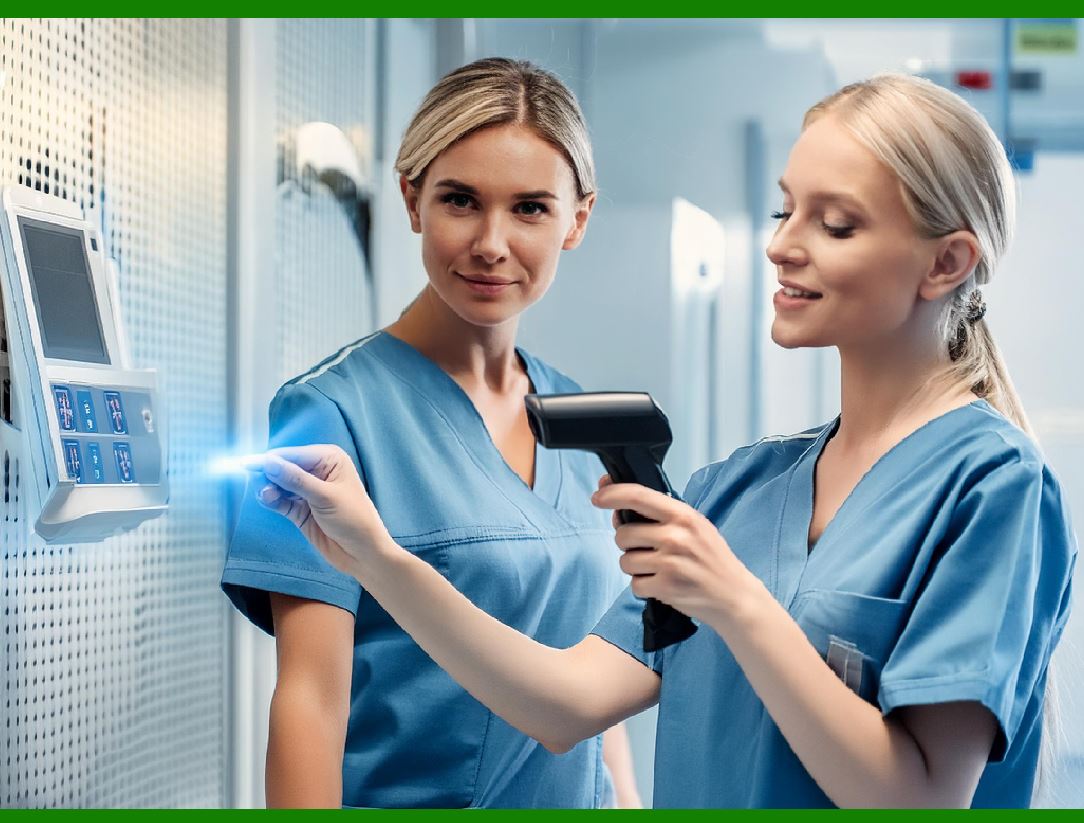
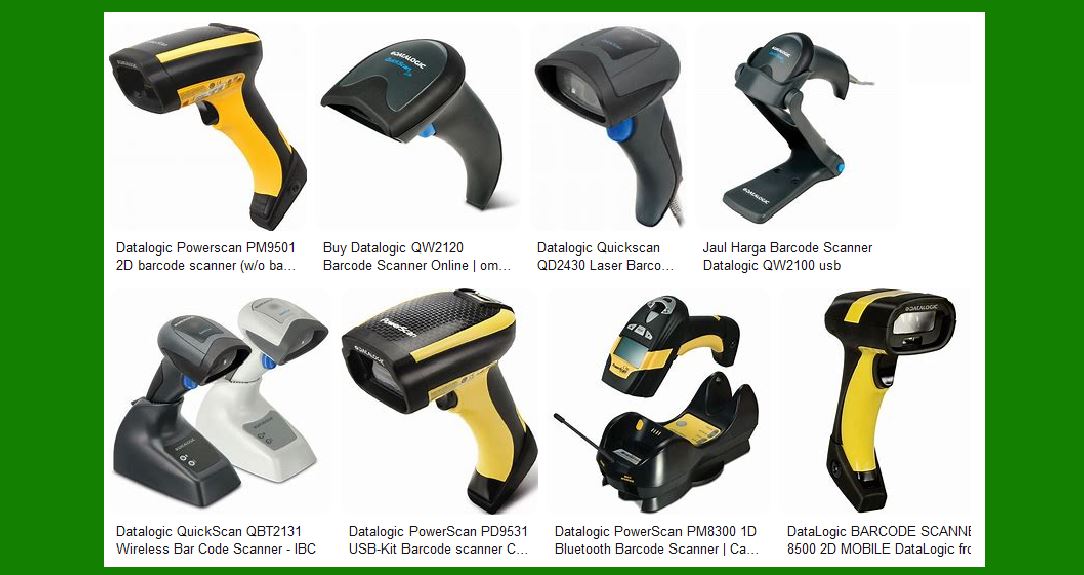
Healthcare environments have unique requirements for barcode scanning, particularly for ensuring accuracy and preventing errors in patient identification, medication administration, and inventory management. Barcodes are used for patient wristbands, medication labels, and equipment tracking. |
Best Barcode Reader Types for Healthcare |
High-Accuracy 2D Imagers |
Advantages: Healthcare environments require high-accuracy scanning of small and often complex barcodes, such as those on medication vials or patient wristbands. 2D imager scanners can handle high-density 2D barcodes such as DataMatrix and QR codes. |
Use Case: Used in patient care areas, such as scanning medication barcodes, patient wristbands, and surgical instruments to ensure safety and reduce errors. |
Example: The Zebra DS8178-HC is a high-performance 2D imager scanner designed for healthcare, capable of scanning both 1D and 2D barcodes in fast-paced environments. |
Contactless Barcode Scanners |
Advantages: Some healthcare environments require contactless scanning to minimize the spread of germs or to scan barcodes from a distance. |
Use Case: Ideal for scanning patient wristbands or medication bottles without the need for physical contact between the scanner and the item. |
Example: The Honeywell Xenon 1900H is designed for high-definition scanning of both 1D and 2D barcodes, often used in healthcare for fast, efficient barcode scanning. |
Disinfectant-Resistant Scanners |
Advantages: Healthcare settings require frequent cleaning and sterilization of equipment. Scanners used in such environments need to be resistant to disinfectants to avoid wear and tear. |
Use Case: Ideal for hospitals, clinics, or pharmacies where scanners need to withstand frequent cleaning and exposure to harsh chemicals. |
Example: The Datalogic Gryphon GBT4400-HC is designed specifically for healthcare environments and can endure the frequent cleaning required in such settings. |
Challenges in Healthcare Environments |
Accuracy and Safety: In healthcare, barcode scanners must ensure 100% accuracy to prevent medical errors. Scanning small or partially obscured barcodes, especially on patient wristbands or medication, is challenging. |
Disinfectability: Scanners need to be designed to withstand frequent cleaning without degrading, especially in sterile environments like operating rooms or patient care areas. |
|
5. Industrial and Manufacturing Environments |
Manufacturing environments present unique challenges for barcode scanning, such as heavy machinery, assembly lines, and potentially hazardous materials. Barcodes in these environments often have to withstand physical wear and harsh chemicals. |
Best Barcode Reader Types for Manufacturing |
Rugged Barcode Scanners |
Advantages: Manufacturing environments can be tough on equipment due to exposure to dust, chemicals, and physical wear. Rugged barcode scanners are designed to operate in harsh conditions and can endure drops, exposure to dust, and extreme temperatures. |
Use Case: Used in production lines to track products and parts as they move through the manufacturing process. |
Example: The Zebra LI3608-ER is an ultra-rugged scanner built to withstand drops, dust, and moisture, ideal for tough manufacturing environments. |
Fixed-Mount Scanners |
Advantages: Fixed-mount scanners are useful in manufacturing and assembly line settings, where items move automatically along a conveyor belt. These scanners are installed in specific locations and can read barcodes automatically as products pass by. |
Use Case: Used in automated manufacturing environments to track items moving along production lines. |
Example: The Cognex DataMan 150 is a fixed-mount scanner used in high-speed production lines to scan items automatically. |
Challenges in Manufacturing Environments |
Exposure to Harsh Elements: Scanners must be able to handle exposure to dust, chemicals, and other contaminants that can degrade performance. |
Continuous Scanning Needs: Manufacturing processes often require scanners that can scan rapidly and continuously without downtime, which necessitates the use of high-performance and ruggedized fixed-mount scanners. |

|
6. Conclusion |
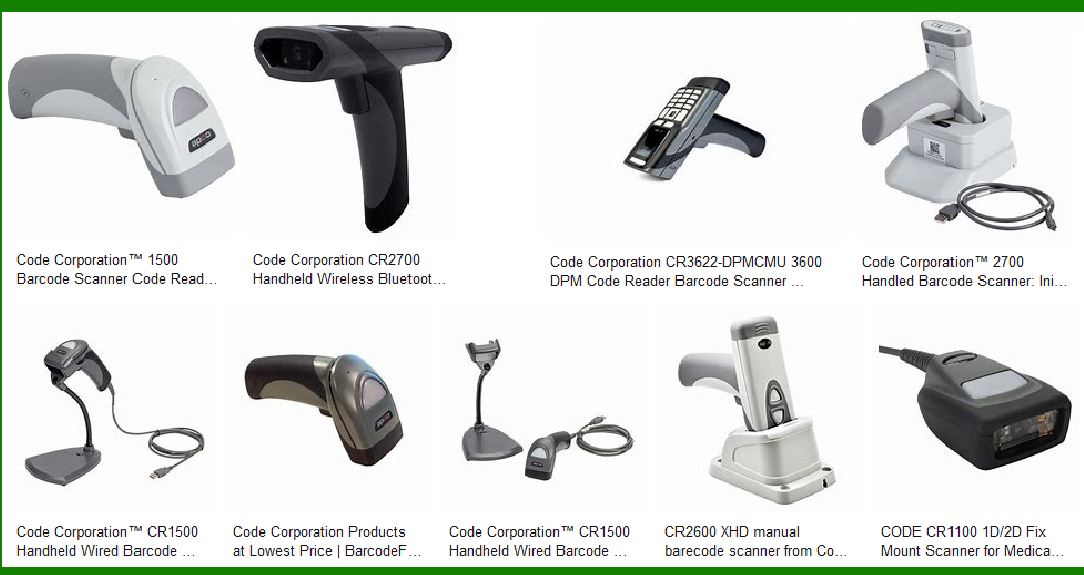
The scanning environment heavily influences the choice of barcode reader. In retail environments, speed and flexibility are paramount, making omni-directional and handheld scanners ideal. For warehouses and logistics, ruggedized, long-range, and wearable scanners are necessary to cope with harsh conditions and mobility needs. In healthcare, accuracy and disinfection resistance are crucial, while in industrial settings, ruggedness and automation support are the key drivers for selecting the right barcode scanner. |
By understanding the specific challenges posed by each environment and matching those with the capabilities of different barcode reader types, businesses can improve efficiency, reduce errors, and optimize workflow. |
|
Scan Range of the barcode reader |
1. Scan Range of Barcode Readers |
The scan range of a barcode reader refers to the distance between the barcode scanner and the barcode that can still produce an accurate and reliable reading. The scan range varies depending on several factors, including the type of barcode reader, the technology it uses, and the specific environment in which it is used. Understanding the scan range is crucial for selecting the right barcode scanner for your needs, as it directly impacts workflow efficiency, scanning speed, and user experience. |

|
2. Factors Affecting Scan Range |
Before we dive into specific types of barcode readers and their scan ranges, it is important to understand the primary factors that influence the scan range: |
a. Type of Barcode Reader |
Different types of barcode readers have varying scan ranges. For example: |
Laser Scanners typically have a longer scan range than CCD or imager scanners. |
2D Imager Scanners may have shorter scan ranges compared to laser scanners, but some models are designed to read barcodes from a greater distance. |
b. Type of Barcode |
The size and type of barcode being scanned also impact the scan range. Larger, high-contrast barcodes are easier to read from a greater distance, while small or damaged barcodes may require the reader to be closer to ensure accuracy. For example: |
1D barcodes (like UPC or EAN) can generally be read at longer distances than 2D barcodes (like QR codes or DataMatrix). |
Damaged or poorly printed barcodes often require the reader to be closer or have a higher-performance sensor to decode them. |
c. Scanner’s Light Source and Resolution |
Laser scanners typically have a longer scan range because they use focused laser beams, which can easily travel long distances. They are often capable of reading barcodes from several feet away. |
Imager scanners, on the other hand, use cameras to capture images of the barcode. While these scanners provide more versatility (such as the ability to read 1D and 2D barcodes), they tend to have shorter scan ranges, especially in low-light conditions. |
d. Environmental Conditions |
The environment in which the scanner is used also affects its range. Conditions like lighting, surface reflectivity, and obstructions can either extend or limit the scan range. For example: |
Low-light environments might reduce the range of a scanner, particularly for CCD and imager scanners, which rely on light to capture barcode images. |
Reflective surfaces or dirty barcodes can cause glare or signal interference, reducing the effective scan range. |
e. Barcode Size |
Larger barcodes (in terms of the physical size of the printed code) generally can be read from greater distances than smaller barcodes. The scanning range will also vary based on the density of the barcode—high-density barcodes typically require the scanner to be closer to the code. |
|
3. Scan Range by Barcode Reader Type |
a. Laser Scanners |
Laser scanners use a laser beam to scan barcodes. They are typically designed for long-range scanning, with ranges that can extend from a few inches to several feet (up to 30 feet or more). The actual scan range will depend on the laser's power and the environment in which it is used. |
Typical Scan Range: Laser scanners typically have a scan range of 6 inches to 30 feet (depending on model and environment). |
Best for: High-speed scanning in environments where items are at varying distances, such as warehouses, retail checkout counters, or industrial facilities. |
Example: |
Zebra LS2208: A general-purpose 1D laser scanner that can read barcodes at a range of 1-3 feet. |
Honeywell Granit 1980i: A rugged industrial scanner capable of reading barcodes up to 45 feet away in the right conditions. |
b. Imager Scanners |
Imager scanners, which include both CCD scanners and area imaging scanners, use a camera or sensor to capture the barcode. These scanners generally have shorter scan ranges than laser scanners, but they are capable of reading 2D barcodes, which laser scanners cannot. |
CCD Scanners: |
Typical Scan Range: CCD scanners typically have a scan range of 2 to 12 inches. Some models may reach up to 18 inches in ideal conditions, but they are generally designed for close-range scanning. |
Best for: Close-range scanning in retail, healthcare, or small-scale inventory management, where space is confined and barcodes are printed clearly. |
Area Imagers: |
Typical Scan Range: Area imaging scanners (also known as 2D barcode readers) typically have a scan range of 3 inches to 3 feet, depending on the barcode size and environment. |
Best for: Scanning both 1D and 2D barcodes, including damaged barcodes or those printed in hard-to-reach locations, such as on labels in warehouses or shipping containers. |
Example: |
Honeywell Xenon 1900: A 2D imager scanner with a range of about 4 inches to 20 inches, which is perfect for retail or warehouse environments requiring close-range scanning. |
Zebra DS9300: An area imager scanner capable of scanning barcodes from 2 inches to 30 inches depending on the type of barcode and environmental conditions. |
c. Long-Range Scanners |
Long-range scanners are typically either laser scanners or 2D imaging scanners designed with enhanced optics and advanced sensors to capture barcodes from extended distances. These are used in environments like warehouses or manufacturing facilities, where employees need to scan barcodes from far distances, such as those located on high shelves. |
Typical Scan Range: Long-range scanners can scan from 10 feet to 45 feet or more, depending on the barcode and the conditions of the environment. |
Best for: Warehouses, logistics, and large-scale inventory systems where barcodes may be located at a height or across a wide area. |
Example: |
Zebra DS3600-ER: A long-range scanner capable of reading barcodes up to 70 feet away in ideal conditions. |
Honeywell Granit 1990i: Offers a range of 10 inches to 45 feet, ideal for large warehouses with high racking systems. |
d. Fixed-Mount Scanners |
Fixed-mount scanners are stationary and are typically used in environments where items pass through the scanning area automatically, such as on production lines or conveyor belts. They are capable of reading barcodes without requiring human interaction. |
Typical Scan Range: Fixed-mount scanners generally have a scan range of 6 inches to 10 feet, but the range can vary depending on the system's design and barcode size. |
Best for: Automated systems such as assembly lines, conveyor belts, and high-speed scanning in industrial or manufacturing settings. |
Example: |
Cognex DataMan 8600: A fixed-mount scanner with a range that can extend up to 10 feet depending on the configuration and type of barcode being scanned. |
e. Wearable Scanners |
Wearable barcode scanners are designed to be worn on the body, usually on the wrist or finger. These scanners are ideal for hands-free scanning and are common in warehouse and logistics operations. They typically offer shorter scan ranges compared to handheld or industrial scanners. |
Typical Scan Range: Wearable scanners generally have a range of 4 inches to 18 inches, depending on the scanner model and the barcode type. |
Best for: Applications where workers need to keep both hands free while scanning barcodes, such as in warehouses or on assembly lines. |
Example: |
Honeywell RT10 Wearable Scanner: Offers a typical scan range of 6 inches to 18 inches, making it ideal for hands-free scanning in fast-paced environments like warehouses. |
|
4. Factors Affecting Scan Range in Real-World Scenarios |
While a scanner's technical specifications may provide an idealized scan range, real-world factors can affect how far a scanner can effectively read barcodes. These include: |
a. Barcode Quality and Size |
A larger barcode (in terms of physical size) can generally be read from a greater distance compared to a smaller barcode. |
High-density barcodes (such as QR codes or DataMatrix codes) often require closer proximity for reading due to the compactness of the data they store. |
b. Ambient Lighting |
Bright or direct lighting can cause glare and make it difficult for the scanner to read the barcode from a distance. |
Dim lighting or low-light conditions can impact the effectiveness of imager scanners, as they rely on ambient light to capture barcodes. Laser scanners tend to perform better in low-light environments. |
c. Surface Reflectivity |
Barcodes printed on reflective surfaces (such as metal, plastic, or glossy packaging) can cause interference or distort the scanning beam, reducing the effective scan range. Matte or non-reflective surfaces tend to provide better contrast and longer read distances. |
d. Environmental Conditions |
Dust, smoke, or fog in the environment can reduce the effective scan range, especially for laser scanners that rely on clear, uninterrupted light paths. |
Temperature extremes can affect scanner performance, with some scanners becoming less effective at very high or low temperatures. |
|
5. Conclusion |
The scan range of a barcode reader is an important factor in selecting the right device for your needs, as it directly influences the efficiency and speed of your barcode scanning processes. Understanding how different factors—such as the type of barcode, scanner technology, environmental conditions, and barcode size—impact the scan range can help you choose the right scanner for your specific application. Whether you need a long-range scanner for warehouse management or a compact, close-range scanner for retail environments, selecting the appropriate scan range is critical for ensuring smooth operations. |
|
Scan Speed of barcode reader |
1. Scan Speed of Barcode Readers |
The scan speed of a barcode reader refers to how quickly the device can decode and transmit data after scanning a barcode. Scan speed is a crucial performance factor, especially in high-volume environments such as retail stores, warehouses, and manufacturing lines. A faster scan speed means quicker processing times, which leads to increased productivity, reduced wait times, and smoother workflows. |
Scan speed is typically measured in scans per second (scans/sec) or lines per second for laser scanners. It can vary depending on the type of barcode reader, the technology used, the scanning environment, and the quality of the barcodes being scanned. |
In this section, we’ll dive deeper into the factors influencing scan speed, the scan speed capabilities of different types of barcode readers, and how to choose the right scan speed for your needs. |
|
2. Factors Affecting Scan Speed |
Several factors affect how quickly a barcode scanner can read a barcode and transmit the data: |
a. Type of Barcode Reader |
Different types of barcode scanners offer varying scan speeds, influenced by the technology used: |
Laser Scanners: Laser scanners generally have high scan speeds, as they rely on a focused beam of light to quickly detect and decode barcodes. Some high-end laser scanners can process up to 1,000 scans per second. |
Imager Scanners (CCD and 2D): Imager scanners (including CCD scanners and 2D area imagers) use cameras to capture an image of the barcode. While they tend to be slightly slower than laser scanners, advanced imager scanners can still scan at speeds of up to 500 scans per second or more, depending on the model and type of barcode. |
Long-Range Scanners: These scanners, designed for scanning barcodes from far distances (e.g., 30 feet or more), often have slower scan speeds due to the technology required for long-distance detection. However, they still offer sufficient speed for most applications in warehouse or logistics settings. |
b. Barcode Type |
The type of barcode being scanned plays a significant role in the speed of scanning. Barcodes come in various formats, and some are more complex than others, which can affect how quickly they are decoded: |
1D Barcodes (e.g., UPC, EAN, Code 128): 1D barcodes are relatively simple and usually require less processing power to decode, which results in faster scan speeds. |
2D Barcodes (e.g., QR Code, DataMatrix, PDF417): 2D barcodes, which contain more data and often require more advanced decoding, may take slightly longer to scan and decode compared to 1D barcodes. However, modern 2D scanners can read 2D barcodes at speeds comparable to 1D barcodes. |
Damaged or Poorly Printed Barcodes: Barcodes that are scratched, faded, or poorly printed may take longer to decode, as the scanner needs to work harder to interpret the information. Advanced scanners with built-in error correction algorithms can still read these barcodes relatively quickly, but the scan speed may decrease in these cases. |
c. Environmental Factors |
Environmental conditions can influence the scan speed of a barcode reader. Factors such as lighting, surface reflectivity, and the condition of the barcode can all affect how quickly the scanner can capture and process the barcode. |
Lighting Conditions: Poor or fluctuating lighting may slow down scanning speed, especially for imager scanners that depend on ambient light for capturing barcode images. Laser scanners are generally less affected by lighting but can be impacted by glare from shiny or reflective surfaces. |
Barcode Condition: As mentioned earlier, damaged, smudged, or low-contrast barcodes can slow down the scan process. In environments like warehouses or shipping centers, barcodes may be exposed to wear and tear, which could affect scan speed. |
d. Scanner’s Processing Power |
The internal processing power of the barcode reader plays a key role in determining how quickly it can decode the data. High-performance scanners, especially those with advanced processing chips and error-correction algorithms, are capable of reading barcodes faster and more accurately. For example, scanners with advanced signal processors can decode a barcode more quickly, even if the barcode is damaged or printed in poor quality. |
e. Connection and Data Transmission Speed |
The speed at which data is transmitted from the barcode scanner to the connected system (e.g., POS terminal, warehouse management system) can also impact overall scan speed. Wireless barcode scanners may experience some delay due to connection issues or signal interference, especially in environments with a lot of electronic devices or physical barriers. Wired scanners, on the other hand, provide immediate data transmission with little to no delay. |
|
3. Scan Speed by Barcode Reader Type |
Different types of barcode readers offer varying scan speeds based on their technology and intended use. Let’s explore the typical scan speeds for each type of barcode reader: |
a. Laser Scanners |
Laser barcode scanners are well-known for their high scan speed and are commonly used in retail, warehouse, and manufacturing environments where speed is critical. These scanners use a laser beam to rapidly scan barcodes and decode the information. |
Typical Scan Speed: Laser scanners typically offer scan speeds ranging from 100 scans per second (scans/sec) for basic models to 1,000 scans/sec for high-end industrial models. |
Best for: High-speed scanning in environments with large volumes of transactions, such as retail checkout counters, warehouses, and manufacturing lines. |
Example: |
Honeywell Voyager 1200g: A general-purpose laser scanner with a scan speed of up to 1,100 scans/sec. It is ideal for retail environments that require fast, efficient barcode scanning. |
b. Imager Scanners (CCD and 2D) |
Imager scanners (which include CCD scanners and 2D area imager scanners) use cameras to capture and decode barcodes. While they are typically slower than laser scanners, they offer advantages such as the ability to read both 1D and 2D barcodes and decode damaged barcodes. |
Typical Scan Speed: Imager scanners usually offer scan speeds ranging from 100 scans/sec to 500 scans/sec, depending on the type and model. |
Best for: Environments that require the flexibility to scan both 1D and 2D barcodes, such as healthcare, logistics, and retail stores. |
Example: |
Zebra DS3678: A high-performance 2D imager scanner capable of scanning at speeds of up to 500 scans/sec, suitable for use in warehouse and industrial applications. |
c. Long-Range Scanners |
Long-range barcode scanners are designed for scanning barcodes from extended distances, often in warehouse or logistics settings where items are stored at high racks or in large spaces. These scanners typically have slower scan speeds than standard scanners due to the need to capture barcodes from a greater distance. |
Typical Scan Speed: Long-range scanners generally provide scan speeds of around 200 to 600 scans/sec. |
Best for: Warehouses and large-scale logistics operations where barcodes need to be scanned from a distance, such as from high shelves or across large areas. |
Example: |
Honeywell Granit 1980i: A rugged long-range scanner with a scan speed of up to 500 scans/sec, designed for use in warehouses and manufacturing environments where barcodes are located far away. |
d. Fixed-Mount Scanners |
Fixed-mount scanners are stationary devices installed in locations like assembly lines, conveyor belts, or point-of-sale (POS) systems. These scanners are ideal for automatic scanning of items as they pass through the scanning area. |
Typical Scan Speed: Fixed-mount scanners usually offer scan speeds of 500 to 1,000 scans/sec, depending on the barcode reader’s configuration and intended use. |
Best for: Automated environments, such as manufacturing lines, packaging lines, and high-volume retail applications. |
Example: |
Cognex DataMan 8600: A fixed-mount scanner used in high-speed production lines, capable of scanning barcodes at a speed of up to 1,200 scans/sec. |
e. Wearable Scanners |
Wearable barcode scanners are designed to be worn on the body, typically on the wrist or finger, allowing workers to scan barcodes while keeping their hands free. These scanners are often used in warehouse or distribution center operations. |
Typical Scan Speed: Wearable barcode scanners typically have scan speeds of 100 to 400 scans/sec, depending on the model and the environment. |
Best for: Hands-free scanning applications in environments where mobility is important, such as in warehouses or retail stockrooms. |
Example: |
Honeywell RT10 Wearable Scanner: A wearable scanner that offers scan speeds of up to 500 scans/sec, designed for use in high-speed warehouse environments. |
|
4. Choosing the Right Scan Speed for Your Needs |
When selecting a barcode scanner, it’s important to match the scanner’s scan speed to the requirements of your workflow. Here are some guidelines to help you choose the right scanner: |
a. High-Volume Environments |
If you’re working in a high-volume environment, such as a retail store, distribution center, or manufacturing line, you will likely require a barcode scanner with a high scan speed (e.g., 500 to 1,000 scans/sec). Faster scanners reduce the time it takes to process each transaction, improving overall throughput and customer satisfaction. |
b. Warehouse and Logistics |
In warehouse or logistics operations, where large volumes of items need to be scanned from varying distances, a high-speed scanner with long-range capabilities is ideal. Choose a long-range scanner that provides a balance of range and speed, typically offering 200 to 600 scans/sec. |
c. Retail and Checkout |
For retail environments, especially in checkout lanes, a fast scan speed is crucial to minimize wait times. Omni-directional scanners with speeds of 500 to 1,000 scans/sec will allow quick, efficient scanning of barcodes from various angles, making the checkout process faster and more convenient. |
d. Specialized Applications |
For specialized environments like healthcare or inventory management, where accuracy is as important as speed, a 2D imager scanner that can read both 1D and 2D barcodes may be required. Scan speeds of 100 to 500 scans/sec should be sufficient in these settings, as the need for flexibility in barcode reading takes precedence over raw speed. |
5. Conclusion |
The scan speed of a barcode reader is a key factor in determining its efficiency and suitability for different applications. Faster scan speeds are especially beneficial in high-volume environments where quick processing is crucial to maintaining workflow efficiency. However, the right balance of scan speed, range, and flexibility (such as 1D and 2D barcode support) should be considered based on the specific needs of the environment. By understanding the scan speed capabilities of different types of barcode scanners, you can select the ideal device that meets your business’s operational requirements. |
|
5. Conclusion (continued) |
In conclusion, selecting the appropriate barcode scanner based on scan speed is vital for optimizing workflow, minimizing downtime, and improving overall efficiency. By understanding how scan speed influences your operations, you can ensure that your chosen device meets the specific demands of your environment. |
Here’s a quick recap of key points to consider: |
High-Volume Environments: |
Use scanners with fast speeds (500–1,000 scans/sec) to maintain throughput and reduce transaction times. |
Warehouse and Logistics: |
Opt for long-range scanners that balance range and speed (200–600 scans/sec), especially for scanning barcodes from far distances. |
Retail and Checkout: |
Choose omni-directional scanners with scan speeds of 500–1,000 scans/sec to facilitate quick, efficient transactions and reduce customer wait times. |
Specialized Applications (Healthcare, Inventory Management): |
Select 2D imager scanners with reasonable scan speeds (100–500 scans/sec) that offer flexibility to read both 1D and 2D barcodes. |
Understanding your operational needs and the specific requirements of your environment will allow you to make an informed decision that enhances efficiency, reduces errors, and improves the user experience across various industries. |
|
Durability of barcode reader |
Durability is indeed a key factor when selecting a barcode reader, especially for use in environments where it may be subjected to rough handling, extreme temperatures, or exposure to moisture and dust. Let’s break it down further: |
1. IP Ratings (Ingress Protection) |
What is it? |
IP ratings are a standardized way of measuring a device’s resistance to dust and water. The higher the IP rating, the more durable the scanner is in challenging environments. |
The First Digit (Dust Protection) |
This digit indicates the level of protection against solid particles like dust. The higher the number, the more protection the device offers. For example: |
IP5X: Dust protected, but not fully sealed against all particles. |
IP6X: Totally dust-tight, no ingress of dust. |
The Second Digit (Water Protection) |
This digit represents the device's resistance to water. It ranges from: |
IPX4: Protected against splashing water from any direction. |
IPX7: Can withstand immersion in water up to 1 meter for 30 minutes. |
IPX8: Suitable for continuous immersion in water under conditions specified by the manufacturer. |
For industrial settings, look for barcode readers with ratings like IP65, IP67, or IP68 for excellent dust and water protection. |
|
2. Rugged Design |
Impact Resistance: |
For environments where drops or rough handling are common (like warehouses or factories), look for scanners that can withstand drops from significant heights (e.g., 5-7 feet). Some rugged scanners are tested with drop specifications, ensuring they can endure multiple drops onto concrete without damage. |
Temperature Resistance: |
Industrial environments often expose equipment to extreme temperatures. A durable barcode reader should operate across a wide temperature range (from -20°C to +50°C or more). |
Shock and Vibration Resistance: |
Barcode readers used in logistics, construction, or vehicle-mounted settings should be resistant to shocks and vibrations, ensuring reliable performance even in challenging environments. |
|
3. Material Construction |
Look for rubberized outer shells or hard plastic casings designed to protect the internal components of the barcode reader. |
Some rugged scanners also include reinforced displays and buttons to prevent damage from impact. |
4. Sealed and Waterproof |
For use in wet or humid environments (such as outdoor use, food processing, or pharmaceutical industries), barcode readers should be completely sealed to prevent moisture from entering. |
Sealed buttons and waterproof housings are crucial for durability in these conditions. |
5. Battery Life and Maintenance |
While durability refers to physical resilience, extended battery life and low-maintenance designs can also enhance the overall usability of a barcode scanner in harsh conditions. Consider readers with long-lasting batteries (preferably lithium-ion) that can withstand temperature fluctuations and heavy usage without quick depletion. |
Practical Example: |
A warehouse scanner in a logistics company might need to endure drops from shelving units, exposure to dust, and occasional exposure to rain. A scanner with an IP67 rating and drop resistance from 6 feet would be a good choice. These devices can withstand being dropped on concrete without damage and can continue to operate even if submerged in water for a brief period. |
|
In summary, when selecting a barcode reader for harsh environments, look for high IP ratings (IP65 or above), rugged designs with shock and drop resistance, and waterproof features. This ensures the reader can maintain functionality under demanding conditions, reducing downtime and maintenance costs. |
 cs@easiersoft.com