1. Introduction to Bluebird Europe Barcode Scanners |
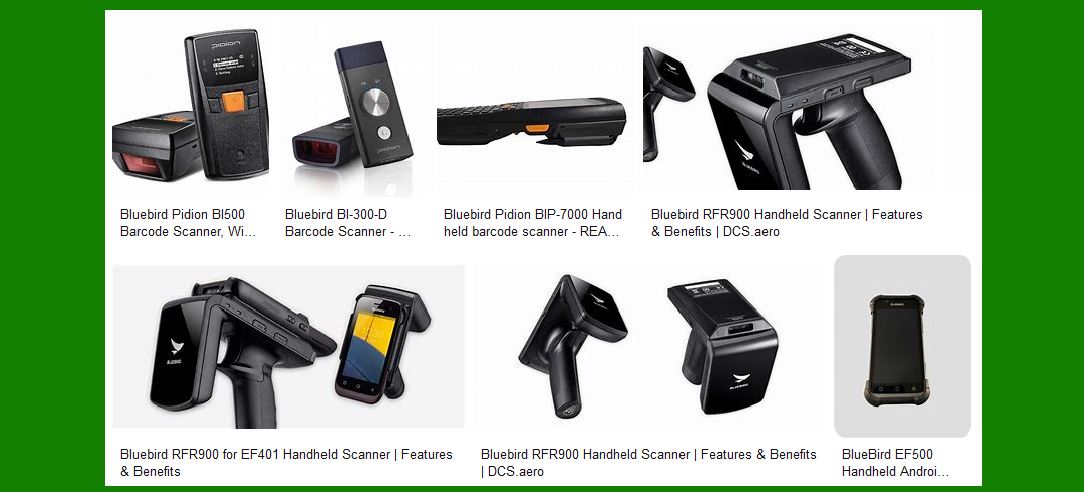
Bluebird Europe is known for its innovative and rugged barcode scanners designed to meet the needs of various industries. Their products are built to withstand harsh environments while providing reliable and efficient barcode scanning capabilities. Two notable models from Bluebird are the BI300 and BI500, each offering unique features and benefits. |
|
2. BI300 Rugged Mobile Barcode Scanner |
The BI300 is Bluebird’s smallest and most lightweight Bluetooth barcode scanner, designed to add barcode scanning functionality to any Android, Apple iOS, or Windows mobile device. |
2.1 Design and Build |
Dimensions: The BI300 measures 36 x 85 x 19 mm (1.4 x 3.3 x 0.7 inches), making it compact and easy to handle. Weight: Weighing only 54 grams (1.9 ounces), it is extremely lightweight and portable. Keyboard: It features a simple interface with Scan, Cancel, and Power buttons. |
2.2 Technical Specifications |
Operating System: The BI300 runs on a Linux operating system. Processor: It is powered by a 400MHz single-core processor. Memory: The device includes 16MB RAM and 32MB ROM. Interface: It supports RS-232C and USB 1.1 Client interfaces. Communication: Bluetooth Class II V2.0+EDR ensures seamless connectivity with other devices. |
2.3 Data Capture and Performance |
Barcode Scanning: The BI300 can capture 1D laser barcodes and offers an optional 2D imager for more advanced scanning needs. Battery: It is equipped with a rechargeable 3.7V, 720mAh Li-ion battery, providing ample power for extended use. |
2.4 Accessories and Additional Features |
Necklace: The BI300 comes with a necklace accessory, making it convenient to carry around. Versatility: It can be paired with various mobile devices, enhancing its usability across different platforms. |

|
3. BI500 Rugged Mobile Barcode Scanner |
The BI500 is a rugged, pocket-sized Bluetooth barcode scanner designed for high performance and durability in industrial environments. |
3.1 Design and Build |
Dimensions: The BI500 measures 50 x 99 x 34 mm (2.0 x 3.9 x 1.3 inches), making it slightly larger but still compact. Weight: It weighs 110 grams (3.9 ounces), providing a balance between portability and robustness. Display: The device features a 1-inch OLED display for easy viewing of scanned data. Keyboard: It includes Scan, Up and Down buttons, and a Reset key for user convenience. |
3.2 Technical Specifications |
Operating System: The BI500 runs on Windows CE 5.0. Processor: It is powered by a 400MHz single-core processor. Memory: The device includes 32MB RAM and 32MB ROM. Interface: It supports RS-232C and USB 1.1 Client interfaces. Communication: Bluetooth Class II V2.0+EDR ensures reliable connectivity. |
3.3 Data Capture and Performance |
Barcode Scanning: The BI500 features a 1D/2D barcode scanner and an optional RFID reader with support for 13.56MHz high-frequency (HF) RFID tags. GPS Capability: The device’s GPS capability allows users to scan a barcode and simultaneously store the location. Battery: It is equipped with a rechargeable 3.7V, 1,130mAh Li-ion battery, providing extended usage time. |
3.4 Durability and Reliability |
TankSmith Technology: The BI500 incorporates Bluebird’s proprietary TankSmith technology, ensuring maximum reliability in tough environments. Drop Specification: It has a 1.5-meter (4 ft. 11 in) drop specification, making it resistant to drops and impacts. IP54 Rating: The device is protected against splashes, water, and dust, enhancing its durability. |
3.5 Additional Features |
Batch Mode: The BI500 can be used in batch mode, storing up to 300,000 barcodes. Feedback Mechanisms: Successful readings are confirmed with a green LED light, vibration, and a beep. Software Developer Kit (SDK): Bluebird’s SDK makes it easy to integrate barcode scanning with the BI500 into any application. |

|
4. Applications and Use Cases |
Bluebird barcode scanners are versatile and can be used in various industries, including retail, logistics, healthcare, and manufacturing. |
4.1 Retail |
Inventory Management: Barcode scanners help in tracking inventory levels, reducing errors, and improving efficiency. Point of Sale (POS): They facilitate quick and accurate scanning of products at checkout, enhancing customer experience. |
4.2 Logistics |
Warehouse Management: Barcode scanners streamline the process of receiving, storing, and shipping goods, ensuring accurate tracking. Delivery Tracking: They enable real-time tracking of deliveries, improving transparency and customer satisfaction. |
4.3 Healthcare |
Patient Identification: Barcode scanners ensure accurate patient identification, reducing the risk of errors in medication administration. Asset Tracking: They help in tracking medical equipment and supplies, ensuring availability and reducing losses. |
4.4 Manufacturing |
Production Line Management: Barcode scanners assist in tracking components and finished products, ensuring quality control. Inventory Control: They help in managing raw materials and finished goods, optimizing inventory levels. |

|
5. Conclusion |
Bluebird Europe’s barcode scanners, particularly the BI300 and BI500 models, offer a range of features and benefits that cater to various industry needs. Their rugged design, advanced data capture capabilities, and reliable performance make them ideal for use in demanding environments. Whether for retail, logistics, healthcare, or manufacturing, Bluebird barcode scanners provide the tools needed to enhance efficiency, accuracy, and productivity. |
 cs@easiersoft.com