1. Introduction to Barcode Scanners |
Barcode scanners are essential tools in various industries, including retail, logistics, healthcare, and manufacturing. They facilitate the quick and accurate capture of data from barcodes, streamlining processes and improving efficiency. However, in harsh environments, barcode scanners must withstand extreme temperatures and humidity levels to ensure reliable performance. |
|
2. Importance of Temperature and Humidity Tolerance |
2.1 Temperature Tolerance: Barcode scanners used in environments with extreme temperatures must be designed to operate efficiently without malfunctioning. This includes both high and low temperatures, which can affect the scanner’s internal components and overall performance. |
2.2 Humidity Tolerance: High humidity levels can cause condensation and corrosion, potentially damaging the scanner’s internal circuitry. Scanners used in such conditions must be sealed and protected against moisture ingress to maintain functionality. |

|
3. Types of Barcode Scanners |
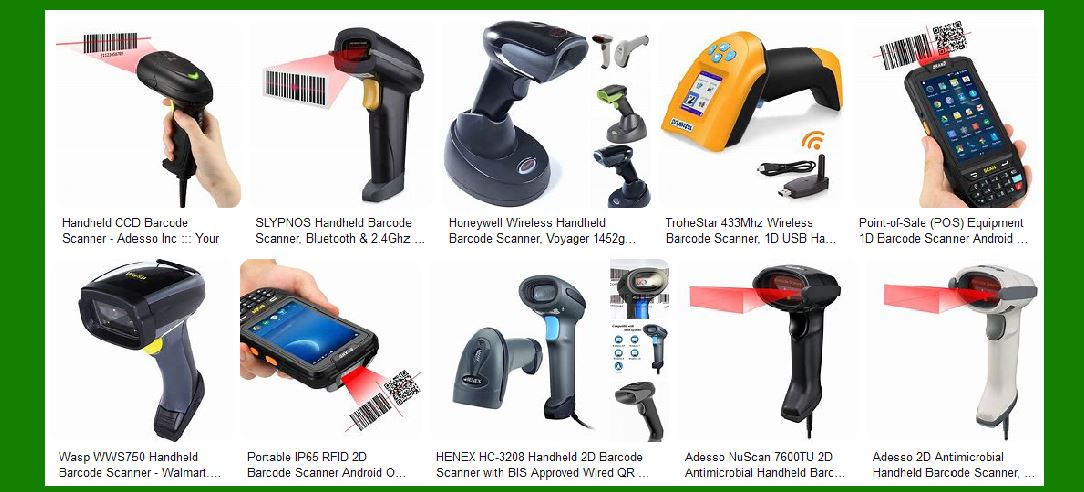
3.1 Handheld Scanners: These are the most common type of barcode scanners, used in various settings from retail to warehouses. They are designed to be portable and easy to use. |
3.2 Fixed Mount Scanners: These scanners are mounted in a fixed position and are commonly used in manufacturing and logistics for scanning items on conveyor belts. |
3.3 Wearable Scanners: These scanners are worn on the body, such as on the wrist or finger, allowing for hands-free operation. They are ideal for high-volume scanning tasks. |
3.4 Bluetooth and Wi-Fi Scanners: These scanners offer wireless connectivity, providing flexibility and mobility in scanning operations. |

|
4. Temperature and Humidity Tolerance in Barcode Scanners |
4.1 Operating Temperature Range: The operating temperature range of a barcode scanner indicates the temperatures within which the scanner can function optimally. For example, some rugged scanners can operate in temperatures ranging from -20°C to 50°C. |
4.2 Storage Temperature Range: This range indicates the temperatures at which the scanner can be stored without damage. It is usually broader than the operating temperature range. |
4.3 Humidity Tolerance: Scanners designed for high-humidity environments are often rated with an IP (Ingress Protection) rating, indicating their resistance to moisture and dust. For example, an IP65 rating means the scanner is protected against dust and low-pressure water jets. |

|
5. Advantages of Temperature and Humidity Tolerant Scanners |
5.1 Reliable Performance: Scanners that can withstand extreme temperatures and humidity levels ensure consistent performance in various conditions, reducing downtime and maintenance costs. |
5.2 Versatility: These scanners can be used in a wide range of environments, from cold storage facilities to outdoor settings, making them versatile tools for different industries. |
5.3 Durability: Rugged scanners are built to last, with reinforced housings and sealed components that protect against environmental factors, extending the scanner’s lifespan. |

|
6. Disadvantages of Temperature and Humidity Tolerant Scanners |
6.1 Cost: Rugged scanners with high temperature and humidity tolerance are generally more expensive than standard models. The additional cost is due to the specialized materials and construction required to withstand harsh conditions. |
6.2 Weight and Size: These scanners may be bulkier and heavier than their standard counterparts, which can affect portability and ease of use. |
6.3 Complexity: The advanced features and rugged design of these scanners can make them more complex to operate and maintain, requiring specialized training for users. |

|
7. Use Cases for Temperature and Humidity Tolerant Scanners |
7.1 Cold Storage and Freezers: In industries like food and pharmaceuticals, barcode scanners are used in cold storage facilities where temperatures can drop significantly. Scanners must be able to operate in these low temperatures without malfunctioning. |
7.2 Outdoor Environments: Scanners used in outdoor settings, such as construction sites or agricultural fields, must withstand varying temperatures and humidity levels, including exposure to rain and dust. |
7.3 Manufacturing and Warehousing: In manufacturing and warehousing, scanners are often exposed to extreme temperatures and humidity levels. Rugged scanners ensure reliable performance in these demanding environments. |
7.4 Healthcare: In healthcare settings, scanners are used in environments with strict hygiene requirements. Scanners must be able to withstand frequent cleaning and exposure to disinfectants, which can affect their temperature and humidity tolerance. |

|
8. Examples of Temperature and Humidity Tolerant Scanners |
8.1 Honeywell Granit 1981i: This industrial-grade scanner is designed for extreme environments, with an operating temperature range of -20°C to 50°C and an IP65 rating for dust and water resistance1. |
8.2 Zebra DS3608-ER: This rugged scanner can operate in temperatures ranging from -30°C to 50°C and has an IP67 rating, making it suitable for harsh environments2. |
8.3 Datalogic PowerScan PD9530: This scanner is built for industrial use, with an operating temperature range of -20°C to 50°C and an IP65 rating for protection against dust and water3. |

|
9. Conclusion |
Barcode scanners with temperature and humidity tolerance are essential tools for industries operating in harsh environments. While they offer reliable performance and durability, they come with higher costs and potential complexity. Understanding the specific requirements of your environment will help you choose the right scanner for your needs. |
 cs@easiersoft.com