1. Introduction to Two-Dimensional Barcode Scanners |
1.1 Overview of Barcode Technology |
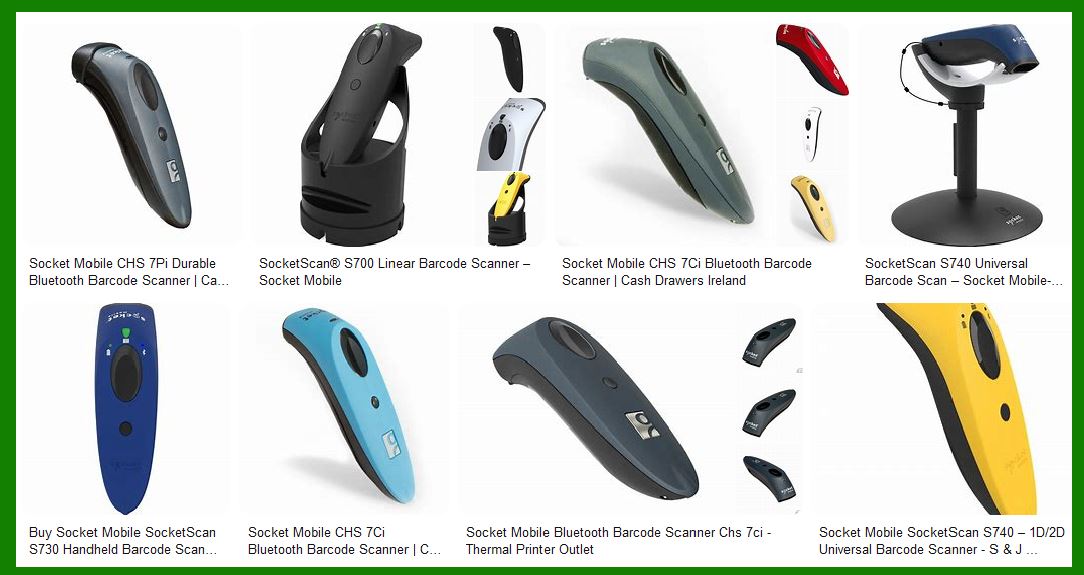
1.2 Introduction to 2D Barcodes (e.g., QR Code, DataMatrix, PDF417) |
1.3 Evolution of Barcode Scanners: From Linear to 2D |
1.4 Key Differences Between 1D and 2D Barcode Scanners |
|
2. Core Components of a Two-Dimensional Barcode Scanner |
2.1 Optical System (Light Source and Receiver) |
2.1.1 Types of Light Sources |
2.1.2 Role of the Lens and Light Modulation |
2.1.3 Importance of the Receiver (CCD vs. CMOS) |
2.2 Signal Processing and Conversion Systems |
2.2.1 Analog to Digital Signal Conversion |
2.2.2 Signal Amplification |
2.2.3 Filtering of Noise from Signal |
2.3 Microcontroller Unit (MCU) and Digital Processing |
2.3.1 Microcontroller Architecture |
2.3.2 Software Algorithms for Decoding |
2.3.3 Communication with Host Systems |
|
3. Optical and Imaging Systems in Detail |
3.1 The Role of Light Sources in Barcode Scanning |
3.1.1 LED vs. Laser Scanning Systems |
3.1.2 Scanning Frequency and Resolution |
3.2 Light Detection: CCD vs. CMOS Sensors |
3.2.1 CCD Sensors: Advantages and Disadvantages |
3.2.2 CMOS Sensors: Benefits for 2D Barcode Scanning |
3.3 Image Processing Techniques in 2D Scanners |
3.3.1 Image Capture and Light Reflection |
3.3.2 Conversion of Reflected Light to Digital Image |
3.3.3 Image Correction for Distortions |

|
4. Decoding the Data from a 2D Barcode |
4.1 Image Analysis and Recognition Algorithms |
4.1.1 Pattern Matching and Segmentation |
4.1.2 Decoding Techniques for 2D Barcode Structures |
4.1.3 Error Correction in Decoding |
4.2 Mathematical Models Used in Decoding |
4.2.1 Reed-Solomon Error Correction |
4.2.2 Huffman Coding for Data Compression |
4.3 Data Extraction and Communication |
4.3.1 Extraction of Information from 2D Matrix |
4.3.2 Transmission to Host System |

|
5. Communication Interface and Power Supply |
5.1 Types of Communication: USB, Bluetooth, Wi-Fi |
5.1.1 Wired vs. Wireless Data Transfer |
5.1.2 Protocols for Data Exchange |
5.2 Power Supply Architecture |
5.2.1 Power Consumption of Barcode Scanners |
5.2.2 Battery Management for Wireless Scanners |
|
6. Key Circuit Design Elements |
6.1 Voltage Regulators and Power Management Circuitry |
6.2 Timing and Clock Generation Circuits |
6.3 Driver Circuits for the Light Source |
6.4 Noise Suppression and Signal Integrity |
6.5 The PCB (Printed Circuit Board) Design |
6.6 Thermal Management in High-Performance Scanners |

|
7. Scanning and Image Capture Mechanism |
7.1 Linear vs. Area Scanning Technology |
7.1.1 Principles of Linear Scanning |
7.1.2 Principles of Area (Matrix) Scanning |
7.2 Working with Image Sensors |
7.2.1 Resolution and Pixel Density of Sensors |
7.2.2 Capture of Barcodes in Low-light or High-contrast Conditions |
7.3 Focusing Mechanisms in the Scanner |
7.3.1 Autofocus Technology for 2D Barcodes |
7.3.2 Manual Focus Adjustment |
|
8. Signal Processing and Image Enhancement |
8.1 Pre-processing Techniques for Image Quality Improvement |
8.1.1 Binarization of Image Data |
8.1.2 Edge Detection Algorithms |
8.1.3 Image Smoothing Techniques |
8.2 Post-processing for Barcode Recognition |
8.2.1 Pattern Matching Algorithms |
8.2.2 Thresholding for Barcode Contrast |
8.3 Handling Skewed, Distorted, and Damaged Barcodes |
8.3.1 Barcode Recovery from Partial or Unreadable Data |
8.3.2 Use of Error Correction Codes |
|
9. Advanced Scanning Techniques |
9.1 2D Barcode Scanning in Motion |
9.1.1 Continuous Scanning Technology |
9.1.2 Motion Tolerance and Image Stabilization |
9.2 Scanning of Multiple Barcodes Simultaneously |
9.2.1 Multi-barcode Recognition |
9.2.2 Handling of Barcode Density |
|
10. Integration with Host Systems |
10.1 Communication Protocols for Data Exchange |
10.1.1 USB and Serial Communication |
10.1.2 Bluetooth and Wi-Fi for Wireless Systems |
10.2 Host Communication Circuit Design |
10.2.1 Data Formatting and Compression for Transmission |
10.2.2 Error Detection and Acknowledgement |
10.3 Real-time Data Processing and Application Integration |
10.3.1 Scanner Integration in POS and Warehouse Systems |
10.3.2 Application-Level Communication |

|
11. Durability and Environmental Considerations |
11.1 Temperature Range and Shock Resistance |
11.2 Sealing and Protection against Dust and Liquids |
11.2.1 IP Ratings for Barcode Scanners |
11.2.2 Designing for Harsh Industrial Environments |
11.3 Maintaining Consistent Performance Over Time |
11.3.1 Calibration and Auto-adjustment |
11.3.2 Long-Term Performance Metrics |
|
12. Future Trends in 2D Barcode Scanner Design |
12.1 Integration of Machine Learning for Improved Accuracy |
12.2 Use of AI and Deep Learning for Barcode Recognition |
12.3 Upcoming Advances in Sensor Technology |
12.4 Power Efficiency and Low Power Circuit Design |
12.5 Development of Ultra-Compact Scanning Devices |
This breakdown provides a detailed structure of how the internal circuitry and working principles of a 2D barcode scanner can be explained. Each section delves into the various components, processes, and technologies involved in the operation of the scanner. |
|
Let’s begin with the Introduction to Two-Dimensional Barcode Scanners, which will set the foundation for understanding the circuit structure principle of 2D barcode scanners. |
1. Introduction to Two-Dimensional Barcode Scanners |
1.1 Overview of Barcode Technology |
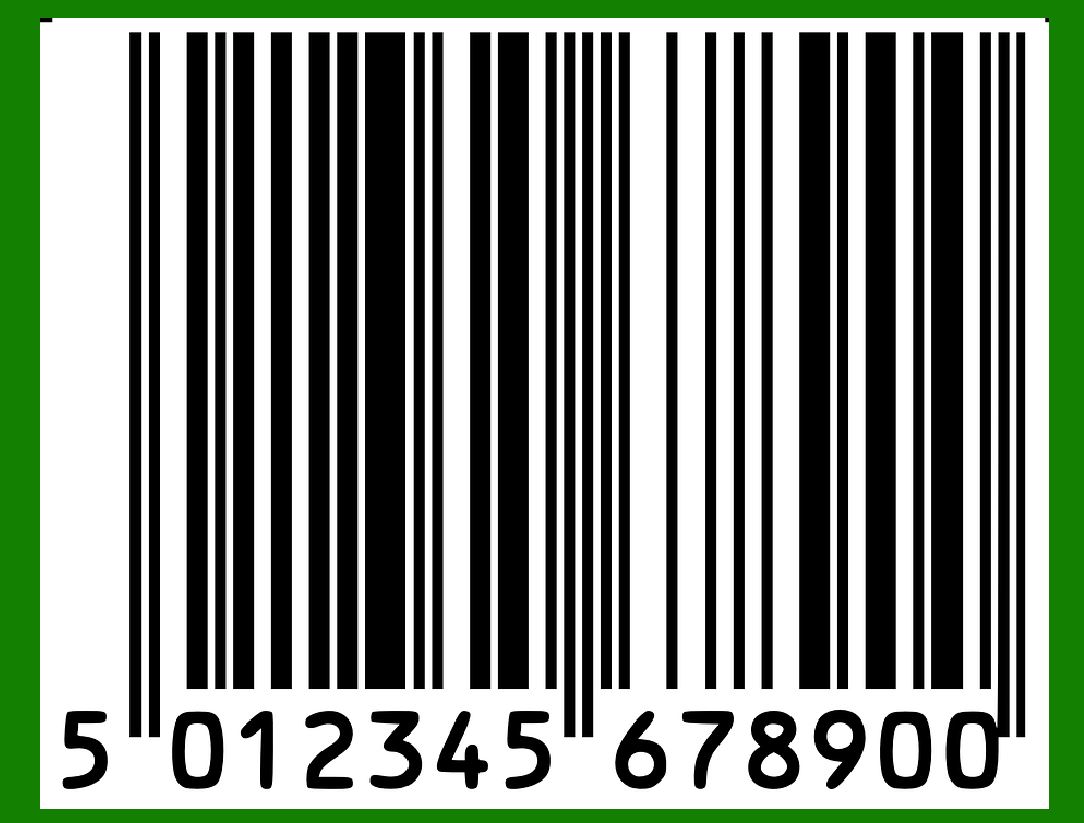
Barcode technology has revolutionized how businesses manage inventory, track products, and process transactions. A barcode is a machine-readable representation of data, encoded in either a 1D or 2D format. The earliest form of barcodes, the 1D barcode, has been in use since the early 1970s, while the 2D barcode format emerged later as a more sophisticated and capable alternative. |
The 1D barcode consists of parallel lines and spaces, which encode data in a linear form. However, as the need for more data storage and retrieval capabilities grew, two-dimensional barcodes were developed. These 2D barcodes represent data in both horizontal and vertical directions, allowing them to store significantly more information within a compact space compared to their 1D counterparts. |
2D barcodes, such as QR codes, DataMatrix, and PDF417, became widely adopted across various industries. Their ability to encode complex data like URLs, product details, and even multimedia content opened new possibilities for business automation and consumer interactions. |
1.2 Introduction to 2D Barcodes |
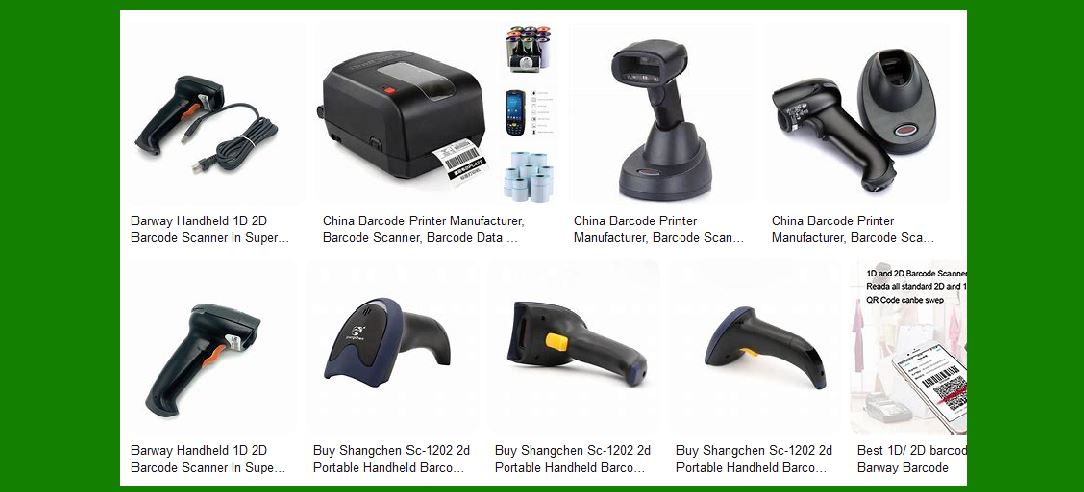
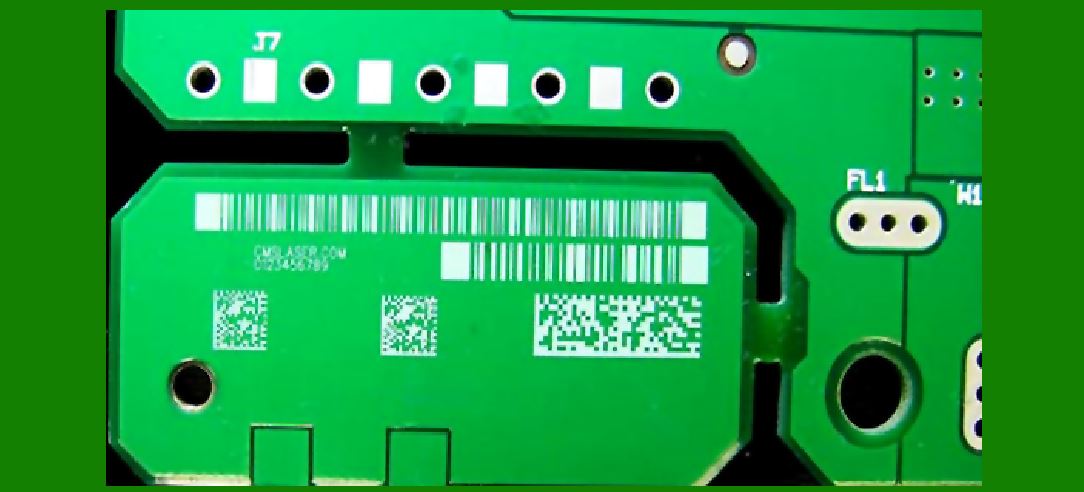
A 2D barcode is typically a matrix of small black and white squares, where the arrangement of these squares represents encoded information. Unlike 1D barcodes, which can only hold a limited amount of data, 2D barcodes can store a much larger volume of information by utilizing both dimensions of the printed space. |
Some common 2D barcode types include: |
QR Code (Quick Response Code): Popular for consumer applications such as mobile payment, marketing, and product authentication. |
DataMatrix: Commonly used in manufacturing and logistics for small product tracking and inventory management. |
PDF417: Used primarily in transport and logistics, especially for shipping labels and identification cards. |
Aztec Code: Known for its usage in mobile ticketing and transport industry applications. |
The most significant advantage of 2D barcodes is their ability to store and encode much more data while remaining compact enough to be scanned quickly and accurately, even when distorted or partially obscured. |
|
1.3 Evolution of Barcode Scanners: From Linear to 2D |
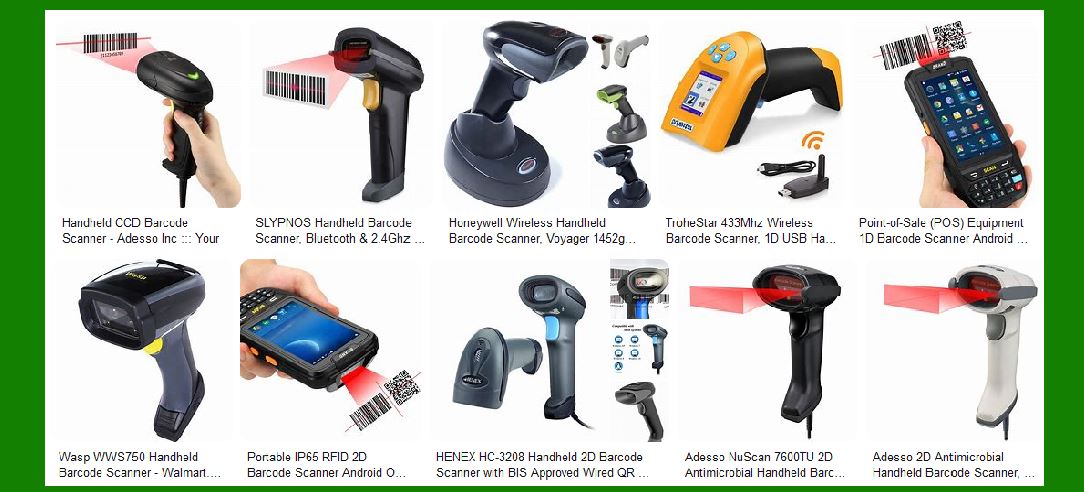
Barcode scanners have evolved from simple, handheld devices designed to read linear (1D) barcodes to more complex and versatile machines capable of reading 2D barcodes. |
In the early stages, barcode scanners were optical devices equipped with lasers. These devices could read the varying widths of lines in 1D barcodes and convert this information into digital data. However, with the advent of 2D barcodes, new scanning technologies were required to read the more intricate patterns of black and white cells arranged in two dimensions. |
1D Scanners: Initially, barcode scanners used laser technology to scan 1D barcodes, which consisted of parallel lines. These scanners were highly effective for their time, as they provided fast and efficient data capture for basic tracking and inventory systems. |
2D Scanners: The introduction of image-based scanners, using either Charge-Coupled Device (CCD) or Complementary Metal-Oxide Semiconductor (CMOS) technology, enabled the reading of 2D barcodes. These scanners are equipped with digital cameras and sophisticated image-processing algorithms that allow them to capture and decode 2D barcodes from a variety of angles and orientations. |
The transition to 2D barcode scanners involved integrating more complex imaging sensors and developing more advanced software algorithms capable of decoding the data stored in the 2D matrix. |
1.4 Key Differences Between 1D and 2D Barcode Scanners |
There are several key differences between 1D and 2D barcode scanners, both in terms of the technologies used and the capabilities they provide. |
Data Capacity: |
1D Barcodes: Limited to encoding a small amount of information (typically 20-25 characters). |
2D Barcodes: Can store thousands of characters of data, including URLs, product details, and other complex information. |
Scanning Method: |
1D Barcodes: Read by laser beams that sweep across the barcode to detect varying widths of black and white lines. |
2D Barcodes: Read by imaging sensors (either CCD or CMOS) that capture the barcode as an image and use algorithms to decode the data. |
Scanning Angle: |
1D Barcodes: Require the scanner to be aligned precisely with the barcode, typically in a straight line. |
2D Barcodes: Can be read from multiple angles, offering flexibility in scanning, even if the barcode is rotated or partially obscured. |
Physical Size: |
1D Barcodes: Can be quite large for storing a significant amount of information. |
2D Barcodes: Can be printed in small sizes while still storing a large amount of data, making them ideal for applications where space is limited. |
Error Correction: |
1D Barcodes: Have minimal error correction; if the barcode is damaged or distorted, it may be unreadable. |
2D Barcodes: Typically feature built-in error correction algorithms (such as Reed-Solomon), allowing them to be read even if parts of the code are obscured or damaged. |
This section introduces the fundamental principles of 2D barcode technology and sets the stage for a deeper exploration of the technical aspects behind barcode scanners. |

|
2. Core Components of a Two-Dimensional Barcode Scanner |
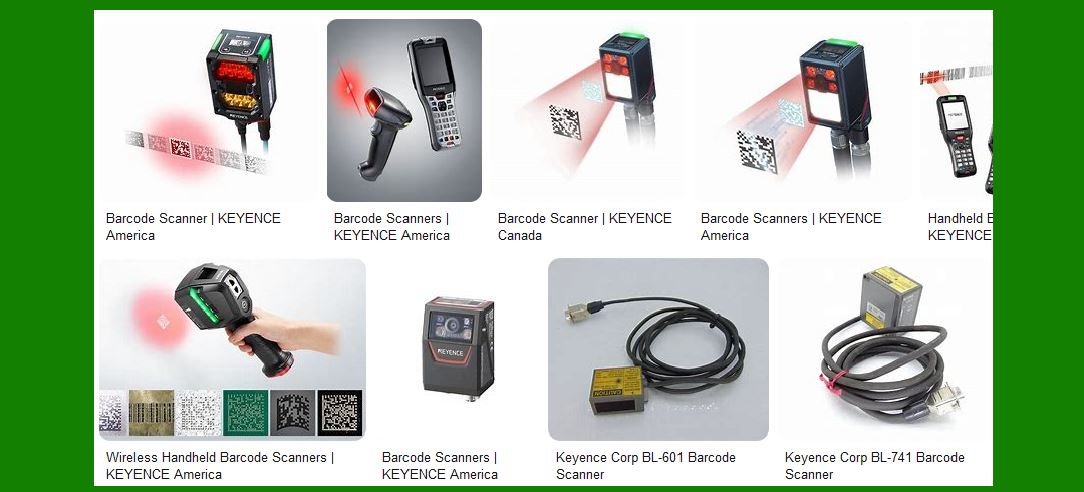
A 2D barcode scanner is a complex device consisting of several key components working together to decode the information encoded in the 2D barcode. These components include the optical system, signal processing unit, and microcontroller, which interact with each other to capture, process, and transmit data. Below, we will discuss the essential components of a 2D barcode scanner in detail. |
2.1 Optical System (Light Source and Receiver) |
The optical system is the first crucial element in the scanning process. It’s responsible for capturing the light reflected off the barcode and converting it into an electrical signal that can be further processed. The optical system consists of two main sub-components: the light source and the light receiver. |
2.1.1 Types of Light Sources |
The light source in a 2D barcode scanner is used to illuminate the barcode. There are primarily two types of light sources used in these scanners: |
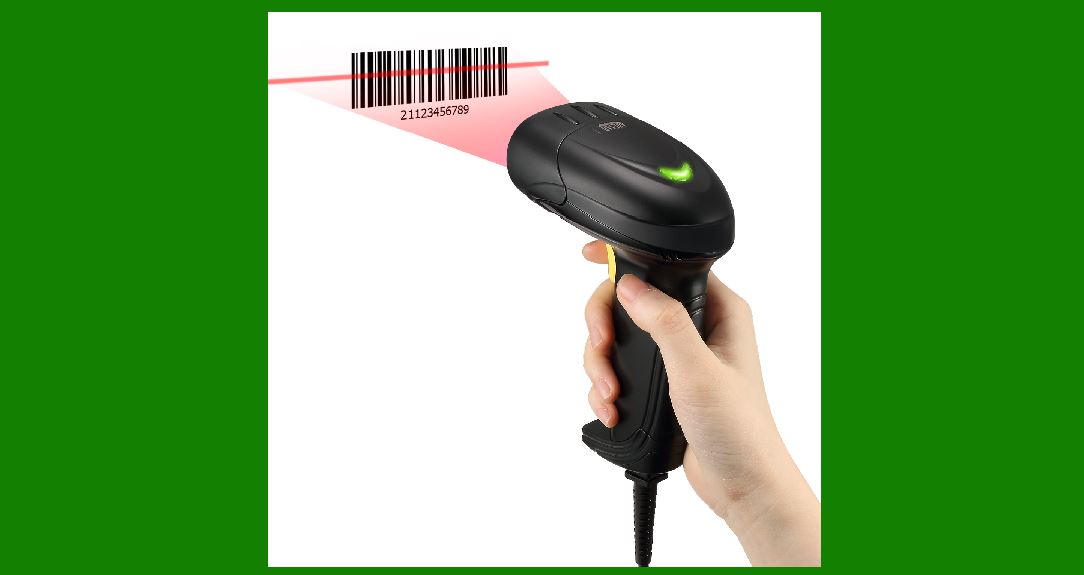
Laser Scanners: In older or more specialized models, laser diodes may be used as a light source. Lasers provide a narrow, focused beam of light, which is well-suited for reading 1D barcodes but can also be used for 2D barcodes in high-performance scanners. The laser is typically red and is reflected back to the receiver. |
LED Light Sources: Most modern 2D barcode scanners use LED-based illumination. These LEDs emit a wide spectrum of light, making them suitable for capturing the varied reflections of 2D barcodes, which have complex patterns. LEDs can provide sufficient brightness while being more energy-efficient than lasers. |
The choice between laser and LED depends on the application. LED light sources tend to be more cost-effective and versatile, especially for general-purpose scanning. |
2.1.2 Role of the Lens and Light Modulation |
In order to capture the barcode image effectively, the scanner employs optical lenses that focus the reflected light from the barcode onto the light sensor (CCD or CMOS). The quality and focusing of this light directly influence the scanner’s performance, affecting how well it can decode barcodes. |
Lens Design: The lens must be carefully designed to focus the light precisely onto the sensor and minimize optical distortions. This lens typically uses multiple elements, such as a focusing lens and a field-of-view (FOV) lens, to ensure sharp and accurate imaging. |
Light Modulation: Some barcode scanners use light modulation techniques to enhance the contrast between the barcode's black and white sections, which makes it easier for the receiver to detect and differentiate the reflected light. This helps improve the accuracy of barcode detection, particularly in less-than-ideal lighting conditions. |
2.1.3 Importance of the Receiver (CCD vs. CMOS) |
The light reflected from the barcode is captured by a photodetector, which is typically a Charge-Coupled Device (CCD) or a Complementary Metal-Oxide Semiconductor (CMOS) sensor. |
CCD Sensors: CCD sensors are widely used in barcode scanners due to their high-quality image capture capabilities. They convert the light into electrical signals that represent the image of the barcode. CCD sensors tend to have high sensitivity, providing clearer images in low-light conditions, but they are more power-hungry compared to CMOS. |
CMOS Sensors: CMOS sensors are becoming increasingly popular in barcode scanners due to their low power consumption and faster image processing speed. CMOS sensors are often more cost-effective and are commonly used in mobile devices and handheld barcode scanners. While they offer lower image quality than CCD sensors, advances in CMOS technology have improved their performance in recent years. |
The choice between CCD and CMOS depends on the specific application and the scanner's design goals, such as power efficiency, speed, and image quality. |
|
2.2 Signal Processing and Conversion Systems |
Once the barcode image is captured by the receiver (CCD or CMOS), the next step is to convert the raw image into a digital format that the scanner’s processor can understand and decode. This process involves several stages of signal conversion and processing. |
2.2.1 Analog to Digital Signal Conversion |
The analog signals from the CCD or CMOS sensor represent the intensity of light in various regions of the barcode image. These analog signals need to be converted into a digital format for processing by the scanner’s microcontroller. |
Analog-to-Digital Converter (ADC): The ADC is responsible for converting the continuous analog signal into discrete digital values. This process is critical because a precise digital representation of the barcode image is necessary for accurate decoding. A high-resolution ADC ensures that fine details in the barcode image are captured and can be decoded correctly. |
2.2.2 Signal Amplification |
The electrical signal generated by the light receiver is often weak and requires amplification before it can be processed. Amplifiers are used to boost the signal strength and ensure that the data from the sensor is clear enough to be processed. |
Operational Amplifiers (Op-Amps): These are used to increase the strength of the signal without distorting the quality of the image data. Proper amplification is necessary for ensuring that the fine details of the barcode, including its edges and patterns, are visible to the processing unit. |
2.2.3 Filtering of Noise from Signal |
Barcode scanners must also deal with 'noise' in the signal, which can come from various sources such as ambient light or electrical interference. To ensure that the barcode image is clear and accurate, filtering techniques are employed. |
Digital Filters: These are used to eliminate noise and enhance the contrast of the barcode image. Techniques like Gaussian smoothing, edge detection, and thresholding are often employed to isolate the barcode from the background and enhance the readability of the barcode. |
Hardware and Software Filters: Filters may be applied at both the hardware and software levels. Hardware filters are used to process the signal as it is being captured, while software filters are applied after the signal has been digitized to further enhance image quality. |
|
2.3 Microcontroller Unit (MCU) and Digital Processing |
The microcontroller unit (MCU) plays a central role in the operation of the barcode scanner. It is responsible for controlling the scanning process, processing the captured image data, and decoding the barcode information. The MCU also communicates with external systems, such as point-of-sale (POS) systems or inventory management software. |
2.3.1 Microcontroller Architecture |
The MCU in a barcode scanner is typically a low-power, embedded processor capable of handling image data and running decoding algorithms. It interacts with the sensor, amplifiers, ADC, and other components, coordinating the overall scanning process. |
Processing Power: The MCU must have sufficient processing power to handle the large amounts of image data generated by the barcode scanner, particularly when dealing with complex 2D barcodes like QR codes or DataMatrix. |
Memory: The MCU needs adequate memory (RAM and ROM) to store image data, temporary variables, and decoding software. This memory must be fast enough to handle real-time image processing. |
2.3.2 Software Algorithms for Decoding |
Once the barcode image is captured and processed, the MCU uses sophisticated software algorithms to decode the data. These algorithms involve pattern recognition, error correction, and data extraction. |
Error Correction: Many 2D barcodes incorporate error correction mechanisms (such as Reed-Solomon), which allows the scanner to read barcodes even if parts of them are damaged or obscured. The MCU uses these algorithms to ensure that the data is correctly extracted, even in challenging conditions. |
Pattern Recognition: The MCU compares the captured image to known patterns and configurations in the barcode’s data matrix. It then interprets the arrangement of black and white cells to extract the encoded information. |
2.3.3 Communication with Host Systems |
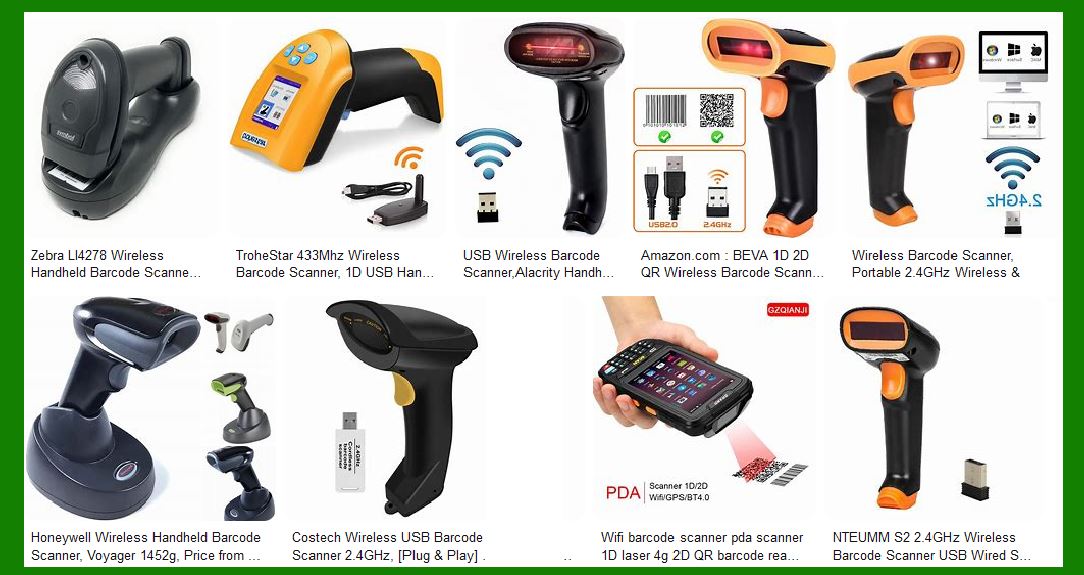
Once the barcode is decoded, the MCU transmits the data to the host system, whether it's a POS system, inventory management software, or any other application. Communication is typically achieved through a USB, serial, or wireless interface. |
Data Transmission: The MCU packages the decoded data into a format that can be understood by the host system. This could involve converting the data into a string of characters, a URL, or any other relevant format. |
Interface Protocols: Barcode scanners may use various protocols such as USB HID, RS-232, Bluetooth, or Wi-Fi to communicate with host systems. The MCU is responsible for managing these interfaces and ensuring smooth data transmission. |
Summary of Section 2: |
This section provides an in-depth look at the core components of a 2D barcode scanner, including the optical system (light source and receiver), signal processing, and the microcontroller unit (MCU). These components work in harmony to capture, process, decode, and transmit barcode data efficiently. As technology advances, barcode scanners are becoming faster, more accurate, and more capable of handling a wide variety of barcodes in diverse environments. |
|
3. Optical and Imaging Systems in Detail |
The optical and imaging systems of a 2D barcode scanner are critical for capturing the information encoded in a barcode. These systems are responsible for focusing, illuminating, and detecting the barcode patterns in a way that allows the scanner to decode them accurately. The design of the optical system directly influences the performance of the scanner, including its accuracy, speed, and ability to read barcodes in various conditions. |
3.1 The Role of Light Sources in Barcode Scanning |
The light source in a barcode scanner illuminates the barcode to make it visible to the sensor. The type of light used in the scanner can affect its performance, particularly in terms of range, sensitivity, and the ability to scan barcodes under different lighting conditions. |
3.1.1 LED vs. Laser Scanning Systems |
While laser-based scanners were once the dominant technology, modern barcode scanners mostly rely on LED illumination due to its advantages in versatility, power efficiency, and cost. |
Laser Scanning: Laser-based barcode scanners use a focused beam of light (typically red) to illuminate the barcode. The laser's narrow, focused light travels in a straight line, which makes it ideal for scanning 1D barcodes, especially when the barcode is far away or needs to be read quickly. Laser-based scanners tend to have higher precision, but they require precise alignment with the barcode. These scanners may also struggle with reading 2D barcodes from certain angles or under poor lighting. |
LED Scanning: LED-based barcode scanners use a broader spectrum of light, which helps in illuminating the entire 2D barcode matrix more uniformly. Unlike lasers, LED light sources are more adaptable to various barcode types, including 2D matrix codes. This makes LED-based scanners more versatile and suitable for capturing images from a range of angles and orientations. LED light is also more energy-efficient, making it preferable in battery-operated handheld devices. |
3.1.2 Scanning Frequency and Resolution |
The scanning frequency and resolution of the light source are important factors in the performance of a barcode scanner. The scanning frequency refers to how fast the scanner can acquire an image of the barcode, while resolution refers to the level of detail the scanner can capture. |
Scanning Frequency: This refers to how many times per second the scanner captures data from the barcode. A higher scanning frequency enables the scanner to quickly capture the full barcode image and decode it faster. For example, a high-frequency scanner is ideal for fast-moving barcodes, such as in logistics or production lines. |
Resolution: Higher resolution allows the scanner to capture more detailed images, which is especially important for reading small or high-density 2D barcodes. Higher resolution is particularly critical when scanning barcodes with fine lines or when the barcode is in poor condition (e.g., damaged or low-contrast). |
|
3.2 Light Detection: CCD vs. CMOS Sensors |
Once the light from the barcode is reflected back, it needs to be detected and converted into a digital image. This is where the sensor technology plays a critical role. Two main sensor types are used in 2D barcode scanners: Charge-Coupled Device (CCD) and Complementary Metal-Oxide-Semiconductor (CMOS). |
3.2.1 CCD Sensors: Advantages and Disadvantages |
Charge-Coupled Device (CCD) sensors are commonly used in barcode scanners due to their high-quality image capture capabilities. CCD sensors are known for their ability to capture high-resolution images with low noise, which makes them ideal for precise barcode scanning. |
Advantages: |
High Image Quality: CCD sensors produce high-quality images with excellent contrast and clarity, making them ideal for scanning complex 2D barcodes. |
Low Noise: CCD sensors are less susceptible to noise, which improves the reliability of barcode reading, especially in low-light conditions. |
Consistency: CCD sensors provide consistent image quality, ensuring that the scanner can read barcodes even if the lighting conditions are not ideal. |
Disadvantages: |
Higher Power Consumption: CCD sensors tend to consume more power than CMOS sensors, which can be a disadvantage for battery-operated handheld devices. |
Slower Image Capture: CCD sensors may have slower image capture speeds compared to CMOS sensors, which can affect scanning speed in high-throughput environments. |
3.2.2 CMOS Sensors: Benefits for 2D Barcode Scanning |
Complementary Metal-Oxide-Semiconductor (CMOS) sensors are increasingly used in barcode scanners due to their low power consumption, high speed, and cost-effectiveness. |
Advantages: |
Lower Power Consumption: CMOS sensors are more energy-efficient compared to CCD sensors, making them ideal for portable or battery-operated barcode scanners. |
Faster Processing: CMOS sensors are capable of faster image processing and can capture images more quickly, which is beneficial for high-speed scanning applications. |
Cost-Effective: CMOS sensors are cheaper to produce compared to CCD sensors, making them more affordable for manufacturers. |
Disadvantages: |
Lower Image Quality: Although advances in CMOS technology have improved their image quality, they generally still offer lower image quality compared to CCD sensors, especially in low-light conditions. |
Higher Noise Levels: CMOS sensors are more prone to noise, which can interfere with the accuracy of barcode scanning, particularly in environments with poor lighting or when scanning damaged barcodes. |
|
3.3 Image Processing Techniques in 2D Scanners |
Once the image of the barcode is captured by the sensor (CCD or CMOS), the next step is processing the image to extract and decode the data. Image processing techniques play a crucial role in enhancing the quality of the captured barcode image and ensuring that the barcode is decoded accurately. |
3.3.1 Image Capture and Light Reflection |
The first step in image processing is to capture the barcode image. The scanner’s sensor captures the intensity of light reflected from the barcode. This light is reflected differently depending on whether the surface is black or white, creating the characteristic high-contrast image of the barcode. |
Reflection and Diffusion: When light strikes the barcode, it is either absorbed or reflected back to the sensor. The white areas of the barcode reflect more light, while the black areas absorb it. This difference in reflection forms the data pattern, which is captured by the sensor. |
Light Reflection from Different Angles: Since the barcode is typically viewed at an angle, the scanner must account for the way light reflects off the barcode from different orientations. Modern 2D barcode scanners use algorithms to correct for skewed images and ensure that the barcode is properly aligned for decoding. |
3.3.2 Conversion of Reflected Light to Digital Image |
The reflected light captured by the sensor is converted into a digital image that represents the barcode's black and white patterns. This conversion involves the following steps: |
Digital Imaging: The reflected light from the barcode is turned into digital data by the sensor, which assigns digital values to different levels of light intensity. |
Pixel Representation: The captured light intensity is converted into a grid of pixels, each representing a part of the barcode. These pixels are processed to form the overall image of the barcode. |
Binarization: The digital image is often binarized, meaning that the image is converted into a high-contrast black-and-white version. This simplifies the process of recognizing and decoding the barcode's pattern. |
3.3.3 Image Correction for Distortions |
Due to various factors like uneven lighting, motion blur, or physical distortion of the barcode, the captured image might not be perfect. Image correction techniques are applied to enhance the quality of the image and ensure that the barcode can be decoded accurately. |
Geometric Distortion Correction: If the barcode is captured at an angle or the scanner is not perfectly aligned, geometric distortion may occur. Algorithms correct the image to restore the correct proportions of the barcode. |
Noise Reduction: Any noise or artifacts present in the image, such as random fluctuations in light intensity, are filtered out to improve the quality of the image. |
Contrast Adjustment: The contrast of the image is adjusted to enhance the differentiation between the black and white cells of the barcode, which improves the scanner’s ability to detect the barcode’s structure. |
Summary of Section 3: |
This section explored the critical role that optical and imaging systems play in the operation of 2D barcode scanners. From the light sources (LEDs vs. lasers) to the types of sensors (CCD vs. CMOS), and the image processing techniques involved, we’ve covered how the scanner captures and processes the image of the barcode to extract the encoded information. Understanding these technologies is essential for appreciating the complexity and precision required to decode 2D barcodes effectively. |
|
4. Decoding the Data from a 2D Barcode |
Decoding the data from a 2D barcode involves several stages, including image analysis, pattern recognition, and error correction. After the image of the barcode is captured, the scanner's microcontroller processes the data and translates it into meaningful information. This section focuses on the different steps involved in decoding a 2D barcode, including the algorithms and techniques that make this process both accurate and efficient. |
4.1 Image Analysis and Recognition Algorithms |
Once the image of the 2D barcode is captured and pre-processed, the scanner needs to identify the pattern and extract the encoded information. This process involves image analysis and pattern recognition algorithms that can identify the position, orientation, and content of the barcode. |
4.1.1 Pattern Matching and Segmentation |
The first step in decoding is recognizing the individual components of the barcode and how they are arranged. In a 2D barcode, the data is encoded in a grid of black and white cells, and the scanner needs to identify these cells accurately. |
Pattern Matching: The scanner uses pattern recognition algorithms to match the captured barcode image with a known template or predefined format. The barcode's matrix, which consists of rows and columns of cells, is analyzed to detect the arrangement of black and white modules. |
Segmentation: For complex 2D barcodes, the image is segmented into smaller sections, each representing a part of the data. The barcode's rows and columns are identified, and the individual data modules are isolated for further processing. Segmentation is important for accurately extracting data from barcodes that are skewed, rotated, or partially obscured. |
4.1.2 Decoding Techniques for 2D Barcode Structures |
Each type of 2D barcode (e.g., QR Code, DataMatrix, PDF417) has its own specific data encoding structure. The scanner must use decoding algorithms that are tailored to each type of barcode to extract the data. |
QR Code Decoding: A QR Code is divided into a grid where each black and white square represents a data module. The scanner identifies the position markers (the three large squares) and the alignment patterns, which help it understand the orientation and size of the grid. The data is then extracted from the modules based on their location in the grid. |
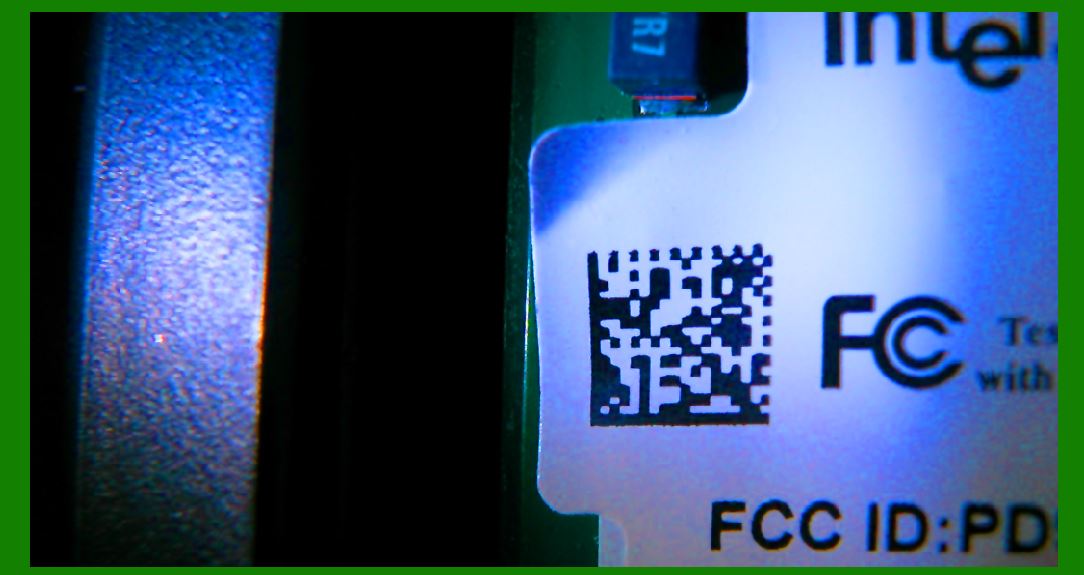
DataMatrix Decoding: A DataMatrix barcode consists of black and white modules arranged in a square or rectangular pattern. The scanner uses the finder pattern (usually consisting of two perpendicular solid lines) to identify the barcode's boundaries. Once the barcode's size and orientation are determined, the data is extracted from the grid. |
PDF417 Decoding: PDF417 is a stacked linear barcode, meaning that the data is stored across multiple layers. Decoding PDF417 requires identifying the start and stop patterns, followed by interpreting the stacked layers as individual 1D barcodes. Each layer encodes part of the data, and the entire dataset is reconstructed by decoding all layers. |
4.1.3 Error Correction in Decoding |
One of the key features of 2D barcodes is their built-in error correction, which allows scanners to read barcodes even when parts of them are damaged or obscured. Error correction algorithms play a critical role in ensuring that the barcode can still be decoded accurately, even under less-than-ideal conditions. |
Reed-Solomon Error Correction: Many 2D barcodes, including QR Codes and DataMatrix, use Reed-Solomon error correction. This algorithm is capable of correcting errors caused by missing or corrupted data. It works by adding redundancy to the barcode, allowing the scanner to recover the original data even if some of the barcode’s modules are unreadable. The level of error correction can vary depending on the barcode's design (e.g., QR Codes can use different levels of error correction, such as L, M, Q, or H). |
Error Detection: Error correction typically involves checking the integrity of the barcode's data. If any part of the data appears corrupted or missing, the algorithm attempts to repair the barcode by using the redundant data encoded within the barcode itself. If the error is too large to correct, the scanner may report a failure to decode. |
|
4.2 Mathematical Models Used in Decoding |
In addition to pattern recognition and error correction, several mathematical models are used to decode 2D barcodes. These models help to interpret the encoded data and reconstruct the original information accurately. |
4.2.1 Reed-Solomon Error Correction |
As mentioned earlier, Reed-Solomon is a popular error correction algorithm used in many 2D barcode formats. It works by introducing redundancy into the data. For example, in a QR Code, some data is encoded multiple times to ensure that if a portion of the barcode is damaged, the data can still be recovered by using the redundant copies. |
Encoding Process: During the creation of the barcode, Reed-Solomon codes are used to generate additional data that is stored in the barcode. These codes are added to the original data, enabling the barcode to tolerate errors. |
Decoding Process: When decoding, the scanner compares the received data with the redundant data to detect errors. It then uses algorithms to reconstruct the damaged or missing data. |
4.2.2 Huffman Coding for Data Compression |
Huffman coding is another mathematical model often used in barcode decoding. This algorithm is used to compress the data within the barcode, reducing the amount of space required to store the information. |
Compression: Huffman coding assigns shorter binary codes to more frequent characters and longer codes to less frequent ones. This reduces the overall size of the data, making it possible to store more information in a smaller space. |
Decompression: When decoding a barcode, the scanner uses the reverse process to expand the compressed data back to its original form. Huffman coding is commonly used in conjunction with other encoding schemes to maximize the efficiency of data storage. |
|
4.3 Data Extraction and Communication |
After decoding the data, the scanner needs to extract the relevant information and communicate it to the host system (e.g., a point-of-sale terminal, warehouse management system, or mobile device). The final data extraction and communication processes ensure that the decoded information is made available for further use. |
4.3.1 Extraction of Information from 2D Matrix |
Once the barcode has been decoded, the scanner extracts the information embedded in the 2D barcode's data matrix. This may include text, URLs, product codes, or any other type of structured information. |
Decoding the Payload: The extracted information, which could be a string of alphanumeric characters or binary data, is returned to the host system for further processing. In some cases, this information may represent a link to a website (e.g., a URL in a QR Code) or a product ID in an inventory management system. |
Validation and Formatting: Before the information is sent to the host system, the scanner may validate the data to ensure it adheres to the expected format (e.g., verifying that a product ID matches a predefined format). The scanner may also perform additional checks to ensure that the data is consistent with the expected input. |
4.3.2 Transmission to Host System |
The decoded information is then transmitted to the host system, where it can be used for various applications, such as inventory tracking, transaction processing, or authentication. |
Communication Protocols: The most common protocols for communication between the barcode scanner and the host system include USB (Universal Serial Bus), Bluetooth, and Wi-Fi. The choice of protocol depends on the application and the environment in which the scanner is used. |
Data Formatting: Depending on the type of data encoded in the barcode, the scanner may need to format the extracted information into a specific structure before transmitting it. For example, a scanner might transmit product codes as numeric data, or it could transmit a URL as a string of characters. |
Summary of Section 4: |
This section covered the decoding process of 2D barcodes, including image analysis, pattern recognition, error correction, and data extraction. The process relies on sophisticated algorithms and mathematical models such as Reed-Solomon error correction and Huffman coding to ensure accurate and efficient decoding. These techniques enable scanners to handle a wide variety of 2D barcode formats and provide reliable performance even when barcodes are damaged or distorted. |
|
5. Communication Interface and Power Supply |
Once a 2D barcode scanner successfully captures and decodes the data, it needs to transmit that information to a host system, such as a point-of-sale terminal, inventory management system, or mobile device. Additionally, ensuring that the scanner remains powered, especially for portable and handheld models, is essential for consistent operation. This section explores both the communication interfaces used in barcode scanners and the power supply system that powers these devices. |
5.1 Types of Communication: USB, Bluetooth, Wi-Fi |
Barcode scanners communicate with host systems through various types of interfaces, which enable the transfer of decoded data. These communication protocols vary in terms of speed, range, and power consumption, and the choice of protocol depends on the specific use case and environment. |
5.1.1 Wired Communication via USB |
The most common and widely used method for data transmission in barcode scanners is the Universal Serial Bus (USB) interface. USB communication is fast, reliable, and simple to implement, making it ideal for many barcode scanning applications. |
USB HID (Human Interface Device): Many barcode scanners are configured to behave as USB HID devices, which means they function similarly to a keyboard. When the scanner reads a barcode, it sends the decoded information to the host system as keystrokes, just like typing the information directly from the keyboard. This makes it easy to integrate barcode scanners with point-of-sale (POS) systems or inventory management software. |
USB Serial Emulation: Some barcode scanners use USB to emulate a serial connection. In this mode, the scanner appears as a COM port on the host system. This is commonly used in systems where traditional serial communication (RS-232) is required, but the convenience and speed of USB are preferred. |
USB Power: In addition to data transfer, the USB connection often serves as the power source for the barcode scanner. This allows for a simple and efficient setup, especially in fixed installation environments where the scanner is connected to a computer or POS system. |
5.1.2 Wireless Communication via Bluetooth |
For mobile or handheld barcode scanners, Bluetooth is a widely used wireless communication protocol. Bluetooth allows the barcode scanner to communicate with host systems wirelessly, making it ideal for environments that require mobility, such as warehouses, retail stores, or logistics operations. |
Bluetooth Low Energy (BLE): Bluetooth Low Energy (BLE) is a variation of Bluetooth that is designed for power-efficient, short-range communication. BLE is particularly useful in battery-operated barcode scanners, as it consumes minimal power while maintaining reliable communication. BLE is commonly used in mobile scanning devices, ensuring long operational hours without frequent recharging. |
Pairing and Communication: Bluetooth scanners typically pair with a host system (e.g., smartphone, tablet, or computer) using a secure connection. Once paired, the scanner can transmit decoded data to the host system in real-time, providing flexibility and portability for the user. |
Range and Interference: Bluetooth offers a limited communication range, typically up to 100 meters in open space, but the actual range can be affected by environmental factors such as walls or interference from other wireless devices. |
5.1.3 Wireless Communication via Wi-Fi |
In large-scale or enterprise environments, Wi-Fi is another popular communication method for barcode scanners. Wi-Fi offers much greater range and higher data transfer speeds compared to Bluetooth, making it suitable for environments where multiple devices need to be interconnected, such as distribution centers, large retail stores, and logistics operations. |
Wi-Fi Networks: Barcode scanners that use Wi-Fi can transmit data over a local area network (LAN) to a server, database, or cloud system. This is particularly useful for real-time inventory management, where data from barcode scans is updated instantly across the entire system. |
Flexibility and Scalability: Wi-Fi enables barcode scanners to operate from anywhere within the coverage area of the network, without the need to be tethered to a specific location. This provides a significant advantage in dynamic environments where employees move around frequently (e.g., warehouses, stockrooms). |
Power Considerations: Since Wi-Fi communication typically consumes more power than Bluetooth, Wi-Fi-based scanners are usually larger and equipped with larger batteries to accommodate longer usage times. |
|
5.2 Power Supply Architecture |
The power supply of a barcode scanner is critical, especially for handheld or mobile models, as they rely on battery power to operate efficiently. There are several power supply configurations used depending on the type of scanner, the expected usage time, and the communication protocols involved. |
5.2.1 Power Consumption of Barcode Scanners |
The power consumption of a barcode scanner varies based on several factors, including the type of scanner (CCD or CMOS sensor), the communication protocol (USB, Bluetooth, or Wi-Fi), and the type of light source (LED vs. laser). Power-efficient designs are important to extend battery life and minimize the need for frequent recharging. |
Low Power Consumption: CMOS sensors and LED light sources generally consume less power compared to CCD sensors and laser-based systems. As a result, handheld barcode scanners with these components tend to have longer battery life. |
Power-Hungry Components: Communication protocols such as Wi-Fi and higher-frequency scanning processes tend to consume more power. Therefore, scanners using these protocols need larger or rechargeable batteries to maintain a long operational time. |
5.2.2 Battery Management for Wireless Scanners |
Battery life is one of the most important considerations for mobile or handheld barcode scanners. To ensure the scanner can operate throughout a full shift or longer without requiring recharging, manufacturers focus on energy-efficient components and incorporate advanced power management systems. |
Battery Types: Handheld barcode scanners typically use rechargeable lithium-ion (Li-ion) or lithium-polymer (Li-Po) batteries, which offer a high energy density and can be recharged many times. These batteries are lightweight and provide reliable power for extended use. |
Battery Life Optimization: Power management systems are implemented in barcode scanners to maximize battery life. These systems include features like sleep modes, automatic power-down after periods of inactivity, and low-power communication options like Bluetooth Low Energy (BLE) and Wi-Fi power-saving modes. |
Charging Mechanisms: Some barcode scanners feature a dock or cradle for recharging, while others have built-in USB charging ports that allow them to be charged via standard USB connections. For industrial settings, scanners may come with high-capacity batteries and the ability to swap out batteries during use, ensuring continuous operation without downtime. |
5.2.3 Power Supply for Fixed-Mounted Scanners |
Fixed-mounted scanners, which are commonly used in retail checkout counters or industrial conveyor belts, are usually connected directly to the power grid via AC power adapters. These scanners do not rely on batteries and can continuously operate as long as they are connected to a power source. |
Power Over Ethernet (PoE): In some environments, especially where a network connection is needed alongside power, PoE technology can be used to provide both power and data transmission over a single Ethernet cable. This is especially useful for fixed-mounted barcode scanners in warehouses or production lines, as it reduces the need for separate power cables. |
Summary of Section 5: |
This section explored the communication interfaces and power supply systems that support the operation of 2D barcode scanners. We examined how barcode scanners transmit decoded data to host systems using USB, Bluetooth, and Wi-Fi protocols, and how power supply architectures, including rechargeable batteries and PoE, ensure that scanners remain functional in both portable and fixed installations. Understanding these aspects of a barcode scanner’s design is crucial for optimizing performance, flexibility, and operational efficiency. |
|
6. Key Circuit Design Elements |
The circuit design of a 2D barcode scanner involves integrating various components such as sensors, processors, power management units, and communication interfaces. These components work together to ensure that the scanner functions efficiently, decodes barcodes accurately, and communicates the results to a host system. This section breaks down the major circuit design elements that are crucial for the operation of a 2D barcode scanner. |
6.1 Microcontroller and Processor |
The microcontroller unit (MCU) or processor is the central component of a 2D barcode scanner’s circuit design. It is responsible for controlling the scanning process, managing the image data, executing decoding algorithms, and communicating with external systems. The MCU coordinates all the activities of the barcode scanner and serves as the 'brain' of the device. |
6.1.1 Functions of the Microcontroller |
The MCU plays a critical role in several tasks: |
Control and Coordination: The MCU controls the scanning operation, including the triggering of the light source (LED or laser), image capture from the sensor, and the activation of the communication interface (USB, Bluetooth, Wi-Fi). |
Image Processing: The MCU processes the data received from the sensor (CCD or CMOS) by performing tasks such as analog-to-digital conversion, noise reduction, image enhancement, and segmentation of the barcode’s data matrix. |
Decoding: Once the image is captured and processed, the MCU executes decoding algorithms to extract the encoded information from the barcode, such as text, URLs, or product codes. |
Error Correction: The MCU is also responsible for implementing error correction algorithms, such as Reed-Solomon, to ensure that damaged or partially obscured barcodes are still decoded accurately. |
Communication: The MCU handles communication with external systems, including sending the decoded data over USB, Bluetooth, or Wi-Fi to the host device. |
6.1.2 Processor Selection |
Barcode scanner manufacturers typically select MCUs based on several factors: |
Processing Power: The MCU must have sufficient processing power to handle image data and execute real-time decoding algorithms. Higher-end processors may support multi-threading and parallel processing to speed up the image decoding process. |
Memory: The MCU should have enough memory (RAM and ROM) to store the image data temporarily, as well as the decoding software and other necessary files. |
Power Efficiency: Since barcode scanners, especially handheld models, rely on battery power, low power consumption is a key consideration when choosing an MCU. |
|
6.2 Image Sensor (CCD or CMOS) |
The image sensor is one of the most critical components in the circuit design of a barcode scanner. It is responsible for capturing the image of the barcode and converting light into an electrical signal that can be processed by the MCU. |
6.2.1 Charge-Coupled Device (CCD) Sensors |
CCD sensors are widely used in barcode scanners because of their high-quality image capture and low noise characteristics. CCDs work by capturing light in each pixel and converting it into an electrical charge, which is then read by the scanner. |
Signal Readout: The electrical charge from each pixel is read sequentially by the sensor and passed on to the image processing system. CCD sensors are often used in scanners that require high image quality and low light sensitivity. |
Power Considerations: While CCDs offer excellent image quality, they tend to consume more power than CMOS sensors, making them less ideal for portable, battery-operated scanners. |
6.2.2 Complementary Metal-Oxide-Semiconductor (CMOS) Sensors |
CMOS sensors are increasingly being used in barcode scanners, especially in handheld and mobile devices, due to their lower power consumption, faster processing speeds, and integration capabilities. |
Advantages: CMOS sensors are cheaper to produce, consume less power, and have faster readout speeds compared to CCD sensors. This makes them a good choice for mobile or battery-powered barcode scanners. |
Disadvantages: Although CMOS sensors are improving in quality, they may not provide the same image clarity and low noise levels as CCD sensors, especially in low-light conditions. |
|
6.3 Optical System: Lens and Light Source |
The optical system of a barcode scanner consists of the lens and the light source, both of which are critical for capturing a clear image of the barcode. |
6.3.1 Lens Design |
The lens focuses the light from the barcode onto the image sensor. The quality and design of the lens determine how sharp and accurate the captured image will be. A well-designed lens ensures that the barcode is in focus and that the light from the barcode is evenly distributed across the sensor. |
Focusing Mechanism: Some barcode scanners, especially those with high-resolution sensors, may include an automatic focusing mechanism that adjusts the lens to ensure a sharp image of the barcode at varying distances. |
Field of View (FOV): The lens design also influences the field of view, which determines how much of the barcode can be captured at once. A wider FOV is beneficial for scanning larger or multiple barcodes at the same time. |
6.3.2 Light Source (LED vs. Laser) |
The light source is responsible for illuminating the barcode so that the sensor can capture the reflected light. |
LED Lighting: LED-based systems are commonly used in modern 2D barcode scanners due to their energy efficiency, low heat output, and ability to produce uniform lighting. LEDs are often used in handheld and mobile scanners because they consume less power and are more durable than lasers. |
Laser Scanning: Some high-performance barcode scanners may still use laser light sources, which offer high precision and are useful for scanning 1D barcodes and longer-range applications. |
|
6.4 Analog-to-Digital Converter (ADC) |
The ADC is a key component in the circuit design of a barcode scanner, converting the analog signals from the image sensor into digital data that can be processed by the MCU. This conversion is essential for turning the light captured by the sensor into binary data that can be analyzed and decoded. |
6.4.1 Function of the ADC |
The ADC converts the voltage levels from each pixel in the image sensor into corresponding digital values. These values represent the intensity of light captured by each pixel, creating a digital representation of the barcode image. |
Resolution: The quality of the ADC influences the overall resolution of the captured image. Higher resolution ADCs provide more detailed images, which is especially important for decoding high-density 2D barcodes such as QR Codes or DataMatrix codes. |
Speed: The ADC must operate at a high speed to keep up with the rate at which the image sensor captures data, particularly in high-speed scanning applications. |
|
6.5 Power Supply and Power Management |
The power supply system is crucial for ensuring that the barcode scanner operates efficiently, especially for portable models that rely on battery power. The power supply consists of the battery (for handheld models), power regulation circuitry, and charging circuits. |
6.5.1 Battery Management |
For handheld barcode scanners, the battery management system (BMS) ensures that the scanner has enough power to operate for extended periods. The BMS monitors the battery’s charge level and regulates charging to prevent overcharging and overheating. |
Lithium-Ion and Lithium-Polymer Batteries: These batteries are commonly used in handheld scanners due to their high energy density and long lifespan. The BMS ensures that the battery is safely charged and discharged. |
Low Power Modes: To extend battery life, the scanner may enter low-power modes when not in use, allowing it to conserve energy until it is ready for operation again. |
6.5.2 Power Regulation |
The power regulation circuitry ensures that the appropriate voltage and current are supplied to each component of the scanner, including the MCU, image sensor, and communication interfaces. Voltage regulators and power management ICs are used to efficiently distribute power while minimizing energy loss. |
|
6.6 Communication Interfaces and Data Transmission |
The final critical circuit element in the barcode scanner design is the communication interface. This allows the decoded data to be transmitted from the scanner to the host system. |
6.6.1 USB Interface |
The USB interface is often used in fixed-mounted barcode scanners and offers fast data transfer speeds and convenient power supply through a single connection. |
USB HID Mode: When operating in USB HID mode, the scanner acts like a keyboard, sending decoded data as keystrokes to the host system. |
USB Serial Emulation: In this mode, the scanner appears as a COM port to the host system, allowing for more flexible communication options. |
6.6.2 Bluetooth and Wi-Fi Interfaces |
In mobile barcode scanners, Bluetooth and Wi-Fi communication interfaces are used to transmit data wirelessly to the host system. |
Bluetooth: Bluetooth Low Energy (BLE) is commonly used in mobile scanners to minimize power consumption while maintaining reliable data transmission over short distances. |
Wi-Fi: For large-scale operations, Wi-Fi allows barcode scanners to transmit data over a network to a centralized system, enabling real-time data synchronization and management. |
Summary of Section 6: |
This section provided a detailed overview of the key circuit design elements involved in the operation of a 2D barcode scanner. It covered essential components such as the microcontroller, image sensor, optical system, analog-to-digital conversion, power management, and communication interfaces. Each of these elements is carefully integrated into the overall design to ensure that the scanner operates efficiently, decodes barcodes accurately, and communicates the results to a host system. |
|
7. Practical Applications and Advanced Features |
2D barcode scanners have become indispensable in a variety of industries, ranging from retail and logistics to healthcare and manufacturing. Beyond their basic role in decoding barcodes, modern scanners come with advanced features that improve scanning speed, accuracy, and the ability to handle complex or damaged barcodes. This section discusses the diverse applications of 2D barcode scanners and the advanced features that make them more effective. |
7.1 Applications in Retail and Point-of-Sale (POS) |
One of the most common and widely recognized applications of 2D barcode scanners is in retail and point-of-sale (POS) systems. In these environments, barcode scanners are used to quickly capture product information, improve checkout efficiency, and enhance the customer experience. |
7.1.1 Product Identification and Checkout |
At retail stores and supermarkets, 2D barcode scanners, such as those used for QR Codes and DataMatrix barcodes, are employed to identify products and streamline checkout processes. |
Speed and Efficiency: Scanners reduce the time spent on manual entry by allowing cashiers to quickly scan barcodes, improving customer service and reducing waiting times. |
Multiple Item Scanning: In busy retail environments, scanners that support multi-item scanning are valuable. For example, scanners that can capture several barcodes in a single scan, even when the barcodes are positioned in different orientations or stacked together, provide significant time savings. |
Self-Checkout: Self-service kiosks and self-checkout systems in supermarkets and retail stores often rely on 2D barcode scanners for efficient and accurate product identification. Customers scan their items to make payments without requiring assistance from a cashier. |
7.1.2 Promotions and Loyalty Programs |
2D barcode scanners also play a crucial role in enabling digital promotions, discounts, and loyalty programs. |
QR Codes for Coupons and Discounts: Retailers often use QR Codes in promotional materials, advertisements, and product packaging to provide customers with access to special discounts or offers. Customers can scan these codes using mobile apps to receive discounts or collect loyalty points. |
Digital Coupons and Rewards: Many businesses have adopted digital loyalty programs where customers can collect points or rewards by scanning 2D barcodes that track their purchases and activity. |
|
7.2 Logistics and Inventory Management |
In logistics and inventory management, 2D barcode scanners are invaluable tools that improve tracking, data accuracy, and operational efficiency. They enable seamless real-time data collection, inventory control, and shipment tracking, reducing errors and speeding up processes. |
7.2.1 Warehouse and Inventory Tracking |
Warehouse environments use 2D barcode scanners to track items as they move in and out of storage locations, ensuring that inventory data is up to date and accurate. |
Real-Time Updates: Scanners quickly capture barcode data from goods and shipping labels, automatically updating inventory systems with accurate information. This helps in real-time monitoring of stock levels, reducing the risk of stockouts and overstocking. |
Inventory Audits: Barcode scanners enable fast and accurate inventory audits. Employees can scan barcodes on products or shelves and immediately update the system without needing to manually input data. |
Picking and Sorting: In warehouses, barcode scanners help employees identify and select the correct items for shipment. By scanning a barcode on a picking list or order form, workers can quickly locate items and prepare them for shipping. |
7.2.2 Shipment and Tracking |
In logistics and shipping, 2D barcode scanners are used to track packages, parcels, and shipments, ensuring that each item reaches its destination on time and intact. |
Shipping Labels: Shipping labels often include 2D barcodes such as QR Codes or PDF417 barcodes, which encode critical shipping information like origin, destination, weight, and delivery instructions. |
Package Scanning: During the shipment process, barcode scanners are used to track packages at various stages of transit. Scanners capture the barcode data, update the tracking system, and ensure that each package is accurately tracked throughout its journey. |
Smartphone Scanning: Mobile devices with barcode scanning apps allow workers to use smartphones to scan shipping labels and track packages without needing dedicated barcode scanner hardware. |
|
7.3 Healthcare Applications |
In healthcare, 2D barcode scanners have significantly improved patient safety, inventory management, and data accuracy. These scanners ensure that the right medications, supplies, and equipment are delivered to the right patients, reducing the risk of errors and improving efficiency in healthcare settings. |
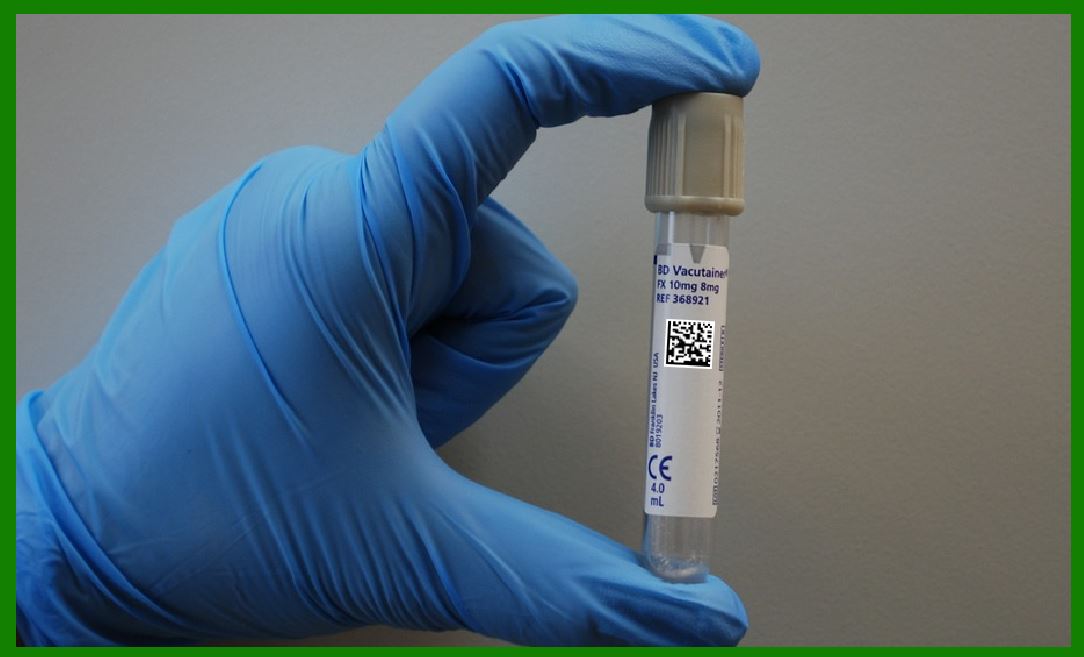
7.3.1 Medication Management In hospitals and pharmacies, 2D barcode scanners are widely used to track medications, ensuring that the correct drug is administered to the correct patient. |
Patient Identification: 2D barcode scanners are often integrated with patient wristbands, which contain barcodes that store patient identification information. Nurses and doctors scan these wristbands to verify patient identity before administering medication. |
Medication Verification: 2D barcodes on medication packaging help verify that the correct drug is being administered to the correct patient at the right time, reducing medication errors. |
Pharmacy Inventory: 2D barcode scanners are used in pharmacy inventory systems to track stock levels of pharmaceuticals, ensuring timely restocking and minimizing the risk of expired or overstocked medications. |
7.3.2 Medical Equipment Tracking Hospitals use barcode scanners to track medical equipment, ensuring that each item is properly accounted for and available when needed. |
Asset Management: Medical devices and equipment are often tagged with 2D barcodes that encode the device’s unique serial number and maintenance history. Scanners capture the barcode to track the equipment’s location, usage, and maintenance schedule. |
Maintenance and Calibration: Regular maintenance and calibration are essential to ensure that medical equipment is functioning properly. Barcode scanners help manage equipment servicing schedules by tracking when maintenance or calibration is due. |
|
7.4 Manufacturing and Quality Control In manufacturing, 2D barcode scanners are used for product tracking, assembly line monitoring, and quality control processes. These scanners help streamline production workflows, improve data collection, and ensure that products meet quality standards. |
7.4.1 Production Line Monitoring 2D barcode scanners are used in manufacturing environments to monitor production processes and ensure that each stage of the assembly line is completed accurately. |
Product Tracking: Scanners are used to track the progress of individual components and products as they move through the manufacturing process. Barcodes on parts or finished goods encode information about their specifications, assembly status, and quality checks. |
Automated Quality Checks: Scanners integrated into automated quality control systems verify that products meet specific standards by scanning barcodes that contain detailed test results or inspection codes. |
7.4.2 Supply Chain Management In supply chain management, barcode scanners enable manufacturers to track materials, shipments, and products at each step of the supply chain. |
Component Tracking: Manufacturers use barcode scanners to track the receipt and usage of components in assembly processes. Barcodes are attached to components and raw materials, allowing workers to quickly verify stock levels and prevent shortages. |
Shipping and Receiving: Barcode scanners in the shipping and receiving departments enable quick verification of goods that arrive at or leave the warehouse. Scanning 2D barcodes on delivery documents and product packaging ensures accurate inventory records and tracking. |
|
 cs@easiersoft.com