1. Introduction to 1D Barcodes |
1.Definition and Overview 1D barcodes, also known as linear barcodes, are one-dimensional patterns of parallel lines and spaces. They encode data in the width and spacing of the lines, where each pattern corresponds to specific characters or digits. The decoding process involves reading these patterns and translating them into meaningful data. |
2.Structure of 1D Barcodes 1D barcodes consist of a series of vertical bars and spaces. The width of these bars and spaces varies, representing different characters based on a predefined coding scheme. Common examples include UPC, EAN, Code 39, and Code 128. |
|
2. Scanning and Data Capture |
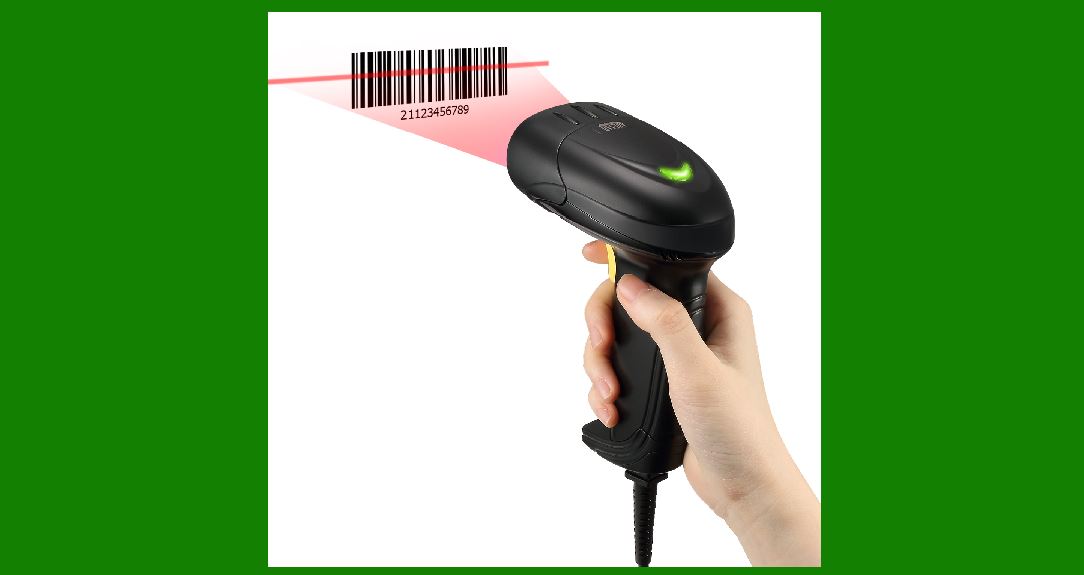
1.Scanning Mechanism 1D barcodes are scanned using barcode readers or scanners that use light sensors to capture the pattern. The scanner emits a laser or LED light that reflects off the barcode. The reflected light is then detected by a sensor, converting the optical signal into an electrical one. |
2.Signal Processing The electrical signal produced by the scanner is a waveform that represents the barcode's bars and spaces. This signal is processed to determine the width of the bars and spaces by analyzing variations in the light reflection. |

|
3. Conversion to Digital Data |
1.Analog-to-Digital Conversion The analog signal from the scanner is converted into a digital format. This involves sampling the signal at regular intervals and quantifying the light intensity into discrete values. The result is a digital representation of the barcode's pattern. |
2.Data Extraction The digital signal is then processed to extract the data. This involves identifying the transitions between bars and spaces and measuring their widths. Each width corresponds to a specific code value based on the encoding scheme used in the barcode. |

|
4. Comparing Against Predefined Patterns |
1.Encoding Schemes Different 1D barcodes use different encoding schemes. Each scheme maps specific patterns of bars and spaces to characters or digits. For example, in Code 39, each character is represented by a specific combination of narrow and wide bars. |
2.Pattern Matching The extracted data is compared against predefined patterns stored in the barcode decoder. These patterns are essentially templates that represent the possible combinations of bars and spaces for each character. The comparison involves matching the measured widths of bars and spaces against these templates. |

|
5. Character Recognition |
1.Pattern Recognition Algorithms Algorithms are used to match the scanned data against predefined patterns. These algorithms analyze the width and spacing of bars, identifying the closest match to the stored patterns. This process includes comparing the data against a set of known patterns to determine the most accurate representation. |
2.Error Correction and Verification Error correction techniques are employed to handle variations and potential errors in the scanned data. Techniques such as redundancy checks and error-correcting codes help ensure that the decoded data is accurate. The verification process involves checking the decoded result against the expected pattern to confirm its validity. |

|
6. Decoding Examples |
1.UPC (Universal Product Code) The UPC barcode consists of a series of bars and spaces that represent digits. Each digit is encoded using a specific pattern of bars and spaces. The decoding process involves mapping the scanned patterns to these predefined digit codes. |
2.Code 128 Code 128 is a more complex barcode that encodes a wider range of characters, including numbers, letters, and special symbols. It uses a more intricate pattern of bars and spaces, and the decoding process involves identifying these patterns based on a larger set of predefined codes. |

|
7. Practical Considerations |
1.Scanning Conditions The accuracy of decoding can be affected by various factors, including the quality of the print, the scanner's resolution, and environmental conditions. Proper scanning conditions help ensure that the patterns are accurately captured and decoded. |
2.Barcode Quality and Maintenance Maintaining high-quality barcodes is crucial for reliable decoding. This involves ensuring that the barcodes are printed clearly, with proper contrast and without distortion. Regular checks and maintenance of barcode printing and scanning equipment also contribute to accurate decoding. |

|
8. Advanced Techniques |
1.Adaptive Algorithms Advanced decoding algorithms can adapt to varying conditions and barcode qualities. These algorithms can adjust for distortions, noise, and other factors that may affect pattern recognition, improving the accuracy of the decoding process. |
2.Machine Learning Approaches Machine learning techniques are increasingly used in barcode decoding to enhance pattern recognition and error correction. These approaches involve training models to recognize patterns and improve decoding accuracy based on large datasets of barcode images. |

|
9. Conclusion |
1.Summary Decoding 1D barcodes involves scanning the barcode, converting the scanned signal into digital data, and comparing this data against predefined patterns to identify the encoded characters. This process relies on accurate pattern recognition, error correction, and the use of encoding schemes. |
2.Future Developments As technology advances, the techniques for decoding 1D barcodes continue to improve. Innovations in scanning technology, algorithms, and machine learning are contributing to more accurate and efficient decoding processes. |

|
 cs@easiersoft.com