1. Introduction to 2D Barcode Decoding |
1.1 Overview of 2D Barcodes |
2D barcodes, also known as matrix codes, encode data in a two-dimensional space. Unlike 1D barcodes, which store information linearly, 2D barcodes use both horizontal and vertical dimensions to represent data. Common types of 2D barcodes include QR Codes, Data Matrix, Aztec Codes, and PDF417. The decoding process involves several steps, from capturing the barcode image to interpreting its encoded information. |
1.2 Importance of Decoding Accuracy |
The accuracy of decoding is crucial, especially in applications where precision is required, such as inventory management, healthcare, and logistics. Accurate decoding ensures that the data retrieved from the barcode is reliable, even if the barcode is damaged or partially obscured. |
|
2. Capturing the Barcode Image |
2.1 Image Acquisition |
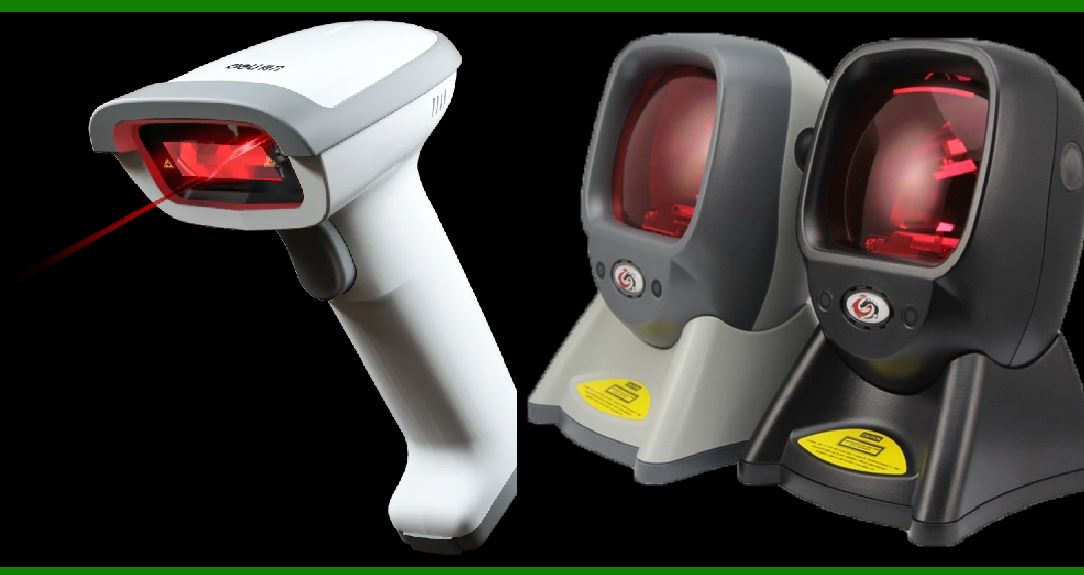
The first step in decoding a 2D barcode is capturing an image of it. This can be done using various devices such as digital cameras, smartphones, or specialized barcode scanners. The quality of the captured image significantly affects the decoding process. High-resolution images with good contrast between the barcode and its background are preferred. |
2.2 Image Preprocessing |
Before decoding, the captured image may undergo preprocessing to enhance its quality. This can include adjusting brightness and contrast, filtering out noise, and correcting for perspective distortion. Techniques such as grayscale conversion, binarization (conversion to black and white), and edge detection are commonly used. |

|
3. Detecting Geometric Patterns |
3.1 Barcode Localization |
Once the image is preprocessed, the next step is to locate the barcode within the image. This involves detecting the geometric patterns that characterize the barcode's structure. For example, QR Codes have specific patterns such as position markers in three corners, while Data Matrix codes have distinctive alignment patterns. |
3.2 Pattern Recognition |
Pattern recognition algorithms are used to identify and decode these geometric features. The algorithms detect features such as finder patterns, alignment patterns, or synchronization patterns that help in locating and orienting the barcode. These features are crucial for correctly interpreting the barcode's data modules. |

|
4. Extracting Data Modules |
4.1 Identifying Data Modules |
Once the geometric patterns are detected, the next step is to extract the data modules from the barcode. In a 2D barcode, the data is encoded in a grid of squares or dots. Each module (or cell) in the grid represents a bit of data. The data modules are read by analyzing the black and white (or colored) squares and interpreting their arrangement. |
4.2 Grid Reconstruction |
The grid of data modules must be reconstructed to understand the barcode's structure. This involves mapping the detected patterns to the corresponding positions in the grid. The accuracy of this step is crucial, as any errors in grid reconstruction can lead to incorrect decoding. |

|
5. Decoding the Data |
5.1 Data Interpretation |
After extracting the data modules, the next step is to interpret the encoded data. This involves converting the binary or symbolic representation of the data into a human-readable format. Each 2D barcode type has its own encoding scheme, which must be correctly applied to decode the data. |
5.2 Error Detection |
Many 2D barcodes include error detection and correction codes as part of their design. These codes help in identifying and correcting errors that may occur during scanning. Error detection algorithms check for discrepancies in the data and signal whether any errors need to be corrected. |

|
6. Error Correction Algorithms |
6.1 Error Correction Overview |
Error correction algorithms are essential for handling issues such as damaged or partially obscured barcodes. These algorithms use redundant data and mathematical techniques to correct errors and enhance the accuracy of decoding. Common error correction techniques include Reed-Solomon error correction and Hamming codes. |
6.2 Reed-Solomon Error Correction |
Reed-Solomon error correction is widely used in 2D barcodes. It works by adding redundant data to the encoded message. When decoding, the algorithm checks the message against this redundant data to detect and correct errors. This technique can correct multiple errors within the barcode, making it robust against damage. |
6.3 Hamming Codes |
Hamming codes are another type of error correction code used in some 2D barcodes. They work by adding parity bits to the data, which helps in detecting and correcting single-bit errors. Hamming codes are simpler than Reed-Solomon codes but are typically less robust. |
6.4 Error Correction in Practice |
In practice, error correction algorithms are implemented as part of the decoding software. The software analyzes the data modules and applies the appropriate error correction algorithms to correct any detected errors. This ensures that even if the barcode is damaged or partially obscured, the correct data can still be retrieved. |

|
7. Handling Damaged or Obscured Barcodes |
7.1 Challenges with Damaged Barcodes |
Barcodes can be damaged in various ways, including scratches, smudges, or distortion. Handling these issues requires sophisticated algorithms that can reconstruct missing or corrupted parts of the barcode. Techniques such as interpolation and pattern matching are used to estimate the missing data. |
7.2 Partial Obscuration |
When a barcode is partially obscured, the decoding process must be able to handle missing sections. The error correction algorithms play a crucial role in this scenario, as they can use the available data to reconstruct the obscured parts. The effectiveness of this reconstruction depends on the extent of the obscuration and the robustness of the error correction codes. |

|
8. Verification and Output |
8.1 Verification of Decoded Data |
After decoding and error correction, the resulting data must be verified for accuracy. This involves checking the decoded information against expected values or performing additional validation checks. In some applications, the decoded data is cross-referenced with a database to ensure its correctness. |
8.2 Output of Decoded Information |
Finally, the decoded information is presented in a usable format. This could involve displaying the data on a screen, storing it in a database, or using it for further processing. The output format depends on the application and the specific requirements of the system. |

|
9. Conclusion |
9.1 Summary of Decoding Process |
Decoding 2D barcodes involves capturing and preprocessing the barcode image, detecting geometric patterns, extracting data modules, and interpreting the encoded data. Error correction algorithms play a crucial role in ensuring the accuracy of decoding, especially when dealing with damaged or obscured barcodes. |
9.2 Future Developments |
As technology advances, new techniques and algorithms are continually being developed to improve barcode decoding. Innovations in image processing, pattern recognition, and error correction will enhance the robustness and accuracy of 2D barcode systems, making them even more reliable and versatile in various applications. |

|
 cs@easiersoft.com