Part 13: Performance Optimization and System-Level Trade-offs in Image-Based Scanners (Deep Technical Analysis) |
1. Introduction to Performance Optimization |
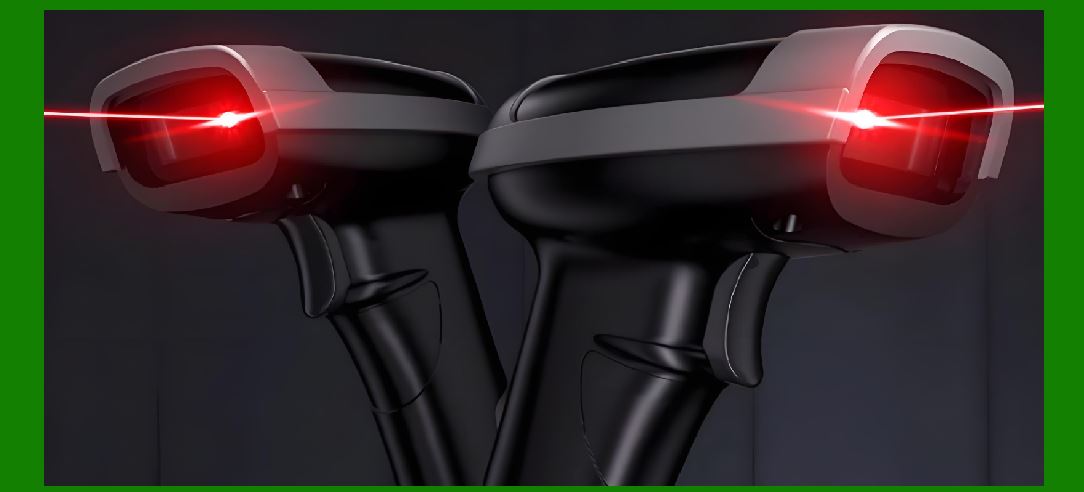
1. Performance optimization in image-based scanners is a multi-dimensional engineering problem involving trade-offs among speed, accuracy, power consumption, cost, and reliability. |
2. Unlike isolated subsystem tuning, system-level optimization requires: |
* Coordinated adjustments across optics, sensor, processing, firmware, and communication |
* Real-time responsiveness under varying environmental conditions |
* Efficient resource utilization |
3. Key performance goals include: |
* High decoding success rate |
* Low latency (fast scan response) |
* Energy efficiency |
* Robustness under challenging conditions |
|
2. Key Performance Metrics |
2.1 Decoding Speed |
1. Time from trigger activation to successful decode. |
2. Influenced by: |
* Image capture time |
* Processing latency |
* Algorithm efficiency |
2.2 Decoding Accuracy |
1. Percentage of correctly decoded barcodes. |
2. Affected by: |
* Image quality |
* Algorithm robustness |
* Error correction capability |
2.3 Throughput |
1. Number of successful scans per unit time. |
2. Important in: |
* Retail checkout |
* High-speed logistics |
2.4 Power Consumption |
1. Energy used during: |
* Idle |
* Active scanning |
* Data transmission |
2.5 Latency |
1. Delay between image capture and output. |
|
3. System-Level Trade-offs |
3.1 Speed vs Accuracy |
1. Faster processing may reduce accuracy if: |
* Fewer image processing steps are applied |
2. Higher accuracy requires: |
* More complex algorithms |
* Increased computation time |
3.2 Power vs Performance |
1. High performance: |
* Requires more processing power |
* Increases energy consumption |
2. Low power operation: |
* May limit processing capability |
3.3 Cost vs Capability |
1. Advanced features: |
* Increase hardware cost |
2. Budget systems: |
* Use simplified components and algorithms |
3.4 Size vs Thermal Management |
1. Compact designs: |
* Limit heat dissipation |
2. Larger designs: |
* Better cooling but less portable |

|
4. Optimization of Image Acquisition |
4.1 Exposure Optimization |
1. Balance between: |
* Brightness |
* Motion blur |
4.2 Frame Rate Adjustment |
1. Higher frame rates: |
* Faster detection |
* Higher power consumption |
4.3 Illumination Control |
1. Adaptive LED intensity: |
* Reduces power usage |
* Maintains image quality |
|
5. Optimization of Image Processing |
5.1 Algorithm Efficiency |
1. Use optimized algorithms: |
* Reduce computational complexity |
5.2 Parallel Processing |
1. Process multiple tasks simultaneously. |
5.3 Hardware Acceleration |
1. Use dedicated modules for: |
* Filtering |
* Edge detection |

|
6. Optimization of Localization and Decoding |
6.1 Early Rejection Mechanisms |
1. Quickly discard non-barcode regions. |
6.2 Multi-Stage Processing |
1. Coarse detection followed by fine decoding. |
6.3 Adaptive Decoding Strategies |
1. Adjust algorithm based on: |
* Barcode type |
* Image quality |
|
7. Memory and Data Flow Optimization |
7.1 Efficient Buffer Management |
1. Reduce memory access latency. |
7.2 Data Compression |
1. Reduce bandwidth requirements. |
7.3 Cache Optimization |
1. Improve data access speed. |

|
8. Communication Optimization |
8.1 Data Packet Optimization |
1. Minimize overhead. |
8.2 Latency Reduction Techniques |
1. Prioritize critical data. |
8.3 Wireless Optimization |
1. Reduce retransmissions. |
|
9. Power Optimization Techniques |
9.1 Dynamic Power Scaling |
1. Adjust power based on workload. |
9.2 Sleep Modes |
1. Enter low-power state when idle. |
9.3 Efficient Component Selection |
1. Use low-power hardware. |

|
10. Thermal Optimization |
1. Manage heat to prevent performance degradation. |
2. Techniques: |
* Heat spreading |
* Efficient airflow design |

|
11. Software Optimization |
11.1 Code Optimization |
1. Reduce instruction count. |
11.2 Compiler Optimization |
1. Use advanced compiler settings. |
11.3 Algorithm Tuning |
1. Adjust parameters for best performance. |
|
12. Real-Time System Optimization |
12.1 Task Scheduling |
1. Prioritize critical tasks. |
12.2 Interrupt Handling |
1. Minimize latency. |
12.3 Load Balancing |
1. Distribute workload efficiently. |
|
13. AI-Based Optimization |
13.1 Adaptive Algorithms |
1. Learn from usage patterns. |
13.2 Predictive Processing |
1. Anticipate user actions. |
13.3 Resource Allocation |
1. Optimize based on real-time conditions. |

|
14. Benchmarking and Profiling |
1. Measure performance under: |
* Controlled conditions |
* Real-world scenarios |
14.1 Profiling Tools |
1. Identify bottlenecks. |
14.2 Continuous Optimization |
1. Iterative improvements. |
|
15. Application-Specific Optimization |
15.1 Retail Systems |
1. Focus on speed and ease of use. |
15.2 Industrial Systems |
1. Emphasize robustness and reliability. |
15.3 Mobile Systems |
1. Prioritize power efficiency. |
|
16. Future Trends in Optimization |
16.1 AI-Driven Optimization |
1. Autonomous performance tuning. |
16.2 Edge Computing |
1. On-device data processing. |
16.3 Advanced Hardware Integration |
1. More functions integrated into single chips. |
|
17. Summary of Part 13 |
1. Performance optimization requires balancing multiple competing factors. |
2. Key trade-offs include speed, accuracy, power, cost, and size. |
3. Optimization spans hardware, software, and system architecture. |
4. Real-time constraints demand efficient processing and resource management. |
5. Future systems will rely on AI and advanced hardware for dynamic optimization. |
|
Next Step |
Part 14: Application Scenarios and Industry-Specific Implementations of Image-Based Scanners (Deep Technical Analysis) |
 cs@easiersoft.com