1. Scanning Technology |
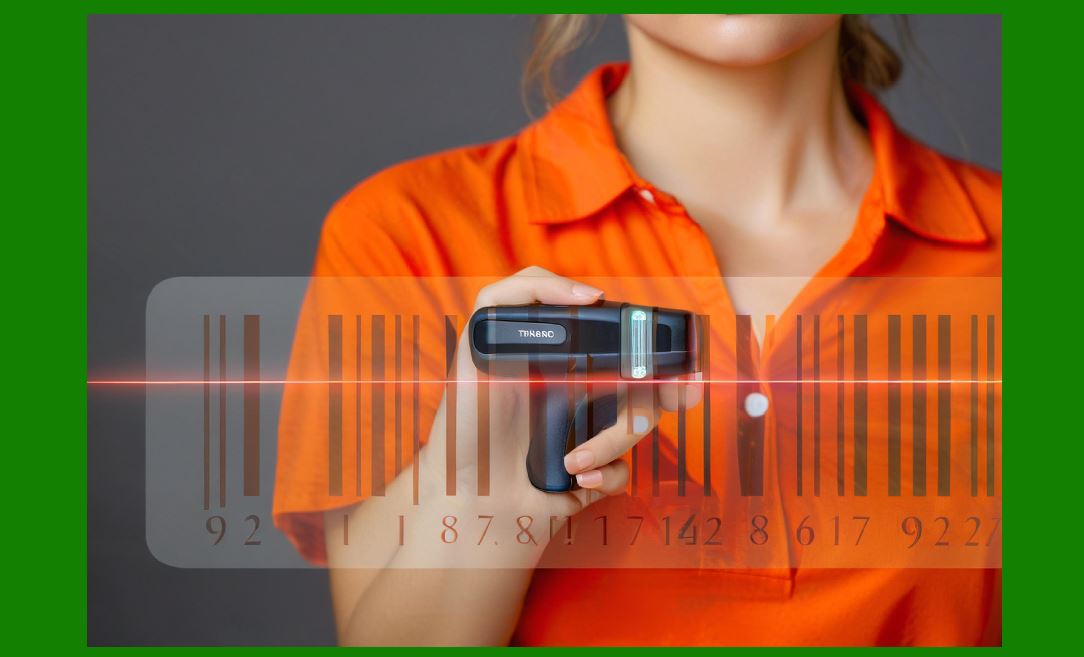
Barcode scanners are fundamentally defined by the scanning technology they use. The core principle of barcode scanning is the conversion of optical patterns—black and white bars or dot patterns—into digital signals that a computer can process. Over the past several decades, multiple technologies have emerged, each with its own strengths and limitations. Understanding scanning technology is crucial, because it directly impacts speed, reliability, precision, cost, and compatibility with different industries. |
The earliest barcode scanners used laser-based technology. In a laser scanner, a laser beam is projected onto the barcode, and a rotating or oscillating mirror sweeps the beam across the code. The reflected light is captured by a photodiode, which converts the signal into electrical pulses. The alternating patterns of dark and light are thus read as digital information. Laser scanners are highly reliable for reading 1D barcodes, even in low-light environments, and remain in use today, especially in retail checkout lanes. |
CCD (Charge-Coupled Device) scanners emerged as a compact and durable alternative to laser scanners. Instead of a laser beam, CCD scanners use an array of tiny light sensors embedded in a line. These sensors capture reflected light from the barcode simultaneously, allowing the device to record the entire line of a code in one snapshot. CCD scanners are highly durable, as they contain no moving parts like oscillating mirrors, and they are less prone to shock or drop damage. Their scanning distance, however, is typically limited to just a few centimeters, which makes them ideal for desktop scanning but not for long-range industrial use. |
The most versatile and modern technology is the imager-based scanner. These scanners use camera systems—either linear imagers (1D) or area imagers (2D)—to capture a complete digital image of the barcode. Sophisticated decoding algorithms then interpret the image and extract the encoded data. Imager-based scanners are capable of reading both 1D and 2D barcodes, including QR Code, Data Matrix, PDF417, Aztec Code, and more. They can also read damaged, distorted, or poorly printed codes, as well as barcodes displayed on digital screens, making them the dominant choice in logistics, healthcare, and mobile payment applications. |
A significant advancement in imager technology is the CMOS (Complementary Metal-Oxide-Semiconductor) sensor. CMOS imagers have largely replaced CCD sensors due to their higher sensitivity, lower power consumption, and faster data processing. They can function effectively in bright sunlight, low-light conditions, and even handle motion blur better, enabling high-speed scanning in dynamic environments like conveyor belt operations. |
Another scanning technology is Omnidirectional Scanning, often seen in retail point-of-sale systems. Omnidirectional scanners generate multiple laser lines in a starburst or crosshatched pattern, enabling quick scans from any angle without precise barcode alignment. This speeds up checkout lines dramatically, as cashiers do not need to orient the product carefully. While omnidirectional systems are usually laser-based, some use multi-directional imaging systems as well. |
Long-Range Laser Scanners were designed specifically for warehouses and manufacturing floors, where barcodes may be affixed to shelves or pallets several meters away. Using powerful laser beams and focusing systems, these scanners can capture barcodes at distances exceeding 10 meters. This makes them suitable for forklift-mounted systems and high-bay warehouse operations, though they are typically more expensive and bulkier than handheld imagers. |
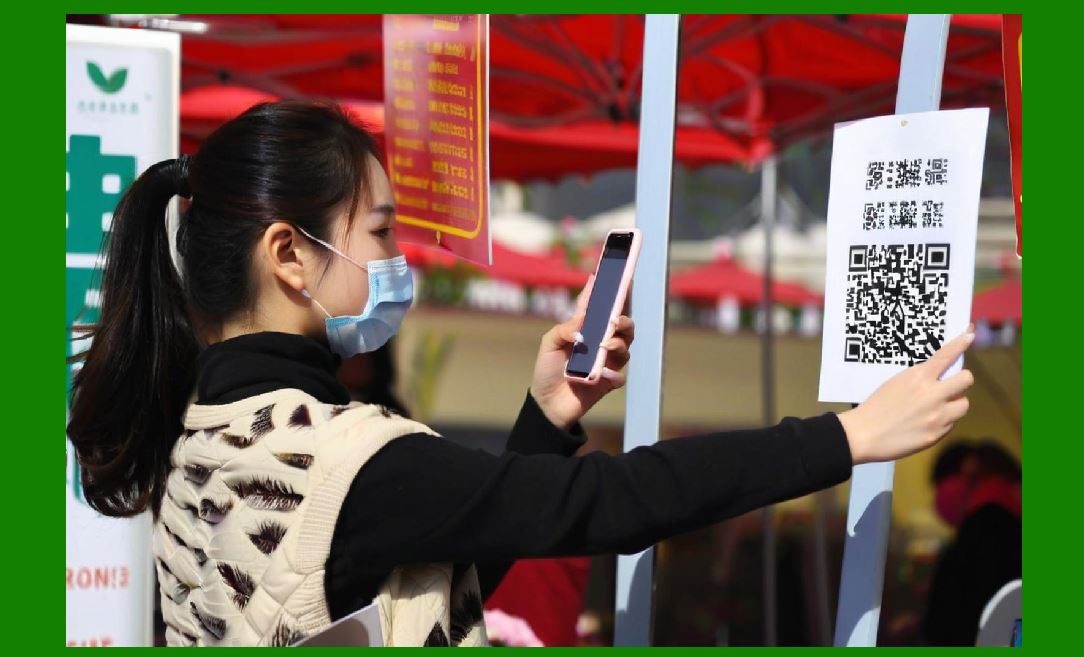
With the rise of mobile technology, smartphone cameras have increasingly been used as scanning devices. While not strictly professional-grade scanners, mobile-based barcode scanning apps have transformed consumer-facing industries such as event ticketing, boarding passes, and retail promotions. Modern smartphone cameras, combined with AI-driven decoding software, can rival dedicated scanners in accuracy and versatility. However, smartphones often lack the durability and scanning speed required for high-volume enterprise applications. |
Another key advancement in scanning technology is the use of AI-enhanced image processing. Artificial intelligence and machine learning algorithms can now analyze incomplete or partially obscured barcodes, reconstruct missing sections, and improve scanning accuracy in challenging environments. This is particularly beneficial in logistics, where barcodes may be scratched, smudged, or printed on curved or uneven surfaces. |
Each scanning technology carries trade-offs. Laser scanners are fast and efficient for 1D codes but cannot read 2D symbologies. CCD and CMOS imagers are durable and versatile but vary in range capabilities. Area imagers are the most flexible, supporting all code types and digital screen scanning, but they may have slower decoding speeds in older models. Therefore, choosing the right scanning technology depends heavily on the operational context—retail, healthcare, logistics, or industrial use. |
|
2. Environmental Conditions and Durability |
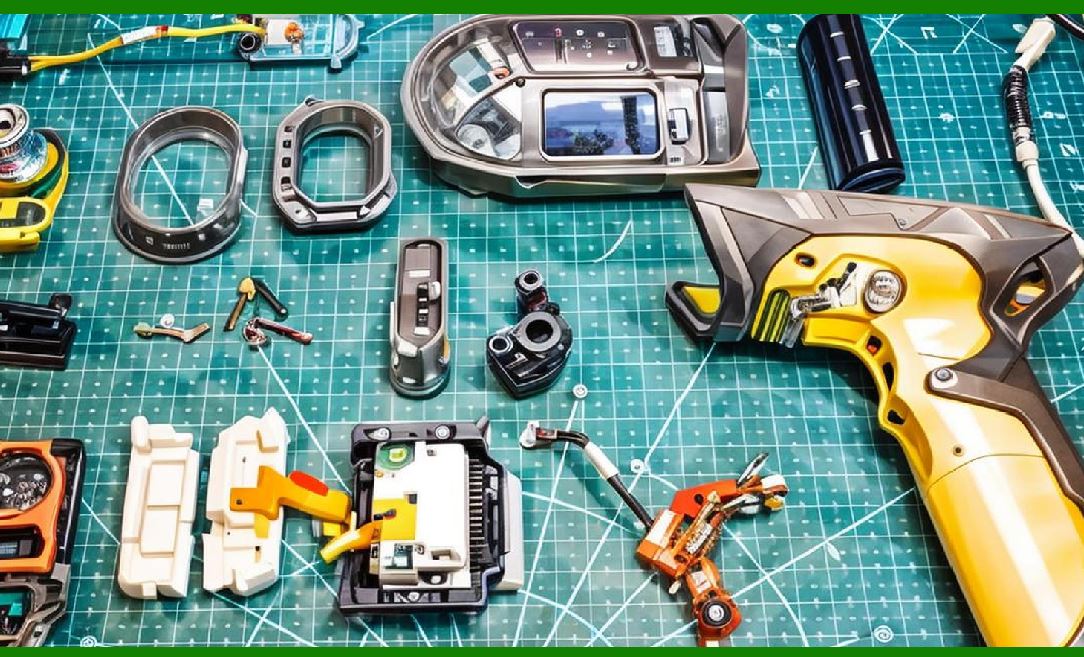
Barcode scanners are used in a wide range of environments, from clean retail counters to harsh industrial facilities. Environmental conditions directly affect scanner performance, making durability a critical parameter for selection. Scanners must withstand varying levels of dust, moisture, temperature extremes, and mechanical stress. |
One key factor in durability is the IP rating (Ingress Protection). This rating classifies the degree of protection provided against solid particles and liquids. For instance, an IP54-rated scanner is resistant to dust and splashes, making it suitable for warehouse environments. Higher ratings such as IP65 or IP67 indicate full dust-tight construction and protection against water jets or temporary immersion, critical for industries such as food processing, pharmaceuticals, and outdoor logistics. |
Shock resistance is another crucial consideration. In fast-paced environments, scanners are often dropped accidentally. Many rugged scanners are tested to withstand multiple drops onto concrete from heights of 1.5 to 2 meters. Some industrial-grade scanners are even built to survive 3-meter drops. This resilience prevents downtime and reduces maintenance costs. |
Temperature tolerance is equally important. Scanners deployed in cold storage warehouses may need to function reliably at temperatures as low as -30°C, while outdoor scanners used in tropical climates may need to endure heat exceeding 50°C. Specialized models incorporate heaters or cooling mechanisms to ensure consistent performance. |
Humidity resistance plays a role in preventing condensation and corrosion of internal components. In industries like shipping and logistics, where scanners may move between refrigerated containers and humid outdoor air, condensation-proofing ensures continued accuracy. |
Chemical resistance is another environmental factor. In healthcare, scanners are often disinfected with strong cleaning agents to prevent infection spread. Medical-grade scanners are designed with sealed housings that resist alcohol, bleach, and other cleaning chemicals. In industrial settings, scanners may be exposed to oils, solvents, or fuel vapors, necessitating chemically resistant casing materials. |
Ergonomics and design durability must also be considered. Rugged scanners are often built with rubberized grips, reinforced housings, and sealed trigger buttons to enhance durability while maintaining user comfort. Extended use in warehouses or manufacturing plants requires devices that minimize strain on workers while surviving daily abuse. |
In summary, durability ensures that barcode scanners provide consistent performance regardless of environmental stress. Businesses operating in challenging conditions often prioritize IP ratings, shock resistance, and chemical resilience when choosing scanners, because the cost of downtime and equipment replacement far exceeds the initial purchase cost. |
|
3. Connectivity and Compatibility |
Connectivity is one of the most important parameters of a barcode scanner because it determines how seamlessly the device integrates into an organization’s existing workflow. No matter how advanced the scanning engine is, if the scanner cannot communicate effectively with host systems—whether point-of-sale terminals, warehouse management software, or mobile devices—its value diminishes. Connectivity is not just about the physical connection but also about the communication protocols, operating system support, and compatibility with enterprise infrastructure. |
The earliest barcode scanners used wired serial connections, typically through RS-232 interfaces. RS-232 ports allowed reliable, point-to-point communication between the scanner and a host computer. Although this technology is now largely outdated, it is still present in legacy industrial environments where reliability and low-level control are more important than speed. Serial connections allowed the host to configure scanner parameters and receive decoded data with minimal latency. However, the cabling limited mobility and often cluttered workspaces. |
With the rise of personal computers and POS systems, PS/2 keyboard wedge interfaces became common. In this setup, the scanner was connected between the keyboard and the computer, emulating keystrokes whenever a barcode was scanned. This made scanners universally compatible with any software that accepted keyboard input, as no special drivers were required. Although efficient, PS/2 wedge interfaces had drawbacks: limited configurability, lack of advanced data formatting, and eventual obsolescence as USB became the standard. |
USB (Universal Serial Bus) transformed scanner connectivity. USB connections provided faster data transfer, plug-and-play compatibility, and wide adoption across retail, office, and industrial systems. Most modern barcode scanners include USB support, often with multiple modes such as HID (Human Interface Device) keyboard emulation and CDC (Communication Device Class) virtual COM port. HID mode allows the scanner to send barcode data as if it were typed by a keyboard, while CDC emulation creates a virtual serial port, preserving compatibility with older software that requires COM interfaces. |
A further refinement is USB-C, now gaining adoption in newer devices. USB-C not only provides faster communication and power delivery but also eliminates orientation issues found in earlier USB connectors. In industrial and mobile environments, USB-C also supports ruggedized connectors that resist dust and water ingress. The rise of tablets and ultrabooks in field service and healthcare makes USB-C connectivity increasingly valuable for future-proof scanner deployments. |
While wired connections remain reliable, they limit operator mobility. This limitation led to the widespread adoption of wireless connectivity, with Bluetooth being the dominant standard. Bluetooth scanners allow workers to move freely within a range of approximately 10 to 100 meters, depending on the version and environment. Bluetooth offers backward compatibility across versions, with Bluetooth Low Energy (BLE) providing reduced power consumption and extended battery life. In retail, Bluetooth scanners allow cashiers to scan bulky items in a cart without lifting them onto the counter. In warehouses, they enable workers to scan goods without being tethered to a workstation. |
For industrial-scale operations, Wi-Fi-enabled barcode scanners provide even greater mobility and integration. Unlike Bluetooth, which pairs directly with a single device, Wi-Fi scanners connect directly to a local wireless network. This allows real-time data transmission to backend systems, essential for inventory management, order fulfillment, and healthcare applications where immediate updates to central databases are critical. Wi-Fi scanners may support security protocols such as WPA2 or WPA3 to protect sensitive data, and they can roam seamlessly across multiple access points within large facilities. |
Beyond Wi-Fi, some scanners now support cellular connectivity through embedded SIM (eSIM) or LTE modules. These devices are often used in field service, transportation, and last-mile delivery, where workers operate outside traditional facility networks. Cellular-enabled scanners can upload scanned data directly to cloud systems, ensuring visibility across distributed operations. For example, a delivery driver can scan packages during drop-off, and the central logistics system updates in real time, eliminating delays. |
Another important aspect of connectivity is compatibility with host devices and operating systems. Barcode scanners must integrate smoothly with Windows PCs, Linux terminals, macOS computers, Android tablets, iOS devices, and enterprise handhelds. Some scanners are designed with universal HID keyboard mode for maximum compatibility, while others come with proprietary SDKs (Software Development Kits) that enable advanced features on specific platforms. For instance, an SDK might allow an app developer to control scan parameters, activate the scanner from software, or filter the data output. |
Cloud integration is becoming a defining parameter of modern barcode scanners. As enterprises shift toward cloud-based ERP, WMS, and CRM systems, scanners must support APIs and middleware that link directly to cloud databases. Cloud-enabled scanners may bypass traditional PCs entirely, transmitting scans directly to cloud platforms via Wi-Fi or cellular networks. This is particularly important for omnichannel retail and e-commerce, where real-time visibility of inventory across distributed warehouses and stores is critical. |
Interoperability with enterprise systems is another dimension of compatibility. Many organizations use ERP systems like SAP, Oracle, or Microsoft Dynamics, which require scanners to communicate through middleware or direct API connections. In healthcare, compatibility with Electronic Health Record (EHR) systems ensures that scanned patient IDs or medication barcodes feed directly into the correct digital workflows. In logistics, scanners must interface with Transportation Management Systems (TMS) and Warehouse Management Systems (WMS) to update inventory levels, shipping manifests, and order statuses in real time. |
Another key connectivity parameter is multi-device pairing. In environments such as retail checkouts or production lines, multiple scanners may need to connect to a single workstation or terminal simultaneously. Advanced Bluetooth scanners allow pairing with multiple hosts, while enterprise Wi-Fi scanners may be managed through centralized scanner management platforms. This reduces bottlenecks and increases operational efficiency. |
Security considerations also play a role in connectivity. Wireless barcode scanners that transmit sensitive data—such as patient IDs, payment information, or government records—must implement encryption and secure pairing mechanisms. Bluetooth devices often use AES-128 encryption, while Wi-Fi scanners rely on enterprise-grade protocols. Organizations in regulated industries must verify that scanners comply with standards such as HIPAA for healthcare or PCI DSS for payment processing. |
Future-proofing connectivity is essential. With rapid shifts in technology, organizations must ensure scanners purchased today remain compatible with future infrastructure. For instance, the migration from 4G LTE to 5G may redefine mobile scanner capabilities. Similarly, the shift from local servers to cloud-based platforms increases the need for scanners with flexible communication stacks and upgradeable firmware. Vendors often provide over-the-air firmware updates to ensure compatibility with evolving network standards. |
Compatibility also extends to peripherals and accessories. Many scanners integrate with docking stations, charging cradles, and mobile computers. A Bluetooth scanner may pair with a rugged handheld terminal, while an industrial Wi-Fi scanner may mount on a forklift computer system. Compatibility with peripherals improves workflow flexibility, enabling organizations to tailor scanning solutions to their specific operational requirements. |
In summary, connectivity and compatibility are not static features but evolving parameters that must align with technological trends, enterprise workflows, and regulatory requirements. Organizations must evaluate whether they need wired reliability, wireless mobility, cloud integration, or a hybrid approach. The ideal scanner is one that not only works in the present infrastructure but is adaptable to future technology landscapes. |

|
4. Scanning Distance and Angle |
Scanning distance is one of the most practical parameters when evaluating barcode scanners. It refers to how far away the scanner can be from the barcode and still successfully decode it. Scanning angle complements this concept, describing the range of orientations from which the barcode can be read. Together, distance and angle determine the scanner’s operational flexibility, which is crucial in environments ranging from retail counters to massive warehouses. |
The focal distance of the scanner plays a central role in determining scanning range. Each scanner has an optimal distance at which it reads most efficiently. For example, a typical handheld laser scanner in retail operates best between 2 cm and 50 cm. Industrial long-range scanners, however, may extend this capability from 10 cm up to more than 15 meters. Selecting the wrong scanner distance specification can lead to operational inefficiencies, forcing workers to reposition items unnecessarily. |
The size of the barcode also influences scanning distance. Larger barcodes with wider elements are easier to read from farther away, while small, high-density codes require closer proximity. For example, a standard UPC-A barcode on retail packaging may be scannable at a meter or more with a long-range scanner, whereas a tiny Data Matrix code on a circuit board might require the scanner to be within 5 cm. |
Resolution of the scanning engine is another determinant. Resolution is usually expressed in mils, where one mil equals one-thousandth of an inch. A scanner rated at 3 mils can read barcodes with extremely fine line widths, which is essential for electronics manufacturing and pharmaceuticals. However, scanners optimized for ultra-high resolution may have shorter maximum range, as the optics are tuned for precision rather than distance. Conversely, warehouse scanners with coarser resolution can tolerate longer ranges because they are designed for larger labels. |
Laser-based scanners often have superior long-distance performance compared to imagers. By focusing the laser beam, they can decode barcodes on shelves high above the floor or across a wide aisle. For example, a forklift operator may scan pallet labels from 6 to 10 meters away without leaving the vehicle. This efficiency translates into significant productivity gains in logistics operations. |
Imager-based scanners, while versatile, depend on their depth-of-field and optical zoom design. Area imagers can be engineered for short-range use—such as hospital bedside scanning—or long-range applications, where variable focus lenses allow them to capture barcodes several meters away. Advanced imagers employ autofocus systems that adapt to the distance of the barcode, automatically sharpening the image for decoding. |
In practice, the scanning angle is just as important as distance. Barcode scanners are rarely positioned perfectly perpendicular to the code. Workers may scan items at odd angles due to awkward packaging, conveyor belt motion, or ergonomic constraints. Scanning angle is typically described in terms of pitch, skew, and roll. |
Pitch angle refers to the up-and-down tilt of the scanner relative to the barcode. Most scanners allow pitch variations of ±45 degrees, though ruggedized industrial models may support even greater tolerances. |
Skew angle refers to the side-to-side rotation, where the scanner beam hits the barcode diagonally. High-quality scanners tolerate skew angles of ±65 degrees or more, ensuring reliable scans even when barcodes are not aligned to the scanner’s axis. |
Roll angle is the rotation of the barcode around its own axis, much like twisting a bottle label. Roll tolerance is critical for cylindrical objects like bottles, cans, and test tubes. Modern imagers often support ±360-degree roll, meaning the scanner can decode the barcode regardless of its rotational position, which is especially valuable in healthcare and beverage industries. |
Another influencing factor is the contrast of the barcode. At greater distances or extreme angles, low-contrast codes—such as gray printing on a white label—are harder to detect. Imagers with advanced illumination systems can mitigate this by projecting high-intensity LEDs or infrared beams that improve readability under challenging contrast conditions. |
Ambient lighting also affects scanning distance and angle. Strong sunlight can overwhelm some scanners, particularly laser-based models. Imagers often counter this with adaptive exposure systems that adjust brightness in real time, ensuring consistent performance indoors and outdoors. This is particularly important in logistics, where scanning may occur in open-air docks or during night operations. |
Omnidirectional scanning technology minimizes angle limitations altogether. In retail checkout lanes, omnidirectional scanners project multiple scan lines in a crisscross pattern, ensuring a barcode is captured regardless of orientation. This reduces the need for precise aiming, allowing cashiers to pass items quickly across the scanner bed, thereby increasing throughput. |
In industrial contexts, wide-angle scanners are sometimes necessary. For example, when multiple barcodes are printed on a single label, such as product ID, batch number, and serial number, the scanner must capture and decode them all without perfect alignment. Wide-angle imagers with intelligent decoding algorithms allow this multi-code capture. |
Depth of field (DoF) is a critical specification combining distance and angle. It describes the nearest and farthest distances at which a scanner can read a barcode of a given density. For example, a scanner may have a DoF of 5 cm to 40 cm for a 10-mil barcode, but only 8 cm to 20 cm for a 5-mil code. Businesses must match DoF to their operational needs. In a retail setting, a short DoF is fine since barcodes are brought close to the scanner, while in a warehouse, long DoF is essential. |
Advanced scanners integrate laser aiming systems or targeting dots that help workers align scans at long distances. Some imagers use green or red laser dots, while others project a crosshair pattern to guide the operator. This improves efficiency and reduces misreads, particularly when multiple barcodes are present on a single package. |
Another innovation is multi-focus lenses. These allow scanners to automatically switch between short-range and long-range modes, ensuring workers can scan small codes up close as well as pallet labels several meters away. Multi-focus technology reduces the need for carrying multiple scanners in environments where diverse scanning requirements exist. |
Scanning distance also interacts with motion tolerance. At longer ranges, workers may move the scanner or the barcode itself, causing motion blur. High-performance imagers with global shutters and fast processors can freeze motion effectively, ensuring accurate decoding even when scanning from 5–10 meters away on moving conveyors. |
Use-case examples demonstrate why distance and angle are so critical: |
In retail, short-range omnidirectional scanners dominate, as products are brought close to the counter. |
In warehousing, long-range laser or imager scanners mounted on forklifts are indispensable for scanning pallet labels from a distance. |
In healthcare, short-range imagers with high roll tolerance ensure reliable scanning of wristbands and vials at bedside. |
In manufacturing, medium-range scanners balance distance and precision to capture barcodes on assembly lines without interrupting the process. |
In conclusion, scanning distance and angle define how flexible and efficient a scanner is in real-world environments. While distance determines how far a scanner can operate from the target, angle tolerance defines how forgiving the device is with awkward orientations. Together, they determine the overall ergonomics, speed, and accuracy of barcode data capture across industries. |
|
5. Volume and Speed of Scanning |
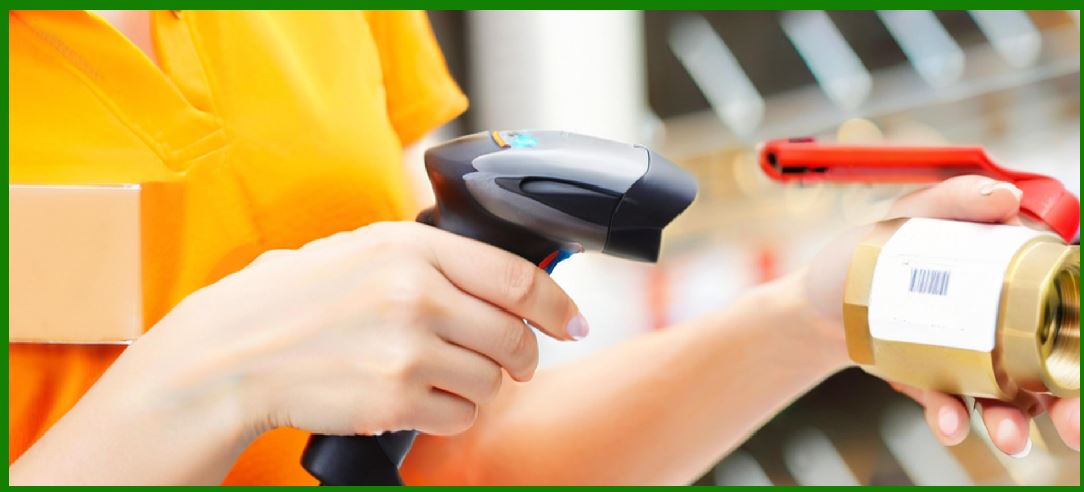
The parameters of volume (how many barcodes a scanner can process within a given time frame) and speed (the rate at which a single barcode can be captured and decoded) are arguably the most visible performance metrics of a barcode scanner. These two characteristics together define the scanner’s suitability for environments ranging from low-volume boutique retail shops to high-volume global logistics hubs. |
At the core, scanning speed is measured in scans per second (for laser scanners) or frames per second (FPS) for imagers. A standard retail laser scanner may operate at 100–300 scans per second, ensuring near-instant decoding when a barcode passes through its beam. Modern imaging scanners often capture 60–120 frames per second, with some industrial-grade imagers exceeding 240 FPS, enabling them to read barcodes in high-motion situations such as conveyor belts or assembly lines. |
Decoding algorithms are just as important as raw scanning speed. A scanner might capture images at 120 FPS, but if its processor and software cannot decode quickly, latency will occur. Decoding algorithms must identify the barcode within the captured image, correct distortions, interpret the symbology, and output the correct data—all in milliseconds. Improvements in decoding software, often enhanced with AI, have greatly increased throughput even when dealing with damaged or poorly printed barcodes. |
In low-volume environments, such as a small retail shop, the speed of a scanner may not seem critical. A cashier scanning a few dozen items per customer does not require industrial throughput. However, even in these settings, the psychological effect of a fast scanner contributes to customer satisfaction. A lag of half a second per scan, repeated across hundreds of customers per day, accumulates into noticeable slowdowns at checkout. |
In contrast, high-volume environments such as supermarkets demand much higher speed. Supermarket checkout lanes typically use omnidirectional laser scanners capable of decoding multiple barcodes per second without requiring perfect alignment. Cashiers can sweep items rapidly across the scanner bed, often processing 30–50 items per minute. These systems are designed for endurance, scanning thousands of items per hour without failure. |
In warehousing and distribution centers, speed is tied to overall supply chain efficiency. Workers may scan hundreds of items per shift, while automated conveyor belt scanners may process tens of thousands of packages per hour. Here, volume capacity matters as much as individual scan speed. Industrial scanners with high frame rates and large field-of-view optics allow entire cartons to be scanned without slowing conveyor flow. |
Another aspect is batch scanning versus continuous scanning. Some scanners are designed to capture one code at a time, while others can scan continuously. For example, a presentation scanner at a retail counter sits idle until an item passes in front of it, then automatically scans without the need for a trigger press. In contrast, handheld scanners often require manual activation, which may slow throughput in high-volume environments. |
Advanced imagers support multi-code scanning, where the scanner can decode several barcodes within a single field of view. For instance, a shipping label may contain a 1D UPC for product ID, a 2D Data Matrix for batch number, and a QR Code for logistics tracking. Multi-code scanning allows all relevant information to be captured in one pass, significantly improving workflow speed. |
Speed is also affected by data transmission rates. A scanner that decodes quickly but transmits data slowly to the host system introduces bottlenecks. High-speed USB, Bluetooth 5.0, and Wi-Fi 6 have become increasingly important in ensuring that decoded data reaches enterprise systems without lag. In automated facilities, even milliseconds of latency across thousands of scans can impact production efficiency. |
User ergonomics play into speed as well. A poorly designed scanner that requires frequent repositioning, or one with a narrow field of view, can slow down workers. Conversely, scanners with wide-angle optics, auto-focus, and aggressive aiming patterns reduce the need for precise alignment, allowing workers to move faster with less effort. Over an 8-hour shift, this ergonomic efficiency translates into hundreds of saved minutes across a workforce. |
Speed is also tied to error rates. A scanner that operates very quickly but produces frequent misreads or no-reads is less efficient overall than a slightly slower scanner with higher accuracy. Error correction, adaptive illumination, and AI-based decoding improve accuracy at high speeds, reducing the need for rescans. For example, in parcel logistics, a 2% no-read rate on a system handling 50,000 packages per day translates into 1,000 manual interventions—an unacceptable operational burden. |
In healthcare, scanning speed has unique implications. Nurses and doctors must scan patient wristbands, medication vials, and equipment quickly, often under stressful conditions. Slow or inaccurate scanners can disrupt workflows and increase the risk of medical errors. For this reason, healthcare scanners prioritize both high-speed imaging and high accuracy, even when dealing with curved surfaces or partially obscured barcodes. |
Mobile scanning speed is a special consideration. Smartphones and tablets, while versatile, are generally slower than dedicated scanners because their cameras are optimized for photography rather than rapid barcode capture. While acceptable for occasional use (such as scanning a ticket at an event), smartphones struggle in high-volume scenarios. Enterprise-grade mobile computers bridge this gap by combining integrated imagers with mobile operating systems, achieving both speed and flexibility. |
Another parameter is motion tolerance. High-speed environments often involve moving barcodes—such as products on a conveyor belt. Scanners must be able to capture codes accurately despite motion blur. This requires high shutter speeds, powerful illumination, and robust decoding. Motion tolerance is measured in inches per second (IPS) or meters per second. Advanced industrial imagers can decode barcodes moving at speeds of up to 3–5 meters per second, ensuring uninterrupted flow in production lines. |
Volume capacity is not only about how many scans per second a device can perform, but also about how many scans it can sustain over time without overheating or degrading. Industrial scanners may be rated for millions of scans before failure, ensuring years of high-volume operation. Heat dissipation, mechanical durability, and processor endurance all factor into long-term volume capacity. |
Automated scanning systems, such as those used in airport baggage handling, illustrate the extremes of volume and speed. These systems must process thousands of bags per hour, each with a barcode tag. Scanners positioned along conveyor lines must capture codes at high speeds, often with no human intervention. To achieve near-perfect throughput, these systems use multi-sided scanning tunnels, where packages are scanned from multiple angles simultaneously, ensuring no barcode is missed. |
Similarly, in postal and courier services, automated sorting facilities rely on high-volume, high-speed scanning to direct packages. A national postal system may process millions of parcels per day. Scanners in these facilities must achieve both rapid decoding and near-100% accuracy, as even a small error rate can cascade into delivery failures, lost items, or customer dissatisfaction. |
Speed also affects customer experience in consumer-facing industries. In retail, customers expect fast checkout; in ticketing, delays at entry gates create frustration; in transit systems, scanners must process tickets instantly to avoid bottlenecks. For example, a subway turnstile scanner must read and validate a QR Code in under 300 milliseconds to keep crowds flowing smoothly. |
Throughput optimization often involves pairing scanners with software systems that manage large volumes of data. For example, in an e-commerce fulfillment center, scanners may be connected to a Warehouse Management System (WMS) that processes thousands of scans per minute. The speed of the WMS database queries, server response, and network latency all contribute to effective scanning speed. Therefore, scanner performance must be evaluated as part of the entire system, not just as an isolated device. |
The evolution of AI-enhanced scanners promises even greater volume handling. By using predictive models, scanners can filter out irrelevant background information, prioritize probable barcode regions, and reduce processing time. This is particularly valuable in environments where multiple barcodes are present, such as product packaging with promotional QR Codes alongside shipping labels. |
In conclusion, volume and speed of scanning are not isolated technical specifications but integrated performance characteristics that affect productivity, customer experience, and overall operational efficiency. The ideal scanner balances raw speed with high accuracy, robust data transmission, ergonomic design, and long-term endurance to meet the specific demands of each industry. |

|
6. Total Cost of Ownership (TCO) – Part 4 |
6.16 Integration with Enterprise Resource Planning (ERP) Systems |
One of the hidden yet influential components of TCO for barcode scanners is their integration with enterprise software platforms, particularly ERP systems. |
ERP systems, such as SAP, Oracle, or Microsoft Dynamics, govern essential business functions: inventory, order management, logistics, and customer service. |
Scanners that natively integrate with ERP systems or that support middleware for seamless communication reduce setup costs, avoid custom software development, and lower long-term support needs. |
Poor integration increases TCO by requiring consultants, specialized developers, or ongoing API maintenance, especially when ERP systems undergo frequent upgrades. |
Additionally, enterprises often shift toward cloud-based ERP systems. Scanners with direct compatibility—such as supporting web APIs or cloud data transmission—can extend hardware lifespan while reducing integration costs. |
6.17 Total Lifecycle Cost versus Capital Cost |
Organizations often evaluate barcode scanners solely based on upfront purchase price, but this perspective is incomplete. |
Lifecycle cost includes acquisition, integration, training, maintenance, support, consumables, downtime costs, and eventual disposal or recycling. |
A scanner with a higher purchase price may have lower lifecycle costs if it has: |
Better durability, reducing repair frequency. |
Longer warranty, lowering maintenance expenses. |
Broader compatibility with systems, reducing integration costs. |
Higher energy efficiency, reducing electricity costs over years of usage. |
Businesses that evaluate total lifecycle costs rather than just upfront expenses often achieve better ROI. For example, a $1,000 rugged scanner lasting 10 years with minimal failures may be cheaper than five $250 scanners replaced every two years. |
Lifecycle analysis also informs sustainability metrics, aligning with modern corporate goals for reducing electronic waste and carbon footprint. |
6.18 Procurement Strategies and Their Impact on TCO |
Procurement decisions directly influence TCO. Buying scanners in bulk, securing extended warranties, or partnering with specific vendors often reduces per-unit costs. |
Leasing scanners instead of outright purchase spreads costs over time and reduces initial capital burden, though it may increase long-term costs if leasing rates are high. |
Vendor lock-in can elevate TCO: if a scanner model requires proprietary cables, batteries, or software licenses, replacement costs accumulate over time. |
Strategic procurement emphasizes: |
Vendor diversity to avoid lock-in. |
Multi-year service contracts that fix support costs. |
Vendor evaluation for reliability, ensuring consistent product availability over scanner lifespans. |
Additionally, global organizations must consider procurement complexity across regions, as customs duties, shipping, and local compliance affect long-term expenses. |
6.19 Training Costs and User Familiarity |
Training is a hidden cost in scanner ownership. While modern scanners often use plug-and-play principles, advanced features require training. |
For example, a warehouse introducing long-range RFID-capable scanners must train staff in new scanning techniques, optimal distances, and error resolution. |
Training costs include: |
Direct costs: instructional materials, trainers, e-learning modules. |
Indirect costs: worker time spent away from operations. |
Scanners designed with intuitive interfaces, ergonomic grips, and standardized feedback signals reduce training time, lowering TCO. |
Over time, user familiarity also reduces mistakes and inefficiencies, further lowering hidden costs. |

|
6.20 Software Licensing and Updates |
Some barcode scanners require proprietary software to unlock full functionality. Licensing fees, whether one-time or subscription-based, add to TCO. |
Updates are another cost factor. While free firmware updates extend product longevity, certain vendors charge for updates or limit support beyond a few years. |
In industries with strict compliance (healthcare, finance, pharmaceuticals), keeping scanning software up-to-date is mandatory, meaning outdated scanners may need replacement earlier than expected. |
Scanners compatible with open-source middleware or industry-standard APIs generally reduce software-related TCO. |
Additionally, the cost of testing, validating, and deploying software updates must be included, particularly for organizations with hundreds or thousands of devices. |
6.21 Data Security and Compliance Costs |
In modern enterprises, scanners no longer operate in isolation. They transmit data across local networks or cloud environments. Ensuring secure transmission is critical. |
Scanners without encryption may require additional security measures, such as external VPNs or middleware, adding to TCO. |
Industries governed by regulations—like HIPAA in healthcare or GDPR in Europe—must ensure that scanners support compliance features (such as encrypted storage, secure logins, or anonymization). |
Failing to meet compliance standards leads to financial penalties and reputational damage, making compliance-related features a vital factor in long-term costs. |
Therefore, investing in scanners with integrated security reduces hidden compliance costs while extending usable lifespan. |
6.22 Cloud Integration and Subscription Models |
Many enterprises are migrating their infrastructure to the cloud, and scanners are expected to integrate smoothly. |
Some vendors now provide cloud-based device management, analytics, or AI-enhanced scanning accuracy as part of a subscription service. |
While such models reduce upfront costs, they add recurring operational costs, shifting part of TCO from CapEx to OpEx. |
For example, a scanner may cost $800 with on-premise software, but $600 with $15/month per-device cloud subscription. Over five years, the cloud model becomes more expensive. |
Organizations must therefore carefully analyze whether subscriptions lower or raise TCO in their specific operational context. |
6.23 Cost of Failure and Business Continuity Risks |
When a scanner fails, the direct cost is repair or replacement, but the indirect costs are often higher. |
In a distribution center, one failed scanner can delay order fulfillment, causing missed deadlines, contractual penalties, or dissatisfied customers. |
Some enterprises calculate the cost of downtime per hour, which often exceeds the scanner’s value. For example, if downtime costs $5,000 per hour in a fast-moving e-commerce warehouse, a $500 scanner is negligible compared to downtime risks. |
Scanners with redundant features, failover compatibility, or backup devices lower TCO by reducing risk of operational interruptions. |
Enterprises with critical workflows must therefore calculate TCO with downtime cost as a major component, not merely acquisition and maintenance. |
6.24 The Human Factor in TCO |
Human productivity is indirectly tied to scanner performance. Ergonomic, fast, and accurate scanners reduce worker fatigue and increase throughput. |
Fatigue-induced errors or slow workflows caused by poorly designed scanners add hidden costs to TCO through lower efficiency and higher labor costs. |
Scanners with poor ergonomics also increase the likelihood of repetitive strain injuries, leading to potential medical expenses, compensation claims, or lost productivity. |
Therefore, investing in human-centered design not only benefits employees but also reduces enterprise-level costs. |
Organizations increasingly quantify ergonomic and usability factors as part of long-term TCO, rather than treating them as soft benefits. |
6.25 End-of-Life Management and Recycling Costs |
The final stage of scanner ownership involves disposal, recycling, or redeployment. |
Some vendors provide buyback or recycling programs, reducing disposal costs and even offering credit toward future purchases. |
Improper disposal creates compliance risks, particularly with electronic waste regulations like WEEE in Europe. |
Secure disposal is especially critical when scanners contain stored data, such as encrypted payment information or healthcare identifiers. |
Including end-of-life costs in TCO ensures enterprises avoid last-minute expenses and align with sustainability goals. |
|
6.5 Operational Costs of Barcode Scanners |
Daily Energy Consumption: |
Barcode scanners, while generally low-energy devices, can accumulate significant energy usage in large deployments. For example, in a warehouse with 1,000 scanners operating continuously for 10 hours per day, even a small difference in per-device power consumption (such as 5 watts) can create measurable increases in annual electricity bills. |
Wireless scanners with charging docks often use more energy than corded models, as charging cycles can be inefficient if devices are not optimized. Modern energy-efficient designs use smart charging systems that stop drawing current once the battery is fully charged, reducing waste. |
Battery Replacement or Charging Costs: |
Cordless scanners rely heavily on rechargeable lithium-ion or nickel-metal hydride batteries. These batteries degrade over time, typically requiring replacement after 300–500 charge cycles. Organizations must calculate how many replacement batteries will be needed per scanner per year. |
Charging stations also represent hidden operational costs, including their electricity usage, replacement when broken, and the space they occupy in busy workplaces. |
Consumables and Accessories: |
While barcode scanners themselves don’t use consumables like ink, they often require accessories such as holsters, mounts, or protective covers, especially in mobile environments. Replacing or upgrading these accessories regularly adds to operational expenses. |
For ruggedized scanners, protective boots or housings may be necessary in industrial settings, particularly in manufacturing or construction, where accidental drops are common. |
Downtime-Related Costs: |
Every scanner that goes offline due to malfunction or dead batteries translates to lost productivity. For high-throughput environments such as grocery stores, every minute of downtime can result in measurable revenue loss. Operational costs thus include not only physical expenditures but also efficiency losses. |
|
6.6 Maintenance and Support Costs |
Routine Maintenance: |
Barcode scanners, especially those used in dusty, wet, or physically demanding environments, require routine cleaning of lenses, housings, and charging contacts. Organizations often underestimate the cost of allocating personnel time for such tasks. |
Preventive maintenance contracts with vendors may add to costs, but they also reduce the risk of sudden failures and extend device life. |
Repair and Replacement: |
Out-of-warranty repairs can be expensive. For example, replacing the scanning module or laser assembly can cost up to 60% of the device’s initial price. |
Some organizations adopt device insurance or extended warranties, which increase upfront costs but lower risks of unexpected expenditures. |
Firmware and Software Updates: |
Barcode scanners, especially those integrated with POS or warehouse management systems, rely on periodic firmware updates to remain compatible with evolving software platforms. These updates sometimes require licensing fees, specialized technicians, or downtime during deployment. |
Overlooking software update costs can result in security risks and eventual obsolescence, leading to more expensive replacements. |
Technical Support and Helpdesk Costs: |
When scanners malfunction, employees often contact IT helpdesks or vendor support lines. Both forms of support involve recurring costs, whether in internal staff salaries or vendor subscription fees. |
Remote monitoring and diagnostic tools can reduce support costs but require initial investment in infrastructure. |
|
6.7 Training and Workforce Adaptation Costs |
Initial Training for Staff: |
Introducing new barcode scanner models often requires training employees on correct handling, scanning angles, error troubleshooting, and integration with existing software. Even simple devices can slow workflows when employees are unfamiliar with their use. |
For example, a retail store rolling out 300 new scanners may need to dedicate several hours of staff training, which translates into labor costs and potential temporary reductions in productivity. |
Ongoing Training for System Updates: |
As scanners evolve to integrate features like wireless connectivity, cloud integration, or advanced imaging capabilities, employees must be trained to use these functions effectively. |
Training costs also rise in organizations with high staff turnover, such as warehouses employing seasonal workers. Each onboarding cycle requires repetitive training sessions. |
Usability and Ergonomics Impact: |
Poorly designed scanners with non-intuitive interfaces can increase long-term costs by creating repeated user errors. Errors lead to mis-scans, slowed workflows, and the need for corrective actions, which indirectly contribute to TCO. |
|
6.8 Replacement and Upgrade Costs |
Planned Replacement Cycles: |
Organizations typically adopt a device lifecycle strategy of 3–7 years for barcode scanners, depending on usage conditions. Planned replacement ensures devices remain reliable but adds predictable recurring costs to TCO calculations. |
For rugged industrial scanners, lifespans can exceed a decade, but software compatibility often drives earlier replacements. |
Unplanned Replacement Costs: |
Scanners may break prematurely due to drops, water exposure, or electrical surges. If organizations fail to purchase ruggedized models for harsh environments, unplanned replacements can exceed planned budgets. |
For example, replacing 10% of a fleet of 1,000 scanners annually due to unexpected damage can cost tens of thousands of dollars. |
Technology Obsolescence: |
As barcode symbologies and connectivity standards evolve, older devices may not support new requirements. For example, the transition from 1D to 2D codes (UPC to QR/Data Matrix) forced many retailers to replace otherwise functional scanners. |
Similarly, compatibility with newer Wi-Fi or Bluetooth protocols may necessitate device replacement even if the scanner hardware remains fully operational. |
|
6.9 Hidden and Indirect Costs |
Integration Overheads: |
While integration costs are often budgeted initially, hidden costs emerge when scanners require additional middleware or custom APIs for new applications. |
For example, connecting scanners to a cloud-based warehouse system may require ongoing subscription fees for API access or third-party connectors. |
Compliance Costs: |
Some industries (e.g., pharmaceuticals, healthcare, aviation) require barcode scanners to comply with specific regulatory standards. Achieving and maintaining compliance may involve periodic certifications, audits, or specialized device purchases. |
Logistical Overheads: |
Distributing scanners across multiple facilities, managing spare units, and maintaining an inventory of replacement parts all represent indirect costs. |
Even shipping scanners for repair incurs courier fees and logistical delays, which should be factored into TCO. |
Cybersecurity Costs: |
Increasingly, barcode scanners connect to networks, which exposes them to cybersecurity risks. Investment in firewalls, secure protocols, and monitoring software adds costs not directly tied to the scanners themselves but necessary for safe operation. |
|
6.10 Opportunity Costs |
Lost Productivity from Poor Scanning Performance: |
A scanner with slow decoding speed or high error rates can create queues, reduce throughput, and frustrate employees. This lost efficiency represents an opportunity cost that could be avoided with higher-quality devices. |
Delayed Implementations: |
If scanners are not deployed or integrated on time, organizations may miss out on efficiency gains or cost savings expected from barcode automation. This delay represents an indirect cost. |
Impact on Customer Satisfaction: |
In retail or hospitality, malfunctioning scanners can increase checkout times, negatively impacting customer experience. Customer dissatisfaction may lead to revenue loss, which must be considered as part of TCO. |

|
6.11 Strategic Considerations in TCO |
Standardization Benefits: |
Standardizing on a single scanner model across an organization simplifies training, reduces spare part inventories, and lowers support costs. However, it can increase vulnerability to supplier dependency. |
Leasing vs. Buying: |
Some organizations lease scanners instead of purchasing them outright. Leasing reduces upfront costs and ensures periodic upgrades but may increase TCO over a longer period. |
Cloud and SaaS Models: |
Modern barcode systems sometimes bundle hardware with cloud-based management tools under subscription models. While this simplifies budgeting, it can increase total costs compared to outright ownership. |
Sustainability and Environmental Responsibility: |
Investing in energy-efficient scanners or longer-lasting rugged models may cost more upfront but reduce long-term costs and environmental compliance expenditures. |
Some organizations also benefit from recycling or trade-in programs offered by vendors, which reduce replacement costs. |
|
6.12 Optimizing TCO |
Lifecycle Management Tools: |
Deploying device management systems allows organizations to monitor scanner health, usage patterns, and battery life. This helps schedule replacements and maintenance more efficiently, reducing unexpected costs. |
Vendor Negotiations: |
Long-term contracts with vendors often provide volume discounts, bundled support packages, and fixed costs, which stabilize TCO over time. |
Investing in Training and Ergonomics: |
Well-trained employees and ergonomic devices reduce errors, downtime, and workplace injuries, all of which contribute to hidden costs. |
Selecting Future-Proof Technologies: |
Choosing scanners that support multiple barcode formats, wireless protocols, and firmware updates reduces the risk of obsolescence, lowering TCO in the long run. |

|
Summary of Key Parameters of Barcode Scanners |
1. Scanning Technology |
Barcode scanners rely on different core technologies: laser, CCD (Charge Coupled Device), linear imagers, area imagers, omni-directional imagers, and camera-based scanners. |
Laser scanners: Accurate and fast for 1D barcodes, durable, and reliable in retail but limited for 2D codes. |
CCD/Linear imagers: Solid-state (no moving parts), durable, efficient for close-range scanning, common in POS systems. |
Area imagers (2D imagers): Capture full images, read 1D and 2D codes, tolerant of poor print quality and screen-based barcodes (phones, tablets). Widely used in logistics, healthcare, and mobile payments. |
Omni-directional scanners: Use multiple laser lines or imaging patterns, reduce the need to align barcodes manually. Popular in supermarkets. |
Camera-based & advanced vision scanners: Used when barcodes are damaged, distorted, or part of machine vision systems (industrial automation, quality control). |
Key takeaway: The choice of scanning technology determines what types of barcodes can be read, how quickly, and in what environments. |
2. Environmental Conditions and Durability |
Barcode scanners must be matched to the environment in which they operate. |
Ingress Protection (IP rating) defines resistance to dust and water. Industrial scanners often achieve IP65+ for dustproof/waterproof use. |
Operating temperature range: Consumer scanners may handle 0°C to 40°C, while rugged models work from -30°C to +50°C. |
Drop resistance & ruggedness: Rugged scanners can withstand drops from 1.5–2.4 meters, ideal for warehouses and factories. |
Shock, vibration, and static resistance: Critical in manufacturing and logistics. |
Healthcare environments: Require disinfectant-ready housings to endure regular cleaning with alcohol-based solutions. |
Outdoor scanning: Requires sunlight readability, glare resistance, and extreme temperature tolerance. |
Key takeaway: Durability and environmental protection directly impact lifespan, reliability, and suitability for retail vs. industrial vs. healthcare use. |

|
3. Connectivity and Compatibility |
Connectivity defines how scanners communicate with host systems. |
Wired connections: USB (most common), RS-232 (legacy/industrial), PS/2 (older POS systems), Ethernet (network-based scanners). |
Wireless connections: Bluetooth (short range, mobility in retail/warehousing), Wi-Fi (enterprise deployments with real-time updates). |
Compatibility: Scanners must integrate with POS software, warehouse management systems, healthcare records, and enterprise resource planning systems. |
Plug-and-play vs. SDK integration: Entry-level scanners may be plug-and-play with drivers; enterprise systems may need APIs/SDKs for custom integration. |
Multi-device support: Modern scanners often pair with tablets, smartphones, PCs, and IoT devices. |
Key takeaway: Compatibility and connection options influence integration ease, scalability, and future-proofing. |
4. Scanning Distance and Angle |
Depth of field (DOF) defines the min/max distance at which scanners can capture barcodes. |
Retail scanners: usually 2–30 cm (close range). |
Industrial/long-range scanners: capable of reading barcodes from 1–15 meters away, sometimes more with high-resolution optics. |
Angle tolerance (skew, pitch, roll): Determines flexibility in aiming and positioning. |
Standard scanners: require nearly straight alignment. |
Omni-directional/area imagers: allow wide-angle tolerance, making them faster for untrained users. |
Field of view: Wide-angle scanners can capture larger or multiple barcodes in one frame. |
Performance with reflective surfaces or curved packaging: Important for items like soda cans, syringes, or metallic labels. |
Key takeaway: The right scanning range and angle tolerance improve efficiency, reduce rescans, and determine the working environment suitability. |

|
5. Volume and Speed of Scanning |
Scanning speed is measured in scans per second or images per second. |
Entry-level scanners: 200–400 scans/sec (1D codes). |
High-performance scanners: 1000+ scans/sec, supporting high-volume retail checkouts or conveyor-belt logistics. |
Batch vs. continuous scanning: Batch scanners store data offline, while continuous/real-time scanners transmit instantly. |
Throughput capacity: Large retailers or logistics hubs may process tens of thousands of scans per shift. |
Multi-barcode capture: Advanced imagers can capture and decode multiple barcodes simultaneously, reducing handling time. |
Error rate and re-scan reduction: Reliability is as important as speed, particularly in healthcare and ticketing systems. |
Key takeaway: Matching scanner speed and throughput capacity to operational volume ensures optimal efficiency and ROI. |
6. Total Cost of Ownership (TCO) |
TCO includes purchase cost + operational cost + maintenance + downtime + replacement cycle. |
Initial cost: Ranges from $30 (basic handhelds) to $1500+ (rugged or industrial scanners). |
Maintenance and repair costs: Rugged devices cost more upfront but last longer with fewer failures. |
Consumables: Typically low, but charging docks, batteries, and cables add costs over time. |
Downtime impact: Failed scanners can stall checkout lanes or warehouse operations, leading to revenue loss. |
Lifecycle considerations: Consumer-grade scanners last 3–5 years, industrial models 7–10 years. |
Scalability and software costs: Integration with enterprise systems may involve licensing or subscription fees. |
Key takeaway: TCO analysis helps organizations balance initial investment against long-term reliability, reducing hidden costs and maximizing return. |
Overall Conclusion |
The performance and suitability of a barcode scanner are shaped by six key parameters: |
Scanning Technology (what codes it can read, speed, flexibility). |
Environmental Durability (how it withstands physical and environmental stress). |
Connectivity & Compatibility (ease of integration with IT systems). |
Scanning Distance & Angle (how flexible and fast operators can scan). |
Volume & Speed (throughput efficiency for different industries). |
Total Cost of Ownership (long-term financial sustainability). |
An organization selecting barcode scanners must evaluate all six dimensions holistically to ensure optimal operational performance, minimize downtime, and maximize return on investment. |
 cs@easiersoft.com