1. Introduction to Linear CCD Barcode Scanners |
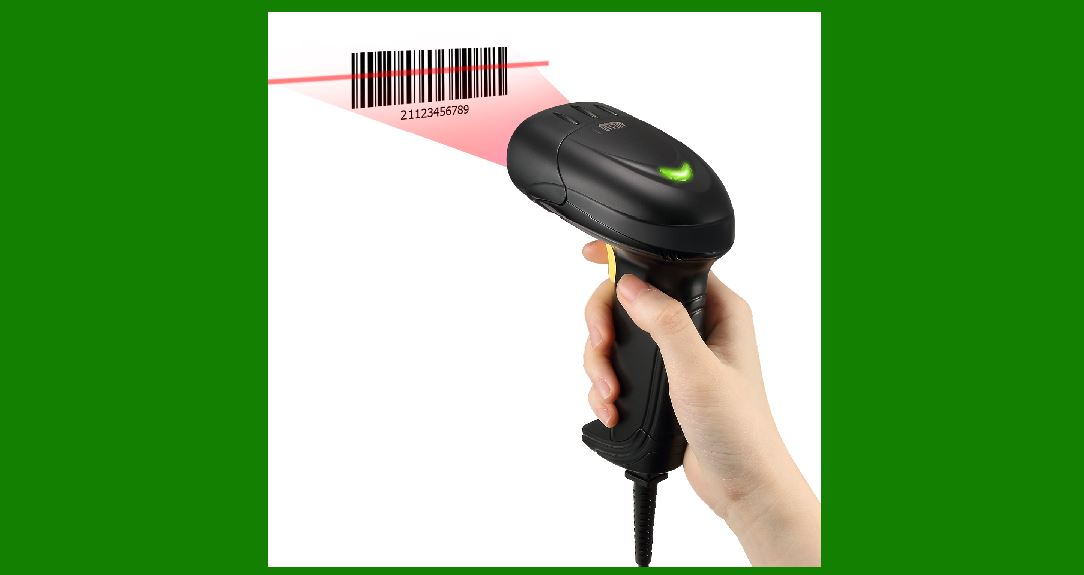
Linear CCD (Charge-Coupled Device) barcode scanners are devices that utilize a CCD array to capture and decode barcode information. These scanners are commonly used in various applications, including retail, inventory management, and logistics, due to their accuracy and reliability. The linear CCD scanner works by using a linear array of CCD sensors to capture a barcode image and then process it to extract the encoded data. |
|
2. Overview of Charge-Coupled Devices (CCDs) |
2.1 What is a CCD? |
A Charge-Coupled Device (CCD) is an electronic light sensor used to convert optical images into electrical signals. The CCD sensor consists of an array of light-sensitive elements, known as pixels, that capture light and convert it into electronic charge. This charge is then transferred across the sensor to an output node where it is read and converted into a digital signal. |
2.2 Structure of a CCD Array |
The CCD array in a linear CCD barcode scanner is a one-dimensional array of light-sensitive elements arranged in a row. Each element, or pixel, in the array is capable of capturing light intensity and converting it into an electrical charge. The number of pixels in the CCD array determines the resolution of the scanner and its ability to discern fine details in the barcode. |

|
3. Structure of Linear CCD Barcode Scanners |
3.1 Physical Components |
1.CCD Array: The core component of the linear CCD scanner, consisting of a series of photosensitive cells arranged in a linear fashion. 2.Optical System: Includes lenses and mirrors that focus the barcode image onto the CCD array. 3.Light Source: Often an LED or laser that illuminates the barcode to enhance contrast between the bars and spaces. 4.Signal Processing Unit: Converts the analog signals from the CCD array into digital data for further processing. 5.Decoder Circuitry: Interprets the digital data and extracts the encoded information from the barcode. |
3.2 Working Principle |
1.Illumination: The barcode is illuminated by a light source, which can be an LED or laser. This light reflects off the barcode's surface, with different amounts of reflection corresponding to the dark and light areas of the barcode. 2.Image Capture: The reflected light from the barcode is captured by the optical system and focused onto the CCD array. The CCD array consists of a series of sensors arranged in a line. Each sensor measures the intensity of the light falling on it. 3.Charge Accumulation: As light strikes each pixel in the CCD array, it generates an electrical charge proportional to the light intensity. Dark bars in the barcode absorb less light and generate a lower charge, while light spaces reflect more light and generate a higher charge. 4.Charge Transfer: The accumulated charge from each pixel is transferred along the CCD array in a specific sequence. This transfer is managed by the CCD's internal circuitry, which shifts the charge from one pixel to the next until it reaches the end of the array. 5.Signal Conversion: The transferred charge is converted into a voltage signal by an output node. This analog signal is then processed by the signal processing unit to convert it into a digital format. 6.Data Processing: The digital signal is analyzed by the decoder circuitry. The decoder interprets the pattern of light and dark areas corresponding to the bars and spaces of the barcode. This pattern is then decoded into the original data encoded in the barcode. |

|
4. Advantages of Linear CCD Barcode Scanners |
4.1 High Precision |
Linear CCD scanners offer high precision in reading barcodes due to their ability to capture detailed images with a linear array of sensors. The resolution of the CCD array directly impacts the accuracy of the scan. |
4.2 Durability and Reliability |
CCD scanners are known for their robustness and longevity. They do not have moving parts in the sensor array, which reduces wear and tear and improves reliability in various operating conditions. |
4.3 Versatility |
These scanners can read various types of linear barcodes, including UPC, EAN, and Code 39, making them versatile tools for different applications. |

|
5. Applications of Linear CCD Barcode Scanners |
5.1 Retail |
In retail environments, linear CCD barcode scanners are commonly used at checkout counters to quickly scan and process product barcodes. Their speed and accuracy help streamline the checkout process and manage inventory effectively. |
5.2 Inventory Management |
Linear CCD scanners are used in warehouses and distribution centers to track and manage inventory. They help in verifying product quantities, updating stock levels, and ensuring accurate order fulfillment. |
5.2 Logistics |
In logistics, these scanners facilitate the tracking of packages and shipments. They are used to scan barcodes on shipping labels, ensuring that packages are routed correctly and efficiently. |

|
6. Limitations and Challenges |
6.1 Limited to Linear Barcodes |
Linear CCD scanners are primarily designed to read linear barcodes. They are not suitable for scanning 2D barcodes or QR codes, which require different scanning technologies. |
6.2 Sensitivity to Dirt and Damage |
The performance of CCD scanners can be affected by dirt, smudges, or damage on the barcode. These issues can reduce the scanner's ability to accurately read the barcode. |
6.3 Fixed Scan Width |
The linear array limits the scan width to the length of the CCD array. This can be a limitation when scanning wide barcodes or when trying to read barcodes from a distance. |

|
7. Maintenance and Care |
7.1 Regular Cleaning |
To ensure optimal performance, the CCD array and optical system should be regularly cleaned to remove dust, dirt, and other contaminants that may interfere with the scanning process. |
7.2 Calibration |
Periodic calibration may be required to maintain the accuracy of the scanner. This involves adjusting the scanner's settings to account for any deviations in performance. |
7.3 Avoiding Physical Damage |
Handling the scanner with care and protecting it from physical damage is essential to ensure its longevity and reliability. |

|
8. Future Developments |
8.1 Enhanced Resolution |
Advancements in CCD technology may lead to scanners with higher resolutions, allowing for even finer detail and improved accuracy in barcode reading. |
8.2 Integration with Other Technologies |
Future linear CCD scanners may integrate with other technologies, such as 2D imaging or RFID, to provide more comprehensive data capture and processing capabilities. |
8.3 Improved Durability |
Continued innovation in materials and design may lead to more durable and rugged scanners that can withstand harsh operating environments. |

|
9. Conclusion |
Linear CCD barcode scanners are a crucial technology in the field of barcode scanning, offering precise and reliable performance for various applications. By utilizing a linear array of CCD sensors, these scanners effectively capture and decode barcode information. Despite some limitations, such as their inability to read 2D barcodes and sensitivity to dirt, they remain a popular choice due to their durability, accuracy, and versatility. As technology continues to advance, linear CCD scanners are expected to evolve, incorporating new features and capabilities to meet the growing demands of barcode scanning applications. |

|
 cs@easiersoft.com