1. Introduction to Barcode Scanners with Image Capture Capabilities |
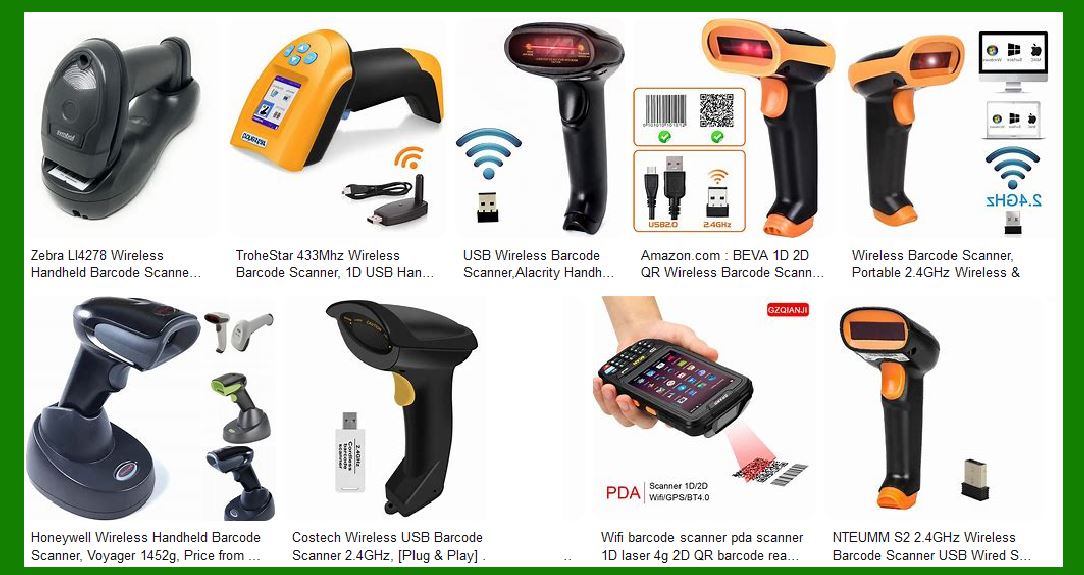
Barcode scanners have evolved significantly since their inception. Traditionally, these devices were designed solely to read barcodes, which are patterns of parallel lines or other shapes that encode data. However, modern advancements have led to the development of barcode scanners that can also capture images. This dual functionality enhances their utility in various applications. |
|
2. Overview of Image Capture Capabilities |
2.1 Definition and Functionality: Barcode scanners with image capture capabilities are equipped with cameras or image sensors that allow them to take pictures of items in addition to reading barcodes. These images can be used for various purposes, such as documenting the condition of an item, capturing signatures, or recording additional information that is not encoded in the barcode. |
2.2 Types of Image Capture: |
Still Images: These scanners can capture high-resolution still images, which are useful for detailed documentation. Video Capture: Some advanced models can also record short video clips, providing a dynamic view of the item or process being scanned. |

|
3. Advantages of Image Capture Capabilities |
3.1 Enhanced Documentation: One of the primary advantages of barcode scanners with image capture capabilities is the ability to document items visually. This is particularly useful in industries where visual records are essential, such as logistics, healthcare, and retail. |
3.2 Improved Accuracy: By capturing images, these scanners can help verify the accuracy of the scanned data. For example, in a warehouse setting, an image of a product can be compared with the barcode data to ensure the correct item is being processed. |
3.3 Versatility: These scanners are versatile tools that can be used for multiple purposes. In addition to reading barcodes, they can capture images of damaged goods, record signatures for proof of delivery, and even document the condition of items at different stages of the supply chain. |
3.4 Enhanced Security: In sectors like healthcare, image capture capabilities can enhance security by providing visual proof of medication administration or patient identification. This reduces the risk of errors and enhances patient safety. |
3.5 Streamlined Processes: By integrating image capture with barcode scanning, businesses can streamline their processes. For instance, a single device can be used to scan barcodes and capture images, reducing the need for multiple devices and simplifying workflows. |

|
4. Disadvantages of Image Capture Capabilities |
4.1 Increased Cost: One of the main drawbacks of barcode scanners with image capture capabilities is the increased cost. These devices are generally more expensive than traditional barcode scanners due to the additional hardware and software required for image capture. |
4.2 Complexity: The added functionality of image capture can also increase the complexity of the device. Users may need additional training to operate these scanners effectively, and the devices may require more maintenance and support. |
4.3 Data Management: Capturing images generates additional data that needs to be stored and managed. This can increase the demand for data storage solutions and may require more sophisticated data management systems to handle the increased volume of information. |
4.4 Potential for Errors: While image capture can enhance accuracy, it also introduces the potential for new types of errors. For example, poor image quality or incorrect image capture settings can result in unusable images, which can complicate the documentation process. |
4.5 Integration Challenges: Integrating image capture capabilities with existing systems can be challenging. Businesses may need to update their software and hardware infrastructure to accommodate the new functionality, which can be time-consuming and costly. |

|
5. Specific Features of Barcode Scanners with Image Capture |
5.1 High-Resolution Sensors: These scanners are equipped with high-resolution image sensors that can capture detailed images. The resolution of the sensor determines the quality of the captured images, with higher resolutions providing clearer and more detailed pictures. |
5.2 Autofocus and Zoom: Many barcode scanners with image capture capabilities feature autofocus and zoom functions. Autofocus ensures that the captured images are sharp and clear, while zoom allows users to capture images of items at varying distances. |
5.3 Lighting Adjustments: To ensure high-quality image capture in different lighting conditions, these scanners often come with built-in lighting adjustments. This can include features like automatic exposure control, LED illumination, and adjustable brightness settings. |
5.4 Image Processing Software: Advanced image processing software is often integrated into these scanners to enhance the captured images. This software can perform tasks such as image enhancement, noise reduction, and color correction to improve the quality of the images. |
5.5 Connectivity Options: Barcode scanners with image capture capabilities typically offer various connectivity options, including USB, Bluetooth, and Wi-Fi. This allows the captured images to be easily transferred to other devices or systems for further processing and storage. |

|
6. Applications of Barcode Scanners with Image Capture |
6.1 Retail: In retail environments, these scanners can be used to document damaged goods, capture images of receipts, and verify product information. This enhances inventory management and improves customer service. |
6.2 Healthcare: In healthcare settings, barcode scanners with image capture capabilities can be used to document patient information, capture images of medication labels, and verify patient identities. This enhances patient safety and improves the accuracy of medical records. |
6.3 Logistics and Supply Chain: In logistics and supply chain management, these scanners can be used to document the condition of goods at different stages of the supply chain, capture images of shipping labels, and verify the accuracy of shipments. This improves traceability and reduces the risk of errors. |
6.4 Manufacturing: In manufacturing, barcode scanners with image capture capabilities can be used to document the condition of raw materials, capture images of finished products, and verify the accuracy of production processes. This enhances quality control and improves production efficiency. |
6.5 Field Services: For field services, these scanners can be used to capture images of equipment, document service activities, and verify the completion of tasks. This improves service quality and enhances customer satisfaction. |

|
7. Leading Companies and Products |
7.1 Zebra Technologies: Zebra Technologies is a leading provider of barcode scanners with image capture capabilities. Their products are known for their durability, high performance, and advanced features. Zebra’s DS3600 series, for example, offers high-resolution image capture and advanced scanning capabilities1. |
7.2 Honeywell: Honeywell offers a range of barcode scanners with image capture capabilities, including the Granit and Xenon series. These scanners are designed for rugged environments and offer high-resolution image capture, advanced image processing, and various connectivity options2. |
7.3 Datalogic: Datalogic’s barcode scanners, such as the Gryphon and PowerScan series, are known for their high performance and advanced features. These scanners offer high-resolution image capture, autofocus, and advanced image processing capabilities3. |
7.4 Cognex: Cognex offers a range of barcode scanners with image capture capabilities, including the DataMan series. These scanners are designed for industrial applications and offer high-resolution image capture, advanced image processing, and various connectivity options4. |

|
8. Conclusion |
Barcode scanners with image capture capabilities offer significant advantages in various industries, including retail, healthcare, logistics, manufacturing, and field services. While they come with increased costs and complexity, their ability to enhance documentation, improve accuracy, and streamline processes makes them valuable tools for businesses. Leading companies like Zebra Technologies, Honeywell, Datalogic, and Cognex offer a range of products with advanced features to meet the diverse needs of different industries. |
By understanding the advantages, disadvantages, and specific features of these scanners, businesses can make informed decisions about integrating them into their operations. This detailed exploration provides a comprehensive overview of barcode scanners with image capture capabilities, highlighting their potential to enhance efficiency and accuracy in various applications. |
 cs@easiersoft.com