1. Introduction to Barcode Scanning |
1.1 Definition and Purpose A barcode is a method of representing data in a visual, machine-readable form. It typically consists of a series of parallel lines and spaces of varying widths, which encode information that can be read by a barcode scanner. The primary purpose of barcode scanning is to streamline the process of data entry, improve accuracy, and speed up transactions. |
1.2 Components of a Barcode System A typical barcode system consists of three main components: |
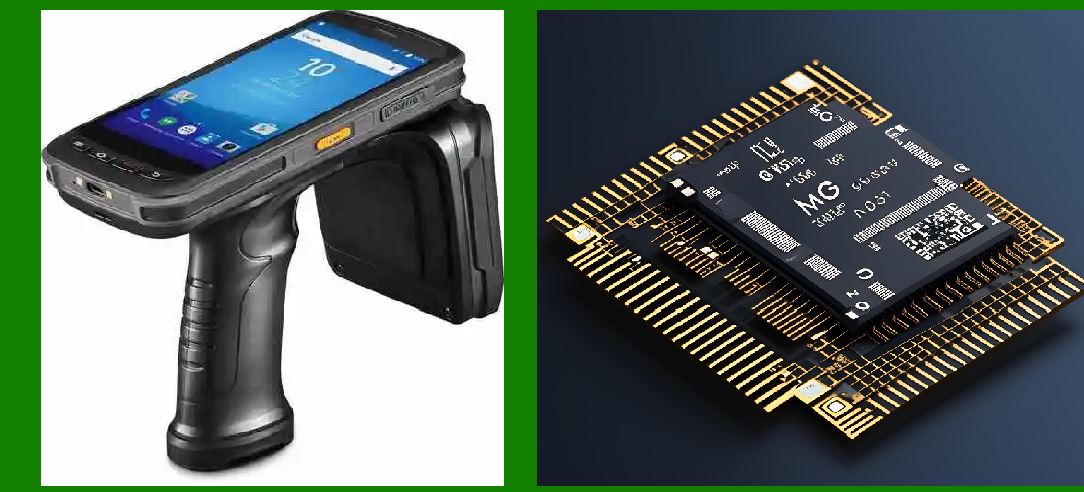
Barcode: The visual representation of data, which can be printed on labels, packages, or documents. Barcode Scanner: A device that reads the barcode and converts the encoded information into digital data. Decoder Software: Software that interprets the data read by the scanner and translates it into a format that can be used by computer systems. |
|
2. Barcode Types and Scanning Technologies |
2.1 Types of Barcodes Barcodes can be categorized into 1D (one-dimensional) and 2D (two-dimensional) barcodes: |
1D Barcodes: Represent data in a linear format, with lines of varying thicknesses and spacings. Examples include UPC, EAN, and Code 39. 2D Barcodes: Encode data in both horizontal and vertical dimensions, allowing for higher data capacity. Examples include QR codes, Data Matrix, and PDF417. |
2.2 Scanning Technologies Barcode scanners use various technologies to read barcodes, including: |
Laser Scanners: Use a laser beam to scan the barcode. The reflected light is analyzed to determine the pattern of bars and spaces. Imager Scanners: Use a camera or sensor to capture an image of the barcode. The image is then processed to decode the data. Linear CCD Scanners: Employ a charge-coupled device (CCD) array to capture the barcode image. The array consists of multiple sensors aligned in a row. |

|
3. The Scanning Principle |
3.1 Basic Scanning Mechanism The fundamental principle behind barcode scanning involves converting visual information into electrical signals that can be interpreted by a computer system. This process typically involves the following steps: |
Illumination: The barcode is illuminated by a light source, such as a laser or LED. For laser scanners, the light is usually in the form of a laser beam that moves across the barcode. For imager scanners, the light source may be an LED that continuously illuminates the barcode. Reflection: The light reflects off the barcode and is captured by a sensor. In 1D barcodes, the reflection pattern varies based on the widths and spacings of the bars. In 2D barcodes, the reflection pattern is more complex due to the additional dimension of data encoding. Detection: The sensor converts the reflected light into an electrical signal. In laser scanners, a photodiode or similar sensor detects the intensity of the reflected laser beam. In imager scanners, an array of sensors captures the light reflected from the entire barcode. Processing: The electrical signals are processed to determine the barcode's data. In laser scanners, the signal is analyzed to measure the variations in light intensity caused by the bars and spaces. In imager scanners, the captured image is processed to identify the patterns of the barcode. |
3.2 Decoding the Data Decoding involves interpreting the processed data to extract the encoded information: |
1D Barcodes: The scanned data is compared against predefined patterns to identify the encoded characters. Each pattern corresponds to a specific character or digit. 2D Barcodes: The image is analyzed to detect the geometric patterns and data modules. Error correction algorithms are used to enhance the accuracy of decoding, especially if the barcode is damaged or partially obscured. |

|
4. Factors Affecting Barcode Scanning |
4.1 Barcode Quality The quality of the printed barcode affects scanning accuracy. Factors such as print resolution, contrast, and cleanliness can impact the ability of the scanner to accurately read the barcode. High-quality prints with clear, distinct bars and spaces are easier to scan and decode. |
4.2 Scanner Type and Configuration Different types of scanners have varying capabilities and limitations. Laser scanners are effective for scanning 1D barcodes at high speeds, while imager scanners are more versatile and can handle both 1D and 2D barcodes. The configuration of the scanner, including focus and scan angle, also affects performance. |
4.3 Environmental Conditions Environmental conditions, such as lighting, reflections, and background noise, can influence scanning performance. For example, excessive ambient light or reflections can interfere with the scanner's ability to detect the barcode. Proper positioning and lighting are crucial for accurate scanning. |

|
5. Advanced Scanning Techniques |
5.1 Omnidirectional Scanning Omnidirectional scanners use multiple laser beams or sensors to scan the barcode from various angles simultaneously. This technique allows for faster and more flexible scanning, as the barcode does not need to be precisely aligned with the scanner. |
5.2 Image-Based Scanning Image-based scanning involves capturing a digital image of the barcode and using image processing algorithms to decode the data. This technique provides greater flexibility in handling damaged or distorted barcodes and can scan multiple barcodes in a single image. |
5.3 3D Scanning 3D scanning technology is used to capture and analyze the three-dimensional structure of barcodes. This technique can improve the accuracy of scanning complex or irregularly shaped barcodes, such as those on curved surfaces or packaging. |

|
6. Error Correction and Data Integrity |
6.1 Error Detection Error detection mechanisms are built into barcode standards to ensure data integrity. For example, 1D barcodes may include check digits that are used to verify the correctness of the scanned data. In 2D barcodes, error correction codes are incorporated to detect and correct errors caused by damage or distortion. |
6.2 Error Correction Algorithms Error correction algorithms enhance the reliability of barcode scanning by correcting errors in the decoded data. These algorithms use mathematical techniques to reconstruct missing or corrupted information based on the redundant data encoded in the barcode. |

|
7. Applications and Future Developments |
7.1 Applications in Various Industries Barcodes are used in a wide range of industries, including retail, logistics, healthcare, and manufacturing. They facilitate inventory management, track products, streamline checkout processes, and improve data accuracy. |
7.2 Future Developments The future of barcode scanning technology involves advancements such as enhanced scanning capabilities, integration with emerging technologies like augmented reality, and improved error correction techniques. Ongoing research and development aim to address current limitations and expand the applications of barcode technology. |

|
 cs@easiersoft.com