1. Durability and Build Quality |
Traditional barcode scanners like those from Zebra are built for industrial environments where durability is paramount. These devices are designed to withstand harsh conditions such as drops, extreme temperatures, dust, and moisture. A typical smartphone, no matter how advanced, isn't built with this level of ruggedness in mind. Even if smartphones have some durability features, they are not engineered to withstand the continuous wear and tear in warehouses or logistics environments. |
In contrast, barcode scanners are often drop-tested to military standards, have sealed enclosures to prevent dust or water ingress, and are capable of functioning in very low or high temperatures, which is common in some warehouse settings. This level of robustness ensures that the scanners can last for years without the need for frequent repairs or replacements, which can be more expensive than using a smartphone that might break easily in the same conditions. |
2. Specialized Functionality |
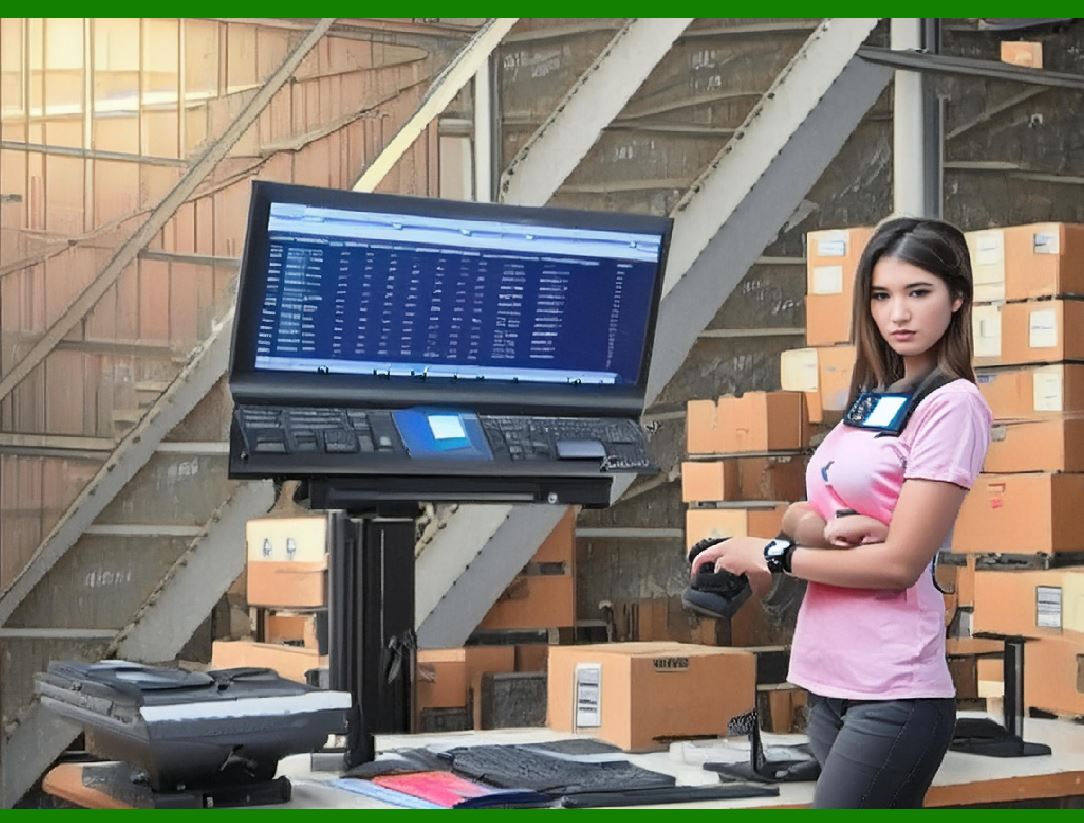
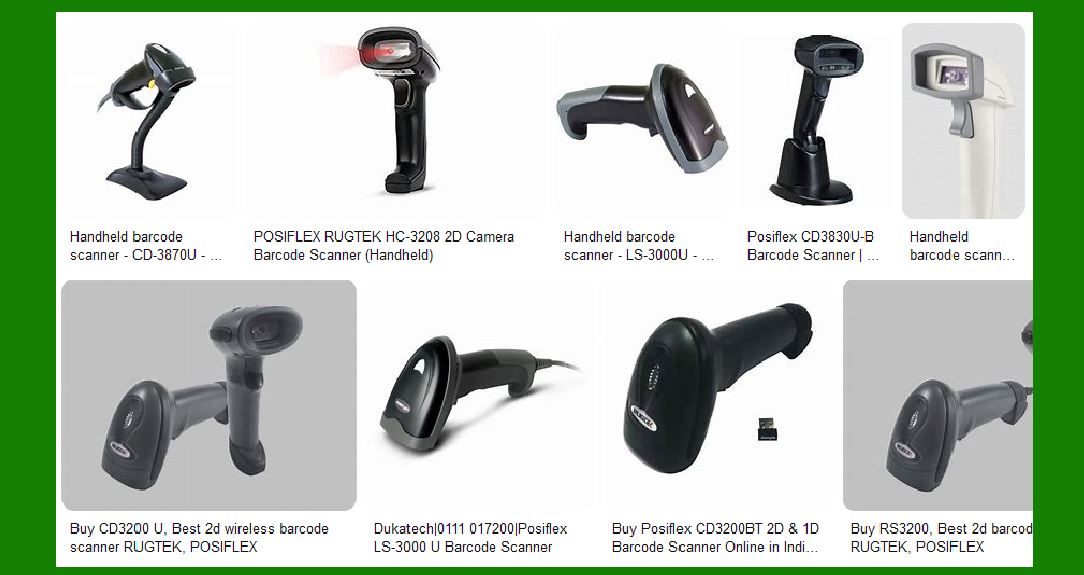
Barcode scanners are optimized for the specific task of reading barcodes, and they do it with incredible speed and accuracy. While smartphones can read barcodes, they often do so with less precision or require additional setup. Many barcode scanners use specialized sensors and optics that can quickly and reliably scan barcodes in various conditions, such as poor lighting or when barcodes are damaged. |
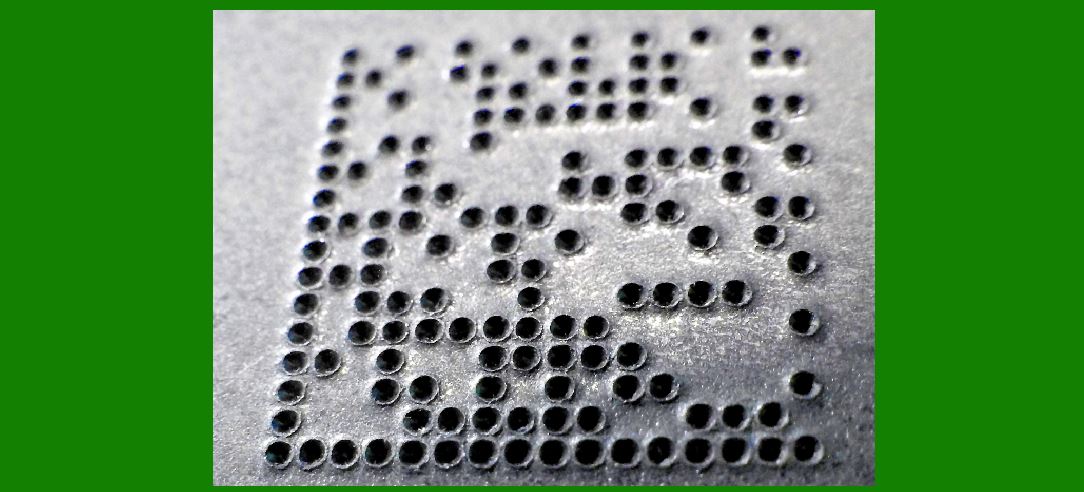
For example, barcode scanners can handle a wider range of barcode types (including 1D, 2D, and even specialized codes like DotCode, Data Matrix, and QR codes) and can read them from a wider variety of angles, distances, and orientations. Smartphones, on the other hand, might require specific angles or lighting conditions to work properly. |
|
3. Speed and Efficiency |
In high-volume environments like warehouses or retail, speed is crucial. Barcode scanners are designed to quickly capture data, often in less than a second, and immediately relay it to a system. They are designed for fast-paced scanning tasks, such as processing hundreds or even thousands of packages in a short period of time. |
Smartphones, though capable of scanning barcodes, typically aren¡¯t optimized for the rapid, repetitive scanning required in these environments. Even with a well-designed app, smartphones can suffer from lag, connection delays, or interruptions due to other background apps running, leading to inefficiencies. |
4. Integration with Enterprise Systems |
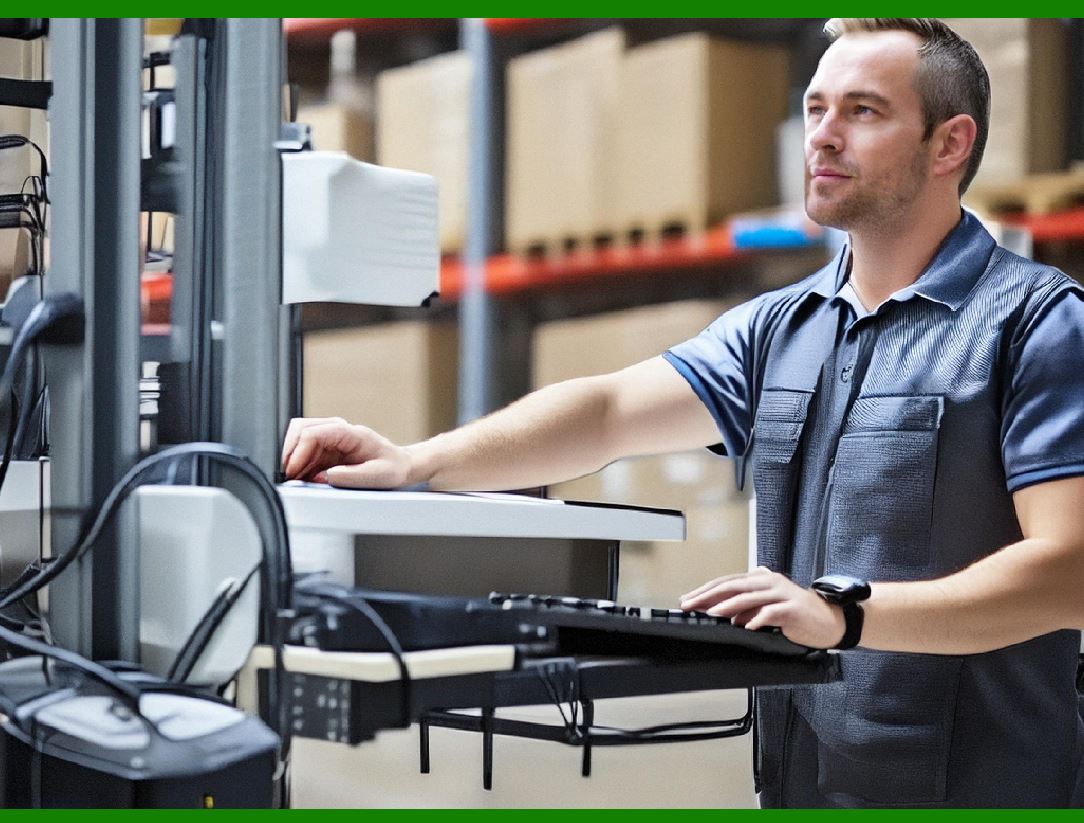
Barcode scanners are usually integrated with enterprise resource planning (ERP) systems and warehouse management systems (WMS) that track inventory in real-time. These systems are often customized to work seamlessly with specialized hardware, providing instant feedback to workers and tracking items as they move through the supply chain. Barcode scanners are often an essential part of the workflow and are deeply embedded in the processes, making them an integral tool for many operations. |
Smartphones, on the other hand, may need additional software to integrate with these systems, and the integration may not be as smooth or efficient. While there are apps available for smartphones that can perform barcode scanning, they often have limitations when it comes to seamless integration with these complex systems. The infrastructure around barcode scanners is typically more robust and reliable for the type of operations being conducted. |
|
5. Battery Life |
The battery life of barcode scanners is generally much longer than that of smartphones, especially in environments where the device is being used throughout the day for scanning. While a smartphone might last a full workday under normal usage, barcode scanners are specifically designed to last much longer when scanning continuously. |
Smartphones are designed with a variety of applications in mind, so their battery life is spread thin across different functionalities (such as making calls, browsing the internet, running apps, etc.), which can significantly shorten battery life when compared to a dedicated barcode scanner. For companies that need devices that can work uninterrupted for a full shift (which can last 8 to 12 hours or more), battery life is a crucial consideration. |
6. Ergonomics and User Experience |
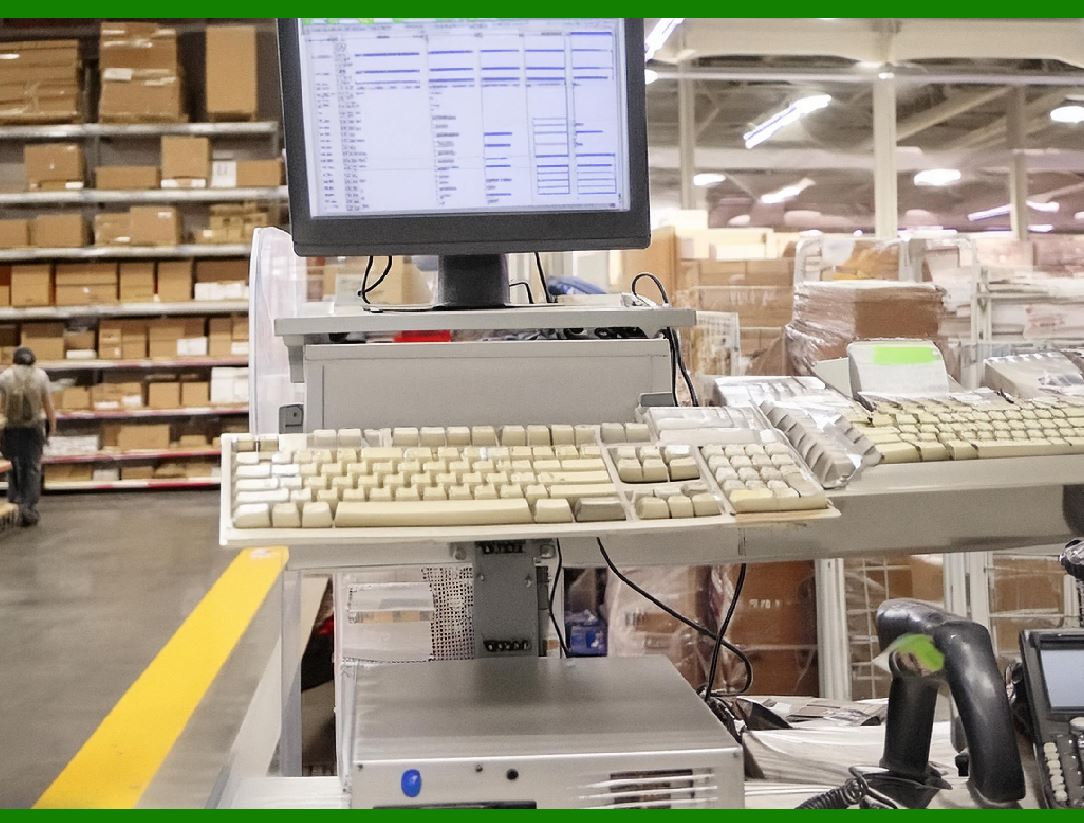
In many warehouse or retail environments, employees are constantly on the move and need a scanner that is easy to handle, lightweight, and designed for repetitive use. Barcode scanners are ergonomically designed for this kind of task, often with triggers that are easy to operate with one hand. |
Smartphones, while powerful, aren't as ergonomic for repetitive scanning tasks. They might require two hands or awkward positioning to scan, which can lead to discomfort or even injury over time. Dedicated barcode scanners are often designed with features like padded grips, hands-free scanning, and quick trigger buttons that make the process much more comfortable for workers. |
|
7. Cost and Return on Investment (ROI) |
While smartphones are indeed cheaper than dedicated barcode scanners upfront, the total cost of ownership for a smartphone in a warehouse environment can be much higher. Companies may need to replace smartphones more often due to breakage, battery degradation, or wear and tear. Additionally, smartphones require more frequent updates, software management, and security patches, which could add hidden costs over time. |
In contrast, barcode scanners, although initially more expensive, are built to last and often come with support plans that extend their lifespan. The reliability and long-term use of a barcode scanner can justify the initial higher cost, providing a better ROI over several years. |
8. Security and Compliance |
In industries like healthcare, pharmaceuticals, and food safety, strict regulations govern the tracking and traceability of items. Barcode scanners are often tailored to comply with these regulations, offering features like encrypted communication, audit trails, and secure data storage. These specialized scanners often meet specific certifications required for compliance with industry standards. |
Smartphones, unless heavily customized, might not meet these strict requirements. They are general-purpose devices, and ensuring that they comply with industry standards for data security and traceability can be challenging. Dedicated barcode scanners are often pre-configured to meet these needs, which makes them a safer choice in highly regulated environments. |
|
9. Resistance to Change and Organizational Inertia |
As you mentioned, there is also an element of resistance to change. Many companies have already invested heavily in barcode scanner infrastructure, software, and training. Switching to smartphones would require retraining employees, purchasing new hardware, and potentially overhauling existing systems. The disruption involved in making this change might not justify the perceived benefits, especially when the current system works well. |
In some cases, the cost and time associated with transitioning to smartphones can outweigh the benefits of increased flexibility. Since barcode scanners are so deeply embedded in current systems, companies may be hesitant to invest in switching to smartphones unless there is a clear, significant advantage. |
10. Flexibility and Customization |
Dedicated barcode scanners are highly customizable for specific business needs. They can be equipped with various options such as RFID, long-range scanning, and specialized software that caters to specific industries. Smartphones might require multiple apps or complicated configurations to match these capabilities. Some warehouses, for example, need to scan barcodes from a significant distance, or read barcodes that are placed in hard-to-reach locations. Dedicated scanners can be optimized for these scenarios. |
Furthermore, scanners can often work without the need for a Wi-Fi or cellular connection, making them more reliable in environments where network connectivity is spotty or unreliable. Smartphones, on the other hand, often rely on constant internet or network access to function optimally. |
|
11. Existing Workflow Integration |
As you observed in your building, many systems in warehouses and companies are built around the use of barcode scanners. In warehouses, for instance, workers are trained to handle specific tasks using the scanners, which are often connected to larger systems like inventory management software. Switching to smartphones would require changes to these systems, which could disrupt workflows, create inconsistencies, and lead to confusion. |
In contrast, barcode scanners are often a simple extension of existing systems and processes, ensuring a smooth and efficient workflow. Even if smartphones could perform similar functions, the operational disruption caused by switching devices might not be worth the potential benefits. |
Conclusion |
While smartphones are incredibly powerful and versatile tools, they aren't always the best fit for specific industrial tasks like barcode scanning. Barcode scanners are designed for speed, accuracy, durability, and integration with complex enterprise systems, making them more suitable for environments like warehouses, logistics, and retail operations. |
While smartphones can indeed serve as an alternative, especially in less demanding environments, dedicated barcode scanners offer several practical advantages that smartphones simply can't match, particularly in terms of durability, speed, reliability, and integration with existing systems. The decision to continue using dedicated barcode scanners instead of smartphones is often based on these functional advantages, combined with the need for long-term cost savings and operational efficiency. |
Ultimately, it's not just about resisting change¡ªit's about using the right tool for the job. |
|
Detail of Specialized Functionality |
1. Optimized Barcode Reading Technologies |
1.1 Superior Sensors for Reading Barcodes |
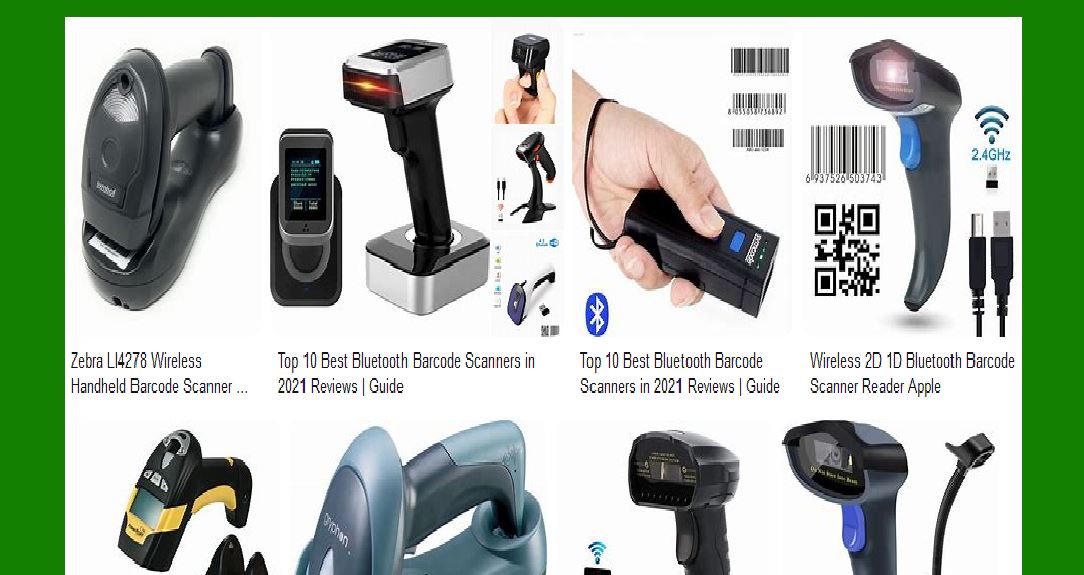
Barcode scanners are equipped with specialized sensors designed specifically for reading barcodes with maximum accuracy and speed. These sensors are typically laser-based or use image capture technology (such as CCD or CMOS sensors). The sensors in barcode scanners are optimized to read barcodes in a variety of conditions, whether they are printed on paper, plastic, or even on screens, and can scan both 1D and 2D barcodes (including QR codes, Data Matrix, Aztec, and PDF417). |
Laser Scanners: Laser scanners use a laser beam to capture barcode data. They are particularly effective at reading 1D barcodes (such as UPC, Code 128, or EAN) at a distance, providing high-speed scanning and better reading accuracy at longer ranges. |
Imager Scanners: These scanners use cameras to capture an image of the barcode. They can read 2D barcodes (like QR codes, Data Matrix, and others) and are better at reading barcodes in challenging environments (such as poor lighting, low contrast, or damaged codes). |
1.2 Faster Decoding and Higher Precision |
Barcode scanners are designed to decode barcodes extremely quickly, often in milliseconds. The decoding process is highly optimized, allowing scanners to recognize even partially damaged or poorly printed barcodes. This level of precision is vital in environments where workers need to quickly scan a large volume of items. |
Smartphone cameras can often struggle with damaged or low-quality barcodes because they are not specifically designed for this task. While smartphone apps might be able to scan barcodes, they do not have the same level of optimization for decoding as dedicated barcode scanners. |
|
2. Distance and Depth of Field |
2.1 Long-Range Scanning |
Some barcode scanners are capable of scanning barcodes from long distances (up to 40 feet or more). This is essential in environments where barcodes are placed on high shelves, on pallets, or in difficult-to-reach locations. Many barcode scanners use laser-based technology to achieve this long-range scanning. |
Smartphones typically have a limited scanning range, usually only able to read barcodes that are close to the camera lens. This limitation can slow down operations in environments where workers need to scan items from a distance, such as warehouses with high shelves or conveyor belt systems. |
2.2 Near-Field Scanning |
Barcode scanners also excel at near-field scanning, which allows them to quickly scan barcodes that are close to the sensor, even when they are small or densely packed. The precise optics and sensors allow barcode scanners to capture data from small or densely packed barcodes with minimal effort. |
While smartphones can read small barcodes, they may struggle with reading dense barcodes (e.g., small Data Matrix codes on medical devices or small parts) due to limitations in the field of view and the camera¡¯s resolution. In these cases, a specialized barcode scanner would be much more efficient. |
|
3. Reading Barcodes at Various Angles and Orientations |
3.1 Omnidirectional Scanning |
One of the most important features of specialized barcode scanners is omnidirectional scanning, which means that the scanner can read barcodes from any orientation or angle. This feature is essential for high-volume scanning in environments like retail checkout counters, warehouses, or shipping centers where items may not be presented in a uniform orientation. |
Smartphones typically require a barcode to be held at a specific angle or orientation to successfully scan it. This extra step can slow down workflows in environments that rely on fast and accurate barcode scanning. |
3.2 Multi-Angle and 360-Degree Scanning |
In high-paced settings, especially in warehouses, goods might be stacked, placed on rotating conveyors, or presented at angles that make it difficult to align with a smartphone's camera. Barcode scanners with multi-angle scanning capabilities make it much easier to scan barcodes from different positions without requiring the user to reposition the product or item. |
Smartphone cameras require careful alignment and focusing on the barcode, and in some cases, they may miss barcodes entirely if they¡¯re positioned incorrectly. This can lead to errors in inventory management or delays in processing. |
|
4. Durability in Harsh Environments |
4.1 IP Ratings and Drop Resistance |
Specialized barcode scanners are built with ruggedness in mind. Many scanners are designed with high Ingress Protection (IP) ratings, meaning they are dustproof and waterproof to a certain extent. They are also built to withstand multiple drops onto hard surfaces, a common occurrence in warehouses or retail environments. These scanners are often rated for use in extreme temperatures, humidity, and wet or dusty environments. |
Smartphones, even though some are designed to be water-resistant or shockproof, still cannot match the ruggedness of industrial barcode scanners. They are generally more fragile in harsh work environments and more prone to damage if dropped or exposed to moisture or dust. |
4.2 Long Battery Life |
Barcode scanners are specifically engineered to operate for long hours in demanding environments. Their batteries are designed to last through entire shifts (8-12 hours) of continuous scanning without the need for frequent recharging. Some barcode scanners also feature hot-swappable batteries, allowing workers to replace the battery mid-shift without having to shut down the device. |
While smartphones may have impressive battery life for personal use, their batteries are spread across a wide range of tasks like notifications, background apps, and internet usage. As a result, they tend to drain much faster than barcode scanners in high-volume scanning scenarios. |
|
5. Integration with Specialized Software and Systems |
5.1 Pre-configured Software for Warehouses |
Dedicated barcode scanners are often pre-configured with specialized software designed to integrate seamlessly with warehouse management systems (WMS), inventory control systems, and other enterprise resource planning (ERP) tools. These devices typically have a closed-loop environment where the scanner, software, and system work together efficiently to streamline operations. This pre-configured software helps ensure a seamless flow of data from the scanner to the enterprise systems. |
On the other hand, smartphones require the installation of specific apps for barcode scanning. These apps might not integrate smoothly with existing enterprise systems, which can lead to data discrepancies or delays in real-time updates. In addition, smartphones often need regular software updates, while barcode scanners typically have dedicated support and updates for their specific hardware. |
5.2 Enterprise Features and Security |
Many barcode scanners are equipped with security features that are crucial for certain industries, such as healthcare or pharmaceuticals. These scanners may come with data encryption, audit trail capabilities, or user authentication to ensure compliance with industry regulations. |
While smartphones can be configured with security features, they are often general-purpose devices, and extra steps are required to ensure they meet the stringent security and regulatory requirements in specialized industries. |
|
6. Customization for Specific Workflows |
6.1 Modular Attachments |
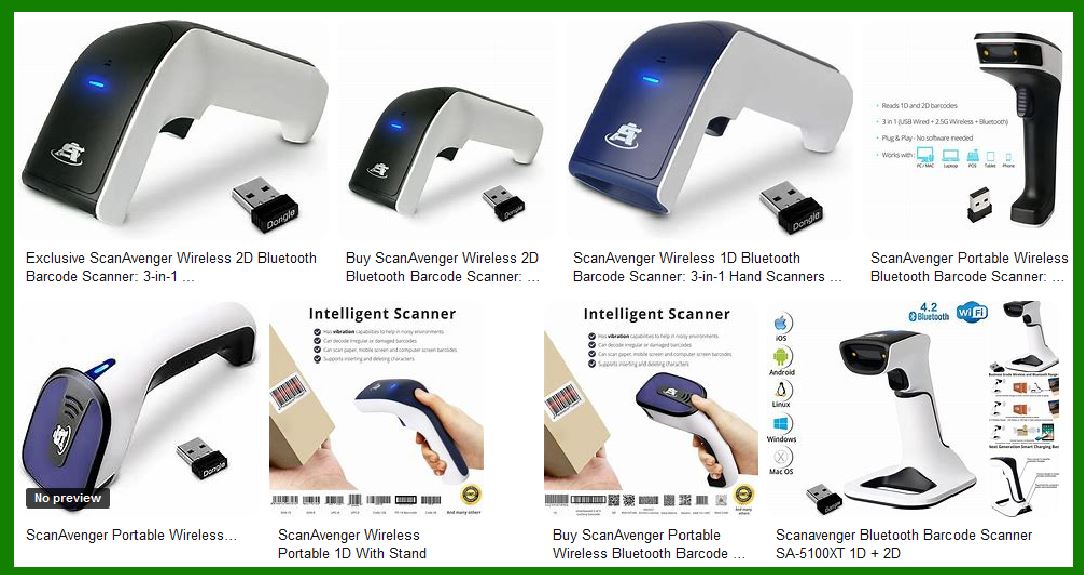
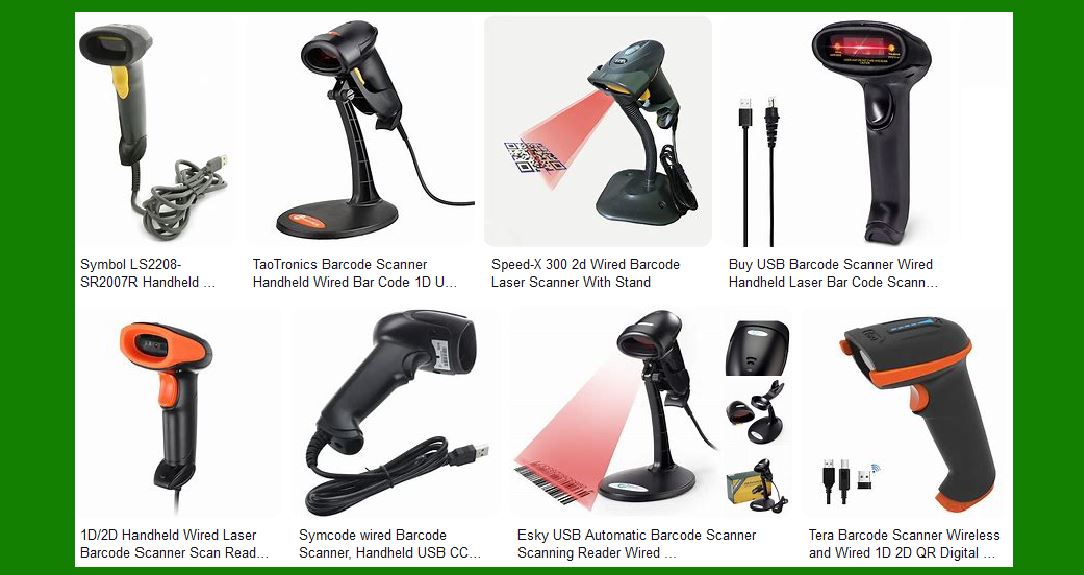
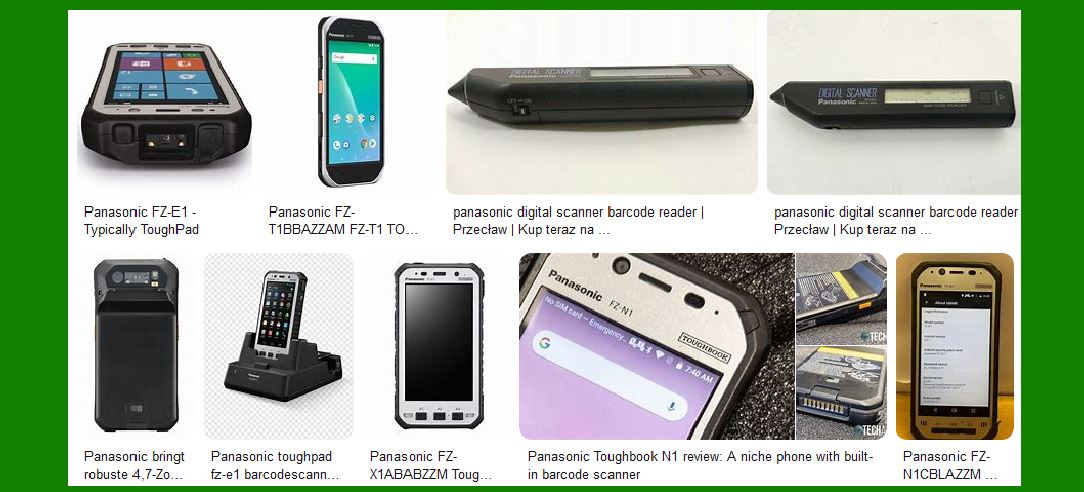
Barcode scanners, especially industrial models, often come with modular attachments that can be customized to fit specific workflow needs. For example, they may have specialized stands for hands-free scanning, extended-range lenses for long-distance scanning, or even RFID scanning modules that combine barcode scanning with RFID reading for faster processing. |
Smartphones don¡¯t typically support this kind of modularity. While external accessories (like Bluetooth barcode scanners) can be used with smartphones, they are not as integrated or optimized for high-efficiency workflows as dedicated barcode scanners. |
6.2 Ergonomic Design for Long-Term Use |
Industrial barcode scanners are designed with ergonomics in mind. Many of them feature trigger mechanisms that are optimized for repeated use without causing discomfort or fatigue. Their designs reduce the strain on users during long shifts and help prevent musculoskeletal injuries. |
Smartphones, on the other hand, are not designed for heavy, repetitive use in industrial environments. Prolonged scanning with a smartphone can lead to discomfort, especially since smartphones are generally heavier and bulkier than purpose-built barcode scanners. |
|
7. Faster Data Capture and Real-Time Feedback |
7.1 Instant Feedback and Processing |
Barcode scanners offer real-time data capture, meaning they can scan a barcode and instantly display feedback, often in less than a second. This immediate feedback ensures that inventory systems, order processing systems, and even customer-facing operations stay updated without delay. The scanners are built to quickly capture data, transmit it to the system, and move to the next task without skipping a beat. |
Smartphones, while capable of scanning barcodes quickly, might still experience delays in capturing and processing data due to network issues, software lag, or other system limitations. This could cause bottlenecks in high-demand environments where speed is essential. |
Conclusion |
In summary, barcode scanners are specialized tools that are purpose-built for efficient, high-speed, and high-precision scanning in environments where reliability, durability, and seamless integration with existing systems are crucial. While smartphones can perform barcode scanning tasks, they often fall short in terms of functionality, precision, and reliability in industrial and business environments. The specialized functionality of barcode scanners is designed to handle the unique challenges of environments like warehouses, retail, logistics, and other sectors, ensuring operations run smoothly without interruptions. |
|
Detail of Integration with Enterprise Systems |
One of the major reasons why specialized barcode scanners continue to be essential in many industries. Barcode scanners are not just standalone devices; they are often tightly integrated with enterprise software systems like Warehouse Management Systems (WMS), Enterprise Resource Planning (ERP) software, and Inventory Management Systems. This integration plays a critical role in maintaining streamlined workflows, enhancing operational efficiency, and ensuring real-time tracking and data accuracy. |
1. Seamless Connectivity with Enterprise Systems |
1.1 Real-Time Data Synchronization |
One of the primary reasons for integrating barcode scanners into enterprise systems is to enable real-time data synchronization between physical processes and digital records. Barcode scanners quickly capture product data (such as item numbers, quantities, lot numbers, etc.) and immediately feed that data into an enterprise system like an ERP or WMS. |
Dedicated barcode scanners are optimized for this purpose, allowing them to continuously stream data into the system without delays. They are connected directly via wired or wireless communication protocols (e.g., Bluetooth, Wi-Fi, USB) that ensure seamless, real-time updates. This synchronization allows businesses to maintain up-to-date records for inventory, shipments, orders, and more, enhancing decision-making and reducing the risk of errors or stock discrepancies. |
In contrast, smartphones require more complex setups to integrate with enterprise systems. Smartphones would need specialized apps, middleware, and possibly API connections to link to ERP or WMS software. This process often involves multiple layers of communication and software that aren¡¯t as seamless or efficient as a dedicated barcode scanner's integration. |
1.2 Automatic Data Capture and Processing |
Barcode scanners are designed to automatically capture and process data from scanned barcodes, reducing the need for manual data entry. When a barcode scanner scans an item, it instantly sends the captured data (e.g., product code, quantity) to the system, where it is automatically recorded, processed, and tracked. This automation greatly reduces human error and speeds up data entry. |
Smartphones, while capable of scanning barcodes, do not provide this level of automatic integration with enterprise systems. Scanning a barcode with a smartphone might still require manual data entry or additional steps to confirm or sync the data with back-end systems. This introduces additional opportunities for mistakes, especially when dealing with large amounts of inventory or high-throughput tasks. |
|
2. Barcode Scanners and Customization for Industry-Specific Needs |
2.1 Pre-configured Software for Specialized Workflows |
Barcode scanners often come pre-configured with industry-specific software that is tailored to integrate with particular enterprise systems like WMS, ERP, or Asset Tracking Systems. This customization ensures that barcode scanners fit seamlessly into a company¡¯s workflow, without requiring additional customization or development. |
For example, in a warehouse environment, barcode scanners can be integrated with a WMS to automatically update inventory levels as products are checked in, picked, or shipped. The integration ensures that inventory counts are always accurate, which is vital for order fulfillment and stock management. |
In industries like pharmaceuticals, specialized barcode scanners can be configured to automatically track serial numbers, expiration dates, or batch numbers, ensuring compliance with regulatory requirements (e.g., FDA guidelines). This deep integration between the hardware and software saves time and reduces the likelihood of non-compliance. |
Smartphones typically require third-party apps to integrate with WMS or ERP systems, and these apps are often more general-purpose, meaning they lack the customizability and features tailored to the specific needs of different industries. Although smartphones can be configured to handle barcode scanning, their flexibility is not always sufficient for industry-specific needs. |
2.2 Scalable Solutions |
Enterprise systems often require scalable solutions that can handle thousands (or even millions) of data transactions per day. Barcode scanners are designed with scalability in mind, easily able to integrate with large-scale operations that require the constant flow of data across multiple devices and users. |
A barcode scanner can be deployed across multiple workstations, warehouses, retail stores, or distribution centers, all connected to the central enterprise system. For example, in a multi-location warehouse, each barcode scanner can be linked to the central WMS to update stock movements in real time, ensuring that stock levels and orders are always aligned. |
Smartphones, while scalable, may struggle with large-scale deployments due to the complexity of the setup, the need for constant app updates, and user management across a large workforce. Synchronization issues might arise when multiple smartphones are scanning different items at the same time, leading to possible delays or errors in real-time data updates. |
|
3. Security and Compliance |
3.1 Role-Based Access Control (RBAC) |
Barcode scanners often integrate with enterprise systems that have role-based access control (RBAC) to ensure that only authorized users can access specific functions. For instance, in industries with strict regulatory standards (such as healthcare or pharmaceuticals), barcode scanners can be configured to only allow certain employees to perform specific actions, like verifying medication or processing sensitive inventory. |
These security features are built directly into the barcode scanners and can be easily integrated into centralized access control systems. The scanner can prompt users to log in or authenticate themselves before performing a task, ensuring that sensitive data is protected. |
Smartphones typically lack this level of built-in security for enterprise integration, and adding role-based access would require additional layers of authentication (e.g., through an app or security software). Smartphones are more vulnerable to security threats (e.g., malware or unauthorized app installations) compared to purpose-built barcode scanners that are more secure due to their dedicated functionality. |
3.2 Audit Trails and Compliance |
Barcode scanners can be integrated with enterprise systems to create audit trails that track every action performed with the scanner (e.g., which employee scanned which item at what time). These logs can then be used for regulatory compliance or quality control purposes. This is especially important in industries like pharmaceuticals, healthcare, and food safety, where accurate tracking of products and materials is required by law. |
Smartphones, while they can generate audit trails, would require additional setup and software to manage these logs. Smartphone-based systems are also more vulnerable to tampering or errors, whereas barcode scanners with built-in compliance features ensure that audit logs are tamper-proof and stored securely within enterprise systems. |

|
4. Direct Integration with Supply Chain and Logistics |
4.1 Supplier and Customer Integration |
Barcode scanners are also used to integrate supply chain operations directly with the enterprise system, including supplier deliveries, inventory replenishments, and customer orders. When a barcode scanner reads an incoming product, the system immediately updates the order status, inventory counts, and even triggers automatic reordering if stock falls below a certain threshold. |
For example, if a shipment arrives at a warehouse and the barcode scanner reads the package label, the scanner can automatically update the inventory system to reflect that new stock has been received, processed, and made available for sale or distribution. This ensures zero-lag inventory tracking and reduces the risk of stockouts or overstocking. |
Smartphones would also require apps and custom development to replicate this level of integration, which may result in delays or additional development work to ensure that the smartphone¡¯s software communicates properly with the central systems. |
|
5. Connectivity with Warehouse Management Systems (WMS) |
5.1 Optimized Workflow Management |
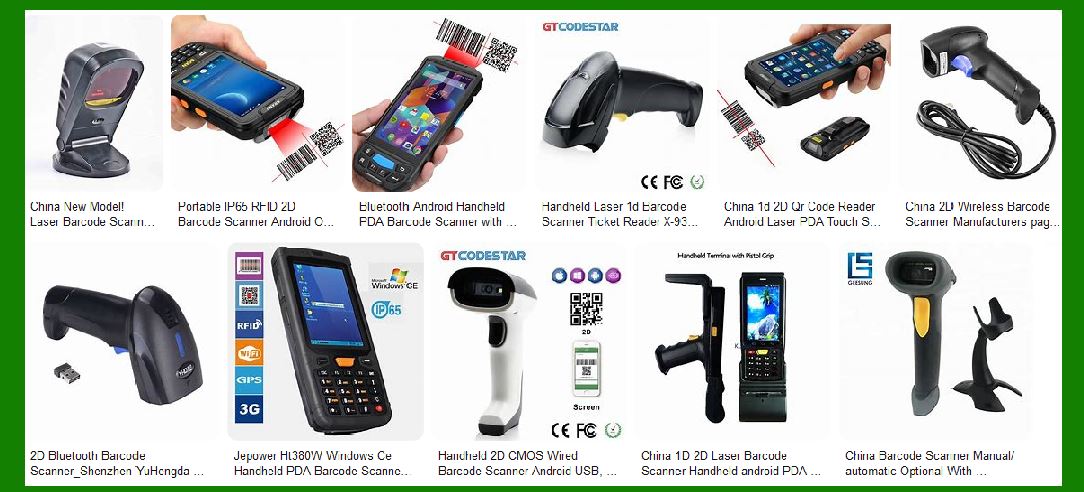
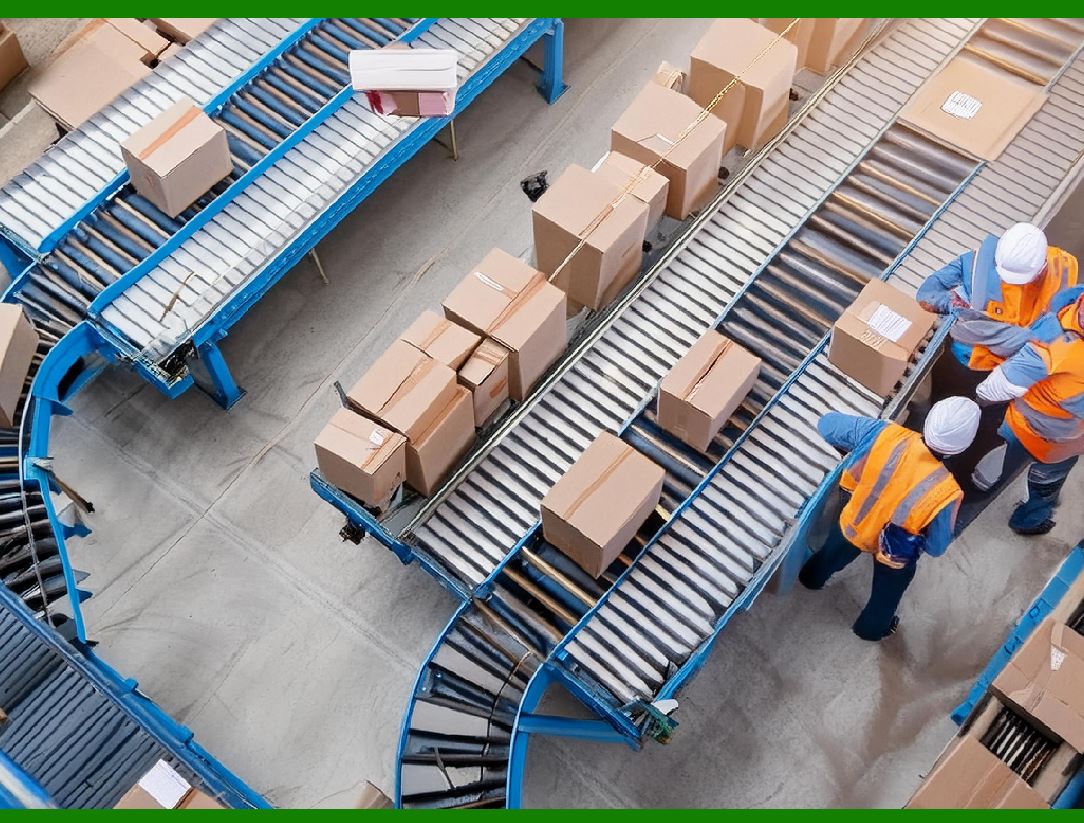
In a warehouse environment, barcode scanners integrate closely with WMS to manage inventory locations, order fulfillment, and stock picking. Barcode scanners allow workers to efficiently and accurately pick items from storage shelves, with real-time updates on inventory levels as each item is scanned. |
Smartphones might require more complex workflows to achieve the same level of efficiency, with additional manual steps or redundant actions, slowing down warehouse processes. The specialized integration between barcode scanners and WMS provides much more fluid, efficient operations. |
5.2 Picking and Sorting Optimization |
Some barcode scanners, especially those integrated with voice-directed picking systems, enable workers to receive real-time audio instructions, guiding them through the warehouse to pick and pack items. This integration helps optimize sorting and minimizes human error. |
Smartphones, on the other hand, may not support such seamless integration with voice-directed systems. Even if they do, the software would likely require more complex configurations and might lack the speed and precision that specialized barcode scanners offer. |
|
Conclusion |
Integration with enterprise systems is one of the most crucial advantages that dedicated barcode scanners offer over smartphones. The seamless flow of real-time data, automatic synchronization, and ability to interact with highly specialized, industry-specific software make barcode scanners indispensable in many industries. Whether it¡¯s tracking inventory, ensuring regulatory compliance, or improving the efficiency of warehouse operations, barcode scanners provide a robust, reliable solution for businesses that smartphones simply cannot match in terms of speed, security, accuracy, and customization. |
By being integrated into the heart of enterprise systems, barcode scanners ensure smooth workflows, eliminate errors, and provide a secure, scalable solution that is specifically built for high-demand business environments. While smartphones are excellent for personal use and have barcode scanning capabilities, they simply cannot offer the same level of seamless integration, security, and reliability required in mission-critical environments. |
|
Detail of Security and Compliance |
Especially in the context of barcode scanners and how they integrate with enterprise systems, as well as the security advantages they offer over smartphones. Security and compliance are critical concerns in industries like healthcare, pharmaceuticals, food safety, and logistics. Barcode scanners, with their specialized functionality, are often designed to meet strict security protocols and ensure compliance with regulatory standards. |
In contrast, while smartphones can also meet security standards with the right configurations, the out-of-the-box capabilities of dedicated barcode scanners offer a more robust and straightforward solution for securing sensitive data and maintaining compliance with industry-specific regulations. |
1. Data Security Features in Barcode Scanners |
1.1 Data Encryption |
One of the most important security features of barcode scanners is their ability to encrypt sensitive data during transmission. In industries such as pharmaceuticals, healthcare, and finance, the data being scanned often involves personal health information (PHI), patient records, drug information, or confidential business data. Barcode scanners that are integrated with enterprise systems use encryption protocols (such as AES or TLS) to ensure that data transmitted from the scanner to the central system is secure and cannot be intercepted during transfer. |
For example, when a barcode scanner reads an item¡¯s lot number, serial number, or batch number, the data may be encrypted before being sent to the enterprise resource planning (ERP) system or warehouse management system (WMS). This ensures that any sensitive information remains protected from unauthorized access or hacking attempts. |
Smartphones, while capable of encryption through apps, do not offer this level of hardware-level encryption out-of-the-box. Smartphone apps may rely on third-party encryption libraries, which could introduce vulnerabilities or misconfigurations if not implemented correctly. Moreover, smartphones have many more potential attack vectors (e.g., app vulnerabilities, compromised OS) compared to barcode scanners designed with a focused, secure purpose. |
1.2 Tamper-Proof and Read-Only Capabilities |
Many enterprise barcode scanners are tamper-proof, meaning that they are specifically designed to prevent unauthorized changes to the device¡¯s settings or data. This is especially important for environments that require regulatory compliance, such as FDA or ISO standards. |
Barcode scanners can have read-only memory or settings that restrict users from altering the way data is captured, ensuring that sensitive data is not tampered with during scanning or transmission to the enterprise system. |
While smartphones have operating systems (like iOS or Android) that allow extensive customization and flexibility, this also increases the risk of unauthorized access to device settings, malware, or compromised apps. Smartphones might not have hardware-based restrictions that prevent unauthorized access to data, making them more vulnerable to security breaches. |
1.3 Secure Communication Protocols |
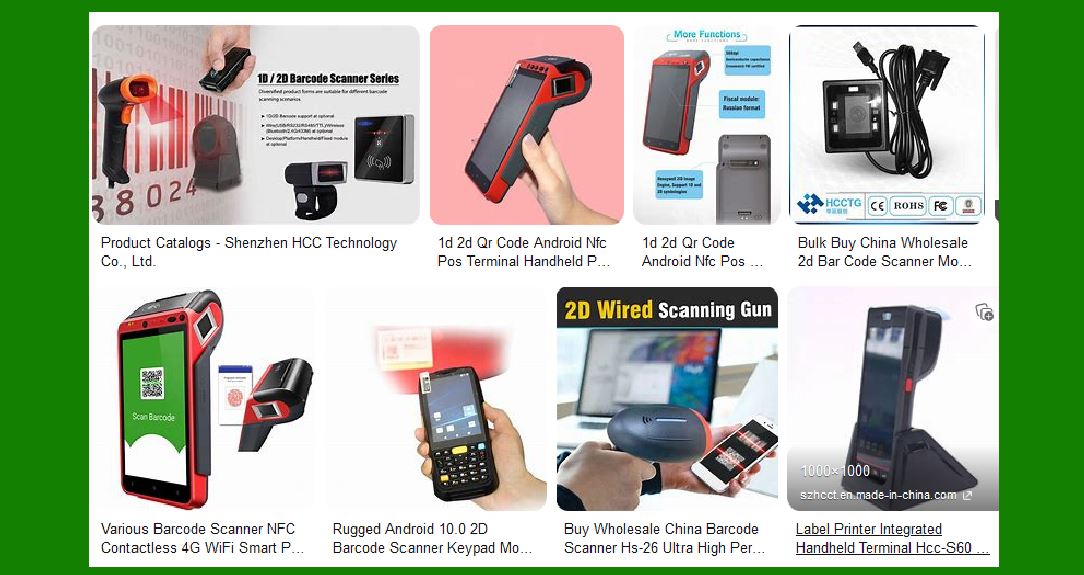
Barcode scanners, especially in industrial settings, often utilize secure communication protocols (like Bluetooth LE, Wi-Fi, or USB with encryption). These scanners can establish VPNs (Virtual Private Networks) or use TLS encryption over Wi-Fi to ensure that all data transmitted to the enterprise system is protected. This secure communication ensures that even in environments with a lot of wireless traffic (like warehouses or distribution centers), data is transmitted securely without the risk of eavesdropping or interception. |
Smartphones, while capable of using secure communication protocols, typically rely on public network infrastructure or internet-based communication for cloud apps. The reliance on open networks (such as public Wi-Fi) can introduce vulnerabilities in environments with sensitive data. Smartphones also face greater security risks due to their multiple applications and potential background processes that might expose data unintentionally. |
|
2. Authentication and Access Control |
2.1 Role-Based Access Control (RBAC) |
Many barcode scanners are equipped with role-based access control (RBAC), which ensures that only authorized personnel can access certain functionalities of the scanner or enterprise systems. For example, a scanner might require a user to log in using a personal identification number (PIN), barcode ID, or biometric authentication before they can begin scanning or updating inventory records. |
RBAC ensures that users have access to the appropriate data and actions based on their job responsibilities, minimizing the risk of unauthorized access to critical information. This is essential in highly regulated industries, such as healthcare or pharmaceuticals, where employees may need to scan sensitive items like controlled substances or patient medical records. |
While smartphones can also implement RBAC through mobile apps, they generally require additional software layers to enforce this security. Smartphones are general-purpose devices with access to a variety of apps and services, making it harder to restrict or control access to specific workflows without introducing potential complexities or vulnerabilities. |
2.2 User Authentication Mechanisms |
Some barcode scanners come equipped with user authentication mechanisms that add an extra layer of security, such as fingerprint scanning, smartcards, or RFID tags to confirm the identity of the person scanning data. This can be especially useful in environments where compliance with regulatory standards (such as GxP, FDA 21 CFR Part 11) is necessary, as it ensures that only authorized personnel are interacting with critical data. |
Smartphones, though capable of using fingerprint scanners or facial recognition for authentication, often lack the granular control over user authentication that barcode scanners can offer. The integration of biometric authentication into smartphones is often a secondary function and can be bypassed more easily if the device is not properly secured. |
2.3 Audit Trails and Logging |
Barcode scanners are often configured to generate audit trails that track the actions of each user, creating a record of who scanned what item and when. These logs are typically stored securely and can be reviewed by compliance officers to ensure that proper protocols are followed. |
For example, in the pharmaceutical industry, barcode scanners may create a log each time a drug batch is scanned, detailing which employee performed the scan, what action was taken (e.g., inventory update), and the timestamp of the event. These audit logs provide a transparent record for regulators and help ensure that no unauthorized actions are taking place. |
Smartphones, though capable of generating logs, typically require third-party apps or additional software to maintain and manage audit trails. These apps may not be as secure or comprehensive as those built into barcode scanners, and the logs could be more easily tampered with if the smartphone is compromised. |

|
3. Compliance with Regulatory Standards |
3.1 Regulatory Compliance in Healthcare and Pharmaceuticals |
In industries like healthcare, pharmaceuticals, and food safety, barcode scanners are often required to comply with strict regulatory standards. For example: |
FDA (Food and Drug Administration): In pharmaceutical settings, barcode scanners are often used to track drug serial numbers, expiration dates, and batch numbers to ensure compliance with FDA regulations for drug safety and traceability. |
GxP (Good Manufacturing Practice): Barcode scanners are integrated into systems to maintain compliance with GxP regulations, ensuring that drugs, medical devices, and food products are manufactured and handled correctly. |
ISO Standards: Barcode scanners that comply with ISO standards for labeling, tracking, and auditing are essential in ensuring that businesses meet international certification requirements. |
Smartphones, while capable of supporting regulatory apps, generally do not have the built-in security features necessary to meet these strict standards. Apps on smartphones must be carefully vetted and customized to comply with specific regulations, making the use of smartphones for these industries more complex and potentially less reliable than dedicated barcode scanners. |
3.2 Food Safety and Traceability |
Barcode scanners are also crucial in ensuring compliance with food safety regulations (such as the FDA¡¯s Food Safety Modernization Act (FSMA)) and the traceability of food products. Scanners can be used to track ingredient batches, expiration dates, and manufacturing processes, ensuring that products meet quality and safety standards. |
Barcode scanners provide automatic updates to food safety systems, helping businesses comply with food traceability requirements set forth by regulatory bodies. The integration of scanners with food safety management software ensures that all food products can be traced from farm to table. |
Smartphones would require additional apps and configurations to meet the same level of integration and traceability in the food industry. Smartphones are not purpose-built for compliance and might fall short in terms of data security and real-time updates needed in these industries. |
 cs@easiersoft.com