1. Introduction to Wired Barcode Scanners |
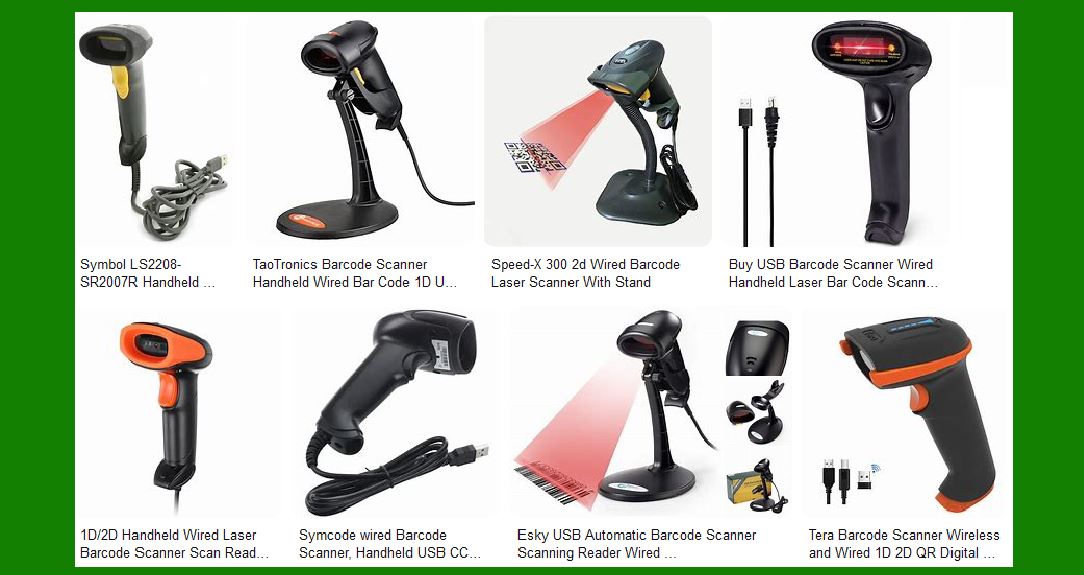
Wired barcode scanners are devices that read and decode barcodes and transmit the information to a computer or terminal via a physical cable, typically a USB connection. These scanners are widely used in various industries, including retail, logistics, healthcare, and manufacturing, due to their reliability and ease of use. |
|
2. How Wired Barcode Scanners Work |
Wired barcode scanners operate by emitting a light source, usually a laser or LED, which illuminates the barcode. The scanner then captures the reflected light through a sensor. The sensor converts the light into an electrical signal, which is then processed by the scanner's decoder to extract the barcode information. This information is transmitted to the connected computer or terminal via the cable. |

|
3. Types of Wired Barcode Scanners |
There are several types of wired barcode scanners, each designed for specific applications and environments: |
Laser Scanners: Use a laser beam to read barcodes. They are known for their accuracy and ability to read barcodes from a distance. CCD (Charge-Coupled Device) Scanners: Use an array of tiny light sensors to capture the barcode image. They are durable and suitable for close-range scanning. Imager Scanners: Use a camera to capture the barcode image and decode it. They can read both 1D and 2D barcodes and are ideal for high-density barcodes. |

|
4. Connectivity and Integration |
Wired barcode scanners typically connect to computers or terminals via USB, but other connection options include RS232 and PS/2. The choice of connection depends on the specific requirements of the application and the available ports on the computer or terminal. |

|
5. Advantages of Wired Barcode Scanners |
Reliable Connection: Wired scanners provide a stable and consistent connection, ensuring uninterrupted data transmission. No Need for Batteries or Charging: Since they are powered through the cable, there is no need to worry about battery life or charging, making them ideal for continuous use. Cost-Effective: Generally, wired scanners are less expensive than their wireless counterparts, making them a cost-effective solution for many businesses. Ease of Use: Simple plug-and-play functionality allows for easy setup and use without the need for complex configurations. |

|
6. Disadvantages of Wired Barcode Scanners |
Limited Mobility: The primary drawback of wired scanners is the limited mobility due to the cable. This can be restrictive in environments where movement is necessary. Cable Management: The presence of cables can lead to clutter and may require proper cable management to avoid tangling and damage. Port Dependency: The need for a physical connection means that the availability of ports on the computer or terminal can be a limiting factor. |

|
7. Applications of Wired Barcode Scanners |
Wired barcode scanners are used in a variety of applications across different industries: |
Retail: Used at checkout counters to scan products and manage inventory. Logistics and Warehousing: Used for tracking shipments, managing inventory, and ensuring accurate order fulfillment. Healthcare: Used for patient identification, medication administration, and inventory management of medical supplies. Manufacturing: Used for tracking parts and products through the production process and managing inventory. |

|
8. Technical Specifications |
The technical specifications of wired barcode scanners can vary widely depending on the model and manufacturer. Key specifications to consider include: |
Scan Rate: The number of scans per second. Higher scan rates allow for faster and more efficient scanning. Resolution: The smallest barcode element that the scanner can accurately read. Higher resolution scanners can read smaller and denser barcodes. Depth of Field: The range within which the scanner can accurately read a barcode. This is important for applications where barcodes are at varying distances. Durability: The scanner's ability to withstand drops, impacts, and exposure to dust and moisture. Industrial-grade scanners are designed to be more durable. |

|
9. Ergonomics and Design |
The design and ergonomics of wired barcode scanners are important factors that affect user comfort and efficiency: |
Form Factor: Scanners come in various form factors, including handheld, presentation, and fixed-mount designs. The choice depends on the specific application and user preference. Weight and Balance: Lightweight and well-balanced scanners reduce user fatigue during prolonged use. Grip and Trigger: Ergonomic grips and easy-to-use triggers enhance user comfort and efficiency. |

|
10. Software and Compatibility |
Wired barcode scanners are compatible with a wide range of software applications and operating systems: |
Drivers and SDKs: Manufacturers often provide drivers and software development kits (SDKs) to facilitate integration with various systems. Plug-and-Play: Many scanners offer plug-and-play functionality, allowing them to be used without the need for additional software installation. Compatibility: Scanners are compatible with various operating systems, including Windows, macOS, and Linux. |

|
11. Maintenance and Support |
Proper maintenance and support are essential to ensure the longevity and performance of wired barcode scanners: |
Cleaning: Regular cleaning of the scanner's lens and housing helps maintain optimal performance. Firmware Updates: Manufacturers may release firmware updates to improve performance and add new features. Keeping the scanner's firmware up to date is important. Technical Support: Access to technical support and customer service can help resolve any issues that may arise. |

|
12. Future Trends and Developments |
The barcode scanning industry is continuously evolving, and several trends and developments are shaping the future of wired barcode scanners: |
Improved Imaging Technology: Advances in imaging technology are leading to more accurate and faster barcode scanning. Integration with IoT: The integration of barcode scanners with the Internet of Things (IoT) is enabling real-time data collection and analysis. Enhanced Durability: New materials and designs are making scanners more durable and resistant to harsh environments. Increased Compatibility: Ongoing efforts to improve compatibility with various systems and software applications are making barcode scanners more versatile. |

|
13. Conclusion |
Wired barcode scanners are a reliable and cost-effective solution for a wide range of applications. Their stable connection, ease of use, and lack of battery requirements make them ideal for environments where mobility is not a primary concern. While they have some limitations, such as restricted movement due to the cable, their advantages often outweigh these drawbacks for many businesses. As technology continues to advance, wired barcode scanners will likely see further improvements in performance, durability, and compatibility, ensuring their continued relevance in various industries. |
 cs@easiersoft.com