Part 13: Integration with Enterprise Workflows and Automation Pipelines |
13.1 Overview of Enterprise Integration |
Aspose.BarCode SDK is designed not only as a standalone barcode solution but also as a core component within enterprise automation workflows. Barcode technology is integral to business processes across industries, including logistics, healthcare, manufacturing, retail, and government services. |
Enterprise integration focuses on connecting barcode generation and recognition to other systems, such as: |
* Document management systems (DMS) |
* Enterprise Resource Planning (ERP) systems |
* Warehouse Management Systems (WMS) |
* Customer Relationship Management (CRM) platforms |
* Cloud-based automation services |
This integration ensures that barcodes are seamlessly incorporated into broader operational processes rather than being treated as isolated artifacts. |

|
13.2 Integration with Document Management Systems (DMS) |
In many enterprises, barcodes are embedded within documents to facilitate tracking, indexing, and automation. Common examples include invoices, shipping labels, identification forms, and compliance certificates. |
Aspose.BarCode integrates with document management systems in two primary ways: |
1. Barcode Generation within Documents Using other Aspose libraries (e.g., Aspose.Words, Aspose.PDF, Aspose.Cells), barcodes generated by Aspose.BarCode can be directly embedded into documents during creation or templating. |
2. Barcode Recognition from Document Images Scanned or digital documents containing barcodes can be processed to extract encoded information, which is then used to automate workflows such as document indexing, routing, or validation. |
This integration reduces manual intervention, enhances accuracy, and accelerates document processing timelines. |

|
13.3 ERP and WMS Integration |
Enterprise systems such as ERP and WMS rely on barcodes to streamline operations, track inventory, and maintain accurate records. Aspose.BarCode enables seamless integration by providing: |
* Automated Label Printing Generating barcode labels in real-time for products, shipments, or assets. |
* Inventory Scanning and Validation Recognizing barcodes on incoming and outgoing goods to update ERP or WMS databases automatically. |
* Batch Processing Handling bulk barcode operations, such as printing large quantities of product labels or recognizing hundreds of scanned images for reconciliation. |
By connecting barcode functionality to ERP and WMS platforms, enterprises improve operational efficiency, reduce errors, and maintain data consistency across distributed operations. |

|
13.4 Cloud-Based Workflow Integration |
Modern enterprises often leverage cloud platforms for document storage, data processing, and workflow automation. Aspose.BarCode can integrate with cloud-based services in multiple ways: |
* Serverless Functions Barcode generation or recognition can be implemented as microservices or serverless functions that process images or generate labels on-demand. |
* Cloud Queues and Event Streams Integration with messaging systems (e.g., Azure Queue, AWS SQS, Kafka) allows barcode tasks to be processed asynchronously in large-scale distributed pipelines. |
* API-First Workflows Barcode generation and recognition services can expose REST APIs to integrate seamlessly with mobile applications, web portals, or other enterprise systems. |
Cloud integration supports scalable and resilient workflows, enabling enterprises to process high volumes of barcodes efficiently without being constrained by local infrastructure. |

|
13.5 Automation Pipelines in Manufacturing |
In manufacturing and production environments, barcodes play a pivotal role in automation pipelines: |
* Product Identification and Traceability Each product or component can carry a barcode to track its location, manufacturing stage, and quality status. |
* Automated Labeling Machines Aspose.BarCode-generated barcodes can feed directly into automated labeling systems on production lines. |
* Real-Time Inventory Updates Barcode recognition from scanning stations ensures that ERP systems are updated automatically as products move through the supply chain. |
These integrations reduce human error, improve traceability, and ensure compliance with industry standards such as ISO, GS1, and FDA regulations. |

|
13.6 Healthcare and Laboratory Workflow Integration |
Barcodes are widely used in healthcare and laboratory environments to ensure accurate identification of patients, medications, and specimens. Aspose.BarCode enables: |
* Specimen Tracking Each sample or vial can be labeled with a unique barcode to track laboratory testing workflows. |
* Medication Management Prescription and packaging barcodes help prevent dispensing errors and improve patient safety. |
* Integration with EMR/EHR Systems Recognized barcodes can automatically update electronic medical records, ensuring accurate and auditable workflows. |
Integration with healthcare IT systems ensures compliance with HIPAA, FDA, and other regulatory requirements while maintaining operational efficiency. |

|
13.7 Retail and Point-of-Sale (POS) Integration |
In retail, barcodes are essential for: |
* Inventory Management Recognizing barcodes during stock intake, replenishment, and sale transactions. |
* POS Systems Real-time recognition of barcodes at checkout, supporting accurate pricing, promotions, and loyalty programs. |
* Omni-Channel Operations Synchronizing barcode data across physical stores, e-commerce platforms, and warehouse fulfillment centers. |
Aspose.BarCode can integrate into POS systems by exposing APIs for real-time barcode generation and recognition, supporting both desktop and mobile POS devices. |

|
13.8 Postal and Logistics Automation |
Postal services and logistics companies rely heavily on barcodes for routing, tracking, and delivery verification. Integration with enterprise workflows includes: |
* Automated Sorting Systems Barcode recognition triggers automated sorting of mail and packages based on destination codes. |
* Delivery Tracking Systems Scanning packages at checkpoints updates tracking information in real time. |
* Bulk Barcode Generation for Labels Printing millions of barcodes for parcels, shipping documents, and returns management. |
Aspose.BarCode high-volume performance and standards compliance ensure reliable integration in postal automation pipelines. |

|
13.9 Enterprise Reporting and Analytics |
Barcode integration supports advanced reporting and analytics: |
* Inventory Analytics Track product movement, stock levels, and shrinkage using barcode scan data. |
* Operational KPIs Measure throughput, error rates, and processing times for barcode-driven workflows. |
* Compliance Auditing Maintain audit trails for regulated industries where barcodes are used to track controlled assets or products. |
Recognition data captured by Aspose.BarCode can be fed into business intelligence platforms to support operational decision-making and continuous process improvement. |

|
13.10 Workflow Automation Design Patterns |
Several common patterns emerge when integrating Aspose.BarCode into enterprise workflows: |
1. Producer-Consumer Pattern Barcode generation (producer) and recognition (consumer) are decoupled through message queues or task pipelines. |
2. Template-Driven Pattern Barcode generation is based on pre-defined templates embedded in documents, labels, or reports. |
3. Microservice Pattern Barcode operations are exposed as independent services with REST APIs, supporting scalable distributed workflows. |
4. Event-Driven Pattern Barcode scanning triggers downstream actions, such as updating databases, initiating shipments, or generating alerts. |
These patterns facilitate modular, maintainable, and scalable workflow integration. |

|
13.11 Error Handling and Exception Management in Workflows |
Integration into enterprise workflows requires robust error handling: |
* Recognition Failures Unreadable or damaged barcodes can trigger retry mechanisms, alert notifications, or human intervention. |
* Generation Errors Invalid input data or misconfigured symbologies must be captured and logged for correction. |
* Workflow Continuity Asynchronous pipelines ensure that failures in barcode operations do not halt overall processes. |
Aspose.BarCode structured exception model and detailed metadata support effective integration into automated error-handling frameworks. |

|
13.12 Real-Time vs. Batch Processing in Workflows |
Enterprise workflows may require either real-time or batch processing: |
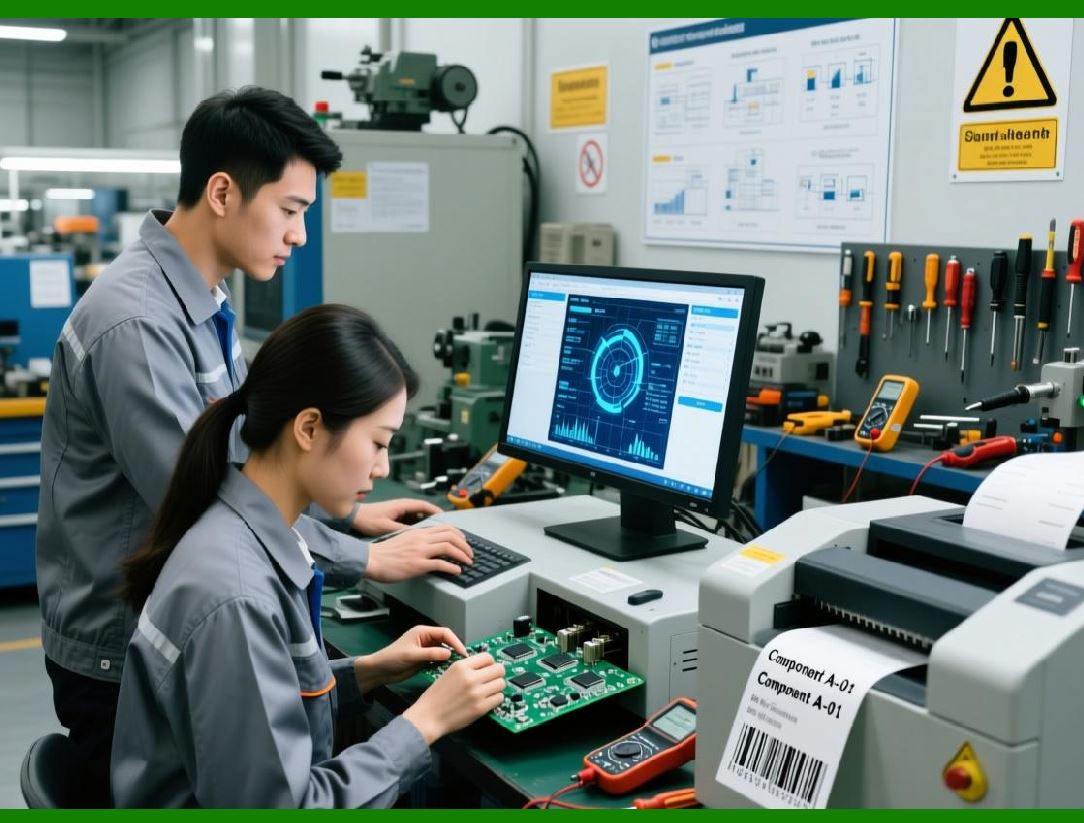
* Real-Time Processing Barcode recognition and generation occur immediately, suitable for point-of-sale, mobile scanning, or automated production lines. |
* Batch Processing Large volumes of barcodes are processed offline or in scheduled batches, ideal for mass document processing, shipping labels, or inventory reconciliation. |
Aspose.BarCode is optimized for both modes, allowing enterprises to design workflows according to operational requirements. |
|
13.13 Integration with Mobile and IoT Devices |
Mobile and IoT devices increasingly rely on barcode data for automation: |
* Mobile Scanners and Tablets Recognize barcodes in warehouses, retail stores, or field service applications. |
* IoT Sensors and Cameras Capture barcodes on moving conveyor belts or automated machinery, feeding recognition results into cloud or on-premises systems. |
Aspose.BarCode supports lightweight mobile and embedded deployments, enabling integration with modern IoT workflows. |

|
13.14 Security and Compliance in Enterprise Workflows |
Enterprise barcode workflows often handle sensitive or regulated data: |
* Data Privacy Barcode recognition must comply with privacy regulations (e.g., HIPAA, GDPR). |
* Audit Trails Barcode generation and recognition events are logged for traceability. |
* Secure Integration Data transmitted between barcode systems and enterprise software should use encrypted channels and authenticated APIs. |
Aspose.BarCode self-contained architecture and integration flexibility facilitate compliance with enterprise security requirements. |

|
13.15 Monitoring and Workflow Optimization |
Continuous monitoring of barcode operations is critical: |
* Throughput Metrics Measure how many barcodes are processed per hour/day. |
* Error Rates Track failed recognition attempts or invalid barcode generation. |
* Resource Utilization Monitor memory, CPU, and I/O usage for high-volume workflows. |
Monitoring insights allow enterprises to optimize pipelines, reallocate resources, and scale operations efficiently. |

|
13.16 Summary of Enterprise Workflow Integration |
Aspose.BarCode SDK is a powerful enabler for enterprise automation and workflow integration. Its ability to generate and recognize barcodes across platforms, handle high volumes efficiently, and integrate with ERP, DMS, cloud, and mobile systems makes it ideal for modern automated business processes. |
By following integration patterns, designing robust error-handling mechanisms, and leveraging batch or real-time processing, enterprises can achieve streamlined operations, improved accuracy, and measurable operational efficiency gains. |
 cs@easiersoft.com