BarcodeLib (Open-Source) Comprehensive Technical Analysis |
Part 1 of 19 |
1. Introduction and Scope of the Article |
1.1 Purpose of This Document |
1. This document provides an exhaustive, technical, and architectural analysis of *BarcodeLib*, an open-source barcode generation library designed for the Microsoft .NET ecosystem. |
2. The goal is not merely to introduce BarcodeLib, but to: |
1. Explain its design philosophy |
2. Analyze its internal structure |
3. Describe supported barcode symbologies |
4. Detail rendering mechanisms |
5. Discuss extension points |
6. Examine performance characteristics |
7. Explore real-world usage scenarios |
8. Compare its strengths and limitations |
3. This article is written for: |
1. Software engineers |
2. System architects |
3. Technical decision-makers |
4. Developers building barcode-enabled applications |
4. The content assumes basic familiarity with .NET, but explains barcode concepts thoroughly where relevant. |

|
1.2 Why BarcodeLib Deserves a Detailed Study |
1. BarcodeLib occupies a unique position in the .NET barcode ecosystem. |
2. Unlike commercial SDKs: |
1. It is fully open-source |
2. It has no licensing fees |
3. It imposes no runtime restrictions |
3. Despite its simplicity, BarcodeLib is: |
1. Widely adopted |
2. Stable over long periods |
3. Frequently embedded in enterprise and internal tools |
4. BarcodeLib is often: |
1. Used as a foundation |
2. Forked and customized |
3. Embedded inside larger frameworks |
5. Understanding BarcodeLib deeply helps developers: |
1. Decide whether it fits their needs |
2. Extend it safely |
3. Optimize its output |
4. Integrate it into high-volume systems |

|
1.3 Generation-Only Philosophy |
1. BarcodeLib is explicitly a barcode generation library. |
2. It does not include: |
1. Barcode scanning |
2. Image recognition |
3. Camera processing |
3. This design choice: |
1. Reduces complexity |
2. Improves maintainability |
3. Keeps the codebase lightweight |
4. BarcodeLib focus is: |
1. Encoding data into barcode symbols |
2. Rendering those symbols accurately |
3. Exporting them as images or graphics objects |

|
2. Historical Background and Project Origins |
2.1 Context of .NET Barcode Development |
1. During the early growth of the .NET ecosystem: |
1. Barcode solutions were mostly commercial |
2. Licensing costs were often prohibitive |
2. Many developers required: |
1. Simple barcode generation |
2. No decoding |
3. Integration into internal systems |
3. This created demand for: |
1. Lightweight |
2. Source-available |
3. Easily modifiable barcode libraries |

|
2.2 Emergence of BarcodeLib |
1. BarcodeLib emerged as: |
1. A pragmatic response to developer needs |
2. A library prioritizing clarity over abstraction |
2. It was designed with: |
1. Minimal dependencies |
2. Direct use of System.Drawing |
3. Straightforward encoding logic |
3. Its early popularity came from: |
1. Ease of use |
2. Clear API |
3. Reliable output |

|
2.3 Open-Source Distribution Model |
1. BarcodeLib is distributed under a permissive open-source license. |
2. This allows: |
1. Commercial use |
2. Modification |
3. Redistribution |
3. As a result: |
1. Many organizations embed BarcodeLib directly |
2. Some vendors build proprietary extensions on top of it |
4. The open model encourages: |
1. Code inspection |
2. Custom fixes |
3. Educational usage |

|
3. Core Design Philosophy |
3.1 Simplicity Over Abstraction |
1. BarcodeLib intentionally avoids: |
1. Deep inheritance hierarchies |
2. Excessive interfaces |
3. Over-engineered patterns |
2. Its design favors: |
1. Readable code |
2. Linear logic |
3. Predictable behavior |
3. This philosophy: |
1. Lowers the learning curve |
2. Encourages modification |
3. Reduces debugging effort |

|
3.2 Deterministic Barcode Rendering |
1. BarcodeLib aims for deterministic output. |
2. Given: |
1. The same data |
2. The same symbology |
3. The same configuration |
3. The generated barcode image will be: |
1. Identical every time |
4. This is critical for: |
1. Compliance |
2. Print workflows |
3. Automated testing |

|
3.3 Minimal External Dependencies |
1. BarcodeLib depends primarily on: |
1. Core .NET libraries |
2. System.Drawing (or equivalents) |
2. It avoids: |
1. Native libraries |
2. External rendering engines |
3. Benefits include: |
1. Easy deployment |
2. Fewer version conflicts |
3. High portability within .NET environments |

|
4. High-Level Architecture Overview |
4.1 Architectural Layers |
1. BarcodeLib can be conceptually divided into: |
1. Input processing layer |
2. Encoding layer |
3. Rendering layer |
2. These layers are: |
1. Logically distinct |
2. Loosely coupled |
3. Each layer serves a clear purpose. |

|
4.2 Input Processing Layer |
1. Responsibilities include: |
1. Accepting raw data strings |
2. Validating input length and character sets |
3. Normalizing input where required |
2. This layer ensures: |
1. Data is compatible with the chosen symbology |
2. Errors are detected early |
|
4.3 Encoding Layer |
1. The encoding layer: |
1. Converts input data into barcode patterns |
2. Applies symbology-specific rules |
2. This includes: |
1. Character mapping |
2. Checksum calculation |
3. Start/stop patterns |
3. The output of this layer is: |
1. A logical barcode representation |
2. Typically expressed as sequences of bars and spaces |

|
4.4 Rendering Layer |
1. The rendering layer: |
1. Transforms encoded patterns into images |
2. Controls dimensions, colors, and margins |
2. Rendering is done using: |
1. Graphics primitives |
2. Pixel-accurate calculations |
3. Output formats typically include: |
1. Bitmap images |
2. Graphics objects suitable for printing |

|
5. Supported .NET Platforms |
5.1 .NET Framework Compatibility |
1. BarcodeLib is traditionally compatible with: |
1. .NET Framework 2.0 and above |
2. This makes it suitable for: |
1. Legacy desktop applications |
2. Enterprise systems still running older frameworks |

|
5.2 .NET Core and .NET Modern Usage |
1. With minor adjustments: |
1. BarcodeLib can run under .NET Core |
2. Especially in Windows environments |
2. Rendering considerations: |
1. System.Drawing limitations on non-Windows platforms |
3. Developers often: |
1. Replace rendering backends |
2. Use platform-specific graphics libraries |
|
5.3 Application Types |
1. BarcodeLib can be used in: |
1. Windows Forms applications |
2. WPF applications |
3. ASP.NET web applications |
4. Console utilities |
2. Its lightweight nature makes it ideal for: |
1. Background services |
2. Batch processing tools |
3. Internal utilities |
|
6. Typical Use Cases |
6.1 Internal Enterprise Tools |
1. BarcodeLib is commonly used for: |
1. Inventory labels |
2. Asset tracking |
3. Internal document IDs |
2. These scenarios benefit from: |
1. No licensing audits |
2. Simple integration |

|
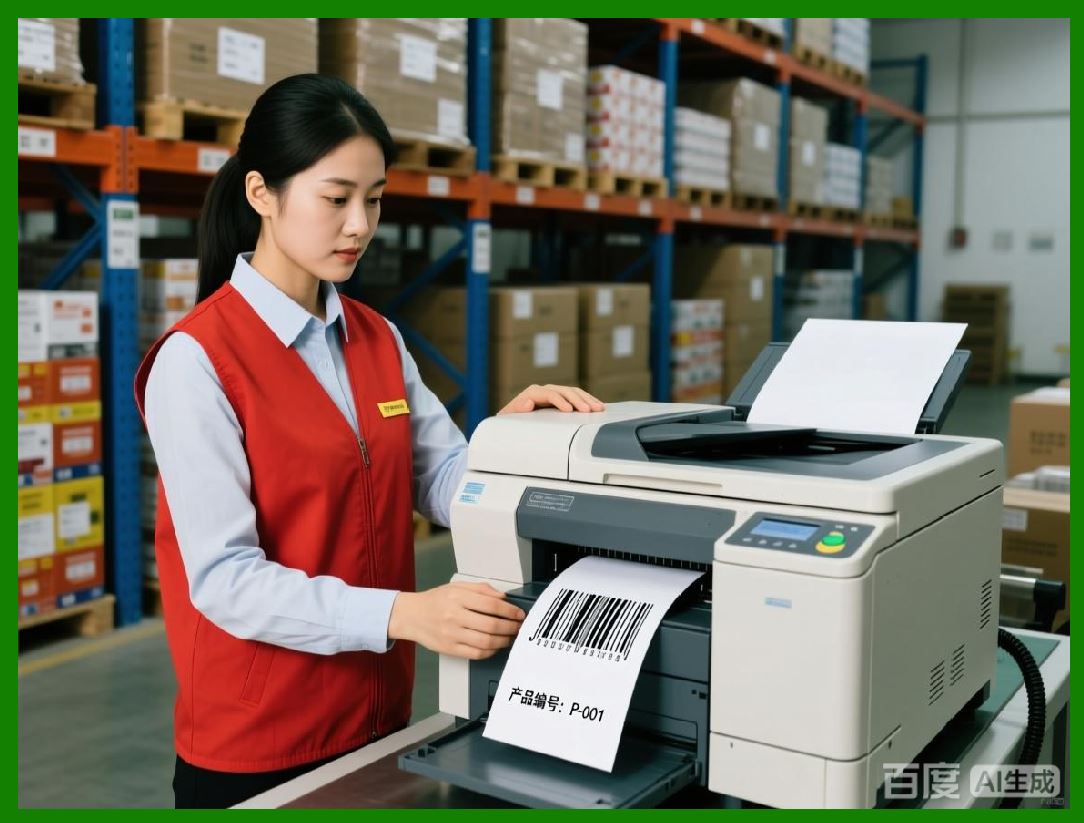
6.2 Document and Report Generation |
1. Many developers embed BarcodeLib into: |
1. PDF generators |
2. Report engines |
2. Barcodes are generated: |
1. On demand |
2. During document rendering |
3. Output quality is sufficient for: |
1. Laser printing |
2. Office scanners |
|
6.3 Prototyping and Education |
1. BarcodeLib is frequently used for: |
1. Learning barcode encoding |
2. Teaching symbology structure |
2. Its readable codebase makes it: |
1. Ideal for study |
2. Easy to experiment with |

|
7. Strengths and Initial Limitations |
7.1 Key Strengths |
1. Zero cost |
2. Open source |
3. Easy to understand |
4. Minimal setup |
5. Reliable barcode output |
7.2 Known Limitations |
1. No barcode decoding |
2. Limited advanced rendering features |
3. Basic error handling compared to commercial SDKs |
4. Reliance on System.Drawing |
7.3 Design Trade-Offs |
1. BarcodeLib trades: |
1. Advanced features |
2. Broad platform abstraction |
2. In exchange for: |
1. Simplicity |
2. Transparency |
3. Control |

|
8. Structure of the Remaining Parts |
8.1 Planned Coverage |
1. Part 2: Detailed API structure and public interfaces |
2. Part 3: Barcode symbologies linear codes |
3. Part 4: Barcode symbologies 2D codes |
4. Part 5: Encoding algorithms in depth |
5. Part 6: Checksum and validation logic |
6. Part 7: Rendering pipeline mechanics |
7. Part 8: Image quality and printing accuracy |
8. Part 9: Performance and memory analysis |
9. Part 10: Thread safety and concurrency |
10. Part 11: Extending BarcodeLib |
11. Part 12: Custom symbology implementation |
12. Part 13: Integration with ASP.NET |
13. Part 14: Desktop application integration |
14. Part 15: Comparison with commercial SDKs |
15. Part 16: Forking and maintaining BarcodeLib |
16. Part 17: Security and data integrity considerations |
17. Part 18: Long-term viability and maintenance |
18. Part 19: Final evaluation and recommendations |
 cs@easiersoft.com