Part 15 Batch Processing, File Output Strategies, and Database/Document Integration |
15.1 Overview of Batch Barcode Generation |
15.1 Many enterprise applications require batch barcode generation, where hundreds or thousands of barcodes are produced automatically for: |
* Inventory management |
* Shipping labels |
* Product packaging |
* Document tracking |
15.2 BarcodeLib is well-suited for batch processing because of its lightweight design, deterministic output, and flexible API. |
15.3 Batch processing workflows can be implemented in desktop, web, or server applications, using loops, data-driven generation, and database integration. |
|
15.2 Input Data Sources for Batch Generation |
15.4 Batch barcode generation often relies on structured input data. Common sources include: |
* Databases: SQL Server, MySQL, PostgreSQL, or SQLite |
* CSV/Excel files: Product lists, order sheets, or serialized data |
* Web APIs: Real-time inventory or order data |
* Manual entry: Small-scale batch operations |
15.5 BarcodeLib API supports generating barcodes programmatically for each data row, allowing seamless integration into automated pipelines. |
15.6 Developers often implement data validation before generation, ensuring: |
* Correct input length and character set |
* Required check digits are present or computed |
* Fields match the barcode symbology constraints |

|
15.3 Loop-Based Batch Generation |
15.7 A common approach is iterating over a dataset, creating barcode images for each entry: |
* Instantiate a `Barcode` object per row |
* Set properties: `EncodedValue`, `SymbologyType`, `BarHeight`, `BarWidth`, etc. |
* Call `Encode()` or `GenerateImage()` |
* Save or output the image to disk, memory stream, or reporting template |
15.8 Loop-based generation is straightforward but requires careful resource management, especially in large batches, to avoid: |
* Memory leaks |
* Excessive image objects held in memory |
* File I/O bottlenecks |
|
15.4 File Output Strategies |
15.9 BarcodeLib can produce images in various formats, including PNG, BMP, and JPEG. For batch workflows, selecting the right format is essential: |
* PNG: Preferred for lossless quality, supports transparency, and is ideal for printing |
* BMP: Also lossless, but larger in file size |
* JPEG: Compressed format; suitable for web but can introduce artifacts affecting scan reliability |
15.10 Output strategies include: |
* Sequentially numbered files: For labeling products, e.g., `barcode_0001.png` |
* Database storage: Storing image bytes or file paths in database tables for later retrieval |
* Network file storage: Saving images to shared drives for printer access |
15.11 Developers should ensure unique filenames and maintain directory organization to support retrieval and printing. |
|
15.5 Output Streams and Memory Management |
15.12 In high-volume systems, writing directly to files can create I/O bottlenecks. BarcodeLib supports stream-based output, allowing images to be written to: |
* `MemoryStream` for temporary storage |
* HTTP response streams for dynamic web generation |
* PDF or report generation libraries |
15.13 Stream-based generation enables: |
* Real-time barcode rendering without temporary files |
* Integration into document workflows |
* Reduced disk usage in high-throughput applications |
15.14 Developers should dispose of streams properly to free memory and avoid resource leaks. |
|
15.6 Integration with Databases |
15.15 BarcodeLib can integrate with databases in multiple ways: |
* Storing barcode values only: The database contains encoded data (e.g., SKU, serial number) and barcode images are generated on-demand |
* Storing images as BLOBs: Barcode images are pre-generated and stored as binary objects in tables |
* Hybrid approach: Store both raw values and pre-generated images for quick retrieval |
15.16 Considerations for database storage: |
* Image format selection (PNG recommended) |
* Compression trade-offs |
* Indexing by product code or serial number for fast retrieval |
15.17 Using BarcodeLib in combination with ORM frameworks (e.g., Entity Framework) simplifies integration in .NET applications. |
|
15.7 Integration with Document Generation Pipelines |
15.18 Many enterprise systems embed barcodes into reports, PDFs, or label templates. |
15.19 Integration techniques include: |
* Direct embedding: Passing BarcodeLib-generated `Image` objects into PDF or reporting libraries (e.g., iTextSharp, PdfSharp, Crystal Reports) |
* Pre-rendering: Generate barcode images in advance and reference them in templates |
* Dynamic rendering: Render barcodes on-the-fly when generating documents or invoices |
15.20 Dynamic generation allows real-time updates, for example: |
* Shipping labels generated at order confirmation |
* Batch invoices with unique barcodes for each line item |
|
15.8 Label Printing Integration |
15.21 BarcodeLib-generated images can be used in label printing systems, such as: |
* Zebra or Dymo thermal printers |
* Standard inkjet or laser printers |
* Label template software like Bartender or NiceLabel |
15.22 Best practices for printing: |
* Maintain appropriate DPI scaling for printers (usually 203 or 300 DPI for thermal printers) |
* Preserve X-dimension accuracy to ensure scanner compatibility |
* Include quiet zones to prevent print trimming issues |
15.23 For high-volume printing, pre-generating barcodes as images reduces printer load and improves reliability. |

|
15.9 Multi-Threaded Batch Processing |
15.24 For large datasets, multi-threading improves performance, but BarcodeLib `Barcode` object is not thread-safe. |
15.25 Recommended multi-threading patterns: |
* Create separate `Barcode` instances per thread |
* Process independent chunks of data concurrently |
* Write output to separate streams or temporary storage to avoid race conditions |
15.26 Threaded processing can drastically reduce total runtime when generating thousands of barcodes for distribution or production labels. |
|
15.10 Error Handling in Batch Workflows |
15.27 Batch processing requires robust error handling, since a single failure should not halt the entire job. |
15.28 Strategies include: |
* Wrapping each barcode generation in `try-catch` blocks |
* Logging failed rows for review and reprocessing |
* Applying validation rules to input data before encoding |
15.29 Effective error handling ensures: |
* Continuous processing for large batches |
* Traceability for failed or invalid barcode data |
* Minimal disruption to automated workflows |

|
15.11 Practical Case: Inventory Management System |
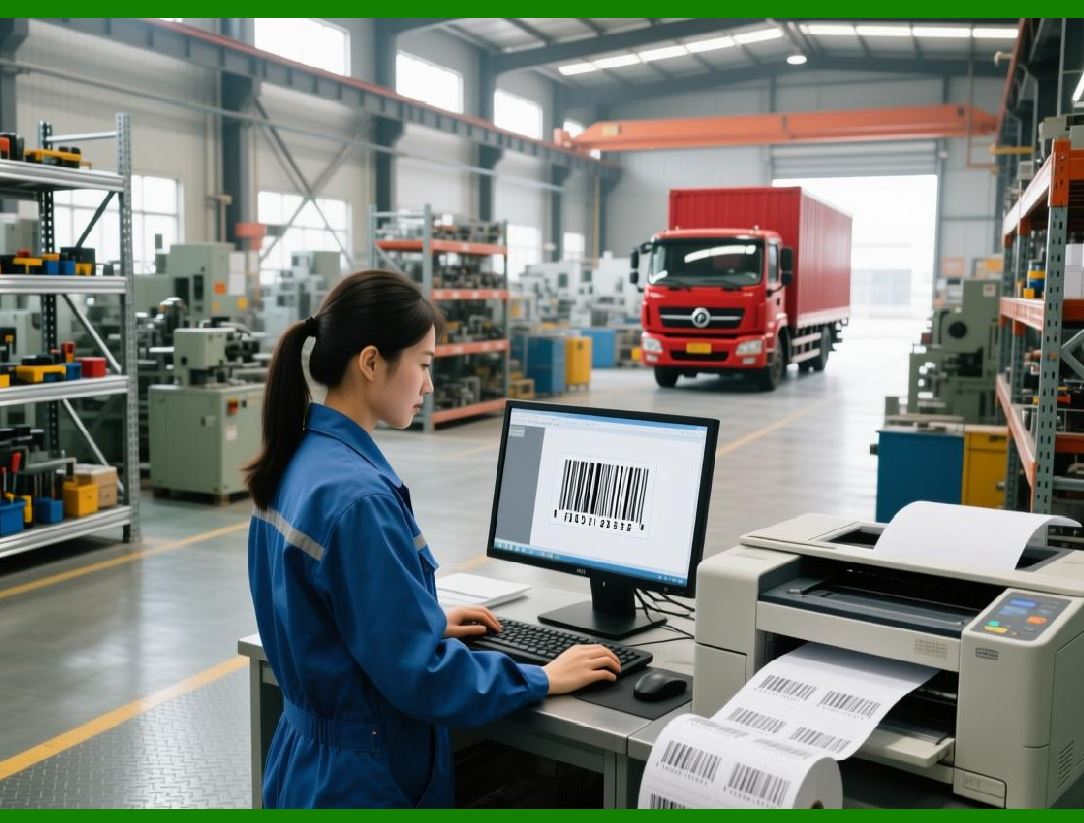
15.30 Example workflow for generating barcodes for products in an inventory system: |
1. Query product table from SQL Server |
2. For each product: |
* Retrieve SKU and optional batch number |
* Instantiate a new `Barcode` object |
* Set symbology (e.g., Code 128), dimensions, and colors |
* Generate barcode image |
* Save as PNG to a structured file directory |
* Insert file path or image bytes into database |
3. After generation, feed images into label templates for printing |
15.31 This workflow illustrates how BarcodeLib can handle end-to-end batch operations, integrating with database and document systems seamlessly. |
|
15.12 Summary of Part 15 |
15.32 Part 15 has explored batch processing, file output strategies, and integration with databases and document pipelines. |
15.33 Key points: |
* BarcodeLib can handle high-volume generation with proper memory and thread management |
* Supports multiple output formats, including streams and file-based storage |
* Integrates with databases, PDFs, reports, and label printing systems |
* Error handling, logging, and verification are essential for reliable large-scale operations |
15.34 Following these best practices allows BarcodeLib to support enterprise-grade workflows, from production labels to automated reporting. |
 cs@easiersoft.com