Part 19 Conclusion: Comprehensive Summary of Bytescout Print SDK |
95. Overview of Bytescout Print SDK |
95.1. Bytescout Print SDK is a robust, barcode-focused printing software development kit designed for integration with .NET applications. |
95.2. It emphasizes seamless barcode generation, template-driven printing, and high-performance workflows for a variety of business and industrial environments. |
95.3. The SDK supports a wide range of barcode symbologies, including 1D (Code 39, Code 128, EAN, UPC, etc.) and 2D (QR Code, Data Matrix, PDF417, Aztec, etc.), making it suitable for diverse operational and regulatory needs. |
95.4. Its core strengths include rendering accuracy, multi-threaded printing, batch processing, template customization, and integration with printers and external systems. |
95.5. Beyond barcode generation, the SDK supports graphical layouts, human-readable text, logos, images, and conditional formatting, providing a complete solution for label, form, and document printing. |

|
96. Key Technical Features |
96.1. Template-Driven Printing: Allows creation of reusable layouts for labels and documents, integrating barcodes with text and graphics. |
96.2. Dynamic Layout and Conditional Formatting: Automatically adjusts content based on data, including font size, barcode rotation, error correction, and alert-based formatting. |
96.3. Multi-Threaded and High-Volume Printing: Supports concurrent job processing and batch printing, ensuring high throughput in large-scale operations. |
96.4. Error Handling and Recovery: Detects and manages print errors, including invalid data, printer issues, or memory constraints, with retry and rerouting options. |
96.5. Cross-Platform and Cloud Integration: Though primarily Windows-based, the SDK can be exposed via web services for cloud or mobile integration. |
96.6. Security and Compliance: Supports secure print workflows, audit logging, and traceability to meet regulatory requirements in healthcare, pharmaceuticals, food and beverage, and logistics. |
96.7. Graphical and Layout Customization: Supports vector and raster graphics, layered printing, overlays, precise alignment, and color control to maintain brand identity and compliance. |

|
97. Operational Benefits |
97.1. Enhanced Efficiency: Automated barcode generation, batch processing, and multi-threaded printing improve operational throughput and reduce manual labor. |
97.2. Accuracy and Compliance: Pre-print validation, error handling, and QA processes ensure that barcodes meet symbology standards, are scannable, and comply with industry regulations. |
97.3. Flexibility and Adaptability: Template-driven layouts and dynamic adjustments allow the SDK to handle variable data, multiple media types, and diverse labeling requirements. |
97.4. Scalability: Supports both small-scale operations and large enterprises with thousands of daily prints across multiple printers and locations. |
97.5. Traceability and Auditability: Detailed logging of job parameters, templates, and printer activity supports operational audits, compliance checks, and process improvement. |
|
98. Industry Applications |
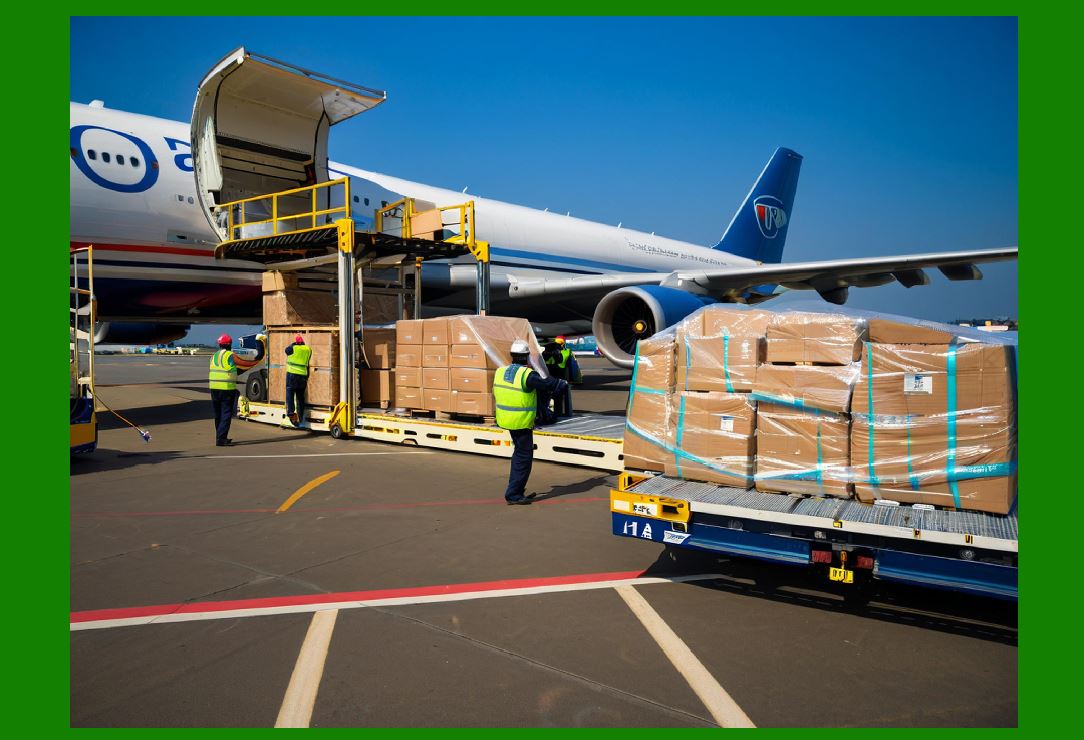
98.1. Logistics and Distribution: High-volume shipping labels with 1D/2D barcodes, mobile integration, and centralized template management. |
98.2. Healthcare and Pharmaceuticals: Serialized labels, Data Matrix codes, regulatory compliance, error handling, and traceability for production and distribution. |
98.3. Retail: Dynamic pricing, shelf labels, promotions, and integration with POS and inventory systems. |
98.4. Manufacturing: Work-in-progress tracking, asset labeling, serialized barcodes, and batch production management. |
98.5. Food and Beverage: Lot tracking, expiration date management, batch printing, and regulatory compliance. |
98.6. E-Commerce and Fulfillment: On-demand order labels, multi-station printing, cloud integration, and remote/mobile printing. |

|
99. Strategic Advantages for Enterprises |
99.1. Reduced Operational Risk: Automated validation and QA reduce the likelihood of misprints, non-compliance, and downstream errors. |
99.2. Operational Continuity: Robust error handling, job recovery, and monitoring support uninterrupted printing operations. |
99.3. Cost Efficiency: Template reuse, batch processing, and efficient rendering reduce waste, printer downtime, and labor costs. |
99.4. Improved Customer Satisfaction: Accurate, consistent, and professional labels enhance product tracking, shipment accuracy, and end-user trust. |
99.5. Future-Proofing: Cloud integration, API support, and flexible template-driven printing prepare organizations for evolving workflows, hybrid IT environments, and cross-platform requirements. |

|
100. Final Summary |
100.1. Bytescout Print SDK combines technical precision, operational reliability, and enterprise-ready features to meet the demands of modern barcode printing workflows. |
100.2. Its rich feature set addresses both the complexity of barcode generation and the practicalities of high-volume, template-driven printing. |
100.3. By supporting diverse symbologies, dynamic layouts, cloud integration, and secure, compliant operations, the SDK empowers organizations across industries to streamline their printing workflows, improve accuracy, and scale efficiently. |
100.4. Real-world use cases from logistics and healthcare to retail, manufacturing, and e-commerce demonstrate its versatility and effectiveness in addressing complex labeling and barcode printing challenges. |
100.5. In summary, Bytescout Print SDK is a comprehensive solution for enterprises seeking a reliable, high-performance, and flexible platform for barcode printing, template management, and document workflow integration. |
101. References and Resources |
* Official Bytescout Print SDK: https://bytescout.com/products/developer/print-sdk/index.html |
* Documentation and Developer Guides: https://bytescout.com/products/developer/print-sdk/documentation.html |
* Enterprise Deployment Best Practices: https://bytescout.com/products/developer/print-sdk/best-practices.html |
 cs@easiersoft.com