CodeSoft SDK by TEKLYNX Comprehensive Technical Description |
https://www.teklynx.com |
Part 1 of 19 |
*(Foundations, Historical Context, Product Positioning, and Core Architecture)* |
1. Introduction to CodeSoft and Its Role in Industrial Barcode Labeling |
1.1 CodeSoft is a professional barcode label design, printing, and automation platform developed and maintained by TEKLYNX, a globally recognized provider of enterprise identification and labeling solutions. Unlike lightweight barcode generation libraries or developer-centric SDKs that focus solely on encoding and rendering barcode symbols, CodeSoft is positioned as a full-scale industrial labeling system that integrates label design, data connectivity, printing control, compliance, and automation within a unified software ecosystem. |
1.2 The CodeSoft SDK refers not to a single standalone developer package, but rather to a collection of programmatic interfaces, automation layers, and integration mechanisms that allow external software systems to control, extend, and embed CodeSoft functionality. These mechanisms include COM automation interfaces, ActiveX components, scripting engines, command-line automation, database connectors, and print-time data injection interfaces. |
1.3 In enterprise and industrial environments, barcode labeling is rarely an isolated task. Labels must be dynamically generated based on live data, printed at precise points in operational workflows, comply with regulatory and customer-mandated standards, and integrate with systems such as ERP, MES, WMS, PLM, and custom line-of-business applications. CodeSoft SDK capabilities exist precisely to address these requirements. |
1.4 Rather than serving hobbyist developers or small web applications, CodeSoft SDK capabilities are primarily designed for manufacturing plants, logistics centers, pharmaceutical production lines, chemical facilities, electronics assembly operations, and regulated industries where labeling accuracy, traceability, and reliability are mission-critical. |

|
2. Historical Background and Evolution of CodeSoft as an SDK-Capable Platform |
2.1 CodeSoft originated as a professional label design application intended to replace manual label layout tools and printer-resident formatting. Early industrial labeling relied heavily on printer firmware languages and static formats stored on printers themselves. While functional, these approaches were difficult to maintain, lacked centralized control, and were poorly suited to modern enterprise data flows. |
2.2 As manufacturing systems became increasingly computerized, the need arose for software-driven labeling solutions that could interact with databases, accept external data at runtime, and respond dynamically to production events. CodeSoft evolved in response to this trend, gradually expanding beyond design-time label creation into runtime automation and system integration. |
2.3 The introduction of COM and ActiveX technologies in Windows environments played a crucial role in CodeSoft evolution into an SDK-capable system. By exposing internal functions through COM interfaces, CodeSoft enabled third-party applications to create, open, modify, and print label documents programmatically without user interaction. |
2.4 Over time, TEKLYNX enhanced CodeSoft automation features to support more complex scenarios, such as batch printing, conditional logic, external script execution, database-driven object population, and printer selection logic. These capabilities transformed CodeSoft from a desktop labeling tool into an automation engine suitable for enterprise deployment. |
2.5 The modern CodeSoft SDK concept therefore represents the culmination of decades of incremental enhancements focused on interoperability, extensibility, and enterprise integration, rather than a traditional developer library released as a single SDK package. |

|
3. Product Positioning: CodeSoft SDK vs Traditional Barcode SDKs |
3.1 Traditional barcode SDKs typically provide APIs for encoding barcode data into images or vectors. They focus on symbology support, error correction, rendering options, and sometimes scanning or decoding. These SDKs are often embedded directly into applications, with developers responsible for designing label layouts, handling printers, and managing compliance requirements. |
3.2 CodeSoft SDK operates at a fundamentally different abstraction level. Instead of asking developers to implement barcode logic themselves, CodeSoft assumes that label design is a specialized professional activity best handled through a dedicated design environment. Developers then integrate with those professionally designed labels at runtime. |
3.3 This separation of responsibilities is one of CodeSoft defining characteristics. Label designers, compliance specialists, and quality teams create and validate label templates within CodeSoft. Application developers use SDK interfaces to supply data and trigger printing, without modifying the label layout itself. |
3.4 From an architectural perspective, CodeSoft SDK is best described as a labeling automation interface, not a barcode generation toolkit. Its value lies in orchestrating label documents, data sources, printers, and workflows rather than exposing low-level barcode algorithms. |
3.5 This positioning makes CodeSoft SDK especially attractive in regulated industries, where label changes must be controlled, audited, and approved independently of application code changes. |

|
4. Core Architectural Philosophy of CodeSoft SDK |
4.1 The architectural philosophy of CodeSoft SDK is built around document-centric automation. The label document is treated as the primary unit of work, encapsulating layout, barcode definitions, data bindings, conditional rules, and printer settings. |
4.2 External applications interact with these documents through automation interfaces, supplying variable data, selecting printers, and initiating print jobs. The internal complexity of barcode encoding, font handling, printer command generation, and layout rendering remains encapsulated within CodeSoft. |
4.3 This design dramatically reduces integration complexity for enterprise systems. Instead of embedding barcode logic into ERP or MES applications, those systems simply act as data providers and job controllers. |
4.4 CodeSoft SDK emphasizes runtime flexibility with design-time stability. Labels can be reused across multiple applications and processes, while runtime data injection ensures each printed label reflects current operational data. |
4.5 The SDK architecture also supports centralized label governance, allowing organizations to standardize labeling practices across plants, regions, and business units while still integrating with diverse local systems. |

|
5. Operating System and Platform Dependencies |
5.1 CodeSoft SDK is fundamentally a Windows-based technology. Its automation interfaces rely heavily on Windows COM infrastructure, ActiveX components, and Windows printing subsystems. |
5.2 This platform dependency reflects its target market. Industrial and enterprise environments overwhelmingly standardize on Windows for production workstations, line controllers, print servers, and administrative systems. |
5.3 While CodeSoft itself is a desktop application, its SDK capabilities allow it to function effectively as a background service or automation engine when properly configured. |
5.4 Integration with non-Windows systems, such as Linux-based servers or cloud platforms, is typically achieved indirectly through middleware, web services, or message queues that communicate with Windows-hosted CodeSoft instances. |
5.5 This architectural choice prioritizes reliability, printer compatibility, and mature driver ecosystems over cross-platform portability. |

|
6. Label Document Model and Object Hierarchy |
6.1 At the heart of CodeSoft SDK lies the label document object model. Each label document represents a structured collection of objects, including text fields, barcodes, images, shapes, and embedded controls. |
6.2 Each object within a label has a defined set of properties, such as position, size, rotation, font, symbology type, and data source. These properties can be accessed and modified programmatically through SDK interfaces. |
6.3 Barcodes within CodeSoft are not static images. They are dynamic objects that encode data according to selected symbologies, automatically applying checksum rules, character restrictions, and formatting standards. |
6.4 The document model also supports conditional logic, allowing objects to appear, disappear, or change properties based on data values or external conditions at print time. |
6.5 From an SDK perspective, this object model provides a rich and granular interface for automation, enabling sophisticated runtime behavior without requiring developers to manipulate low-level graphics or printer commands. |

|
7. Data Abstraction and Variable Handling |
7.1 CodeSoft SDK places significant emphasis on data abstraction. Rather than hard-coding values into label objects, CodeSoft encourages the use of named variables that can be populated dynamically at runtime. |
7.2 Variables can be bound to database fields, prompted for user input, derived through formulas, or supplied programmatically via SDK calls. |
7.3 This variable-driven design aligns well with enterprise data architectures, where label data originates from authoritative systems such as ERP or MES platforms. |
7.4 By abstracting data sources away from label layouts, CodeSoft SDK enables the same label template to be reused across multiple applications and production contexts. |
7.5 This approach also simplifies validation and compliance, as label logic can be tested independently of application code. |

|
8. Printing Pipeline and Job Control |
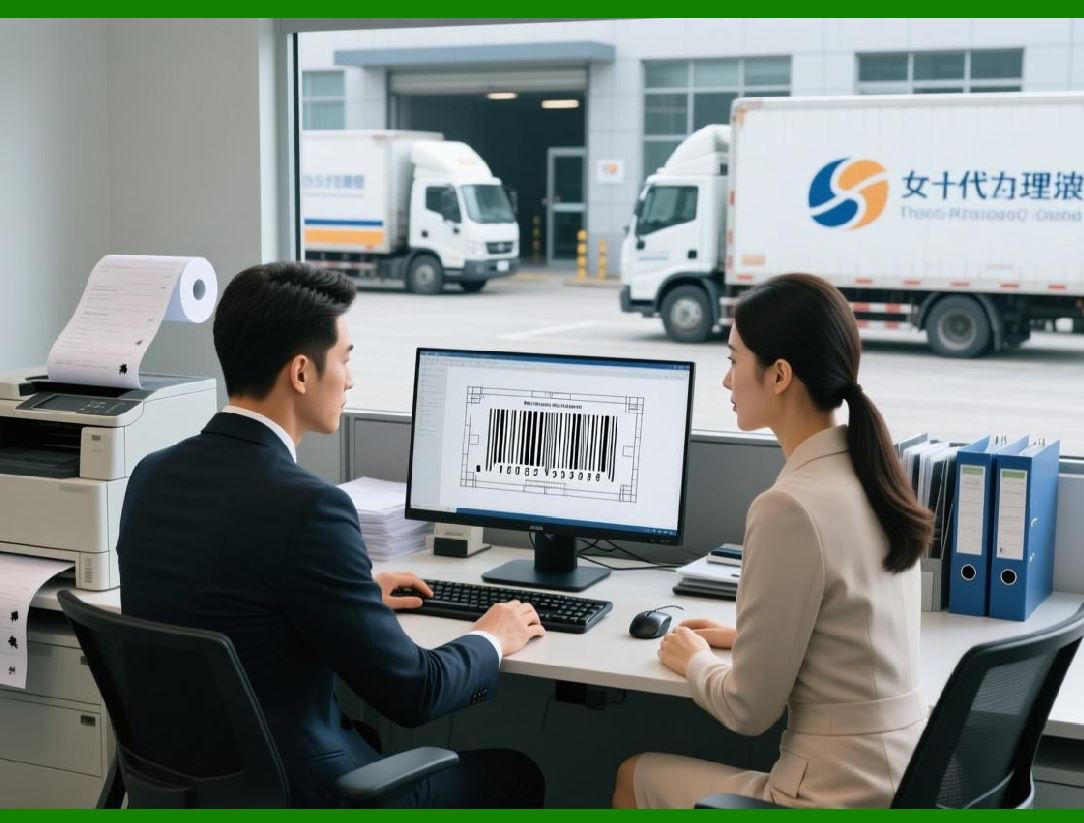
8.1 Printing in CodeSoft is treated as a managed pipeline, not a simple output operation. The SDK allows applications to control every stage of the printing process. |
8.2 Developers can programmatically select printers, override printer settings, specify quantities, and control print timing. |
8.3 CodeSoft handles the translation of label documents into printer-specific command languages, ensuring optimal output for thermal, laser, inkjet, and industrial printers. |
8.4 Error handling is an integral part of this pipeline. The SDK provides feedback mechanisms for detecting printer availability issues, communication failures, and job execution errors. |
8.5 This robust print control capability is essential for industrial environments where downtime and misprints carry significant operational costs. |
|
9. Automation Without User Interface Interaction |
9.1 One of the defining strengths of CodeSoft SDK is its ability to operate headlessly, without user interface interaction. |
9.2 Labels can be printed in response to system events, scheduled jobs, or automated workflows without requiring an operator to open the CodeSoft application. |
9.3 This makes CodeSoft suitable for integration into production lines, automated packaging systems, and server-based print services. |
9.4 The SDK automation model supports both synchronous and asynchronous execution patterns, depending on the needs of the integrating system. |
9.5 By eliminating manual intervention, organizations can achieve higher throughput, reduced error rates, and more consistent labeling outcomes. |
10. Summary of Part 1 |
10.1 This first part has established the conceptual and architectural foundation of CodeSoft SDK by TEKLYNX. |
10.2 We examined its historical evolution, enterprise positioning, architectural philosophy, platform dependencies, and core object model. |
10.3 Rather than a conventional barcode SDK, CodeSoft SDK should be understood as a labeling automation and integration platform designed for industrial-scale deployment. |
10.4 In the next part, we will move deeper into the specific SDK interfaces, including COM automation, ActiveX components, and programmatic control mechanisms. |
 cs@easiersoft.com