NiceLabel SDK |
Part 15 Barcode Generation and Symbology Support |
Barcode generation is a core function of the NiceLabel SDK, forming the backbone of automated labeling, inventory management, and traceability in enterprise operations. Barcodes encode product, batch, serial, or logistics information into machine-readable formats that can be scanned at every stage of the supply chain. The SDK provides a comprehensive set of features for generating 1D and 2D barcodes, ensuring high-quality printing, compliance with industry standards, and integration with enterprise data sources. |
This section explores the types of barcodes supported, encoding mechanisms, error correction, dynamic generation, and compliance considerations. |
|
1. Overview of Barcode Generation |
Barcode generation in enterprise labeling serves multiple purposes: |
1. Product Identification: Encodes SKU, product name, and specifications. |
2. Traceability: Tracks batch numbers, serial numbers, and production dates. |
3. Logistics and Shipping: Encodes shipment and pallet information for automated handling. |
4. Regulatory Compliance: Encodes mandatory information in a standard format for inspection and verification. |
The NiceLabel SDK provides tools to generate barcodes in both 1D and 2D symbologies, integrating seamlessly with label templates and enterprise data sources. |

|
2. Supported 1D Barcode Types |
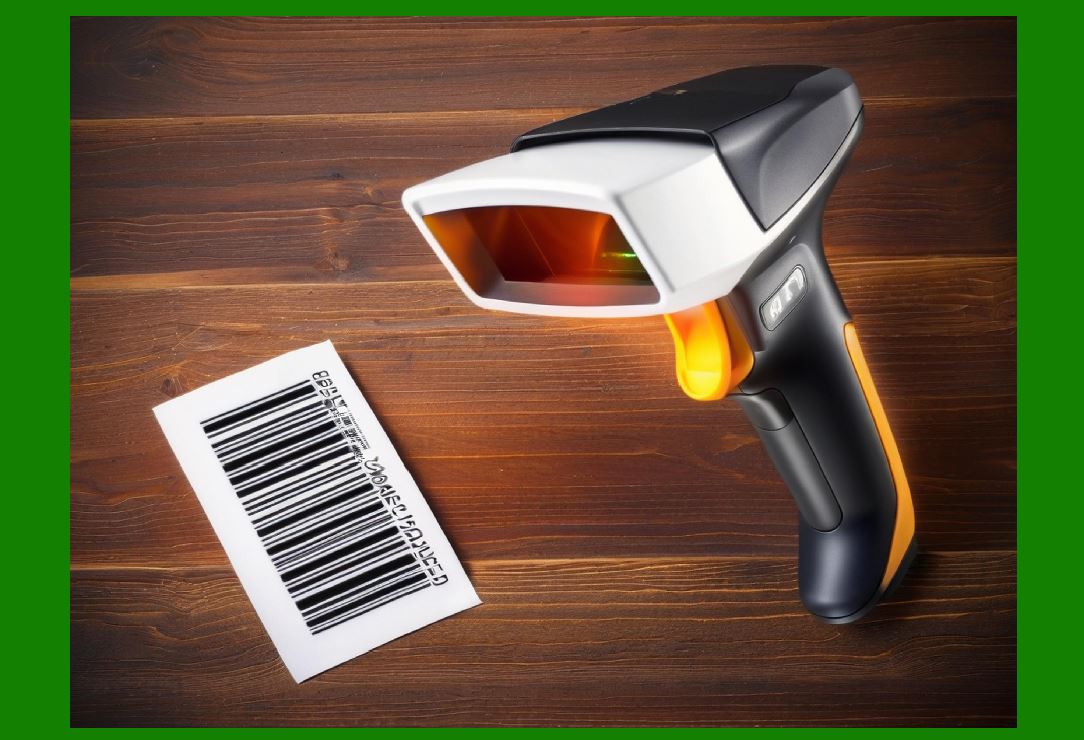
1D barcodes, also known as linear barcodes, encode data in a series of parallel bars and spaces. The NiceLabel SDK supports major 1D barcode types including: |
1. Code 39: Widely used for inventory and industrial labeling. Supports alphanumeric characters. |
2. Code 128: High-density barcode suitable for logistics and shipping labels. Supports full ASCII character set. |
3. EAN-13 / UPC-A: Standardized barcodes for retail products. |
4. EAN-8 / UPC-E: Compact versions for smaller packages. |
5. Interleaved 2 of 5: Numeric-only barcodes used in warehouse and logistics applications. |
6. Codabar: Commonly used in healthcare, libraries, and blood bank systems. |
7. Postnet / Intelligent Mail Barcode (IMb): Used by postal services for automated mail sorting. |
The SDK provides configuration options for: |
* Checksum calculation |
* Bar width and height |
* Quiet zone configuration |
* Human-readable text placement |
These features ensure compatibility with scanners and compliance with industry standards. |
|
3. Supported 2D Barcode Types |
2D barcodes store data both horizontally and vertically, providing higher data capacity and error correction. The NiceLabel SDK supports: |
1. QR Code: Widely used in retail, marketing, and logistics; supports alphanumeric, numeric, and binary data. |
2. Data Matrix: Compact 2D code ideal for small items, medical devices, and pharmaceuticals. Supports ECC 200 error correction. |
3. PDF417: Stacked linear barcode suitable for transport, ID cards, and shipping labels. |
4. Aztec Code: Used in transportation tickets and identification cards; efficient for encoding binary data. |
5. GS1 DataMatrix: Combines DataMatrix with GS1 application identifiers for standardized product information. |
6. MaxiCode: Optimized for high-speed sorting by courier companies. |
2D barcodes provide advantages such as: |
* Larger data capacity |
* Built-in error correction |
* Compact size for small labels |
* Fast and reliable scanning |

|
4. Encoding Standards and Options |
The NiceLabel SDK supports a variety of encoding standards to meet operational and regulatory requirements: |
1. GS1 Standards: Ensures global interoperability for barcodes in retail, healthcare, and logistics. |
2. ISO/IEC Standards: Compliant with ISO/IEC 15415 (2D) and ISO/IEC 15416 (1D) for quality control. |
3. Custom Encoding: Users can define custom data encoding schemes for proprietary applications. |
4. Application Identifiers (AI): Supports GS1 AIs to define data fields like expiration date, batch, or serial number. |
Encoding options allow precise control over data format, character set, and error detection mechanisms. |

|
5. Error Correction and Quality Control |
High-quality barcode printing is essential to ensure scan reliability. The SDK incorporates: |
1. Error correction levels: For 2D barcodes like QR Code and Data Matrix, adjustable error correction levels (L, M, Q, H) balance data density and resilience to damage. |
2. Verification tools: Optional barcode verification to ensure that printed codes are readable and compliant. |
3. Check digits: Automatic generation for linear barcodes to prevent data entry errors. |
4. Scannability checks: Ensures quiet zones, bar width, and contrast meet scanner requirements. |
Error correction features reduce reprints and increase reliability in harsh operational environments. |

|
6. Dynamic Barcode Generation from Enterprise Data |
Barcodes are often generated dynamically using real-time enterprise data: |
1. Retrieve product, batch, serial, or shipment data from ERP, WMS, or MES systems. |
2. Map data fields to barcode symbologies dynamically. |
3. Automatically update barcodes on labels as product or shipment data changes. |
4. Generate serialized codes for individual items or lot-level codes for batches. |
Dynamic barcode generation ensures traceability and reduces manual errors. |

|
7. Barcode Formatting and Placement |
The SDK allows flexible formatting of barcodes within label templates: |
1. Size and scaling: Adjust height, width, and module size to fit labels. |
2. Orientation: Rotate barcodes for horizontal, vertical, or angled placement. |
3. Human-readable text: Optionally include readable information under or above the barcode. |
4. Margin and quiet zone: Ensure proper scanner readability. |
5. Integration with graphics: Combine barcodes with logos, regulatory symbols, and design elements. |
These formatting options ensure that barcodes are both functional and visually integrated into labels. |

|
8. Barcode Symbology Selection |
Choosing the correct barcode symbology is critical: |
1. Data capacity: 2D codes for larger data, 1D codes for short numeric or alphanumeric fields. |
2. Label size: Compact 2D codes for small items. |
3. Scanning environment: Choose symbologies compatible with the scanner type and speed. |
4. Regulatory requirements: Compliance with GS1, ISO, or industry-specific standards. |
The SDK provides guidelines and validation tools to assist users in selecting appropriate symbologies. |

|
9. Multi-Language and International Compliance |
Barcodes often contain dynamic data in multiple languages or formats: |
1. Support for Unicode and extended character sets |
2. Ability to generate barcodes with localized information such as date, units, or country codes |
3. Compliance with regional labeling regulations for pharmaceuticals, food, and chemicals |
This ensures that labels meet global operational and regulatory requirements. |

|
10. Integration with Label Templates |
Barcodes are fully integrated into NiceLabel label templates: |
1. Static barcodes for consistent product information |
2. Dynamic barcodes populated from enterprise systems or user input |
3. Conditional barcodes that change based on product, batch, or destination |
4. Combination barcodes, such as human-readable text with 2D codes |
Integration ensures that barcodes are accurately placed and consistently rendered on labels. |

|
11. Automated Barcode Printing in Workflows |
Barcodes can be automatically printed in automated workflows: |
1. Triggered by production completion, inventory updates, or shipping events |
2. Generated dynamically from enterprise data |
3. Checked for scannability and compliance before printing |
4. Logged for traceability and audit purposes |
Automated barcode printing reduces human error and ensures operational accuracy. |

|
12. Barcode Security Features |
In sensitive or regulated environments, barcodes may encode confidential information: |
1. Data encryption in 2D barcodes |
2. Secure generation and verification processes |
3. Role-based access to barcode generation templates |
4. Audit trails for barcode creation and printing events |
These features maintain data confidentiality and prevent unauthorized access. |

|
13. Barcode Quality Assurance |
The NiceLabel SDK supports high standards of barcode quality assurance: |
1. Compliance with ISO/IEC 15415 (2D) and ISO/IEC 15416 (1D) verification standards |
2. Adjustable error correction and redundancy for 2D codes |
3. Integration with barcode verifiers to confirm print accuracy |
4. Automated rejection or reprinting of defective labels |
Quality assurance minimizes scanning errors in production, logistics, and retail operations. |

|
14. Advanced Barcode Features |
Advanced features include: |
1. Stacked barcodes: For high-density information in limited space (e.g., PDF417). |
2. GS1 DataBar: Optimized for retail and perishable goods tracking. |
3. Composite barcodes: Combine 1D and 2D elements for dual-use labeling. |
4. Custom encoding rules: Implement proprietary encoding for specialized applications. |
These capabilities support complex labeling requirements in enterprise environments. |
|
15. Barcode Printing on Variable Media |
The SDK ensures consistent barcode readability across diverse printing media: |
1. Labels with different materials (paper, synthetic, shrink sleeves, or tags) |
2. Printers with varying resolution and technology (thermal transfer, direct thermal, inkjet) |
3. Adjusted barcode scaling and contrast for optimal scanning |
4. Integration with pre-printed forms and partially serialized labels |
Variable media support ensures barcodes remain scannable in any operational environment. |

|
16. Multi-Site Barcode Standardization |
Large enterprises may require standardized barcodes across multiple locations: |
1. Centralized barcode templates with standardized encoding rules |
2. Consistent symbology selection across facilities |
3. Distributed printing while maintaining compliance with corporate and regulatory standards |
4. Version control to ensure that approved barcodes are used in all sites |
This ensures global traceability and operational consistency. |

|
17. Barcode Logging and Traceability |
Every barcode generated and printed can be logged for: |
1. Traceability of batches, shipments, and serialized products |
2. Auditing and compliance reporting |
3. Integration with enterprise systems for inventory or production tracking |
4. Verification of print jobs and error resolution |
Logging ensures that each barcode can be traced from generation to scanning, supporting quality and compliance requirements. |

|
18. Summary of Barcode Generation and Symbology Support |
The NiceLabel SDK offers a comprehensive set of features for enterprise barcode generation: |
1. Support for major 1D and 2D barcode symbologies |
2. Compliance with GS1, ISO, and regulatory standards |
3. Dynamic barcode generation from real-time enterprise data |
4. Error correction, verification, and quality assurance |
5. Flexible formatting, orientation, and human-readable text support |
6. Integration with label templates and automated workflows |
7. Security features for sensitive data and audit trails |
8. Standardization and multi-site support |
These capabilities ensure that barcodes are accurate, compliant, readable, and seamlessly integrated into enterprise labeling operations. |
End of Part 15. |

|
Next section: |
Part 16 Printing Management, Device Compatibility, and Optimization in the NiceLabel SDK |
This section will cover: |
* printer integration and drivers |
* device compatibility across thermal, laser, and inkjet printers |
* print job scheduling and queuing |
* optimization for speed and quality |
* monitoring and error handling for reliable printing. |
 cs@easiersoft.com