Seagull BarTender SDK Comprehensive Technical Guide (Part 8) |
*(Automation, Enterprise Integration, and Event-Driven Workflows)* |
1. Introduction to Automation and Integration |
1.1 Importance of Automation |
Automation in label printing is essential for enterprises to: |
1. Reduce manual errors in data entry and label generation |
2. Ensure consistent labeling across multiple locations |
3. Improve throughput in high-volume production environments |
4. Facilitate compliance with regulatory requirements |
BarTender SDK provides developers with tools to automate labeling processes programmatically, ensuring operational efficiency and reliability. |

|
1.2 Enterprise Integration Goals |
1. Enable label printing from enterprise systems like ERP, WMS, MES, and CRM |
2. Integrate real-time data feeds into label templates |
3. Synchronize printing workflows with business logic and operational rules |
4. Provide centralized monitoring and reporting across multiple sites |

|
2. Job Automation Using BarTender SDK |
2.1 Types of Automated Jobs |
1. Scheduled Printing print jobs triggered at specific times or intervals |
2. Event-Driven Printing print jobs triggered by system events, database changes, or API calls |
3. Batch Printing printing multiple labels for orders, pallets, or shipments in one job |
4. Conditional Printing printing labels based on criteria such as product type, location, or compliance rules |
2.2 Programmatic Control of Print Jobs |
* The SDK exposes methods to: |
1. Load templates dynamically |
2. Set data source values programmatically |
3. Specify printer and media settings |
4. Execute print jobs synchronously or asynchronously |
5. Monitor job status and completion |
2.3 Example Workflow |
1. ERP system generates a new order |
2. SDK retrieves order data (item, quantity, serial numbers) |
3. Label template is loaded and fields populated automatically |
4. Print job is sent to the appropriate printer |
5. SDK logs job completion and errors for reporting |
|
3. Event-Driven Workflows |
3.1 SDK Event Types |
1. OnJobStarted triggered when a print job begins |
2. OnJobCompleted triggered when a print job finishes |
3. OnError triggered when a print error occurs |
4. OnDatabaseRecordRead triggered when a data record is accessed for printing |
3.2 Implementing Event Handlers |
* Developers can create event handlers to: |
1. Modify label fields dynamically based on data conditions |
2. Validate data before printing |
3. Route jobs to alternate printers if errors occur |
4. Trigger notifications or logging mechanisms |
3.3 Example Use Case |
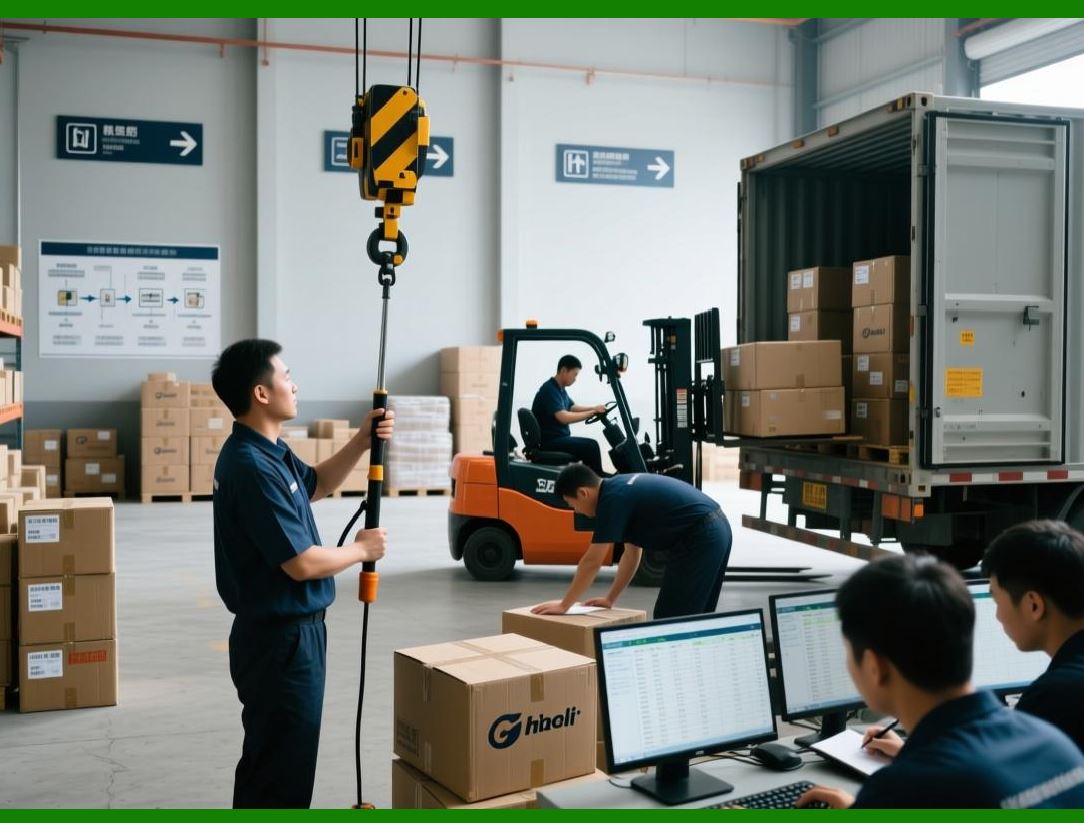
* A shipping label workflow: |
1. OnJobStarted verify shipping address is valid |
2. OnDatabaseRecordRead calculate tax or compliance info dynamically |
3. OnJobCompleted send notification to warehouse for shipment |
|
4. OnError log details and retry printing automatically |
4. Integration with Enterprise Systems |
4.1 ERP Integration |
* BarTender SDK can retrieve order, batch, and inventory data to generate labels automatically. |
* Example systems: SAP, Oracle, Microsoft Dynamics, or custom ERPs. |
4.2 WMS Integration |
* Print labels for pallets, bins, or packages directly from warehouse workflows. |
* SDK ensures just-in-time printing and minimizes label waste. |
4.3 MES Integration |
* Supports production line labeling with batch, serial, or lot-specific data. |
* Enables real-time quality control and traceability. |
4.4 CRM Integration |
* Automatically generate product or shipping labels for customer orders. |
* Can include promotional or personalized content in the labels. |

|
5. Automation via SDK APIs |
5.1 .NET Managed API |
* Full access to BarTender functionality in Cor VB.NET: |
1. Load, modify, and print templates |
2. Access print job status and properties |
3. Handle printers and queues programmatically |
5.2 COM API |
* Provides backward-compatible automation for legacy systems requiring COM integration. |
5.3 REST API (Enterprise Automation Edition) |
* Allows external systems to trigger print jobs over web services |
* Supports JSON or XML payloads with job data |
* Returns job status and error information |

|
6. Workflow Monitoring and Logging |
6.1 Job Monitoring |
* Track job progress, completion status, and print volume |
* Detect printer errors or media shortages in real-time |
6.2 Centralized Logging |
* Capture detailed logs for: |
1. Job submission |
2. Template and data source used |
3. Operator or system triggering the job |
4. Job completion and error details |
* Supports audit compliance and operational intelligence. |
6.3 Reporting Integration |
* SDK logging data can feed into: |
1. BI dashboards (Power BI, Tableau) |
2. Enterprise reporting tools |
3. Predictive maintenance and operational analytics |
|
7. Best Practices for Automation and Integration |
1. Implement centralized template and version management |
2. Validate data programmatically before print execution |
3. Monitor job queues and printer health continuously |
4. Use event-driven handlers to handle errors and notifications |
5. Maintain audit trails and logs for compliance |
6. Test integration in a sandbox environment before production |
7. Document workflows, APIs, and automation rules for maintainability |

|
8. Real-World Use Cases |
1. Manufacturing: Auto-generate serial-numbered labels for assembly lines |
2. Logistics: Dynamically print shipping labels with route optimization |
3. Retail: Produce point-of-sale labels from inventory systems |
4. Healthcare: Print medication or specimen labels with batch and lot tracking |
5. Food & Beverage: Generate nutritional and compliance labels automatically |

|
9. Summary of Part 8 |
Part 8 covered automation, enterprise integration, and event-driven workflows in BarTender SDK: |
1. Types of automated print jobs and workflows |
2. Programmatic control of templates, data, and printers |
3. Event-driven printing and handling of errors and notifications |
4. Integration with ERP, WMS, MES, and CRM systems |
5. SDK APIs: .NET, COM, and REST for flexible automation |
6. Job monitoring, logging, and reporting integration |
7. Best practices and real-world enterprise use cases |
 cs@easiersoft.com