TEC-IT Barcode ActiveX Control |
Part 5 Printing Workflows, Label Printing, Forms Integration, and Enterprise Output Scenarios |
71. Central Role of Printing in Legacy Barcode Applications |
71.1. In legacy enterprise systems, barcode generation is almost always coupled with printing. |
71.2. Unlike modern web-based workflows, these systems typically: |
* Generate barcodes on-demand |
* Render them directly to printers |
* Integrate barcode output into physical documents |
71.3. The Barcode ActiveX Control is designed with printing as a primary use case, not as an auxiliary feature. |

|
72. Printing Models Supported by the ActiveX Control |
72.1. The control supports multiple printing models, including: |
72.1.1. Direct printing to a selected printer |
72.1.2. Printing through the host application print pipeline |
72.1.3. Batch printing in automated workflows |
72.2. These models reflect the diversity of printing requirements in enterprise environments. |
|
73. Direct Printer Output |
73.1. In direct printing mode, the control: |
* Obtains a printer device context |
* Renders the barcode directly to the printer |
73.2. This mode is commonly used in: |
* Label printing stations |
* Dedicated barcode terminals |
* Automated print services |
73.3. Direct printing minimizes dependencies on host application layout logic. |

|
74. Host-Managed Printing Integration |
74.1. Many applications prefer to control printing centrally. |
74.2. In this model: |
* The host application manages page layout |
* The barcode control renders into a provided device context |
74.3. This allows barcodes to be integrated seamlessly into: |
* Invoices |
* Shipping documents |
* Compliance forms |

|
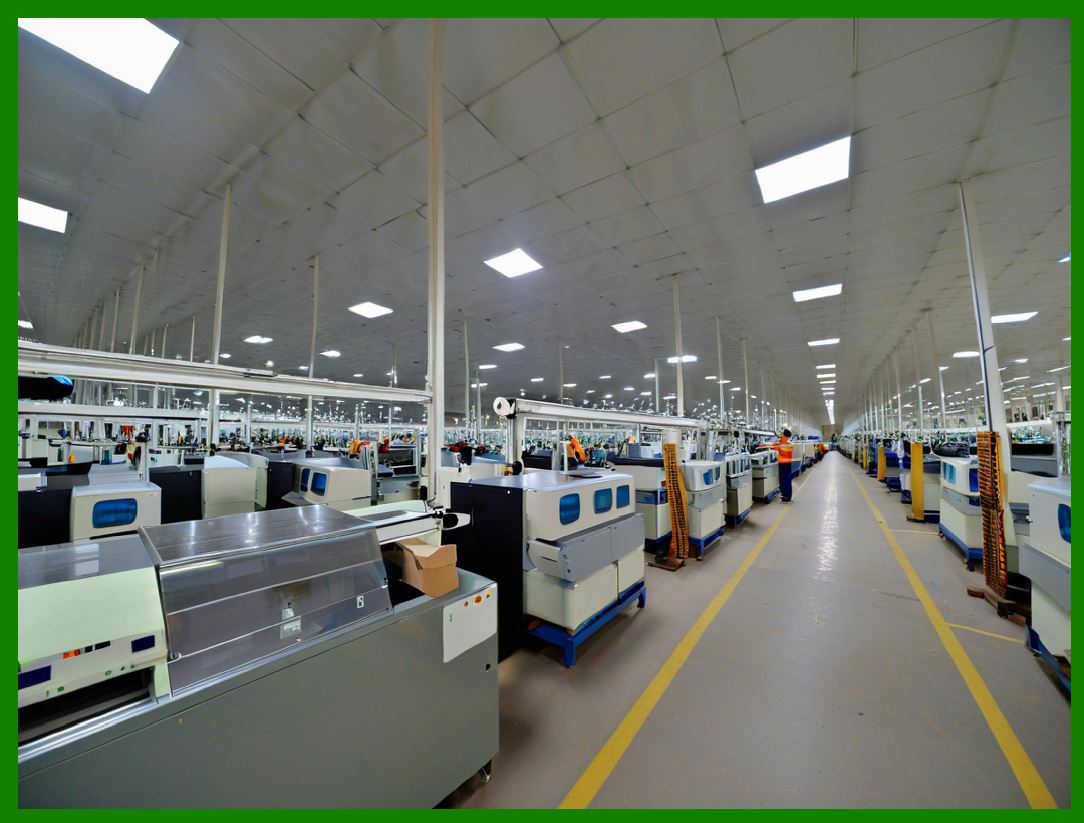
75. Batch Printing and High-Volume Output |
75.1. Batch printing is common in: |
* Warehouses |
* Manufacturing plants |
* Distribution centers |
75.2. The control supports efficient batch output by: |
* Reusing rendering resources |
* Minimizing reinitialization overhead |
75.3. Developers can loop through datasets and generate thousands of barcodes in a single session. |

|
76. Label Printing Requirements |
76.1. Label printing introduces unique constraints: |
* Small physical dimensions |
* Precise alignment |
* High-density printing |
76.2. The control allows precise control over: |
* Barcode position |
* Dimensions |
* Orientation |
76.3. This is critical for compliance labeling and logistics. |

|
77. Thermal Printer Compatibility |
77.1. Thermal printers are widely used for barcode labels. |
77.2. The ActiveX control is compatible with: |
* Direct thermal printers |
* Thermal transfer printers |
77.3. It produces high-contrast output suitable for: |
* Black-and-white thermal media |
* Long-term label durability |

|
78. Printer DPI and Label Accuracy |
78.1. Thermal printers often operate at: |
* 203 DPI |
* 300 DPI |
* 600 DPI |
78.2. The control detects and adapts to these resolutions automatically. |
78.3. This ensures: |
* Correct module sizing |
* Scanner readability |

|
79. Page Layout and Coordinate Mapping |
79.1. Printing requires mapping barcode coordinates to physical page dimensions. |
79.2. The control: |
* Uses device-independent units |
* Translates them accurately to printer dots |
79.3. This prevents misalignment caused by DPI mismatches. |

|
80. Forms Printing in Enterprise Systems |
80.1. Many enterprise systems rely on pre-printed forms. |
80.2. Barcodes must be printed at exact locations on these forms. |
80.3. The control supports: |
* Absolute positioning |
* Fine-grained offset adjustment |
80.4. This ensures compatibility with legacy paper workflows. |

|
81. Multi-Barcode Document Output |
81.1. Some documents require multiple barcodes: |
* Line item identifiers |
* Document IDs |
* Tracking codes |
81.2. The control allows multiple instances to be: |
* Placed on the same page |
* Configured independently |
81.3. Each instance maintains its own state and configuration. |

|
82. Orientation and Rotation Handling |
82.1. Barcode orientation may need to be: |
* Horizontal |
* Vertical |
* Rotated at specific angles |
82.2. The control supports rotation through: |
* Internal transformation logic |
* GDI coordinate manipulation |
82.3. Rotation is handled without distortion of bar geometry. |

|
83. Print Preview and WYSIWYG Behavior |
83.1. Legacy systems often provide print preview functionality. |
83.2. The control ensures: |
* On-screen preview matches printed output |
* WYSIWYG consistency |
83.3. This reduces operator errors and wasted labels. |

|
84. Error Handling in Printing Workflows |
84.1. Printing errors can arise from: |
* Printer unavailability |
* Driver misconfiguration |
* Resource exhaustion |
84.2. The control reports printing errors through: |
* COM error codes |
* Descriptive error messages |
84.3. This allows host applications to: |
* Retry operations |
* Notify users |
* Log failures |

|
85. Performance Considerations in Print Jobs |
85.1. Printing performance is critical in high-throughput environments. |
85.2. The control optimizes: |
* Rendering reuse |
* GDI object management |
85.3. This minimizes delays between print jobs. |

|
86. Memory Management During Printing |
86.1. Printing involves large temporary objects: |
* Bitmaps |
* Device contexts |
86.2. The control carefully manages memory to: |
* Prevent leaks |
* Avoid fragmentation |
86.3. This is essential for long-running print services. |

|
87. Interaction with Printer Drivers |
87.1. Printer drivers vary widely in behavior. |
87.2. The control relies on standard GDI calls to ensure: |
* Broad compatibility |
* Predictable output |
87.3. It avoids vendor-specific extensions that could break portability. |

|
88. Legacy Forms and Dot-Matrix Printing |
88.1. Some environments still use dot-matrix printers. |
88.2. The control supports these printers by: |
* Adjusting resolution handling |
* Ensuring sufficient contrast |
88.3. This extends the lifespan of legacy systems. |

|
89. Compliance and Regulatory Printing |
89.1. In regulated industries, printed barcodes must meet: |
* Legal standards |
* Industry guidelines |
89.2. The control standards-compliant rendering helps meet these requirements. |

|
90. Summary of Part 5 |
90.1. Printing is a core strength of the TEC-IT Barcode ActiveX Control. |
90.2. The control supports: |
* Direct and host-managed printing |
* High-volume batch output |
* Precise label and form printing |
90.3. Its printing architecture is tailored to the realities of legacy enterprise environments. |
 cs@easiersoft.com