Zebra ZPL SDK |
A Comprehensive Technical Analysis of Zebra Printer Programming and Barcode Printing Technology |
Part 1 Introduction to Zebra ZPL SDK and Industrial Barcode Printing |
1. Overview of Industrial Barcode Printing Technologies |
Industrial barcode printing systems are essential components of modern logistics, manufacturing, retail, healthcare, and government operations. These systems enable organizations to generate machine-readable identifiers that can track products, assets, and documents throughout complex supply chains. Unlike consumer-level printers or simple barcode generation libraries, industrial printing solutions must operate at high speeds, maintain extreme reliability, and produce labels capable of surviving harsh environments. |
Barcode printing technologies can generally be categorized into three broad levels of implementation. |
1.1 Consumer-Level Barcode Generation |
At the most basic level, barcode images can be generated using software libraries embedded in desktop or web applications. These libraries typically produce barcode images in formats such as: |
* PNG |
* JPEG |
* SVG |
* PDF |
These images are then printed through standard operating system print drivers. While this method works well for office environments, it has several limitations when used in industrial settings. |
First, consumer-level barcode generation relies on the operating system printing subsystem. The print driver converts the image into a format understood by the printer. This extra processing step introduces latency and limits the ability to precisely control printer hardware. |
Second, image-based printing is inefficient when thousands of labels must be printed per hour. The printer receives raster images rather than structured commands, increasing data transfer size and reducing performance. |
Third, many barcode features such as precise module width control, label memory storage, and dynamic field substitution are not available when using simple image-based printing. |

|
1.2 Professional Label Design Software |
The next level of barcode printing systems involves dedicated label design applications such as: |
* Label design tools |
* Print automation systems |
* Warehouse labeling platforms |
These applications allow users to design label templates containing text, barcodes, graphics, and variable data fields. They often integrate with databases or enterprise resource planning (ERP) systems. |
While such software improves usability and automation, it still frequently relies on printer drivers. Therefore, performance and hardware control remain somewhat constrained. |

|
1.3 Industrial Printer Programming |
The most powerful approach to industrial label printing is direct printer programming. In this model, applications communicate directly with the printer using a specialized command language. |
The printer receives textual commands that describe exactly how the label should be constructed. |
These commands may specify: |
* Barcode symbology |
* Font selection |
* Graphic placement |
* Label dimensions |
* Print speed |
* Darkness levels |
* Media handling |
Because the commands are interpreted directly by the printer firmware, this method is significantly faster and more reliable than driver-based printing. |
Among the most widely adopted industrial printer programming languages is the Zebra Programming Language (ZPL) used by Zebra printers. |

|
2. Introduction to Zebra Technologies |
Zebra Technologies is one of the most influential companies in the automatic identification and data capture (AIDC) industry. The company develops hardware and software solutions used to identify, track, and manage assets in real time. |
The company product portfolio includes: |
* Barcode printers |
* RFID printers |
* Mobile computers |
* Barcode scanners |
* Real-time location systems |
* Industrial tablets |
* Warehouse automation solutions |
Zebra label printers are widely deployed in industries such as: |
* Logistics |
* Manufacturing |
* Retail |
* Healthcare |
* Transportation |
* Government services |
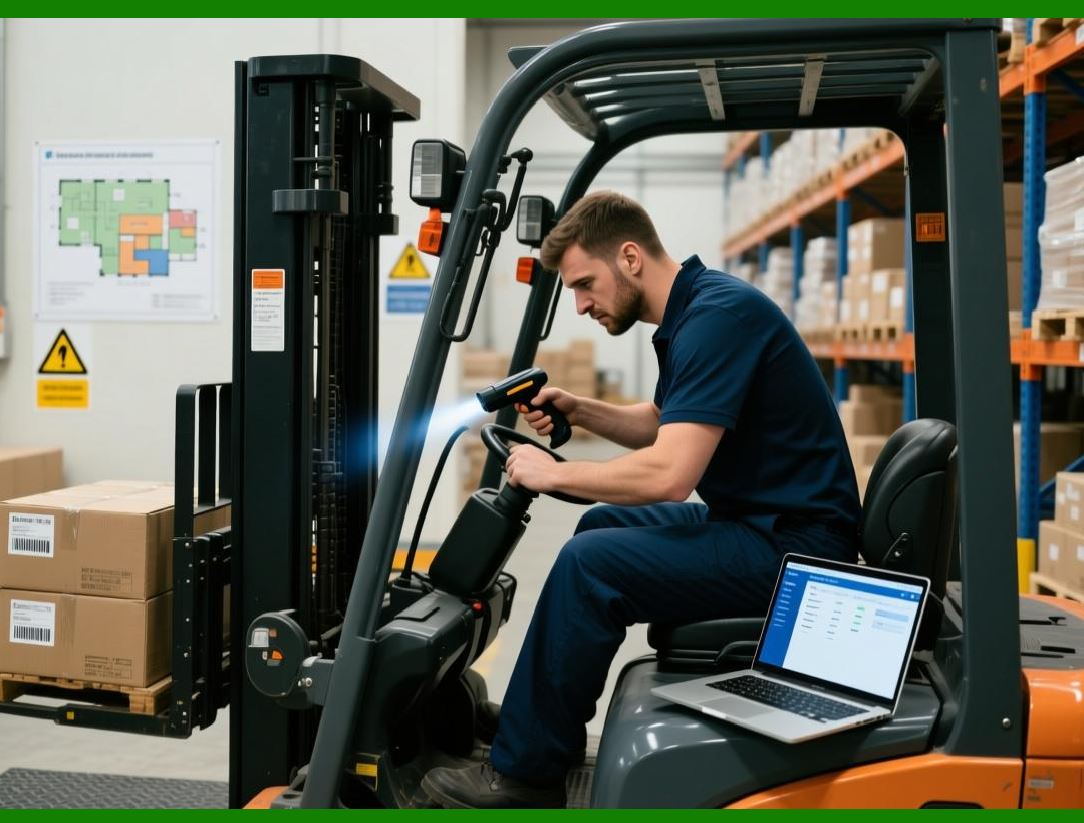
These printers are specifically engineered to support high-volume printing operations that run continuously in demanding environments. |
|
3. Evolution of Zebra Printer Command Languages |
The success of Zebra printers is closely tied to their programmable command languages. These languages allow developers to generate labels directly through software applications without relying on graphical printing drivers. |
3.1 Early Printer Control Languages |
In the early days of barcode printing, printers used relatively simple control languages that allowed developers to position text and barcodes on labels. These languages were similar to those used in dot-matrix printers. |
However, as labeling requirements became more complex, these early languages proved insufficient. |
Developers needed: |
* More barcode symbologies |
* Advanced formatting features |
* Memory management |
* Graphic support |
* High-speed printing capabilities |
To address these needs, Zebra developed a more powerful command language. |

|
3.2 Introduction of ZPL |
Zebra introduced the Zebra Programming Language (ZPL) as a specialized printer command language designed specifically for label creation. |
ZPL allows developers to define label layouts using concise text commands. These commands describe every element of a label, including barcodes, text fields, and graphics. |
The printer firmware parses the commands and renders the label internally. |
This architecture offers several advantages: |
1. High-speed label generation |
2. Reduced network traffic |
3. Precise control of printer hardware |
4. Advanced formatting capabilities |
|
3.3 Development of ZPL II |
As printer technology evolved, Zebra introduced an enhanced version of the language known as ZPL II. |
ZPL II expanded the original language by adding: |
* New barcode types |
* Scalable fonts |
* Advanced graphics handling |
* Field variables |
* Improved memory management |
ZPL II remains the dominant programming language for Zebra industrial printers today. |

|
4. What Is the Zebra ZPL SDK |
The Zebra ZPL SDK is a software development toolkit that enables applications to interact with Zebra printers using the ZPL command language. |
The SDK simplifies the process of sending ZPL commands to printers by providing programming interfaces and utilities that manage communication, formatting, and device control. |
Unlike typical barcode generation libraries, the Zebra ZPL SDK does not primarily generate barcode images. Instead, it constructs printer commands that instruct Zebra printers to render barcodes directly. |
This distinction is critical. |
A barcode library typically works as follows: |
1. Generate barcode image |
2. Render image into document |
3. Send document to printer |
By contrast, ZPL SDK workflows operate differently: |
1. Generate ZPL commands |
2. Send commands to printer |
3. Printer renders label internally |
This architecture dramatically improves printing performance and reliability in industrial environments. |

|
5. Role of the ZPL SDK in Modern Software Systems |
Modern enterprise systems frequently integrate label printing into automated workflows. |
Examples include: |
* Warehouse management systems |
* Inventory control systems |
* Manufacturing execution systems |
* Retail point-of-sale systems |
* Healthcare specimen labeling |
* Logistics shipping platforms |
In such environments, thousands or even millions of labels may be printed daily. |
The ZPL SDK provides a direct interface between software applications and Zebra printers, enabling high-speed label production without human intervention. |
Key functions of the SDK include: |
1. Constructing ZPL commands programmatically |
2. Communicating with printers over network or USB |
3. Managing printer status and configuration |
4. Handling print queues and job management |
5. Supporting template-based label printing |
These capabilities make the ZPL SDK an essential component of many enterprise automation systems. |

|
6. ZPL Command Structure |
ZPL commands follow a structured syntax that allows developers to describe label layouts using textual instructions. |
Each command begins with a control prefix, usually a caret character. |
For example: |
^XA |
^FO50,50 |
^BCN,100,Y,N,N |
^FD1234567890^FS |
^XZ |
These commands define a label containing a barcode positioned at a specific location. |
The general structure of a ZPL label program includes three major components. |
6.1 Label Start Command |
The command ^XA indicates the beginning of a label format. |
This tells the printer that a new label definition is starting. |
6.2 Label Content Commands |
Between the start and end commands, developers specify label elements such as: |
* Field origin positions |
* Barcode definitions |
* Text fields |
* Graphics |
* Variable data |
Each element is defined using a command beginning with the caret symbol. |
6.3 Label End Command |
The command ^XZ signals the end of the label definition. |
After receiving this command, the printer processes the instructions and prints the label. |

|
7. Advantages of ZPL-Based Printing |
Using ZPL instead of image-based printing offers several important advantages for industrial environments. |
7.1 Performance |
Because ZPL instructions are text-based and concise, the amount of data sent to the printer is significantly smaller than a raster image. |
This reduces network traffic and accelerates printing. |
7.2 Printer-Side Rendering |
When a printer receives ZPL commands, it renders the label internally using its firmware. This approach ensures consistent output regardless of the computer system sending the print job. |
7.3 Hardware Optimization |
Zebra printers are specifically optimized to interpret ZPL commands efficiently. |
This allows the printer to utilize internal resources such as: |
* Built-in fonts |
* Graphic memory |
* Barcode generators |
7.4 Dynamic Label Generation |
ZPL allows developers to define label templates containing variable data fields. |
Applications can dynamically insert values such as: |
* Serial numbers |
* Product codes |
* Dates |
* Customer information |
This flexibility is essential for automated labeling systems. |

|
8. Communication Methods Used by the ZPL SDK |
The ZPL SDK can communicate with Zebra printers using several transport mechanisms. |
8.1 Network Communication |
Most industrial printers support Ethernet connectivity. The SDK can send ZPL commands over TCP/IP using a socket connection. |
Typically, printers listen on port 9100 for raw print data. |
This approach is commonly used in enterprise networks. |
8.2 USB Communication |
For local printing scenarios, applications may connect to printers via USB. |
The SDK can interact with USB printers through operating system device drivers. |
8.3 Bluetooth Printing |
Many mobile Zebra printers support Bluetooth communication. |
Applications can use the SDK to transmit ZPL commands to these printers wirelessly. |
8.4 Serial Communication |
Some legacy industrial systems still use serial communication interfaces. |
The SDK may provide support for sending ZPL commands through RS-232 serial ports. |

|
9. The architecture of the Zebra ZPL SDK typically consists of several layers. |
9.1 Application Layer |
This is the software system developed by programmers. Examples include: |
* Warehouse management software |
* Shipping label systems |
* Manufacturing control applications |
9.2 SDK Interface Layer |
The SDK provides programming interfaces that allow applications to construct ZPL commands and communicate with printers. |
This layer may include: |
* API libraries |
* Communication modules |
* Utility functions |
9.3 Transport Layer |
The transport layer manages the communication channel between the application and the printer. |
This may involve: |
* Network sockets |
* USB device communication |
* Bluetooth protocols |
9.4 Printer Firmware |
At the lowest level, the printer firmware interprets ZPL commands and controls the hardware components responsible for printing labels. |
|
10. Importance of ZPL in Industrial Automation |
The ZPL programming language has become a de facto standard in industrial barcode printing. |
Many enterprise software systems assume that Zebra printers will be used and therefore generate labels using ZPL commands. |
The widespread adoption of ZPL has several implications. |
First, software systems can remain hardware-independent as long as the printer supports ZPL. |
Second, developers gain access to advanced printer features not available through standard print drivers. |
Third, label designs can be standardized across global operations. |
This level of standardization is particularly important for multinational supply chains. |

|
11. Relationship Between ZPL SDK and Barcode Symbologies |
One of the most important functions of ZPL is generating barcode symbols. |
The language includes commands for numerous barcode types. |
These may include linear barcodes such as: |
* Code 128 |
* Code 39 |
* UPC |
* EAN |
It also supports two-dimensional barcodes such as: |
* QR Code |
* Data Matrix |
* PDF417 |
* MicroPDF417 |
Instead of generating the barcode image externally, the printer firmware calculates the barcode pattern internally based on the data supplied. |
This ensures that barcode dimensions and quality meet industrial scanning requirements. |
|
12. ZPL Template-Based Labeling |
A powerful feature of ZPL is the ability to store label templates directly in printer memory. |
These templates can contain placeholder fields that are filled with data during printing. |
For example, a shipping label template might include fields for: |
* Recipient address |
* Tracking number |
* Barcode |
* Shipping date |
Applications only need to transmit the variable data rather than the entire label layout. |
This technique significantly reduces network traffic and improves printing efficiency. |

|
13. ZPL SDK Use Cases |
The ZPL SDK is used in a wide range of industrial scenarios. |
Common applications include: |
13.1 Logistics and Shipping |
Shipping companies use Zebra printers to generate package labels containing tracking barcodes. |
13.2 Manufacturing |
Factories print labels for: |
* Product identification |
* Work-in-progress tracking |
* Quality control documentation |
13.3 Retail |
Retail stores print price labels and shelf tags. |
13.4 Healthcare |
Hospitals print labels for: |
* Patient wristbands |
* Medication containers |
* Laboratory specimens |
13.5 Government and Transportation |
Public sector agencies use Zebra printers for ticketing, asset tracking, and document labeling. |

|
14. Industrial Reliability Considerations |
Industrial label printing environments impose strict reliability requirements. |
Printers may operate continuously for extended periods while producing thousands of labels. |
The ZPL SDK supports reliability through several mechanisms. |
First, it allows applications to monitor printer status. |
Second, it enables error handling and retry mechanisms. |
Third, it supports batch printing workflows that reduce communication overhead. |
These features help ensure uninterrupted printing operations. |

|
15. Comparison with General Barcode Libraries |
General-purpose barcode libraries differ significantly from the ZPL SDK. |
Barcode libraries typically: |
* Generate images |
* Support many rendering formats |
* Operate independently of printer hardware |
The ZPL SDK, on the other hand, focuses specifically on communicating with Zebra printers. |
It relies on the printer internal capabilities rather than generating graphics on the host system. |
For industrial applications requiring high throughput, this architecture is far more efficient. |

|
16. Development Environments Supporting ZPL SDK |
Developers can integrate the ZPL SDK into applications written in various programming languages. |
These may include: |
* Java |
* C |
* C++ |
* Python |
* JavaScript |
The SDK often provides platform-specific libraries for: |
* Windows |
* Linux |
* Android |
* iOS |
This cross-platform support allows organizations to integrate Zebra printers into diverse computing environments. |

|
17. Future Trends in ZPL-Based Printing |
Industrial printing technology continues to evolve alongside advances in supply chain automation. |
Emerging trends include: |
* Integration with Internet of Things systems |
* Cloud-based printing services |
* Mobile printing applications |
* RFID-enabled labeling |
* Real-time asset tracking |
Despite these innovations, ZPL remains a foundational technology for industrial label printing. |
The Zebra ZPL SDK will likely continue evolving to support new communication protocols and automation capabilities. |
End of Part 1 |

|
The complete article will include 17 parts covering topics such as: |
Part 2 Detailed Architecture of Zebra ZPL and ZPL II |
Part 3 ZPL Command Syntax and Programming Principles |
Part 4 Barcode Generation Using ZPL Commands |
Part 5 Label Layout Design in ZPL |
Part 6 Fonts, Graphics, and Image Printing |
Part 7 Printer Memory and Resource Management |
Part 8 Communication Protocols and Device Connectivity |
Part 9 Zebra ZPL SDK APIs and Development Tools |
Part 10 Integration with Enterprise Systems |
Part 11 Mobile Printing and Cloud Printing |
Part 12 Performance Optimization for High-Speed Printing |
Part 13 Error Handling and Printer Diagnostics |
Part 14 Security Considerations in Industrial Printing |
Part 15 Comparison with Other Printer Languages (EPL, CPCL, ESC/POS) |
Part 16 Real-World Deployment Case Studies |
Part 17 Future of Zebra Printing Technologies |
 cs@easiersoft.com