Zebra ZPL SDK |
A Comprehensive Technical Analysis of Zebra Printer Programming and Barcode Printing Technology |
Part 16 SDK Integration in Mobile and Web Applications |
1. Introduction to Mobile and Web Integration |
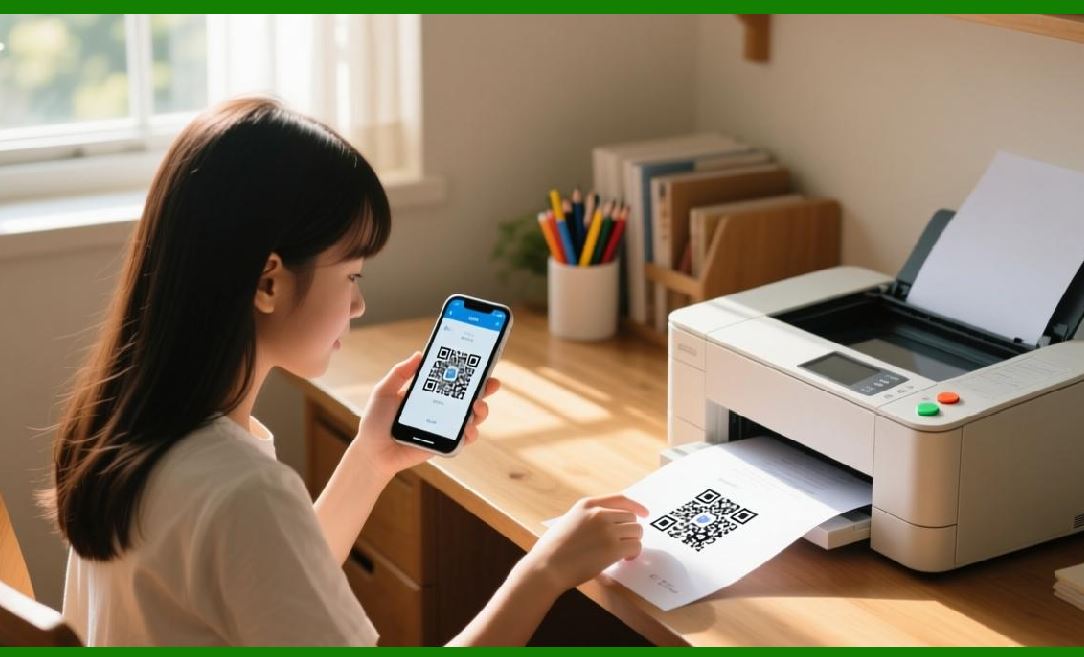
Industrial printing is no longer limited to desktop or server environments. Mobile devices and web applications increasingly serve as label generation and printing platforms, enabling: |
* On-demand printing in warehouses, retail, and field operations |
* Real-time updates and dynamic label generation |
* Integration with inventory management, ERP, and e-commerce systems |
The Zebra ZPL SDK offers APIs, libraries, and tools to connect mobile and web applications directly to Zebra printers, supporting both native device connectivity and networked printing. |
|
2. Mobile SDK Overview |
Zebra provides mobile SDKs for both iOS and Android: |
1. Zebra Link-OS SDK |
* Supports native apps on iOS and Android |
* Provides APIs for printer discovery, connection, job submission, and status monitoring |
* Handles connection over Bluetooth, Wi-Fi, or USB |
2. Key Features |
* ZPL command generation and transmission |
* Automatic resource management (fonts, graphics, templates) |
* Printer status notifications and event handling |
* Integration with camera for barcode scanning and label verification |
The mobile SDK enables dynamic label generation on-the-go, ideal for field service or mobile point-of-sale applications. |

|
3. Web Application Integration |
Web-based applications can integrate Zebra printing via multiple methods: |
1. Direct Network Printing |
* Send ZPL commands over TCP/IP, HTTP, or IPP to networked printers |
* Use JavaScript, Node.js, or server-side frameworks to generate ZPL dynamically |
2. Print Server Proxy |
* Web app submits print jobs to a backend server |
* Server communicates with printers using SDK libraries |
* Enables centralized management and security |
3. Browser-to-Printer Plugins (limited use) |
* Some environments use Zebra browser plugins or drivers |
* Provides direct printing from web pages |
This approach allows real-time label creation based on user input or database queries. |

|
4. Dynamic ZPL Generation in Mobile and Web |
Mobile and web apps often generate labels dynamically: |
* Variable data insertion: product name, batch number, QR code |
* Conditional graphics: hazard symbols, logos, or promotional elements |
* Multi-language support: adjust Unicode and font selection on-the-fly |
SDK functions provide template management, enabling the host app to combine static templates with dynamic content without pre-generating full ZPL strings manually. |

|
5. Mobile Connectivity Options |
Mobile devices typically use one of several connection methods: |
1. Bluetooth Classic and BLE |
* Short-range direct connection |
* Common in warehouses and retail points-of-sale |
2. Wi-Fi Direct or Enterprise Wi-Fi |
* Supports remote printing in facility networks |
* Requires IP discovery and connection management |
3. USB OTG (On-The-Go) |
* Direct wired connection for devices that support USB host mode |
SDKs provide connection abstraction, letting developers switch transport layers without modifying ZPL generation logic. |

|
6. Printer Discovery in Mobile Environments |
Mobile SDKs simplify printer discovery: |
* Scan for nearby printers over Bluetooth or Wi-Fi |
* Retrieve printer attributes: model, firmware, media type, status |
* Automatically filter compatible printers for the label template |
This ensures reliable connectivity and minimizes manual configuration. |

|
7. Secure Printing from Mobile and Web |
Security is critical in mobile and web environments: |
* TLS/SSL encryption for TCP/IP and HTTP connections |
* Authentication for network printers to prevent unauthorized access |
* Data validation to prevent injection of malicious ZPL commands |
The SDK provides built-in secure connection handling, reducing development overhead for encrypted communications. |

|
8. Event Handling and Status Feedback |
Mobile and web applications benefit from real-time printer status updates: |
* Job completed, failed, paused, or canceled |
* Media out, ribbon low, or printhead error |
* Battery status for mobile printers |
SDKs allow developers to register event listeners or query printer status dynamically, enabling applications to respond proactively. |

|
9. Template Management in Mobile and Web Apps |
Templates improve performance and consistency: |
* Store static layout in printer flash or in app storage |
* Inject dynamic text, barcodes, or graphics at runtime |
* Support multi-language labels and conditional graphics |
The SDK allows efficient template handling, reducing network load and print latency. |

|
10. Cross-Platform Development Strategies |
Developers may need to support multiple platforms: |
* Use shared ZPL generation logic on server-side or in cross-platform code |
* Leverage native SDKs for device connectivity and status monitoring |
* Abstract printer communication to allow seamless swapping between mobile and web platforms |
This ensures a consistent printing experience across devices and operating systems. |
|
11. Handling Network Latency and Offline Printing |
Mobile and web apps must account for connectivity variability: |
* Queue print jobs locally if the printer is temporarily unreachable |
* Retry transmission automatically when connectivity is restored |
* SDK supports offline buffering and deferred printing, ensuring no data loss |
This is critical for field operations where network reliability varies. |
|
12. Dynamic Multi-Language Labels in Mobile and Web |
Mobile and web applications often need multilingual labeling: |
* Use Unicode fonts and proper encoding (`^CI`) |
* Dynamically switch text direction for RTL languages |
* Adjust field positions and font sizes based on character length |
SDK features allow runtime adjustments, supporting global operations without pre-generating multiple templates. |

|
13. Performance Optimization for Mobile Printing |
To maintain speed and responsiveness: |
* Preload templates and fonts onto the printer or device |
* Minimize inline graphics and use compressed bitmaps |
* Batch multiple labels for transmission rather than sending one at a time |
* Use async print job submission to avoid blocking the UI |
These optimizations improve throughput and user experience in mobile and web apps. |
|
14. Mobile Barcode Scanning Integration |
Mobile devices often combine printing and scanning: |
* SDK integrates with device camera or external scanners |
* Validate barcodes before printing new labels |
* Implement scan-and-print workflows for inventory or shipping |
This enables real-time, error-reducing operations. |

|
15. Security Considerations for Web Applications |
Web applications must consider: |
* Input sanitization to prevent ZPL injection |
* HTTPS for secure transmission to print servers or directly to printers |
* Role-based access for printing sensitive data |
SDKs provide secure APIs to facilitate these safeguards while maintaining functionality. |

|
16. Cloud and Remote Printing |
Many modern applications integrate with cloud-based label management: |
* Generate labels in a cloud application |
* Submit ZPL to on-premises printers via secure APIs |
* Monitor printer status remotely |
* Synchronize templates and resources across multiple locations |
SDKs can interface with cloud services to enable distributed printing operations, ideal for enterprise-scale deployments. |
|
17. Summary |
Integrating Zebra ZPL SDK into mobile and web applications enables: |
* Real-time, dynamic label generation |
* Secure, networked print job submission |
* Multi-platform connectivity (Bluetooth, Wi-Fi, TCP/IP) |
* Template and resource management for consistent label design |
* Event handling and status feedback for proactive operations |
* Support for multi-language and multilingual labels |
The SDK empowers developers to extend Zebra printing capabilities beyond desktop environments, supporting field operations, remote facilities, and web-based applications with high efficiency and security. |
End of Part 16. |
|
The next and final section will be: |
Part 17 Future Trends, SDK Enhancements, and Industrial Applications |
This final part will cover: |
* Emerging features and anticipated enhancements in the Zebra ZPL SDK |
* Integration with IoT, cloud, and Industry 4.0 systems |
* Predictive maintenance and analytics |
* Industrial applications in logistics, healthcare, and retail |
* Recommendations for developers to leverage new SDK capabilities. |
 cs@easiersoft.com