ZXing (Zebra Crossing) Comprehensive Technical Analysis |
Part 6 of 17: Data Matrix (ECC 200) Implementation in ZXing |
46. Role of Data Matrix Within ZXing |
46.1 Strategic importance of Data Matrix |
While QR Code dominates consumer-facing applications, Data Matrix is the most important 2D barcode in industrial, medical, and manufacturing environments. ZXing Data Matrix implementation reflects a deliberate effort to address these domains. |
Data Matrix is widely used for: |
1. Electronics component marking |
2. Semiconductor packaging |
3. Pharmaceutical serialization |
4. Medical device identification |
5. Aerospace part tracking |
6. Direct Part Marking (DPM) |
ZXing inclusion of Data Matrix significantly expands its relevance beyond mobile scanning. |

|
46.2 ECC 200 as the supported standard |
ZXing supports ECC 200, the modern and standardized version of Data Matrix. |
ECC 200 features: |
1. Reed-Solomon error correction |
2. Variable symbol sizes |
3. Rectangular and square formats |
4. Multiple encoding schemes |
5. High data density |
Older ECC versions are intentionally excluded due to obsolescence. |

|
47. Structural Characteristics of Data Matrix |
47.1 Finder pattern geometry |
Unlike QR Codes, Data Matrix uses: |
1. A solid L-shaped border (finder pattern) |
2. Two adjacent solid sides |
3. Two alternating clock-track sides |
This structure enables: |
* Orientation detection |
* Grid alignment |
* Module counting |
ZXing detector is heavily optimized around this geometry. |
47.2 Square and rectangular symbols |
Data Matrix supports both: |
1. Square symbols (most common) |
2. Rectangular symbols (space-constrained applications) |
ZXing dynamically handles both by: |
* Analyzing aspect ratios |
* Adjusting grid expectations |
* Selecting correct decoding parameters |
47.3 Module size variability |
Data Matrix modules are often: |
* Extremely small |
* Low contrast |
* Directly etched or laser-marked |
ZXing detection tolerances are broader than QR Code to accommodate these conditions. |

|
48. Data Matrix Detection Pipeline |
48.1 Initial candidate detection |
ZXing begins detection by scanning the binary bitmap for: |
1. Long solid lines |
2. Orthogonal intersections |
3. High-contrast edges |
These features are strong indicators of Data Matrix finder patterns. |
48.2 L-shaped border detection |
ZXing identifies candidate L-shapes by: |
1. Detecting perpendicular solid edges |
2. Verifying continuous black runs |
3. Measuring relative edge lengths |
4. Confirming right-angle geometry |
This step eliminates most non-Data-Matrix regions early. |
48.3 Clock-track verification |
After locating an L-shaped border, ZXing checks the remaining two sides for: |
1. Alternating black/white modules |
2. Regular spacing |
3. Consistent module size |
Clock-track verification confirms grid alignment. |
48.4 False positive rejection |
ZXing rejects candidates if: |
1. Edge lengths are inconsistent |
2. Clock-track alternation is irregular |
3. Geometry deviates beyond tolerance |
4. Module size estimation fails |
This is especially important in noisy industrial images. |

|
49. Orientation and Normalization |
49.1 Orientation determination |
The solid L-shaped border uniquely identifies orientation: |
1. Solid sides define reference axes |
2. Clock-track sides indicate data direction |
3. Rotation is inferred unambiguously |
ZXing uses this to normalize symbol orientation. |
49.2 Perspective correction |
Data Matrix symbols are often captured: |
* At oblique angles |
* On curved or uneven surfaces |
ZXing applies: |
1. Affine transformation |
2. Perspective correction |
3. Grid warping compensation |
This produces a normalized module grid. |
49.3 Module grid estimation |
ZXing estimates: |
1. Number of rows and columns |
2. Module pitch |
3. Grid boundaries |
Correct grid estimation is essential for decoding accuracy. |
|
50. Data Matrix Version and Size Determination |
50.1 Symbol size mapping |
Data Matrix symbols exist in many predefined sizes. |
ZXing determines size by: |
1. Counting modules |
2. Matching against known size tables |
3. Selecting closest valid configuration |
This step is tolerant of minor distortion. |
50.2 Rectangular symbol handling |
For rectangular symbols, ZXing: |
1. Distinguishes width and height independently |
2. Applies rectangular-specific size tables |
3. Adjusts traversal logic accordingly |
Rectangular support is crucial for compact labeling. |

|
51. Data Region Extraction |
51.1 Separating functional and data areas |
ZXing removes: |
1. Finder pattern borders |
2. Clock tracks |
Only the inner data region is passed to decoding. |
51.2 Traversal order |
ZXing follows the Data Matrix specification traversal rules: |
1. Utah patterns |
2. Corner cases |
3. Special edge handling |
Traversal order varies depending on symbol size and shape. |
51.3 Bitstream construction |
As modules are traversed: |
1. Bits are collected |
2. Bytes are assembled |
3. Codewords are formed |
The output is a sequence of data and error correction codewords. |
|
52. Error Correction (ECC 200) |
52.1 Reed-Solomon integration |
ECC 200 uses Reed-Solomon codes over finite fields. |
ZXing workflow: |
1. Separate data and error correction codewords |
2. Apply Reed-Solomon decoding |
3. Correct symbol errors |
4. Validate corrected output |
52.2 Error tolerance characteristics |
Data Matrix ECC 200 allows recovery from: |
* Missing modules |
* Scratches |
* Etching defects |
* Printing inconsistencies |
ZXing implementation is tuned for harsh environments. |
52.3 Failure conditions |
Decoding fails if: |
1. Too many errors exceed correction capacity |
2. Grid estimation is incorrect |
3. Codeword alignment is lost |
ZXing fails fast in such cases to preserve performance. |
|
53. Data Matrix Encoding Schemes |
53.1 ASCII encoding |
ZXing supports standard ASCII encoding, optimized for: |
* Numeric and uppercase text |
* Compact representation |
This is the most commonly used mode. |
53.2 C40 encoding |
C40 mode is optimized for: |
1. Uppercase letters |
2. Numbers |
3. Common punctuation |
ZXing decodes C40 using state-machine logic. |
53.3 Text encoding |
Text mode supports: |
* Lowercase letters |
* Extended characters |
ZXing switches modes dynamically as specified. |
53.4 X12 encoding |
X12 is used primarily in: |
* ANSI ASC X12 EDI contexts |
ZXing includes full X12 decoding support. |
53.5 EDIFACT encoding |
EDIFACT mode is optimized for: |
* Compact uppercase data |
* Logistics and transport messaging |
ZXing decodes EDIFACT using bit-level parsing. |
53.6 Base256 encoding |
Base256 enables: |
* Arbitrary binary data |
* Compression-friendly payloads |
ZXing handles Base256 randomization and de-randomization exactly as specified. |

|
54. Mode Switching and Control Codes |
54.1 Dynamic mode transitions |
Data Matrix symbols frequently switch encoding modes. |
ZXing: |
1. Detects mode control codewords |
2. Updates decoding state |
3. Maintains bit alignment |
Incorrect mode handling would corrupt output, so this logic is highly validated. |
54.2 End-of-symbol handling |
ZXing correctly interprets: |
* Padding codewords |
* End-of-data markers |
This ensures no extraneous data is returned. |

|
55. Character Encoding and Output Interpretation |
55.1 Default encoding behavior |
ZXing outputs decoded data as: |
* Byte arrays |
* Text strings (when applicable) |
Interpretation depends on application context. |
55.2 Internationalization considerations |
While Data Matrix does not natively support ECI like QR Code, ZXing allows applications to: |
* Interpret raw bytes using external encoding logic |
* Support international payloads where required |
|
56. Performance Characteristics of Data Matrix Decoding |
56.1 Industrial image challenges |
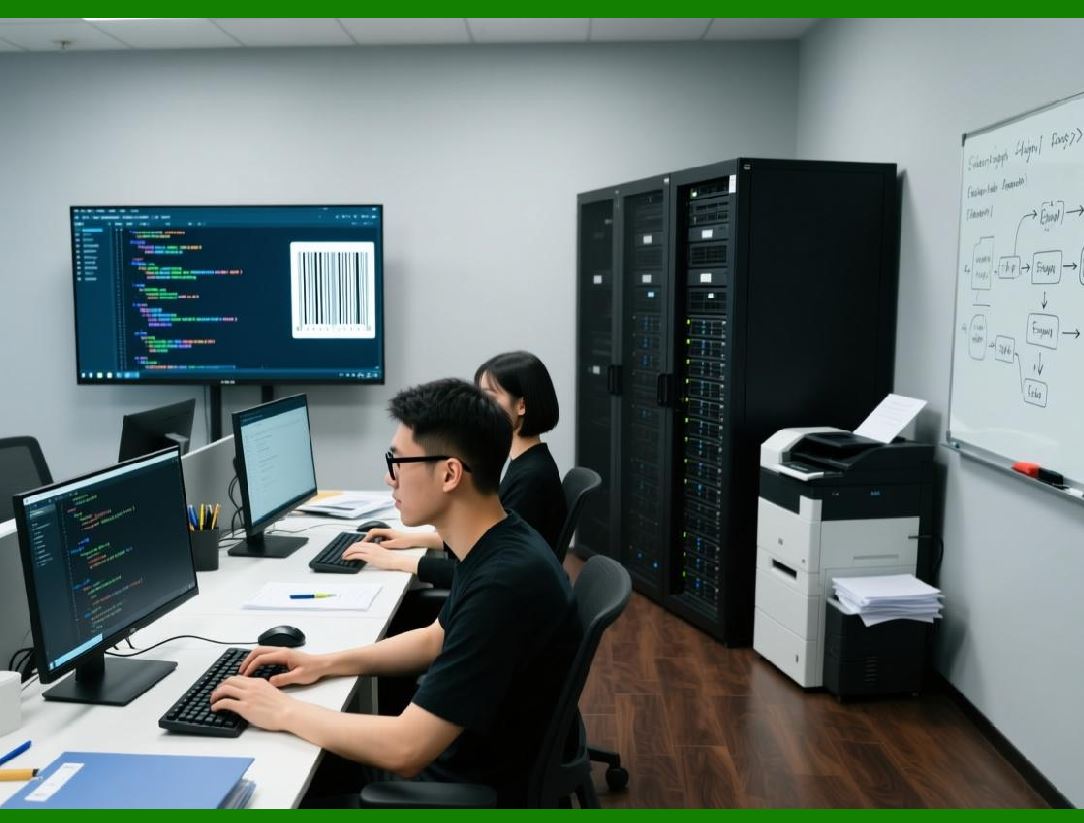
ZXing Data Matrix decoder is optimized for: |
1. Low-contrast markings |
2. Direct Part Marking |
3. Irregular surfaces |
4. Partial damage |
This differs significantly from consumer QR Code scanning. |
56.2 Computational trade-offs |
Compared to QR Code: |
* Detection is more geometry-heavy |
* Decoding traversal is more complex |
* Error correction load is comparable |
ZXing balances robustness and speed carefully. |
|
57. Data Matrix Encoding Support |
57.1 Encoding capabilities |
ZXing supports: |
1. Data Matrix symbol generation |
2. Automatic mode selection |
3. Error correction generation |
4. Square and rectangular output |
57.2 Use cases for encoding |
Encoding is used for: |
* Label printing |
* Packaging design |
* Industrial marking systems |
ZXing encoder prioritizes correctness over visual aesthetics. |
|
58. Comparison with QR Code Implementation |
58.1 Structural differences |
Key contrasts: |
1. L-shaped finder vs finder squares |
2. No quiet zone requirement |
3. Different traversal logic |
4. Different mode sets |
58.2 Architectural reuse |
Despite differences, ZXing reuses: |
* Binarization |
* Grid sampling |
* Reed-Solomon logic |
* Result packaging |
This demonstrates the strength of its modular design. |

|
59. Summary of Part 6 |
In this part, we covered: |
1. Importance of Data Matrix within ZXing |
2. Finder pattern and clock-track detection |
3. Orientation and normalization |
4. Grid estimation and size determination |
5. ECC 200 error correction |
6. Detailed encoding mode decoding |
7. Industrial performance considerations |
8. Encoding support and practical usage |

|
Next Part 7 will focus on Aztec Code and MaxiCode implementations in ZXing, including bullseye detection, compact encoding, and transport/logistics use cases. |
 cs@easiersoft.com