23. Label Matrix in the Manufacturing Sector |
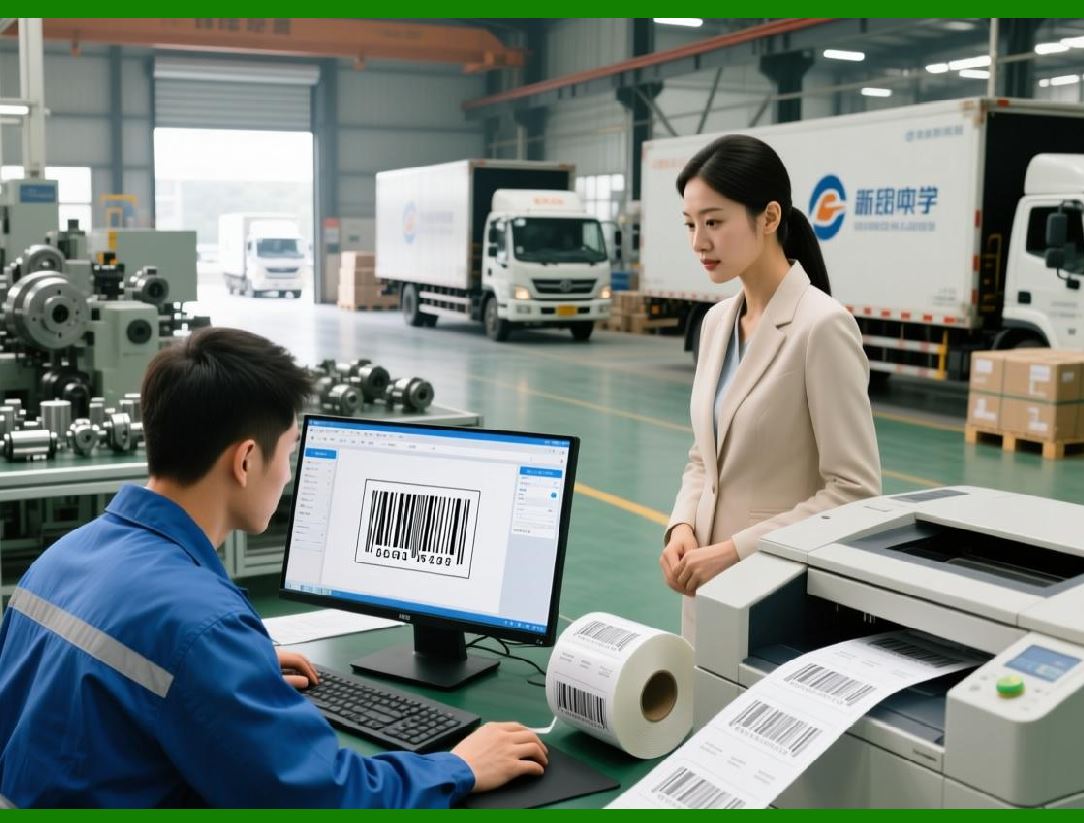
Manufacturers often face unique challenges when it comes to labeling. Whether it's ensuring that products are tracked accurately across production lines, meeting regulatory standards for packaging, or managing inventory with real-time data, effective labeling solutions are critical. Label Matrix addresses these challenges by offering a flexible and robust solution tailored to the manufacturing environment. |
|
Product Tracking and Traceability: |
In manufacturing, ensuring accurate product tracking is essential for quality control, inventory management, and compliance with regulatory standards. Label Matrix helps manufacturers design labels that can track products throughout the production process. By integrating with ERP and WMS systems, Label Matrix can dynamically generate labels with unique identifiers, batch numbers, serial numbers, and manufacturing dates. |
* Batch Numbers: Label Matrix allows users to automatically incorporate batch numbers into labels, which is particularly important in industries like food, pharmaceuticals, and automotive, where product traceability is essential for consumer safety. |
* Serial Numbers: Serial numbers can be automatically generated and included on product labels. This is vital for products that require individual tracking or that might need to be recalled in the event of a defect or safety concern. |
* Expiration Dates: For products that have a shelf life, such as chemicals, food, or pharmaceuticals, Label Matrix ensures that expiration dates are clearly printed on each product label, helping manufacturers stay compliant with industry regulations. |

|
Quality Control and Inspection: |
In many manufacturing environments, labels are part of the quality control process. Label Matrix allows manufacturers to create detailed inspection labels that include the necessary quality control data, such as inspection dates, approval status, and inspector signatures. |
* Inspection Codes: Manufacturers can include QR codes, Data Matrix codes, or barcodes that can be scanned to verify inspection results, ensuring that products are only shipped if they meet quality standards. |
* Inspection Data Integration: By integrating with quality control systems, Label Matrix can pull real-time inspection data directly into labels, reducing errors and ensuring that only products that meet all required standards are shipped. |

|
Packaging and Shipping Labels: |
Label Matrix also plays a crucial role in the final stages of manufacturing: packaging and shipping. The software supports the creation of packaging labels, pallet tags, and shipping labels that ensure smooth logistics operations. |
* Product Packaging: Manufacturers can use Label Matrix to generate product packaging labels that include the necessary product information, barcodes, and regulatory information, making it easier to ship and distribute products. |
* Pallet and Shipping Labels: Label Matrix helps create pallet labels and shipping labels with detailed shipping information, including the recipient address, tracking numbers, and barcode data that can be scanned by logistics partners. |
By enabling dynamic label generation and integration with production and shipping systems, Label Matrix streamlines the manufacturing process and reduces the risk of errors or delays in product tracking. |

|
24. Label Matrix for Retail and Point of Sale |
In retail, labels are essential for product identification, pricing, and inventory management. Label Matrix serves as a powerful tool for creating a wide variety of retail labels, including product tags, shelf labels, and promotional signage. This section explores how Label Matrix supports retailers in streamlining their labeling operations and ensuring accurate, consistent labels. |

|
Price Tagging and Product Labeling: |
Retailers require a vast number of labels, from price tags to product labels, each needing to be accurately printed and applied to a wide range of products. Label Matrix enables retailers to easily create professional-grade price tags and product labels that display important information such as: |
* Product Name and Description: Retailers can include detailed product names, descriptions, and specifications on labels, ensuring that customers have the necessary information to make informed purchasing decisions. |
* Pricing Information: Label Matrix allows for the integration of pricing data directly into labels. Retailers can automatically populate labels with pricing information, making it easy to update prices across large inventories without manual intervention. |
* Barcode Labels: Whether it a barcode for inventory management or a product-specific code for checkout, Label Matrix supports the inclusion of barcodes on all retail labels. This streamlines the checkout process and improves inventory accuracy. |

|
Shelf Labeling and Promotions: |
Effective shelf labeling is essential in retail environments. Label Matrix helps retailers create shelf labels that include product pricing, descriptions, and barcodes. Additionally, the software supports promotional labeling, which is essential for advertising sales, discounts, and limited-time offers. |
* Shelf Management: Retailers can design customized shelf labels that fit the specific size and format of their shelves, ensuring a uniform look across all product categories. |
* Promotional Labels: Label Matrix makes it easy for retailers to create promotional labels, such as '50% Off' or 'Limited Time Offer,' which can be placed on products or shelves to attract customer attention. |

|
Point of Sale (POS) Integration: |
Label Matrix integrates with POS systems to automate the creation of product labels based on real-time sales data. This ensures that prices and product information are always up to date, minimizing errors and ensuring consistency across all labeling touchpoints. |
* POS Synchronization: Through integration with POS systems, Label Matrix can automatically generate and update labels for products based on current sales information. This reduces the manual workload for store employees and improves the speed of label updates across retail locations. |
* Real-Time Pricing Updates: Label Matrix ensures that any pricing changes made in the POS system are reflected instantly in the labels, preventing discrepancies between the price displayed at checkout and the price listed on the label. |
25. Label Matrix in the Logistics and Shipping Industry |
The logistics and shipping industry requires efficient and accurate labeling solutions to track goods, manage inventory, and ensure that packages are correctly labeled for shipment. Label Matrix supports businesses in the logistics sector by providing advanced labeling features for shipping labels, pallet tags, inventory labels, and more. |

|
Shipping Labels and Tracking: |
Label Matrix simplifies the creation of shipping labels with tracking numbers, addresses, and barcodes for easy scanning. This is crucial for logistics companies that need to track packages throughout the shipping process. |
* Shipping Documentation: In addition to basic shipping labels, Label Matrix can also generate accompanying documents, such as packing slips and invoices, ensuring that all relevant shipping information is included with each shipment. |
* Barcoded Tracking Numbers: The software supports a variety of barcode formats, including Code 128, QR codes, and PDF417, which can be used to encode tracking numbers and shipment details. This makes it easier to track packages in real-time across various shipping carriers. |

|
Pallet and Inventory Labeling: |
For warehouses and distribution centers, Label Matrix helps create labels for pallets, boxes, and individual products. These labels typically include barcodes or RFID tags that can be scanned to track inventory as it moves through the supply chain. |
* Pallet Tags: Label Matrix can generate large, easy-to-scan pallet labels that contain essential shipment information. These tags help streamline the receiving and shipping process and ensure that pallets are correctly identified during storage and transport. |
* Inventory Labels: The software also enables the creation of small, item-level inventory labels that include barcodes for tracking products in real-time. This functionality is essential for businesses that require detailed tracking of their stock. |

|
Integration with Warehouse Management Systems (WMS): |
Label Matrix integration with WMS allows businesses to automate the label creation process based on real-time inventory data. When a product is scanned or moved within the warehouse, the system can automatically generate labels for shipping or storage. |
* Barcode Labeling for Stock Movement: As products are picked, packed, and shipped, Label Matrix can generate barcode labels that track stock movement, ensuring accurate inventory management and reducing errors in order fulfillment. |
* Shipping Manifest Generation: The software can also be used to create shipping manifests, which list all the items in a shipment and are included with the shipment for customs or delivery purposes. These manifests can be customized to meet the specific requirements of shipping carriers or regulatory bodies. |
By providing a comprehensive solution for shipping, tracking, and inventory management, Label Matrix helps logistics companies improve efficiency, reduce human error, and ensure that shipments are correctly labeled and tracked. |

|
26. Environmental Sustainability and Labeling |
With increasing global awareness of environmental issues, businesses are looking for ways to make their labeling practices more sustainable. Label Matrix supports eco-friendly labeling solutions by offering features that help companies reduce waste and improve sustainability. |
Label Materials: |
Label Matrix works with various materials, including eco-friendly paper and recyclable label substrates, to help businesses choose environmentally conscious labeling solutions. Companies can design labels that use minimal materials while still providing all necessary information. |
* Recyclable Label Stock: Label Matrix supports the creation of labels that are printed on recyclable paper or other sustainable materials. This is particularly important for businesses that want to align their branding with eco-conscious values and reduce their carbon footprint. |
Reducing Label Waste: |
The software helps minimize label waste by allowing for precise print layout adjustments. Users can optimize label designs to make the most efficient use of the label stock, reducing the number of labels printed unnecessarily. |
* Optimized Label Layout: With Label Matrix, users can design labels to maximize space and minimize the amount of unused label stock. This not only reduces material waste but also lowers costs for businesses. |
Sustainable Practices in Printing: |
Label Matrix integrates with printers that support eco-friendly printing practices, such as low-energy thermal printers that do not require ink or toner. These printers are more energy-efficient and produce less waste compared to traditional inkjet or laser printers. |

|
27. Conclusion and Future Outlook |
Label Matrix is an adaptable and robust labeling software that can meet the needs of businesses across a wide range of industries. Its comprehensive features, ease of use, and integration capabilities make it an ideal solution for manufacturers, retailers, logistics providers, and more. As businesses continue to embrace automation, cloud integration, and sustainability, Label Matrix innovative tools and flexible solutions ensure that it will remain a vital tool for labeling needs in the future. |
 cs@easiersoft.com