LabelHero: Entry-Level Barcode Label Design Software Part 2 |
5. Printing Capabilities |
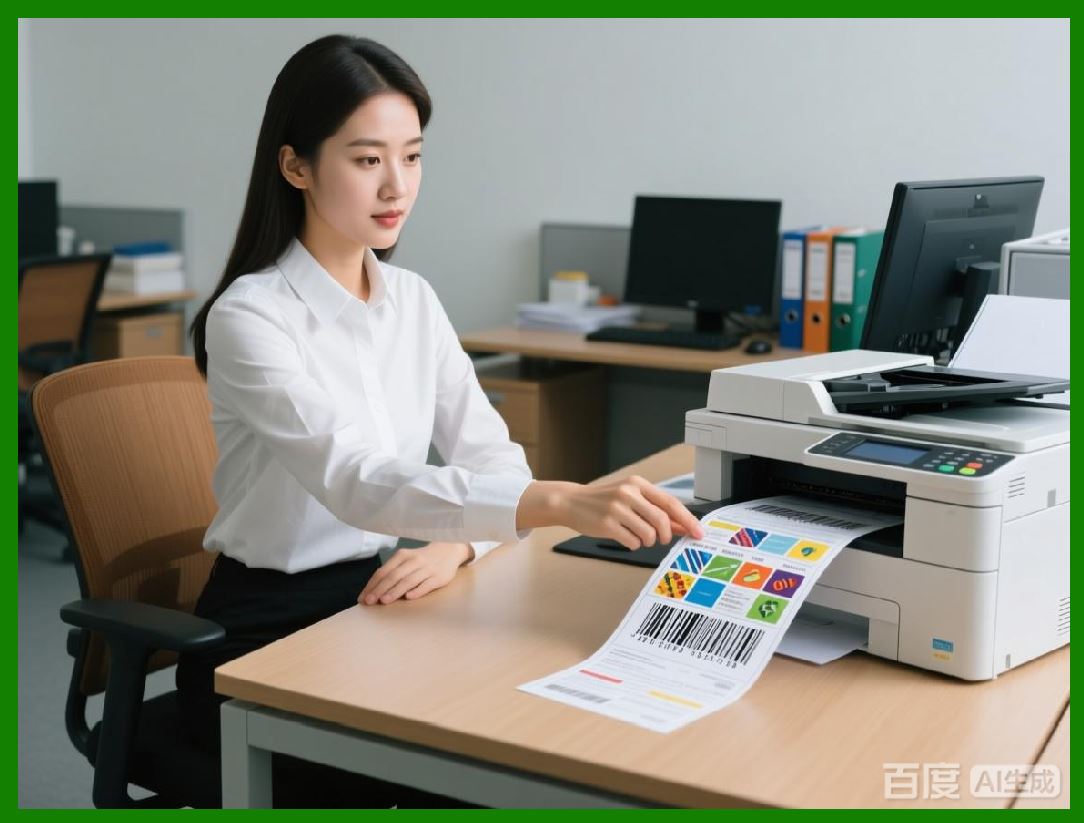
1. LabelHero is designed with efficient printing workflows in mind, supporting a wide range of label sizes, materials, and printing resolutions. Unlike enterprise-grade solutions that may require specialized print servers, LabelHero allows users to print directly from their desktop to local or networked printers. This approach simplifies the workflow and reduces setup time. |
2. The software supports both continuous roll and sheet-fed label printers, accommodating popular desktop thermal, inkjet, and laser printers. Users can define the label dimensions manually or select from preset sizes, including standard Avery, Zebra, DYMO, and Brother label formats. |
3. One of LabelHero most practical features is print preview with alignment guides. Before printing, users can see exactly how labels will appear on the chosen paper or media. This prevents wasted labels due to misalignment and ensures consistent barcode readability, which is critical for scanners and retail compliance. |
4. LabelHero offers direct control over printer settings such as DPI, print speed, darkness (thermal printers), and duplex printing. Users can save these settings per printer or per template, allowing seamless switching between devices without recalibration. |
5. The software also supports batch printing, a crucial feature for businesses that need to print large quantities of labels in one session. Batch printing can handle variable data, automatically updating barcodes, serial numbers, or text fields for each label without manual intervention. This increases productivity while reducing errors. |
|
6. Printer Compatibility |
1. LabelHero is compatible with a wide variety of desktop and industrial printers, making it versatile for different business environments. Commonly supported brands include Zebra, Brother, DYMO, Epson, and TSC, with support for both USB and network-connected devices. |
2. For Zebra and other thermal printers, LabelHero supports ZPL (Zebra Programming Language) and EPL emulation, allowing users to send print jobs directly without intermediate software. This is particularly useful for small warehouses or retail environments where speed and reliability are essential. |
3. The software also includes automatic detection of installed printers, simplifying setup. Users can choose the target printer from a dropdown menu, adjust label size and orientation, and print without needing advanced configuration. |
4. LabelHero ensures cross-printer compatibility, meaning templates designed on one printer can be reliably printed on another without needing major adjustments. This is accomplished through internal scaling algorithms that maintain barcode quiet zones and minimum module sizes. |
5. Additionally, LabelHero supports multi-printer environments, allowing a single user to manage multiple printers from one interface. This is ideal for businesses with separate stations for shipping, retail labeling, and inventory management. |

|
7. Batch Label Generation |
1. Batch label generation is one of LabelHero core productivity features. Users can create hundreds or even thousands of labels in a single print session by defining variable data fields in their templates. |
2. These variable fields can include serial numbers, product IDs, pricing information, and expiration dates. Users can specify starting values, increments, and formatting rules to automatically generate sequential or patterned data. |
3. Batch printing supports multi-page and multi-row layouts, enabling labels to be printed efficiently on larger sheets or continuous rolls. Users can configure margins, gaps, and label spacing to match the specifications of their printer and media. |
4. LabelHero includes error handling during batch printing, ensuring that any failed labels (due to printer errors, paper jams, or incorrect data) are flagged and reprinted without disrupting the entire batch. This reduces waste and ensures accuracy in high-volume operations. |
5. Batch generation is also integrated with barcode compliance rules, automatically adjusting barcode sizes and check digits when printing sequences of product codes, ensuring that all labels are scan-ready and conform to industry standards. |

|
8. Variable Data Support |
1. Variable data functionality in LabelHero allows labels to dynamically update text and barcode content based on user input or external data sources. This is essential for inventory, shipping, and event applications where each label must be unique. |
2. Users can define variable fields within the template using placeholders, which are then replaced with actual data during the print session. For example, a template might include placeholders for Product Name, SKU, Price, and Expiration Date, which are filled automatically from a connected data source. |
3. LabelHero supports conditional formatting, allowing users to change text size, color, or barcode type based on data values. For instance, expired products could trigger red text or a warning symbol on the label. |
4. The software can handle multi-source data, enabling simultaneous integration of multiple spreadsheets or databases. This is useful for combining product information, batch numbers, and supplier codes into a single label without manual entry. |
5. Variable data management also includes preview capabilities, allowing users to scroll through sample data records and verify label output before printing. This reduces errors, prevents wasted materials, and ensures professional results. |
|
9. Integration with External Databases |
1. LabelHero is designed to connect with external data sources to streamline label production. Supported sources include Microsoft Excel, CSV files, Access databases, SQL Server, and ODBC-compatible databases. |
2. This integration allows for automated label updates when product or inventory information changes. For example, if a new batch of products is added to a database, LabelHero can automatically generate labels with the updated information. |
3. Users can configure field mapping to align database columns with template placeholders. This ensures that the correct data appears in the appropriate section of the label, whether it is a barcode, product name, or price. |
4. LabelHero supports live database connections, allowing labels to be generated in real-time from a database without intermediate file exports. This is particularly useful in retail environments with frequently changing stock levels. |
5. The software also supports filtering and sorting of database records, enabling users to print only a subset of labels based on criteria such as product category, location, or batch number. This adds flexibility for targeted printing operations. |

|
10. Workflow Automation |
1. LabelHero includes workflow automation features to reduce manual intervention in label creation and printing. Users can schedule batch printing tasks, automate data imports, and apply template rules to streamline operations. |
2. Automation supports recurring print jobs, which is useful for daily price tag updates, weekly shipping labels, or monthly inventory labeling. Templates can be paired with data sources to execute these tasks automatically. |
3. The software can also trigger alerts or notifications if certain conditions are met, such as missing data, printer errors, or low label stock. This ensures continuous operation without constant user supervision. |
4. LabelHero automation features are accessible through simple scripting or task configuration, avoiding the complexity of enterprise-level automation systems. Users without coding knowledge can still implement repetitive workflows efficiently. |
5. The combination of batch printing, variable data support, and database integration allows LabelHero to replace manual labeling processes, saving time, reducing human error, and maintaining consistency across all printed materials. |
 cs@easiersoft.com