Part 10: Usage Examples Across Industries |
1. Introduction to Industry Applications |
Zint Barcode Studio flexibility and wide symbology support make it suitable for a diverse range of industries. From retail and logistics to healthcare and manufacturing, Zint is used to generate barcodes for inventory tracking, product identification, shipping labels, compliance documentation, and customer engagement. This part explores practical examples of how Zint is applied in real-world workflows, demonstrating its versatility and adaptability. |
2. Retail Industry Product Labeling and Inventory Management |
In retail, barcodes are critical for product identification, point-of-sale scanning, and inventory tracking. Zint enables retailers to generate EAN-13, UPC-A, Code 128, and QR Codes for SKU labeling. For example, a mid-sized retail chain can automatically generate unique barcodes for thousands of SKUs using a database of product information. The workflow involves exporting product details, passing them to Zint CLI or API, and generating barcode images for printing directly onto price tags or packaging. This ensures accurate scanning at checkout and real-time inventory updates in the system. |

|
3. Logistics and Shipping Tracking and Traceability |
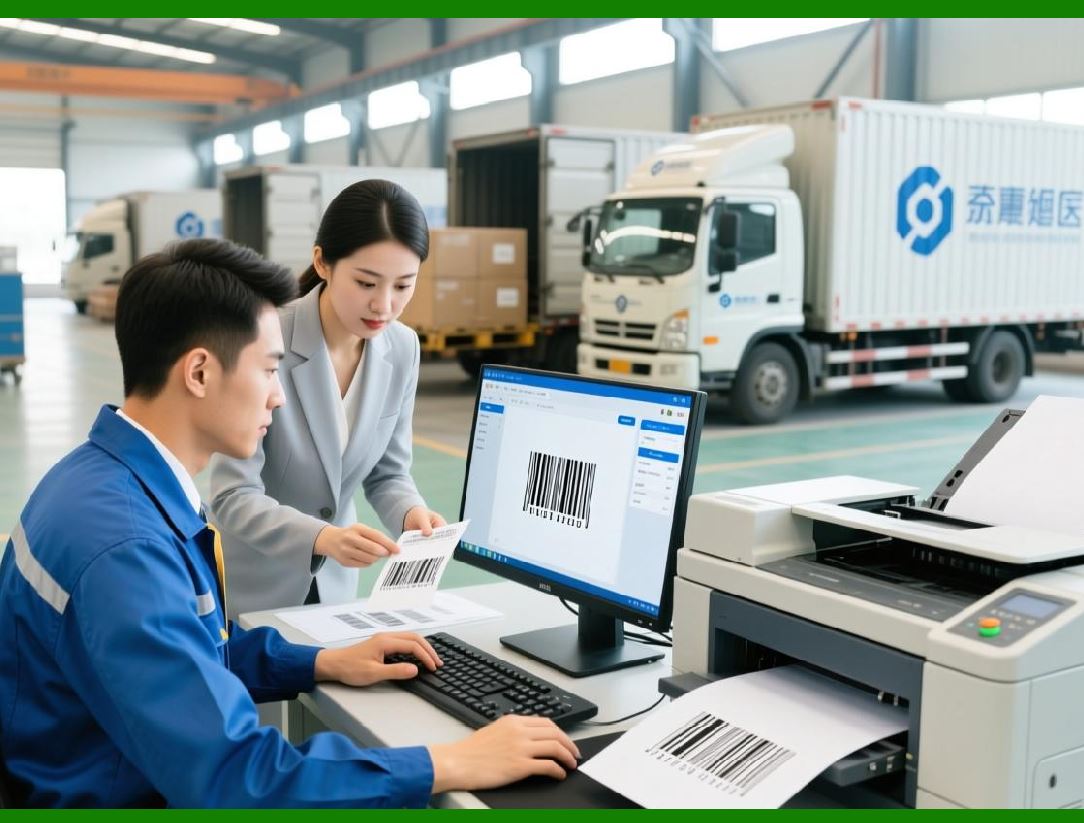
Logistics companies use barcodes for tracking shipments, pallets, and containers. Zint generates linear barcodes (Code 128, GS1-128) for item-level tracking and 2D barcodes (PDF417, QR Code, Data Matrix) for detailed shipment data. A warehouse management system (WMS) can trigger Zint to create barcodes for each parcel, encode tracking numbers, delivery instructions, and batch information, and print labels automatically. Scanners at checkpoints read the barcodes to update shipment status, ensuring traceability from warehouse to delivery. |
4. Healthcare Patient Identification and Medical Device Labeling |
Zint is used in hospitals and pharmaceutical companies for patient wristbands, specimen labeling, and medical device tracking. QR Codes and Data Matrix codes can encode patient IDs, medication details, or device serial numbers. For example, a hospital laboratory can generate unique Data Matrix barcodes for blood samples. Each barcode links to a patient record in the hospital information system (HIS), ensuring accurate identification and minimizing errors. Similarly, medical devices can carry Zint-generated barcodes for regulatory compliance and maintenance tracking. |
|
5. Manufacturing Component Tracking and Quality Control |
In manufacturing, barcodes help track raw materials, components, and finished goods. Zint can generate serial numbers, batch codes, and part IDs as Code 128, Code 39, or Data Matrix barcodes. On assembly lines, automated systems use scanners to verify components before assembly, ensuring that only correct parts are used. Zint ability to handle high-volume, batch-processed barcodes allows manufacturers to maintain quality control, trace defective parts, and streamline production workflows. |
6. Pharmaceutical Industry Regulatory Compliance and Serialization |
Pharmaceutical companies must comply with strict regulations for product serialization, track-and-trace, and anti-counterfeiting. Zint can generate GS1 DataMatrix barcodes containing Global Trade Item Numbers (GTINs), batch numbers, expiration dates, and serial numbers. The output can be integrated into automated printing systems for packaging lines, ensuring each product is uniquely identifiable. Regulators and supply chain partners can scan the barcodes to verify authenticity and track products from production to pharmacy shelves. |

|
7. Food and Beverage Batch Labeling and Traceability |
Food and beverage manufacturers use Zint-generated barcodes for batch identification, expiration dates, and traceability. For example, a bottling plant may generate QR Codes on labels that include product information, production date, and lot number. Scanners at distribution centers or retailers read the barcodes to track inventory, monitor shelf life, and ensure compliance with food safety regulations. Zint ability to generate high-density codes for small labels ensures readable barcodes even on compact packaging like bottle caps or sachets. |
8. Event Management Tickets and Access Control |
Zint-generated QR Codes and Data Matrix codes are used for event tickets, membership cards, and access passes. Event organizers can create unique barcodes for each attendee and encode event-specific data such as seating or validity period. Mobile applications can dynamically generate barcodes, which are then scanned at entry points for real-time validation. This application demonstrates Zint flexibility for dynamic generation and mobile integration. |

|
9. E-Commerce Digital Coupons and Customer Engagement |
Online retailers use Zint to generate promotional barcodes, QR Codes for discount codes, and referral tracking. For instance, an e-commerce platform can automatically generate personalized QR Codes containing URLs with embedded user identifiers for marketing campaigns. Customers scan the codes with mobile devices to access promotions, while backend systems track usage and redemption. This usage highlights Zint role in combining barcode technology with marketing and analytics workflows. |
10. Government and Public Sector Identity and Document Management |
Zint is used in government applications to encode identification numbers, certificates, and permits. For example, Data Matrix codes can be printed on official documents such as driver licenses, vehicle registration certificates, or tax forms. The codes store encrypted or structured data, enabling fast machine verification while maintaining security. Zint supports compliance with ISO standards, ensuring that barcodes are compatible with scanners used by public authorities. |

|
11. Library and Archival Systems Asset Tracking |
Libraries and archives can use Zint to generate barcodes for books, media, and archival materials. Code 39 or Code 128 barcodes are generated with unique identifiers linked to catalog records. During check-in and check-out processes, scanners read barcodes to update the library management system. Batch barcode generation allows libraries to label thousands of items quickly, while integration with catalog databases ensures accurate inventory tracking. |
12. Retail Loyalty Programs and Membership Cards |
QR Codes generated by Zint can encode membership IDs, loyalty points, and reward information. Retailers integrate barcode generation into CRM systems to create personalized membership cards. Scanners at point-of-sale terminals read the codes, updating customer accounts in real time. Dynamic barcode generation allows for digital cards on smartphones or printed cards, increasing flexibility in loyalty program management. |

|
13. Industrial Automation and Robotics |
Zint-generated barcodes are used in robotic sorting, assembly, and packaging systems. For instance, automated pick-and-place machines can scan Data Matrix or QR Codes on components to verify correct placement. Zint enables the generation of high-density, small-size codes suitable for industrial parts, ensuring that robots can reliably read identifiers without human intervention. Integration with PLCs (programmable logic controllers) and industrial middleware facilitates seamless automation. |
14. Education and Research Experiment Tracking |
Universities and research labs use Zint to label samples, experimental setups, and equipment. For example, a chemistry lab can generate QR Codes for each chemical sample, linking it to experimental protocols and safety data sheets stored digitally. This approach improves traceability, minimizes labeling errors, and ensures adherence to safety and research protocols. |

|
15. Multi-Industry Batch Processing |
Across industries, Zint is commonly used for batch generation of barcodes from large datasets. ERP systems, spreadsheets, or databases feed structured data to Zint, which generates barcodes in bulk for printing, packaging, or distribution. This batch processing capability ensures consistency, reduces errors, and supports high-volume production environments, from warehouse management to retail product labeling. |
16. Summary of Usage Examples |
Zint Barcode Studio demonstrates exceptional versatility across industries. From retail inventory and logistics tracking to healthcare, pharmaceuticals, and government applications, Zint enables accurate, automated, and standards-compliant barcode generation. Its support for linear and 2D symbologies, dynamic and batch processing, integration with databases and applications, and compatibility with printing systems makes it a reliable tool for enterprises, educational institutions, and developers implementing barcode-driven workflows. |
 cs@easiersoft.com