LabelGenius |
Integrated Label Creator with Support for Multiple Symbologies and Export Formats |
Part 12: Integration with Enterprise Systems and APIs |
1. The Need for Enterprise Integration |
Modern label workflows rarely operate in isolation. Labels often reflect real-time inventory, shipment, regulatory, or production data, requiring tight integration with enterprise systems. LabelGenius is designed to interface seamlessly with ERP (Enterprise Resource Planning), WMS (Warehouse Management Systems), MES (Manufacturing Execution Systems), and other operational platforms. |
This integration ensures that label content is accurate, consistent, and synchronized with core business processes. |

|
2. Data Connectivity Fundamentals |
LabelGenius uses a flexible data connectivity framework to interface with internal and external systems. Core principles include: |
* Standardized interfaces to minimize custom coding |
* Secure connections to protect sensitive data |
* Support for multiple data formats including CSV, XML, JSON, and database queries |
* Dynamic data binding to feed real-time content into labels |
These principles ensure that labels reflect authoritative data sources rather than manual input. |
3. Database Integration |
LabelGenius supports direct connections to relational databases such as SQL Server, MySQL, Oracle, and PostgreSQL. Features include: |
* Query-based data retrieval for single or batch label generation |
* Parameterized queries for dynamic filtering |
* Real-time updates to reflect current data values |
* Error handling for connection failures or invalid data |
Database integration reduces manual intervention, ensures accuracy, and supports high-volume production environments. |

|
4. ERP System Integration |
Enterprise resource planning systems are a central hub for product, customer, and transaction data. LabelGenius integrates with ERP platforms to: |
* Pull product identifiers, SKUs, batch numbers, and production dates |
* Update print status or label issuance logs |
* Synchronize label versions with ERP records |
Integration may use APIs, web services, or file-based exchange mechanisms, depending on ERP capabilities. |
5. Warehouse Management System (WMS) Integration |
In logistics operations, labels are critical for inventory tracking and shipment management. LabelGenius interfaces with WMS platforms to: |
* Generate location labels for racks, bins, and pallets |
* Produce shipping labels linked to order fulfillment |
* Incorporate real-time scanning and verification data |
Tight WMS integration improves operational efficiency and reduces errors during storage and retrieval. |

|
6. Manufacturing Execution System (MES) Integration |
In manufacturing, labels often accompany in-process materials or finished goods. LabelGenius integrates with MES to: |
* Access production schedules, batch numbers, and quality data |
* Generate serialized or lot-specific labels |
* Track labels issued at specific workstations or production lines |
MES integration ensures traceability and supports regulatory compliance. |
7. RESTful and SOAP API Interfaces |
LabelGenius exposes both RESTful and SOAP API endpoints for programmatic access. Features include: |
* Template retrieval and submission |
* Label generation requests with dynamic data payloads |
* Job monitoring and status reporting |
* Metadata retrieval for auditing or analytics |
API access enables integration with custom applications, mobile apps, and automated workflows. |

|
8. File-Based Integration |
For systems without direct API access, LabelGenius supports file-based integration using standardized formats. Options include: |
* CSV or Excel spreadsheets for batch label generation |
* XML or JSON files for structured data exchange |
* Shared network folders with automated polling |
File-based workflows provide flexibility for legacy systems while maintaining automation and accuracy. |
9. Middleware and Enterprise Bus Integration |
In complex environments, LabelGenius can connect through middleware or enterprise service bus platforms. This allows: |
* Centralized orchestration of data flows |
* Translation between incompatible formats |
* Event-driven triggers for label generation |
* Logging and monitoring within enterprise infrastructure |
Middleware integration enables LabelGenius to participate in large-scale, distributed operations without disrupting existing processes. |

|
10. Dynamic Data Binding to External Sources |
Data binding in LabelGenius is dynamic, allowing labels to update automatically based on external data. Features include: |
* Field mapping between template objects and source fields |
* Conditional formatting based on data values |
* Automatic recalculation and layout adjustment |
* Support for multi-record binding in batch operations |
Dynamic binding ensures that labels always reflect accurate, current information. |
11. Real-Time Data Updates and Event Handling |
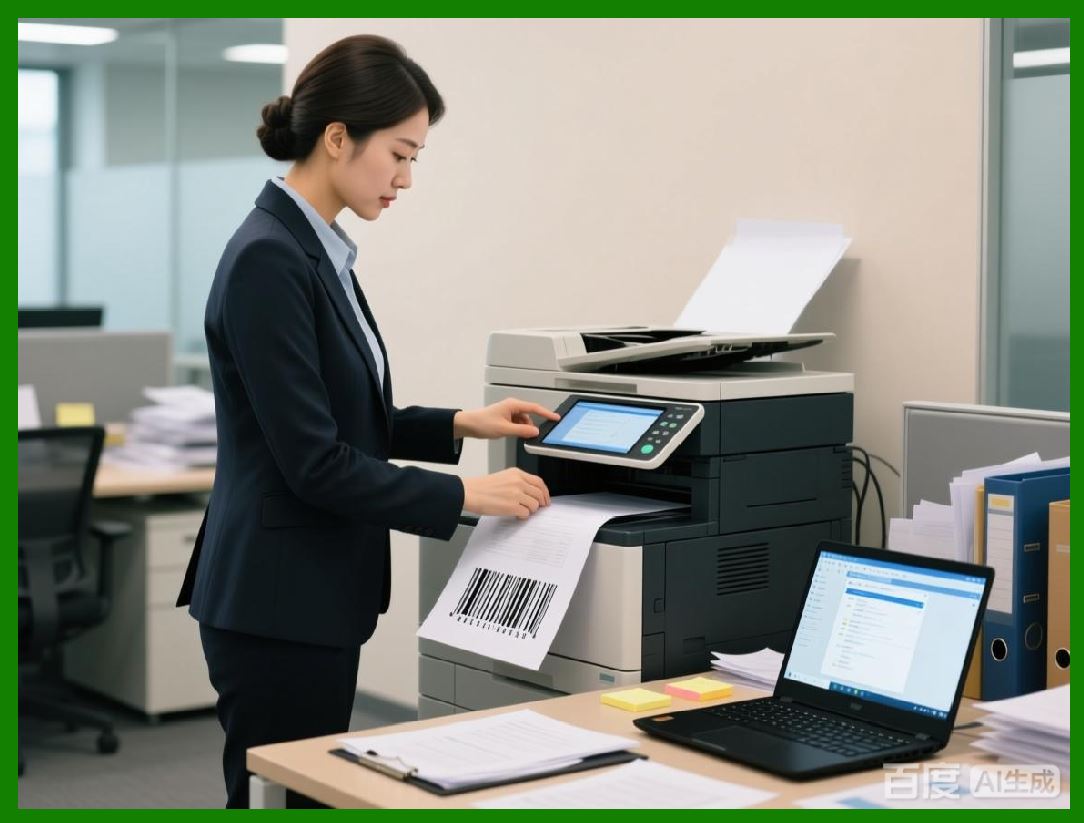
In operational workflows, real-time updates are critical. LabelGenius supports event-driven workflows where data changes trigger label generation automatically. Examples include: |
* New shipment orders in a WMS system |
* Updated production batches in MES |
* Inventory adjustments in ERP |
This real-time capability reduces latency, prevents errors, and supports just-in-time operations. |
|
12. Integration Security Considerations |
Connecting with enterprise systems introduces security risks. LabelGenius enforces: |
* Encrypted connections (TLS/SSL) |
* Authentication via API keys, tokens, or enterprise credentials |
* Role-based access for API operations |
* Audit logging of all system interactions |
These safeguards protect sensitive data and maintain regulatory compliance. |
13. Handling Data Transformation |
Label data may require transformation before being printed, including: |
* Formatting dates and numbers |
* Generating concatenated or calculated fields |
* Validating or normalizing inputs |
* Encoding for barcodes and QR codes |
LabelGenius provides transformation functions within its integration layer, reducing the need for external pre-processing. |

|
14. Multi-System Workflows |
Organizations often operate multiple ERP, WMS, and MES systems simultaneously. LabelGenius supports multi-system integration, allowing: |
* Unified label templates across systems |
* Centralized management of output rules |
* Conditional logic based on source system |
* Cross-system synchronization for auditing |
This approach reduces redundancy and ensures consistency across operations. |
15. Logging, Monitoring, and Troubleshooting Integration |
Integration workflows generate complex logs. LabelGenius records: |
* API requests and responses |
* Data transformation operations |
* Job status and error events |
* Timestamped audit trails |
Centralized logging supports troubleshooting, operational analysis, and regulatory auditing. |

|
16. Extensibility of Integration Layer |
LabelGenius integration framework is modular, allowing new connectors and adapters to be added for emerging systems. This ensures long-term compatibility with evolving enterprise software landscapes. |
Extensibility allows organizations to adapt without replacing existing label design workflows or retraining staff. |
17. Testing and Validation of Integrations |
Before deployment, integrations can be tested using sample data, staging environments, or simulated events. LabelGenius provides validation tools to verify connectivity, data mapping, and output accuracy. |
Testing ensures that labels generated from integrated sources are correct, scannable, and compliant with operational requirements. |

|
18. Summary of Part 12 |
This part has explored the integration of LabelGenius with enterprise systems and APIs. By supporting database connectivity, ERP, WMS, MES integration, and secure programmatic interfaces, LabelGenius enables automated, accurate, and real-time label generation within complex business workflows. |
The next part will focus on Analytics, Reporting, and Operational Insights, examining how LabelGenius provides visibility into label production and usage. |
 cs@easiersoft.com