Barcode Software with Built-in Data Editor |
*A Deep, End-to-End Technical and Practical Explanation* |
1. Conceptual Overview of Barcode Software with a Built-in Data Editor |
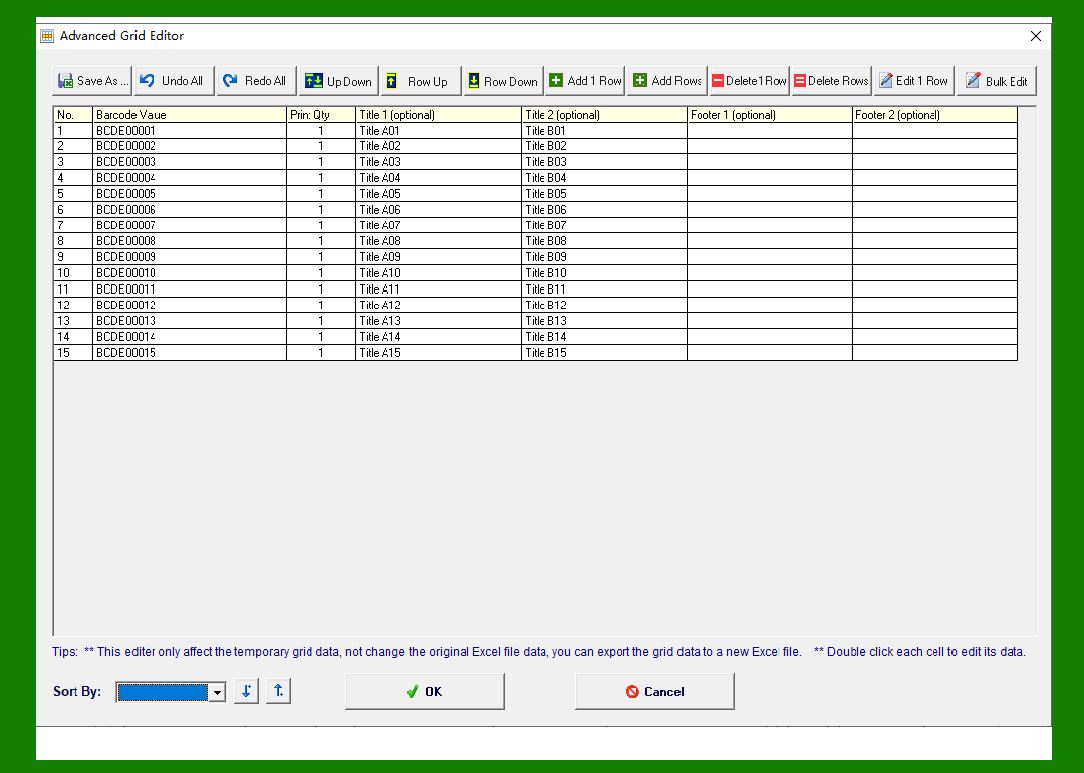
Barcode software with a built-in data editor refers to a class of professional labeling and barcode generation applications that include an internal, spreadsheet-like environment for creating, importing, managing, validating, and transforming variable data used during label generation and printing. |
Unlike simple barcode generators that encode one static value at a time, this category of software is designed to handle large volumes of records, where each printed label may contain unique or partially unique data. The built-in data editor serves as an intermediate layer between external data sources and the final label design, allowing users to inspect, modify, cleanse, and enrich data directly within the barcode application before it is merged into barcode objects, text fields, and other label elements. |
This architecture is especially important in professional and industrial contexts such as manufacturing, logistics, healthcare, retail, pharmaceuticals, food packaging, asset management, and compliance labeling, where data accuracy, consistency, and traceability are critical. |
|
2. Role of the Built-in Data Editor in the Labeling Workflow |
The built-in data editor occupies a central position in the overall label creation and printing workflow. |
Rather than treating data as a passive input that flows blindly from an external file or database into printed output, the data editor allows the software to actively participate in data preparation. This transforms the barcode software from a simple rendering tool into a data-aware labeling platform. |
In a typical workflow, the process can be summarized as follows: |
1. Data is entered manually or imported from an external source. |
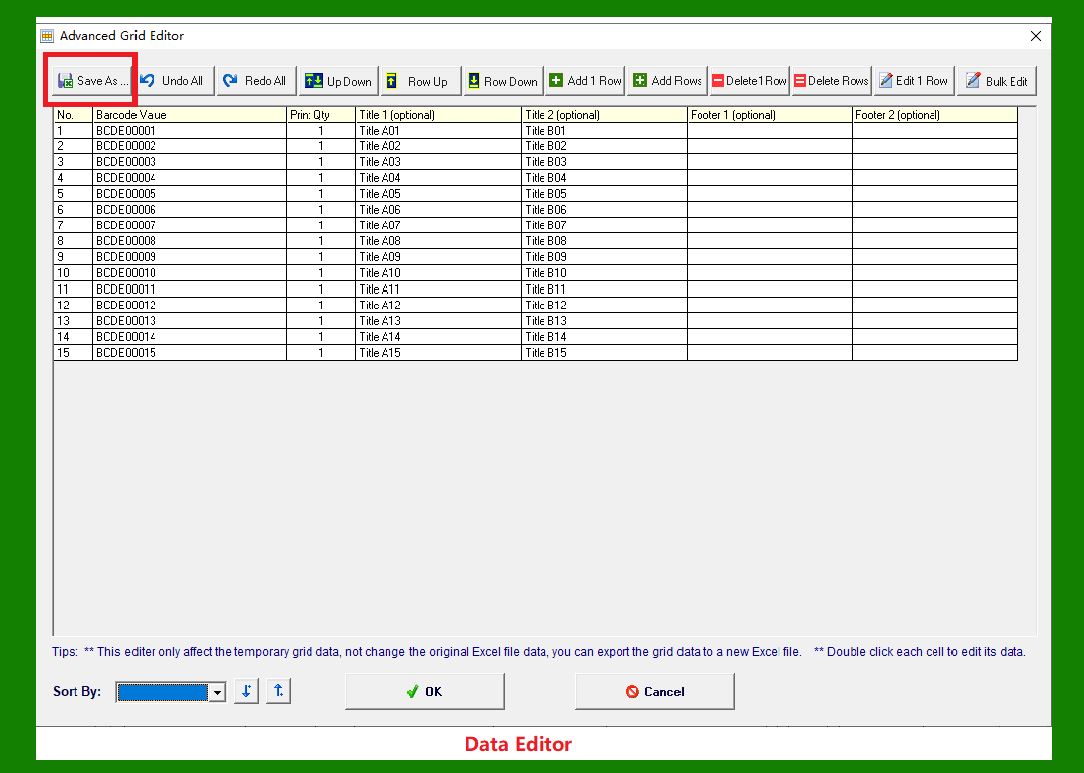
2. The data is displayed in a structured, tabular format within the software. |
3. Users review, edit, filter, transform, and validate the data. |
4. Fields are mapped to label objects such as barcodes and text blocks. |
5. Conditional logic and derived fields are applied. |
6. A preview of merged labels is generated. |
7. Batch printing produces one label per data record. |
The built-in data editor ensures that errors are detected early, transformations are predictable, and the final printed output accurately reflects the intended data structure. |
|
3. Spreadsheet-Like Interface for Manual Data Editing |
One of the most recognizable features of a built-in data editor is its spreadsheet-like interface. |
3.1 Grid-Based Layout |
The editor typically presents data in rows and columns, where: |
* Each row represents a single label record. |
* Each column represents a data field. |
* Column headers define field names or identifiers. |
This layout mirrors familiar spreadsheet applications, reducing the learning curve for users who already understand basic data entry concepts. |
3.2 Manual Data Entry Capabilities |
Users can manually type values directly into cells, making this feature particularly useful for: |
* Small batch label jobs. |
* One-time labeling tasks. |
* Prototyping label designs. |
* Testing barcode symbologies and field lengths. |
Manual editing supports common operations such as copy, paste, cut, fill down, and multi-cell selection. |
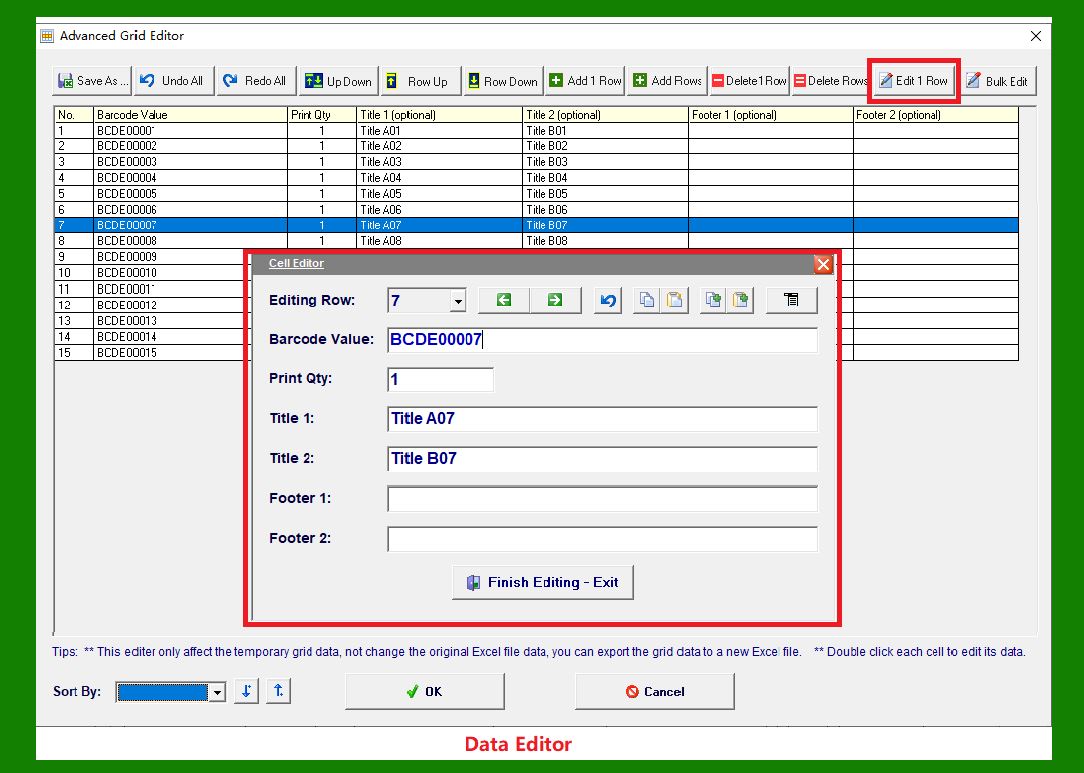
3.3 Editing and Correction of Imported Data |
Even when data originates from an external source, the built-in editor allows users to: |
* Correct typographical errors. |
* Normalize formatting differences. |
* Remove unwanted rows. |
* Adjust values that may not print correctly. |
This capability reduces dependency on external spreadsheet or database tools for last-minute fixes. |
|
4. Data Importer Architecture and Supported Formats |
Beyond manual entry, barcode software with a built-in data editor usually includes robust data import functionality. |
4.1 CSV File Support |
Comma-Separated Values files are widely supported due to their simplicity and compatibility. |
The software typically allows users to: |
* Specify delimiters. |
* Handle quoted fields. |
* Interpret text encoding. |
* Choose whether the first row contains headers. |
CSV import is common in logistics, retail exports, and system integrations where lightweight data exchange is required. |
4.2 Excel File Import |
Support for Excel formats allows direct use of spreadsheets created by business users. |
Key capabilities include: |
* Selecting specific worksheets. |
* Choosing a range of cells. |
* Interpreting numeric, date, and text formats. |
* Preserving leading zeros in fields such as product codes or serial numbers. |
Excel import is especially valuable in environments where data is manually curated or reviewed before labeling. |
4.3 ODBC Database Connections |
For enterprise environments, ODBC connectivity enables direct integration with relational databases. |
Common characteristics include: |
* Connecting to SQL-based systems. |
* Executing queries to retrieve records. |
* Supporting parameterized queries. |
* Refreshing data on demand. |
ODBC connections allow the barcode software to function as part of a larger information system rather than a standalone tool. |

|
5. Field Mapping and Data Binding Mechanisms |
Once data is available in the editor, it must be mapped to elements on the label. |
5.1 Concept of Field Mapping |
Field mapping defines how a column of data is connected to a specific label object, such as: |
* A barcode symbol. |
* A text object. |
* A human-readable interpretation of barcode data. |
* A hidden reference field. |
Each object on the label references one or more data fields. |
5.2 Direct One-to-One Mapping |
The simplest form of mapping assigns one data column directly to one label object. |
Examples include: |
* A SKU column mapped to a Code 128 barcode. |
* A product name column mapped to a text field. |
This mapping ensures that each printed label reflects the corresponding row of data. |
5.3 Concatenated Field Mapping |
More advanced software allows multiple fields to be concatenated into a single output value. |
For example: |
* Combining a prefix, item number, and check digit. |
* Creating a GS1-compliant data string from multiple application identifiers. |
* Building a human-readable description from several attributes. |
The mapping interface typically allows users to define the order, separators, and formatting rules. |

|
6. Derived Fields and Data Transformation Capabilities |
Built-in data editors often support derived fields, which are computed values generated from existing data. |
6.1 String Concatenation |
String concatenation allows multiple fields to be joined together. |
Common uses include: |
* Generating serial numbers. |
* Creating composite identifiers. |
* Formatting display text. |
This transformation is essential when raw data is stored in atomic fields but printed output requires a combined representation. |
6.2 Substring Extraction |
Substring functions allow parts of a field to be extracted. |
Typical scenarios include: |
* Extracting date components. |
* Truncating long descriptions. |
* Using only a portion of a product code. |
This feature helps ensure that data fits within label layout constraints. |
6.3 Conditional Logic |
Some data editors support conditional expressions that change output based on rules. |
Examples include: |
* Printing warning text only if a field exceeds a threshold. |
* Selecting different prefixes based on product category. |
* Altering formatting for special cases. |
Conditional logic enables a single label template to serve multiple use cases. |
|
7. Conditional Formatting and Visual Feedback |
Conditional formatting enhances the data editor by providing visual cues. |
7.1 Purpose of Conditional Formatting |
The goal is to highlight data issues or special conditions before printing. |
This can include: |
* Highlighting empty required fields. |
* Flagging values that exceed length limits. |
* Marking records that require special handling. |
7.2 Benefits for Data Quality |
Visual indicators help users quickly identify problems without scanning every record manually. |
This reduces the likelihood of printing incorrect labels and improves overall efficiency. |

|
8. Batch Label Generation and Variable Data Merging |
One of the most important capabilities enabled by a built-in data editor is batch label generation. |
8.1 Concept of Variable Data Printing |
Variable data printing means that each label in a print job can contain unique information. |
Instead of printing the same label repeatedly, the software generates a sequence of labels, each corresponding to a different data row. |
8.2 Merging Data with Label Templates |
The merge process binds each row of data to the label template. |
During printing: |
* Row one populates the label for copy one. |
* Row two populates the label for copy two. |
* The process continues until all rows are printed. |
This approach is fundamental for serial numbers, asset tags, product identifiers, and compliance labels. |
8.3 Performance Considerations |
Efficient merging algorithms ensure that thousands of labels can be generated without excessive memory usage or delays. |
Professional software often includes optimizations such as: |
* Streaming data processing. |
* Incremental rendering. |
* Printer-aware buffering. |

|
9. Advantages of Built-in Data Editors for High-Volume Labeling |
The advantages of this architecture are substantial. |
9.1 Reduced Manual Intervention |
Once data is prepared, the entire batch can be printed automatically. |
This minimizes repetitive tasks and reduces operator fatigue. |
9.2 Improved Consistency |
Using a single data source and template ensures that all labels follow the same structure and formatting rules. |
Consistency is critical for branding, compliance, and scanning reliability. |
9.3 Enhanced Data Validation |
Because the software can inspect data before printing, errors can be detected early. |
This prevents costly mistakes such as mislabeling products or assets. |

|
10. Data Validation and Preprocessing Capabilities |
Validation is a core function of advanced data editors. |
10.1 Syntax Validation |
The software can verify that data conforms to expected formats. |
Examples include: |
* Numeric fields containing only digits. |
* Dates matching a specific pattern. |
* Barcode data meeting symbology requirements. |
10.2 Length and Capacity Checks |
Barcodes have limits on data length. |
The editor can warn users if a value exceeds the capacity of the selected symbology or module size. |
10.3 Preprocessing Rules |
Preprocessing may include: |
* Trimming whitespace. |
* Converting case. |
* Normalizing characters. |
These steps ensure predictable encoding behavior. |

|
11. Disadvantages and Limitations of Built-in Data Editors |
Despite their strengths, built-in data editors also have limitations. |
11.1 Sensitivity to Poorly Formatted Data |
If imported data contains inconsistencies, such as mixed data types or malformed fields, errors may occur. |
Data cleanup is often required before successful merging. |
11.2 Dependency on External Drivers and Licenses |
Database connections may require: |
* Specific ODBC drivers. |
* Vendor-supplied client libraries. |
* Additional licenses. |
This can complicate deployment and increase costs. |
11.3 Limited Advanced Data Modeling |
Compared to full database or ETL tools, built-in editors may offer limited transformation capabilities. |
Complex data preparation may still need to be performed externally. |

|
12. Practical Tips for Reliable Data-Driven Label Printing |
Practical experience has led to a number of best practices. |
12.1 Always Preview Merged Results |
Previewing allows users to visually inspect how data appears on the label. |
This step helps catch issues related to: |
* Truncation. |
* Overlapping fields. |
* Incorrect formatting. |
12.2 Use Test Files with Extreme Values |
Maintaining a small test dataset containing extreme values is highly recommended. |
Such values may include: |
* Maximum field lengths. |
* Special characters. |
* Unusually large numbers. |
Testing with these values ensures that label designs remain robust under all conditions. |
12.3 Validate Before Large Print Runs |
Running validation checks before printing hundreds or thousands of labels can save significant time and material. |

|
13. Real-World Application Scenarios |
Built-in data editors are widely used across industries. |
13.1 Manufacturing |
Used for serial numbers, lot tracking, and work-in-progress labels. |
13.2 Logistics and Warehousing |
Supports shipping labels, pallet IDs, and location tags. |
13.3 Healthcare |
Used for patient wristbands, specimen labels, and medication packaging. |
13.4 Retail |
Supports price tags, shelf labels, and promotional stickers. |

|
14. Long-Term Operational Benefits |
Over time, organizations benefit from: |
* Faster labeling workflows. |
* Lower error rates. |
* Improved traceability. |
* Better integration with upstream systems. |
The built-in data editor becomes a key productivity tool rather than a secondary feature. |
|
15. Summary and Strategic Perspective |
Barcode software with a built-in data editor represents a mature and essential component of modern labeling solutions. |
By combining data management, validation, transformation, and merging within a single application, it enables organizations to produce accurate, consistent, and scalable barcode labels with minimal manual effort. |
While there are challenges related to data quality and connectivity, these can be mitigated through proper workflows, testing, and best practices. For any operation that relies on variable data printing at scale, a built-in data editor is not merely a convenience but a strategic necessity. |
 cs@easiersoft.com