Barcode Label Software Printing and Export Functions |
Part 15: AI-Driven Quality Assurance, Predictive Maintenance, and Automated Compliance Verification |
139. Introduction to AI in Barcode Label Printing |
139.1 Role of Artificial Intelligence |
Artificial intelligence (AI) is increasingly integrated into barcode label software to enhance quality assurance, optimize printing operations, and ensure compliance. AI can analyze patterns, detect anomalies, and recommend or implement corrective actions autonomously. |
139.2 Benefits of AI Integration |
* Improved label quality: Real-time detection of defects, misalignments, or incorrect encoding |
* Predictive maintenance: Anticipates printer failures before they occur |
* Automated compliance verification: Ensures labels adhere to regulatory and internal standards |
* Operational efficiency: Reduces downtime, waste, and human intervention |
|
140. AI-Driven Quality Assurance |
140.1 Visual Inspection with Computer Vision |
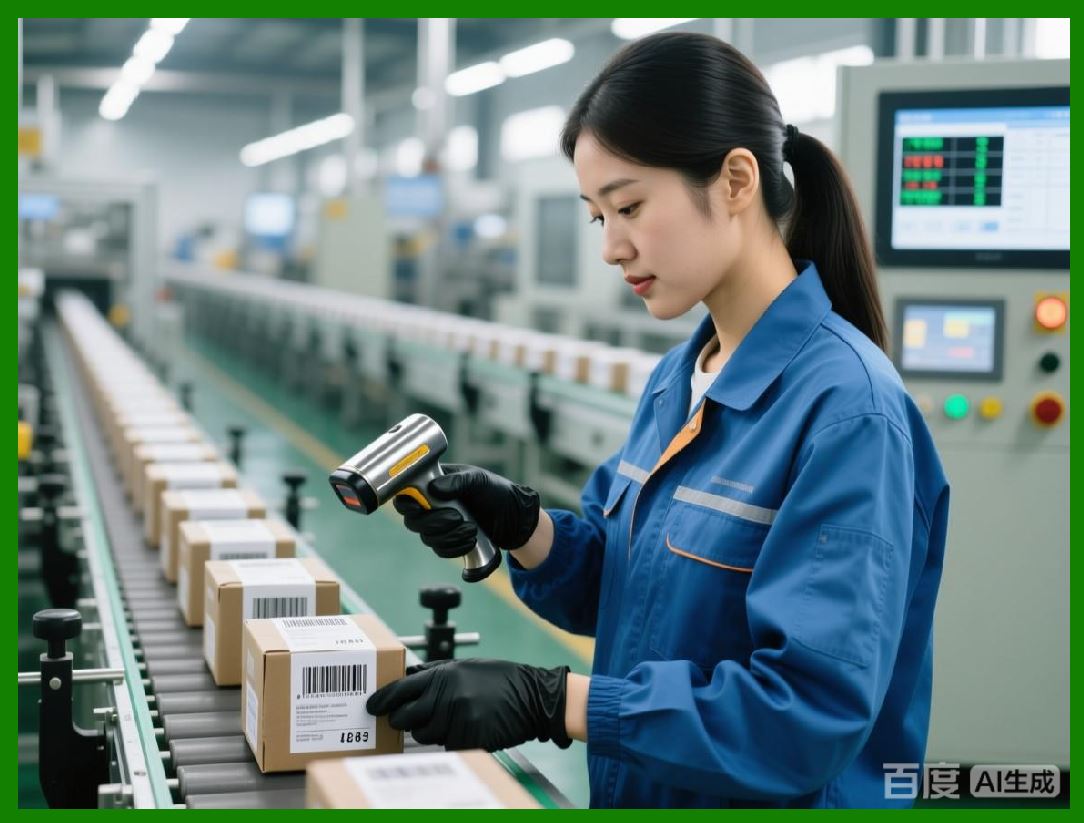
Computer vision algorithms analyze printed labels for: |
* Barcode readability |
* Dimensional accuracy and placement |
* Color fidelity and contrast |
* Presence of defects such as smudges, missing elements, or print artifacts |
140.2 Pattern Recognition and Anomaly Detection |
AI can learn normal output patterns and detect deviations that indicate potential failures: |
* Changes in barcode density or module size |
* Variations in font rendering or alignment |
* Subtle distortions that may impair machine readability |
140.3 Feedback for Dynamic Adjustment |
AI can adjust rendering parameters or printer settings in real-time based on detected anomalies: |
* Modifies error correction levels |
* Adjusts thermal printer intensity or speed |
* Repositions variable data fields for optimal scanning |
|
141. Predictive Maintenance for Printers |
141.1 Monitoring Printer Health |
AI continuously monitors printer metrics: |
* Temperature, print head usage, and media feed rates |
* Job completion times and error frequencies |
* Ink or ribbon levels for consumable-based printers |
141.2 Predictive Failure Models |
Machine learning models analyze historical data to predict likely printer failures or maintenance needs: |
* Identifies patterns that precede print quality degradation |
* Schedules maintenance proactively to minimize downtime |
141.3 Integration with Maintenance Systems |
Predictions are integrated with enterprise maintenance systems to: |
* Automatically generate work orders |
* Alert technicians of imminent issues |
* Track maintenance compliance and service history |

|
142. Automated Compliance Verification |
142.1 Regulatory Requirements for Labeling |
Labels often must comply with GS1 standards, ISO/IEC specifications, FDA or EMA regulations, and internal quality guidelines. |
* Symbology and data formatting rules |
* Minimum barcode size, quiet zones, and print contrast |
* Placement requirements and legibility standards |
142.2 AI-Based Verification Engines |
AI engines verify labels against regulatory and internal standards: |
* Checks dimensional accuracy, placement, and encoding correctness |
* Ensures variable data matches source records |
* Validates security features such as digital signatures or covert marks |
142.3 Continuous Learning and Adaptation |
Verification systems learn from historical audit outcomes and scanner feedback: |
* Adjust rules or thresholds to reduce false positives |
* Improve detection of subtle non-conformances |
* Enhance predictive quality modeling |

|
143. Real-Time Feedback Loops |
143.1 Inline Correction Capabilities |
Real-time inspection can trigger immediate corrections: |
* Reprinting labels with detected errors |
* Adjusting printer settings dynamically |
* Logging deviations for audit and root-cause analysis |
143.2 Integration with Production Systems |
Feedback loops connect barcode label software with ERP, MES, and WMS: |
* Automatically halts shipments if non-compliant labels are detected |
* Ensures traceability for every printed label |
* Provides comprehensive reporting for regulatory inspections |
143.3 Self-Optimizing Printing Operations |
Over time, AI-driven systems optimize printing parameters to: |
* Reduce waste |
* Increase throughput |
* Maintain consistent label quality under varying environmental and printer conditions |
|
144. Advanced Data Analytics for Label Performance |
144.1 Tracking Label Readability in Field |
AI aggregates scanner feedback from warehouses, retail points, or distribution centers: |
* Identifies labels that fail to scan consistently |
* Flags potential issues in specific batches, media types, or printer configurations |
144.2 Root Cause Analysis |
Advanced analytics trace quality issues back to: |
* Specific templates, printers, or operators |
* Environmental factors such as temperature or humidity |
* Consumable inconsistencies like ribbon or media variations |
144.3 Optimization Recommendations |
Based on analytics, the software can suggest: |
* Template modifications to improve readability |
* Printer calibration adjustments |
* Adjusted error correction levels for critical barcode types |
|
145. Integration with Digital Traceability and Audit Systems |
145.1 Comprehensive Audit Trails |
AI-enabled label systems automatically log: |
* Job submission data |
* Template and version used |
* Printer and media information |
* Inspection and verification results |
This ensures reproducibility and regulatory compliance. |
145.2 Linking Labels to Product Lifecycle |
Every label is linked digitally to its corresponding product or shipment: |
* Supports recall management |
* Enhances inventory visibility |
* Provides traceability from production to end customer |
145.3 Compliance Reporting |
AI systems generate automated compliance reports: |
* Highlighting non-conforming labels |
* Summarizing inspection and maintenance history |
* Documenting corrective actions |

|
146. Future Trends in AI-Enhanced Label Printing |
146.1 Autonomous Label Printing Systems |
Next-generation systems will operate fully autonomously: |
* Self-adjusting printers |
* Predictive maintenance without human intervention |
* Fully automated compliance and quality assurance |
146.2 Integration with Smart Supply Chains |
Labels will communicate with IoT-enabled supply chains: |
* Dynamic updates to variable data |
* Real-time condition monitoring of products |
* Automated inventory and logistics optimization |
146.3 Continuous Learning Ecosystems |
AI models will continuously improve from operational data: |
* Predict optimal printing parameters under diverse conditions |
* Detect counterfeit or tampered labels using advanced pattern recognition |
* Recommend process improvements across the label production workflow |

|
147. Preview of Subsequent Parts |
The next parts will focus on: |
* Automated integration with global regulatory systems and cross-border labeling |
* Smart label operations in connected factories and distribution networks |
* Emerging trends in autonomous labeling and predictive quality optimization |
* Future-proofing label software for evolving barcode symbologies, IoT, and AI-driven supply chains |
|
Part 16 will continue with global regulatory integration, smart label operations, and predictive quality optimization in enterprise-scale barcode label printing systems. |
 cs@easiersoft.com