1. Introduction: Why Barcode Type Selection Matters in Label Design |
1.1 |
Choosing the correct barcode type is one of the most critical decisions in label design. A barcode is not merely a visual symbol; it is a machine-readable data carrier that must function reliably across its entire lifecycle. That lifecycle includes data generation, printing, handling, environmental exposure, scanning, data decoding, system integration, and long-term maintenance. |
1.2 |
An inappropriate barcode choice can lead to scanning failures, increased operational costs, reduced productivity, regulatory non-compliance, or even total system breakdown. Conversely, selecting a barcode type that precisely matches the application requirements can significantly improve efficiency, accuracy, durability, and scalability. |
1.3 |
Barcode selection is not a purely technical decision. It is a multidisciplinary process that involves understanding business workflows, physical environments, printing technologies, scanning devices, data structures, regulatory frameworks, and future expansion needs. The best barcode type is not necessarily the most advanced or data-dense, but the one that aligns optimally with all constraints and objectives. |
1.4 |
This document provides a comprehensive framework for choosing the most suitable barcode type when designing labels, examining the decision from foundational principles through advanced real-world scenarios. |
|
2. Defining the Core Purpose of the Label |
2.1 |
The first step in choosing a barcode type is to clearly define the primary purpose of the label. A label can serve many roles, and the barcode must support those roles without compromise. |
2.2 |
Common label purposes include product identification, inventory tracking, logistics and shipping, asset management, compliance labeling, point-of-sale scanning, document tracking, healthcare identification, and marketing or consumer engagement. |
2.3 |
A barcode intended solely for internal warehouse use has very different requirements than a barcode intended for retail checkout, pharmaceutical traceability, or mobile phone scanning by consumers. |
2.4 |
Understanding whether the barcode will be scanned once, many times, or continuously throughout a product lifecycle strongly influences barcode selection. Some barcode types are optimized for fast, repeated scanning, while others prioritize compactness or error correction. |
2.5 |
The purpose of the label also determines whether the barcode needs to be human-readable, standardized across industries, globally interoperable, or proprietary to a closed system. |
|
3. Identifying the Type and Structure of Data to Be Encoded |
3.1 |
The nature of the data being encoded is a foundational factor in barcode selection. Different barcode types support different character sets, data formats, and encoding efficiencies. |
3.2 |
Some barcodes are limited to numeric data only, while others support full alphanumeric characters or even binary data. Numeric-only barcodes are often simpler and more compact for numerical identifiers, while alphanumeric barcodes are necessary for serial numbers, product codes, or mixed identifiers. |
3.3 |
Data length is a critical consideration. Short identifiers may be efficiently encoded in simple linear barcodes, while long data strings may require two-dimensional barcodes to avoid excessive label space usage. |
3.4 |
Structured data, such as identifiers with fixed lengths, check digits, or predefined formats, may align better with certain barcode standards designed specifically for those structures. |
3.5 |
If the data includes application identifiers, variable-length fields, or needs to support future expansion, choosing a barcode type that accommodates flexible data structures is essential. |
|
4. Determining Required Data Capacity and Density |
4.1 |
Data capacity refers to how much information can be stored in the barcode, while data density refers to how much space is required to store that information. |
4.2 |
For labels with ample space and short data content, low-density barcodes may be perfectly adequate and easier to print and scan. |
4.3 |
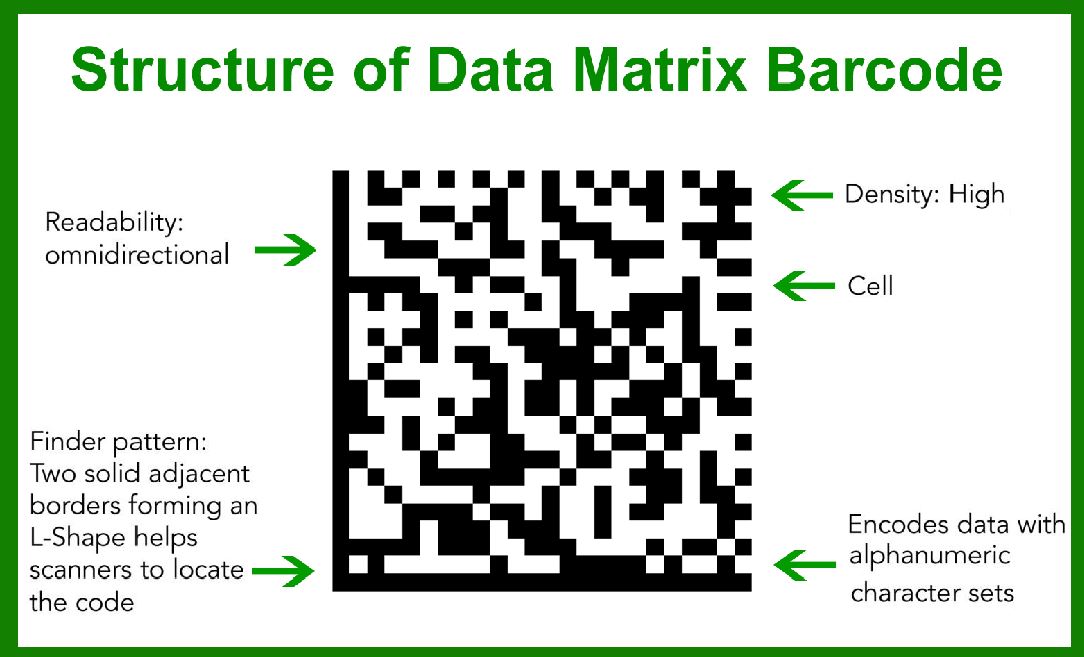
In contrast, labels with limited physical dimensions, such as small product packaging, electronic components, or medical devices, often require high-density barcodes to encode sufficient data in minimal space. |
4.4 |
Two-dimensional barcodes generally offer significantly higher data density than one-dimensional barcodes, but this increased density comes with higher printing and scanning requirements. |
4.5 |
Choosing a barcode type with excessive data capacity can be counterproductive, as it may increase symbol complexity, reduce scanning reliability, and require higher-resolution printers and scanners. |
|
5. Evaluating Available Label Space and Layout Constraints |
5.1 |
Label size and layout are practical constraints that heavily influence barcode selection. The available printable area determines the maximum allowable barcode dimensions. |
5.2 |
Some barcode types require quiet zones, orientation margins, or specific aspect ratios that may not fit well within certain label designs. |
5.3 |
Long linear barcodes can become problematic on narrow labels, wrapping around edges or becoming too small to scan reliably. |
5.4 |
Two-dimensional barcodes, while more compact, require sufficient module size to ensure reliable scanning, especially when printed at lower resolutions. |
5.5 |
The label layout must also accommodate human-readable text, logos, regulatory symbols, and other visual elements, all of which compete for space with the barcode. |
|
6. Considering Printing Technology and Print Quality |
6.1 |
The printing method used to produce the label is one of the most critical technical factors in barcode selection. |
6.2 |
Different barcode types have different tolerance levels for print defects, edge sharpness, dot gain, and contrast. |
6.3 |
Thermal printing, including direct thermal and thermal transfer, is widely used for barcode labels and works well with many linear and two-dimensional barcode types. |
6.4 |
Inkjet and laser printing may introduce issues such as ink spread, toner scatter, or insufficient edge definition, which can disproportionately affect high-density barcodes. |
6.5 |
Some barcode types are more forgiving of lower print quality, while others require precise module placement and high contrast to remain scannable. |

|
7. Assessing Scanner Types and Scanning Environments |
7.1 |
Barcode selection must align with the types of scanners used in the intended environment. |
7.2 |
Laser scanners are typically optimized for one-dimensional barcodes and may not support two-dimensional symbols. |
7.3 |
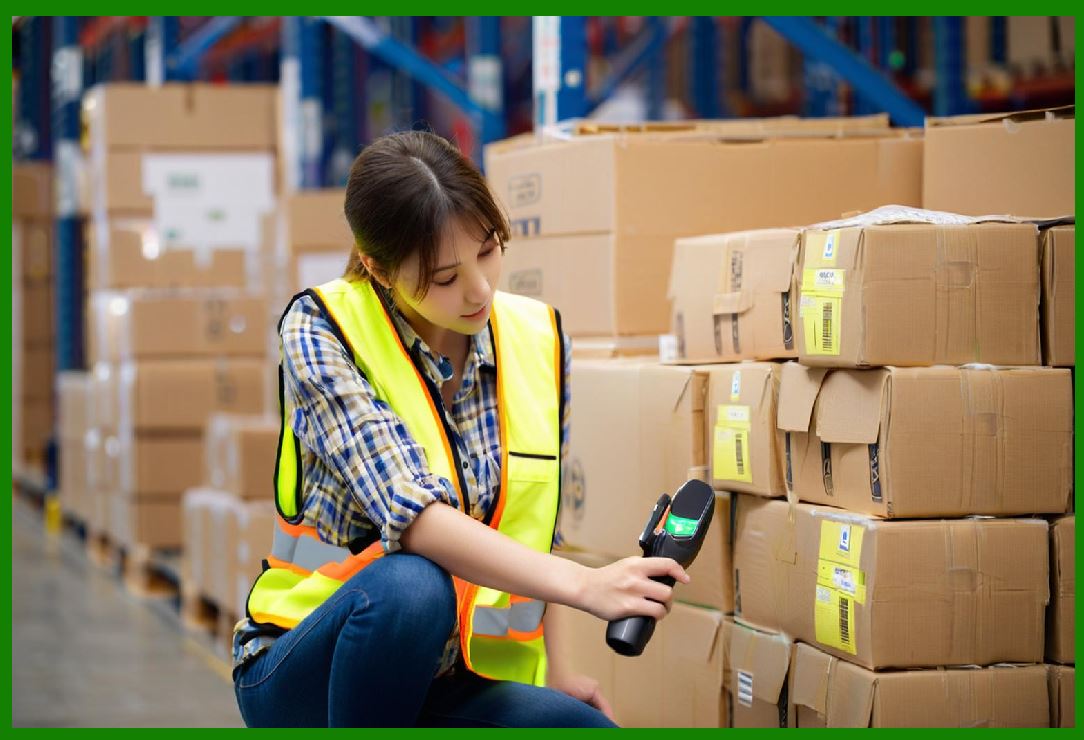
Imaging scanners, including camera-based scanners, can read both one-dimensional and two-dimensional barcodes, but performance varies depending on symbol size, contrast, and complexity. |
7.4 |
Mobile phone cameras introduce additional variables, such as lighting conditions, camera resolution, autofocus behavior, and user handling. |
7.5 |
Environmental factors such as low light, glare, dust, motion, and scanning distance must be considered, as some barcode types perform better under adverse conditions than others. |
|
8. Evaluating Error Detection and Error Correction Requirements |
8.1 |
Error detection and error correction capabilities are essential considerations, especially in harsh environments or critical applications. |
8.2 |
Some barcode types include only basic error detection mechanisms, such as check digits, which can identify errors but not correct them. |
8.3 |
Other barcode types incorporate advanced error correction algorithms that allow the barcode to be partially damaged and still be decoded correctly. |
8.4 |
Applications involving long lifecycle labels, outdoor exposure, abrasion, or frequent handling benefit significantly from barcodes with strong error correction. |
8.5 |
However, higher levels of error correction increase symbol complexity and size, which must be balanced against space and print quality constraints. |

|
9. Understanding Industry Standards and Compliance Requirements |
9.1 |
Many industries mandate specific barcode types through standards bodies or regulatory frameworks. |
9.2 |
Retail environments often require barcodes that conform to global product identification standards to ensure compatibility across supply chains. |
9.3 |
Healthcare, pharmaceuticals, and medical devices may be subject to strict regulations that specify barcode formats, data structures, and placement requirements. |
9.4 |
Logistics and postal systems often use proprietary or semi-standardized barcodes optimized for high-speed automated sorting. |
9.5 |
Failure to comply with industry standards can result in rejected shipments, regulatory penalties, or system incompatibility. |

|
10. Considering Global Interoperability and Future Scalability |
10.1 |
Barcode selection should account not only for current needs but also for future growth and system evolution. |
10.2 |
A barcode type that works well for a small, local operation may become inadequate when expanding to international markets or integrating with external partners. |
10.3 |
Global interoperability requires barcodes that are widely supported by scanners, software systems, and trading partners worldwide. |
10.4 |
Scalability considerations include the ability to encode longer identifiers, additional data fields, or new application contexts without redesigning the entire labeling system. |
10.5 |
Choosing a future-proof barcode type can reduce long-term costs and avoid disruptive transitions later. |

|
11. Balancing Human Readability and Machine Readability |
11.1 |
Some applications require the barcode data to be easily readable by humans in addition to machines. |
11.2 |
Linear barcodes often allow for clear human-readable text beneath the symbol, which can be useful for manual entry or verification. |
11.3 |
Two-dimensional barcodes are less intuitive for humans and typically rely entirely on machine decoding. |
11.4 |
The need for human readability influences not only barcode type but also label layout, font size, and text placement. |
11.5 |
In environments where manual fallback procedures are necessary, human readability becomes a critical design consideration. |

|
12. Environmental and Durability Considerations |
12.1 |
The physical environment in which the label will be used plays a major role in barcode selection. |
12.2 |
Exposure to heat, moisture, chemicals, UV light, abrasion, and mechanical stress can degrade barcode print quality over time. |
12.3 |
Some barcode types are more resilient to partial damage due to their encoding and error correction characteristics. |
12.4 |
Label material and printing method must be matched with the barcode type to ensure long-term scannability. |
12.5 |
In extreme environments, redundancy or higher error correction may be necessary to maintain reliable scanning. |

|
13. Performance and Throughput Requirements |
13.1 |
In high-volume operations, scanning speed and accuracy directly impact productivity. |
13.2 |
Some barcode types are optimized for rapid scanning with minimal orientation requirements. |
13.3 |
Others may require precise alignment or slower decoding, which can become a bottleneck in fast-paced environments. |
13.4 |
The trade-off between data density and scanning speed must be carefully evaluated. |
13.5 |
For automated systems, barcode selection must align with conveyor speeds, scanner capabilities, and system latency. |

|
14. Cost Considerations Across the Barcode Lifecycle |
14.1 |
Cost is not limited to printing the barcode; it encompasses the entire lifecycle of the labeling system. |
14.2 |
Higher-density barcodes may require more expensive printers, higher-resolution labels, or advanced scanners. |
14.3 |
Training, maintenance, error handling, and system integration costs must also be considered. |
14.4 |
A simpler barcode type may result in lower upfront costs and reduced operational complexity. |
14.5 |
Long-term total cost of ownership should guide barcode selection rather than short-term savings alone. |

|
15. Integration with Software Systems and Databases |
15.1 |
The barcode type must integrate seamlessly with existing software systems, databases, and workflows. |
15.2 |
Some barcode types are better suited for structured data parsing and automated processing. |
15.3 |
Compatibility with barcode generation software, label design tools, and scanning middleware is essential. |
15.4 |
System constraints may limit the choice of barcode types, especially in legacy environments. |
15.5 |
Future software upgrades or system migrations should also be considered during barcode selection. |

|
16. Security and Data Sensitivity Considerations |
16.1 |
In some applications, the data encoded in the barcode may be sensitive or confidential. |
16.2 |
Plain-text barcodes can be easily read by any compatible scanner, which may pose security risks. |
16.3 |
Choosing a barcode type that supports encryption, obfuscation, or indirect data references can mitigate these risks. |
16.4 |
Security requirements may also influence whether the barcode stores data directly or serves as a pointer to a secure database. |
16.5 |
Balancing accessibility and security is a critical aspect of barcode selection in regulated or sensitive environments. |

|
17. User Interaction and Operational Practicalities |
17.1 |
The ease of use for operators, technicians, and end users must be considered. |
17.2 |
Complex barcodes may increase training requirements and error rates. |
17.3 |
Orientation sensitivity, scanning distance, and feedback mechanisms affect user experience. |
17.4 |
Barcodes used by consumers must be intuitive and easy to scan under varied conditions. |
17.5 |
Operational practicality often favors robust, forgiving barcode types over theoretically optimal ones. |

|
18. Testing, Validation, and Quality Assurance |
18.1 |
No barcode selection process is complete without thorough testing and validation. |
18.2 |
Prototype labels should be printed using actual production methods and materials. |
18.3 |
Scanning tests should be conducted under realistic conditions using all relevant devices. |
18.4 |
Validation should include stress testing, durability testing, and error simulation. |
18.5 |
Feedback from real users and operators is invaluable in refining barcode selection decisions. |

|
19. Case-Based Decision-Making Approach |
19.1 |
In practice, barcode selection often involves evaluating multiple candidate barcode types. |
19.2 |
Each candidate should be assessed against the full set of requirements, constraints, and future considerations. |
19.3 |
Trade-offs are inevitable, and the optimal choice balances competing priorities. |
19.4 |
Documenting the decision-making process helps ensure consistency and accountability. |
19.5 |
A structured, case-based approach reduces the risk of overlooking critical factors. |

|
20. Conclusion: A Systematic and Holistic Decision Process |
20.1 |
Choosing the right barcode type for label design is a complex, multi-factor decision that extends far beyond symbol appearance. |
20.2 |
It requires a deep understanding of data requirements, physical constraints, printing and scanning technologies, industry standards, environmental conditions, and long-term system goals. |
20.3 |
There is no universally 'best' barcode type; the best choice is always context-dependent. |
20.4 |
A systematic, holistic approach ensures that the selected barcode delivers reliable performance, compliance, scalability, and cost efficiency. |
20.5 |
When barcode selection is treated as a strategic design decision rather than a technical afterthought, it becomes a powerful enabler of operational excellence and system reliability. |
 cs@easiersoft.com