Modules and Functions of an Enterprise ERP System |
Part 4: Sales, Distribution, and Customer Order Management |
34. Sales and Distribution Module: Strategic Importance |
34.1 Role of Sales and Distribution in ERP Systems |
The Sales and Distribution module represents the commercial interface between the enterprise and its customers. It transforms market demand into structured, executable transactions while enforcing pricing policies, availability constraints, legal requirements, and financial controls. |
Unlike standalone CRM systems that focus on relationships and interactions, ERP sales modules focus on: |
* Order execution |
* Fulfillment accuracy |
* Revenue realization |
* Legal and financial traceability |
34.2 Objectives of the Sales Module |
The core objectives of the sales and distribution module include: |
* Accurate and timely order processing |
* Consistent pricing and discount application |
* Reliable delivery commitments |
* Complete billing and revenue capture |
* Customer service transparency |
These objectives must be achieved while maintaining profitability and compliance. |

|
35. Customer Master Data Management |
35.1 Structure of Customer Master Records |
Customer master data defines all key information required to transact with customers. ERP systems maintain rich customer profiles that may include: |
* Legal identity and registration details |
* Billing and shipping addresses |
* Payment terms and credit limits |
* Pricing conditions |
* Tax classification |
* Contact and communication preferences |
This data is shared across sales, finance, logistics, and service modules. |
35.2 Customer Hierarchies and Grouping |
ERP systems allow customers to be organized into hierarchies, such as: |
* Corporate groups |
* Regional subsidiaries |
* Franchise networks |
These hierarchies support: |
* Consolidated billing |
* Group-level credit management |
* Contract pricing |
* Sales analysis |

|
36. Sales Order Management |
36.1 Sales Order Lifecycle |
A sales order is the central document in the sales process. Its lifecycle typically includes: |
* Order entry |
* Availability check |
* Pricing determination |
* Credit check |
* Order confirmation |
* Fulfillment execution |
* Billing |
* Payment receipt |
ERP systems track each stage with full transparency. |
36.2 Order Entry Channels |
ERP systems support multiple order entry channels, including: |
* Manual entry by sales staff |
* E-commerce integration |
* Electronic data interchange |
* API-based integration with external platforms |
Regardless of source, all orders follow the same validation and processing logic. |
36.3 Order Types and Scenarios |
ERP systems support diverse sales scenarios, such as: |
* Standard product sales |
* Make-to-order products |
* Engineer-to-order projects |
* Subscription and service sales |
* Consignment sales |
Each scenario uses tailored workflows and accounting rules. |

|
37. Pricing and Discount Management |
37.1 Pricing Strategy Implementation |
ERP systems implement complex pricing strategies through configurable pricing engines. These engines consider: |
* Customer-specific prices |
* Contract prices |
* Volume-based discounts |
* Promotional pricing |
* Time-based pricing validity |
Pricing is determined automatically during order processing. |
37.2 Discount Controls and Authorization |
To protect margins, ERP systems enforce: |
* Maximum discount thresholds |
* Approval workflows for special pricing |
* Audit trails for price overrides |
This ensures consistency and accountability. |

|
38. Availability Check and Delivery Promise |
38.1 Real-Time Availability Check |
When a sales order is entered, ERP systems perform availability checks based on: |
* Current inventory |
* Incoming purchase orders |
* Production plans |
* Reserved quantities |
This ensures realistic delivery commitments. |
38.2 Available-to-Promise Logic |
Advanced ERP systems use available-to-promise calculations to: |
* Allocate inventory |
* Schedule future deliveries |
* Prioritize customers |
This improves customer satisfaction while optimizing resource usage. |

|
39. Shipping and Logistics Integration |
39.1 Delivery Document Management |
ERP systems generate delivery documents that guide warehouse and logistics activities, including: |
* Picking instructions |
* Packing requirements |
* Shipping labels |
* Transport documentation |
Delivery documents link sales orders to physical shipment execution. |
39.2 Transportation and Carrier Integration |
ERP systems may integrate with: |
* Transportation management systems |
* Shipping carriers |
* Freight forwarders |
This enables shipment tracking and cost control. |

|
40. Billing and Invoicing |
40.1 Invoice Generation |
Billing converts fulfilled deliveries into financial documents. ERP systems generate invoices automatically based on: |
* Delivered quantities |
* Contract terms |
* Pricing conditions |
Invoices are consistent with sales and delivery data. |
40.2 Revenue Recognition Integration |
ERP systems support revenue recognition rules aligned with: |
* Accounting standards |
* Contract terms |
* Delivery milestones |
This ensures accurate financial reporting. |

|
41. Sales Returns, Credits, and Adjustments |
41.1 Returns Processing |
ERP systems manage customer returns by: |
* Recording return requests |
* Validating eligibility |
* Updating inventory |
* Issuing credit notes |
Returns are fully traceable and auditable. |
41.2 Credit Memo Management |
Credit memos adjust customer balances due to: |
* Pricing corrections |
* Damaged goods |
* Service level failures |
ERP systems enforce approval and documentation requirements. |

|
42. Integration with Accounts Receivable |
42.1 Automatic Financial Postings |
Sales transactions automatically generate: |
* Accounts receivable entries |
* Revenue postings |
* Tax postings |
This eliminates manual reconciliation. |
42.2 Customer Payment Tracking |
ERP systems track: |
* Open invoices |
* Partial payments |
* Overpayments |
* Disputes |
This supports accurate cash flow management. |
|
43. Sales Analytics and Performance Measurement |
43.1 Operational Sales Reporting |
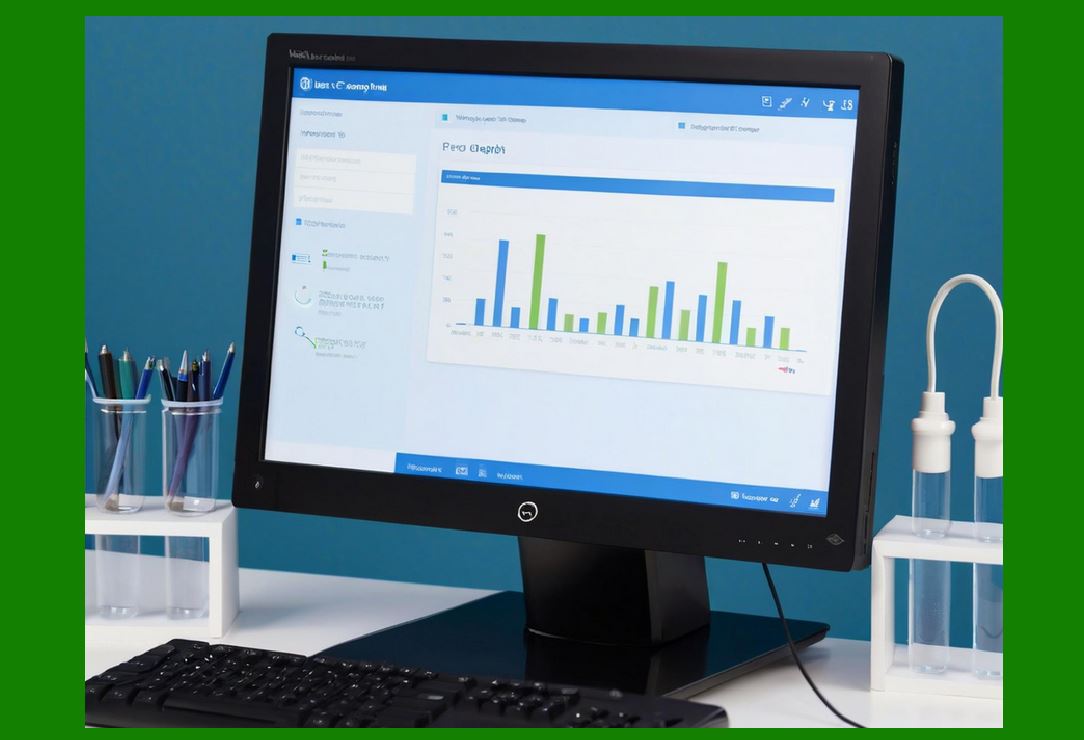
ERP systems provide reports on: |
* Order volumes |
* Delivery performance |
* Billing status |
* Backlog levels |
These reports support daily operational decisions. |
43.2 Strategic Sales Analysis |
Advanced analytics support: |
* Customer profitability analysis |
* Product performance analysis |
* Regional sales trends |
* Margin analysis |
This data informs strategic planning. |
|
44. Compliance and Control in Sales Processes |
44.1 Legal and Regulatory Compliance |
ERP sales modules enforce compliance with: |
* Tax regulations |
* Export controls |
* Trade compliance rules |
* Contractual obligations |
44.2 Audit Trails and Traceability |
Every sales transaction is: |
* Timestamped |
* User-attributed |
* Version-controlled |
This supports internal controls and audits. |
 cs@easiersoft.com