The Role of Barcode Label Printing in ERP Environments |
Part 7: Cross-System Integration, End-to-End Process Orchestration, and Enterprise Traceability |
52. Barcode Labels as the Integration Glue Across Enterprise Systems |
52.1 ERP as the System of Record, Not the Only System |
While ERP systems are the system of record for core enterprise data, they are rarely the only operational systems involved in physical processes. Warehouse systems, manufacturing execution systems, transportation systems, and quality systems all participate. |
Barcode labels act as the shared physical identifier that allows these systems to coordinate without direct data coupling. |
52.2 Physical Identification as a Cross-System Contract |
A barcode label represents a contract between systems: any system that scans the label agrees on what the identifier means and how it maps back to enterprise data. |
This contract must be defined and governed centrally, typically within the ERP. |
52.3 Avoiding Point-to-Point System Dependencies |
By relying on standardized labels rather than direct system integrations, enterprises reduce brittle point-to-point dependencies and improve architectural resilience. |

|
53. Integration with Warehouse Management Systems |
53.1 The Warehouse as a Label-Driven Environment |
Warehouses are among the most label-intensive environments in an enterprise. Every movement, pick, putaway, and count depends on accurate labeling. |
ERP-generated labels provide the authoritative identifiers used by warehouse systems. |
53.2 Synchronizing ERP and Warehouse Data States |
Label printing ensures that warehouse systems operate on the same identifiers defined by ERP. This alignment is essential for inventory accuracy. |
Mismatches between ERP and warehouse identifiers are a major source of reconciliation issues. |
53.3 Supporting Advanced Warehouse Automation |
Automation technologies such as conveyors, sorters, and robotic picking systems rely on consistent barcode data. ERP-controlled labeling ensures automation operates on trusted identifiers. |

|
54. Integration with Manufacturing Execution Systems |
54.1 Work-in-Process Visibility Through Labels |
In manufacturing, barcode labels track work-in-process across operations. Labels link physical items to production orders, routings, and quality statuses. |
ERP systems define production context; labels carry it through the shop floor. |
54.2 Preventing Production Errors Through Label Validation |
Scanning labels at each operation enables real-time validation of correct routing, material usage, and sequencing. |
This reduces scrap, rework, and compliance violations. |
54.3 Supporting Traceability and Genealogy |
ERP-generated labels support full product genealogy by linking components, processes, and finished goods across time. |

|
55. Integration with Transportation and Logistics Systems |
55.1 Labels as Shipping Execution Artifacts |
In logistics, labels are essential for carrier handoff, routing, and tracking. ERP systems generate shipment context; labels make it executable. |
55.2 Multi-Stage Logistics Identification |
Logistics labels often represent multiple aggregation levels, such as item, carton, pallet, and shipment. ERP must manage these hierarchies coherently. |
55.3 Supporting External Partner Integration |
Standardized labels allow external partners to interact with enterprise shipments without direct system access. |

|
56. Integration with Quality and Compliance Systems |
56.1 Quality Status as a Label Attribute |
Quality inspection results often determine whether an item can move forward. Labels communicate this status physically. |
ERP-driven labeling ensures quality rules are enforced consistently. |
56.2 Regulatory Traceability and Recall Readiness |
In regulated industries, traceability is mandatory. Labels enable rapid identification of affected items during recalls or audits. |
ERP integration ensures traceability data is accurate and complete. |
56.3 Auditability Across Systems |
Labels provide a physical audit trail that complements digital records across systems. |

|
57. End-to-End Process Orchestration Enabled by Labels |
57.1 Labels as Process Tokens |
A label can be viewed as a process token that carries state through the enterprise. Each scan advances or validates process execution. |
ERP systems orchestrate this progression through business rules. |
57.2 Reducing Manual Handoffs |
Label-driven automation reduces manual handoffs and subjective decisions, improving consistency. |
57.3 Exception Propagation Across Systems |
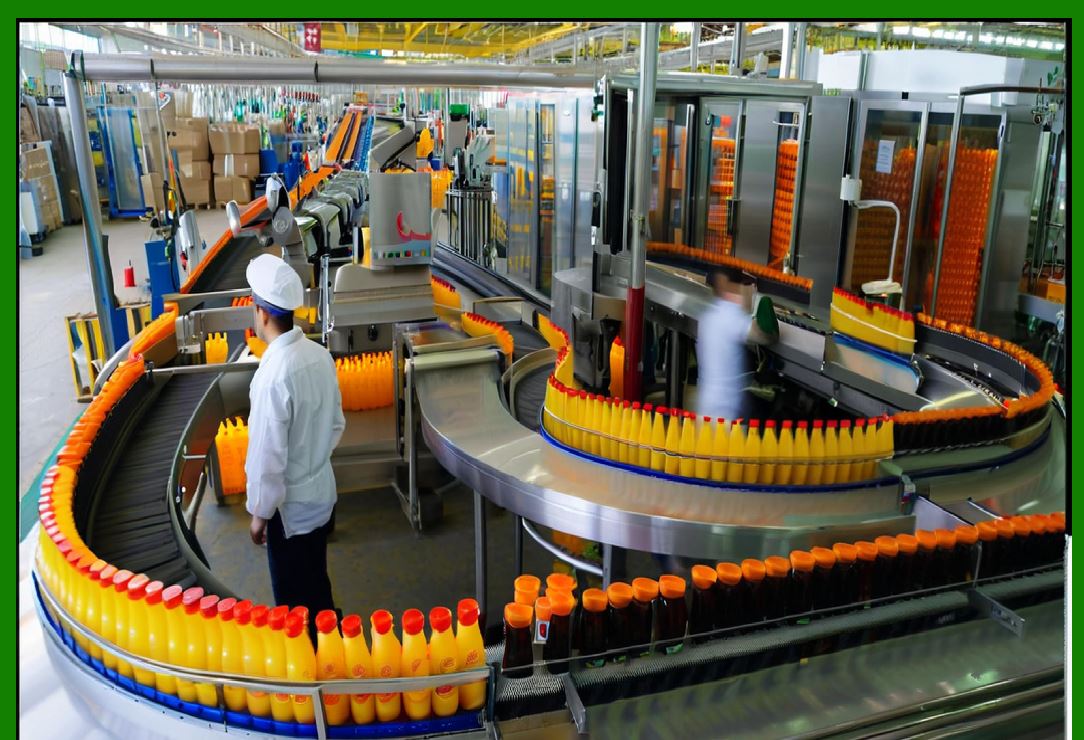
When exceptions occur, labels help propagate context across systems, enabling coordinated resolution. |
|
58. Enterprise-Wide Traceability Architecture |
58.1 Linking Physical and Digital Histories |
Traceability requires linking physical movements to digital records. Labels provide the anchor point for this linkage. |
58.2 Supporting Forward and Backward Traceability |
ERP-integrated labeling supports both forward traceability, from components to finished goods, and backward traceability, from issues to source. |
58.3 Long-Term Data Retention and Analysis |
Traceability data accumulated through label usage supports long-term analysis, risk management, and compliance reporting. |
|
59. Avoiding Fragmentation Across Integrated Systems |
59.1 Risks of Inconsistent Labeling Across Systems |
If different systems generate or interpret labels differently, fragmentation occurs. ERP governance prevents this by acting as the central authority. |
59.2 Coordinated Change Management |
Changes to label formats or identifiers must be coordinated across all consuming systems. ERP-centric governance enables this coordination. |
59.3 Testing Across System Boundaries |
End-to-end testing ensures labels function correctly across all integrated systems before changes are deployed. |

|
60. Summary of Part 7 |
In this part, we examined: |
* Barcode labels as cross-system integration mechanisms |
* ERP-driven alignment with warehouse, manufacturing, logistics, and quality systems |
* End-to-end process orchestration enabled by labeling |
* Enterprise-wide traceability architecture |
This positions barcode labeling as the physical backbone of integrated enterprise execution, not merely an ERP feature. |
 cs@easiersoft.com