Barcode Technology

Barcode History

Barcode Label Paper

Barcode Printer

Barcode Application

Inventory Management

AI Barcode QRCode

Barcode Scanner

Barcode Software

Barcode Software B

Barcode Software C

Barcode Software D

Barcode Software E

New Technology A

New Technology B

Robot Technology

Barcode Types

Barcode Types B

Barcode Types C

Barcode Types D

Barcode Types E

Barcode Types F

Electronic Technology

Psychology at Work

Barcode Technology and Barcode Software Related   <<< Back to Directory <<<

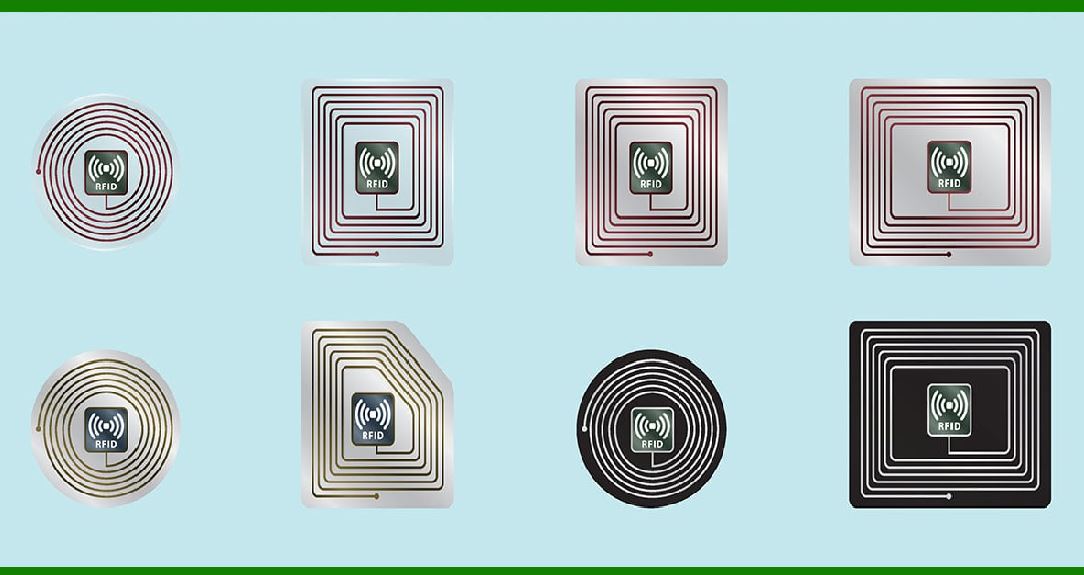
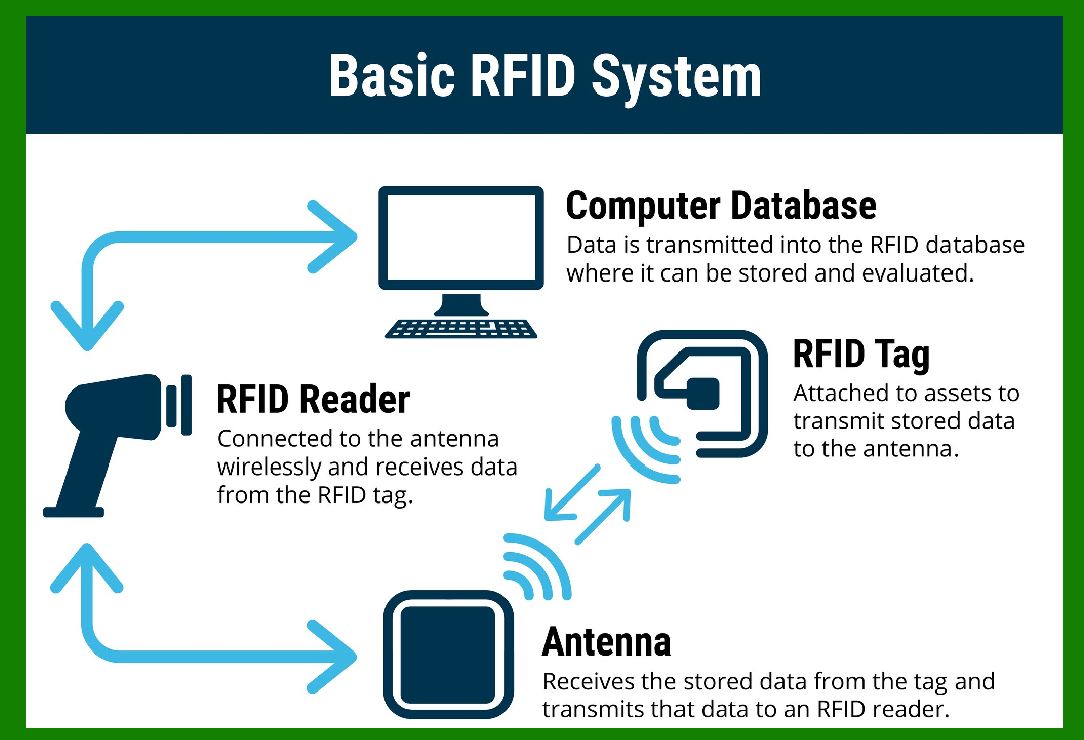
Capabilities and limitations of rfid and barcodes

Let's dive into the technical capabilities and limitations of both RFID (Radio Frequency Identification) and barcodes.

RFID (Radio Frequency Identification)

RFID Capabilities:

1.Read Range:

Passive RFID: Typically 1 cm to 10 meters, depending on the frequency and the environment.

Active RFID: Can be read from 30 meters to several kilometers.

2.Data Storage:

Can store significantly more data compared to barcodes, ranging from a few bytes to several kilobytes.

Data can be read, written, and modified, allowing for more complex information storage and dynamic updating.

3.Read Speed:

Can read multiple tags simultaneously (bulk reading), which is highly efficient for inventory management.

Reading speed is generally very fast, typically less than 100 milliseconds.

4.Durability:

Tags are generally more durable and resistant to damage, such as from dirt, moisture, and abrasion.

RFID tags can be embedded within objects for additional protection.

5.Automation and Integration:

Easily integrated into automated systems for tracking and management.

Can be used in various environments, including retail, manufacturing, logistics, and healthcare.

6.Security:

More secure than barcodes, supporting encryption and authentication to protect data.

RFID Limitations:

1.Cost:

Higher initial cost for tags and readers compared to barcode systems.

Infrastructure setup (antennas, readers, and integration systems) can be expensive.

2.Interference:

Susceptible to interference from metal, liquids, and electromagnetic fields, which can affect read range and accuracy.

Signal collision can occur when multiple readers are in close proximity.

3.Privacy Concerns:

Can be used for unauthorized tracking, leading to privacy issues.

Requires robust security measures to prevent unauthorized access.

4.Complexity:

More complex technology requiring specialized knowledge for implementation and maintenance.

Requires regular calibration and maintenance to ensure optimal performance.

Barcodes

Barcodes Capabilities:

1.Cost-Effectiveness:

Extremely low cost for printing and implementation.

Simple to produce and print on labels, packaging, and products.

2.Ease of Use:

Simple technology that is easy to understand and use.

Widely adopted and standardized across various industries.

3.Read Accuracy:

Very accurate in reading individual items with high precision.

Scanners are widely available and relatively inexpensive.

4.Compatibility:

Compatible with a wide range of software and systems.

Universal standards ensure consistency across different platforms and industries.

5.Durability in Controlled Environments:

Effective in controlled environments where labels are unlikely to be damaged.

Barcodes Limitations:

1.Data Storage:

Limited data storage capacity, typically only a few characters.

Cannot store or update complex information dynamically.

2.Read Range and Speed:

Requires direct line-of-sight for scanning, limiting read range and speed.

Only one barcode can be read at a time, which can slow down processes.

3.Durability:

Barcodes can be easily damaged by dirt, moisture, and physical abrasion, rendering them unreadable.

Labels can fade over time, especially in harsh environments.

4.Manual Scanning:

Requires manual scanning, which can be labor-intensive and prone to human error.

Inefficient for bulk scanning or automated processes.

5.Security:

Minimal security features; easily copied or tampered with.

No encryption or authentication, making them less secure than RFID.

Comparison Summary:

Cost:

Barcodes are cheaper to implement but RFID offers more advanced features at a higher cost.

Data Capacity:

RFID can store more and dynamic data, while barcodes are limited.

Read Range and Speed:

RFID supports longer ranges and faster read speeds with bulk reading capabilities; barcodes require close proximity and line-of-sight.

Durability:

RFID tags are more durable, whereas barcodes can be easily damaged.

Security:

RFID offers better security features compared to barcodes.

Ease of Use:

Barcodes are simpler and more universally adopted, while RFID systems are more complex and require specialized knowledge.

Each technology has its own strengths and is suitable for different applications. RFID is ideal for complex, high-value, and automated environments, whereas barcodes are perfect for simple, cost-effective, and straightforward applications.


EasierSoft Barcode Label Design & Bulk Printing Software

---- Use Excel Data to Batch Print Barcodes on Label Sheets or Roll Labels  

---- How to use this barcode software

Download:  Free Barcode Software + Barcode Label Designer

Download Free Barcode Software at Softonic

     Download at CNET

Once you obtain a GS1/UPC/EAN barcode, or other barcode type and QR code, you can use our free software to batch print barcode labels onto Roll label paper using a professional label printer, or to batch print barcodes onto Avery 5160 label sheets using a regular laser or inkjet printer. Our software has free and paid versions.

The free version fully meets your needs for batch printing GS1/UPC/EAN barcodes. The paid version can import data from Excel and databases to batch print barcode labels with different values.

How to Start

Input Data

Import Excel Data

Print Barcode

Barcode Format

Label Designer

All Screen Shot

Export Barcode Image

Save Template

Output Word Excel

How to Use & FAQ:

Label Designer - Printing

Set the barcode label format to be printed

Other Barcode Label Format Settings

Barcode types supported by this program

Barcode Label Font Settings

Configuring the Barcode Print Rotation

Text Alignment for Barcode Labels

Automatically Adjusting Barcode Width

Text Beneath the Barcode

Configuring Barcode Size

Auto Calculate the Barcode Size

Export Barcode images

Export Barcode Image Format

File Names for Exported Barcode

Resolution of Exported Barcode Images

Fixed Folder for Exporting Barcode

Default Barcode Image Export Format

Print bulk barcodes quickly

Print barcodes to Avery 5160 label

How to bulk Barcode Printing

Sample - Avery 5162 (2x7) Label Sheet

Example: Print barcodes to 5*3cm roll

Example: Print barcodes to 5161 label

Example: Print barcodes to 5162 label

Example: Print barcodes to 5163 label

Example: Print barcodes to 5164 label

Example: Print portrait orientation 5164

Example: Print barcodes to 5167 label

Example: Print barcodes to 5168 label

Example: Print portrait orientation 5168

Example: Print barcodes to 5169 label

Example: Print barcodes to 5660 label

Example: Print barcodes to 5661 label

Example: Print barcodes to 5662 label

Example: Print barcodes to 5663 label

Example: Print barcodes to 5664 label

Example: Print portrait orientation 5664

Example: Print barcodes to 5873 label

Example: Print barcodes to 5874 label

Two ways to import Excel data

Import Excel Data - Pro Edition

Import Excel Data - Std Edition

Import Data from Excel - Detail

Load Data From Excel File

Data Editing Table

Copy Data From Excel

Four ways to input barcode data

Add ASCII Key E

Input Multiple Lines of Text for Barcodes

Generates Sequential Serial Numbers

Highlights

Excel integration: Import data directly from Excel to generate and print barcodes in bulk.

Label designer: Create complex labels with multiple barcodes, text, logos, and shapes.

Batch printing: Print thousands of barcodes at once using standard inkjet/laser printers or professional barcode printers.


Flexible editions:

Standard Edition: Simple batch printing with Excel data.

Professional Edition: Adds command-line automation for workflow integration.

Label Designer Edition: Advanced design features for complex labels.


Why Choose Our Barcode Solutions?

Cost-effective: Free online generator and permanent free desktop version available.

Easy to use: No technical expertise required—just input data and print.

Versatile: Supports nearly all 1D and 2D barcode types, including QR codes.

Trusted: Recommended by CNET and widely downloaded by users worldwide.


Suitable Use Cases

Small businesses and startups needing quick barcode labels for products.

Retailers and online sellers managing inventory with batch barcode printing.

Manufacturers requiring sequential or custom barcode labels for packaging.

Educational and testing environments where barcodes are used for tracking.


CONTACT

cs@easiersoft.com

If you have any question, please feel free to email us.


https://free-barcode.com


<<< Back to Directory <<<     Barcode Generator     Barcode Freeware     Privacy Policy