Barcode Technology

Barcode History

Barcode Label Paper

Barcode Printer

Barcode Application

Inventory Management

AI Barcode QRCode

Barcode Scanner

Barcode Software

Barcode Software B

Barcode Software C

Barcode Software D

Barcode Software E

New Technology A

New Technology B

Robot Technology

Barcode Types

Barcode Types B

Barcode Types C

Barcode Types D

Barcode Types E

Barcode Types F

Electronic Technology

Psychology at Work

Barcode Technology and Barcode Software Related   <<< Back to Directory <<<

Environmental considerations of rfid barcodes

Environmental Considerations and Sustainability Aspects of RFID vs. Barcodes

When evaluating the environmental impact and sustainability of using RFID (Radio Frequency Identification) versus barcodes, several factors need to be considered. These include the materials used, the energy consumption during manufacturing and operation, the waste generated, and the potential for recycling.

1. Materials and Manufacturing

RFID:

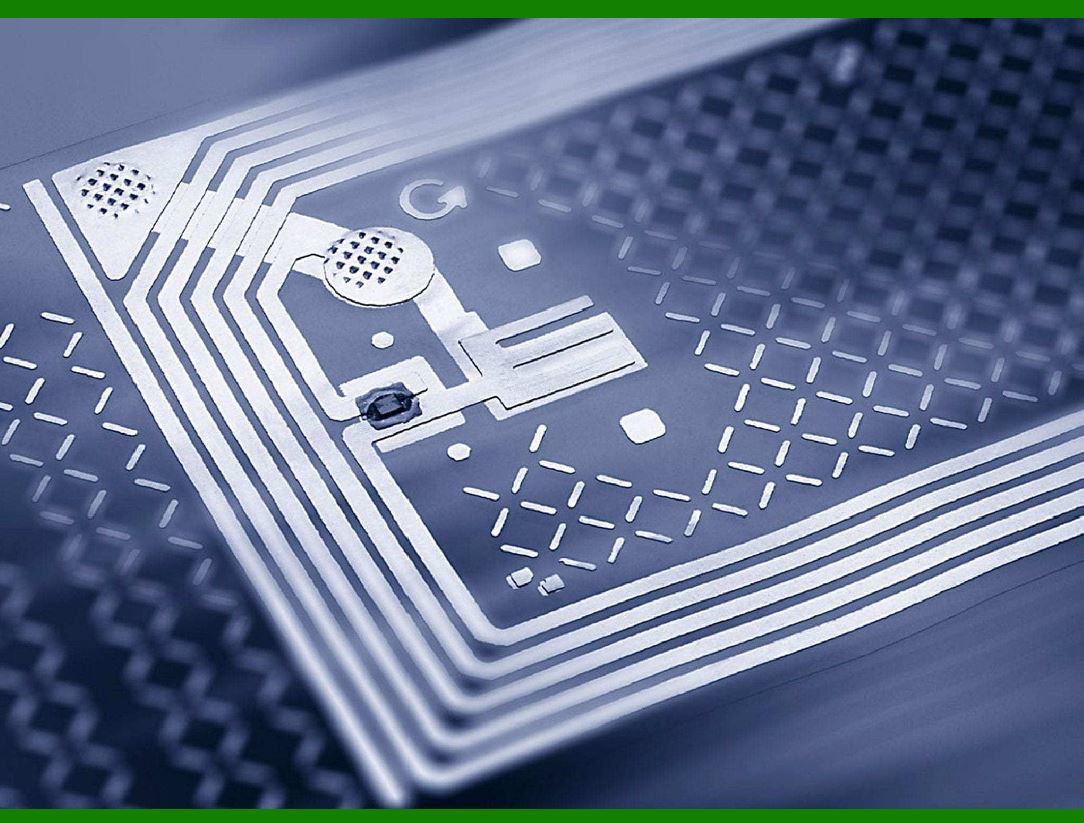
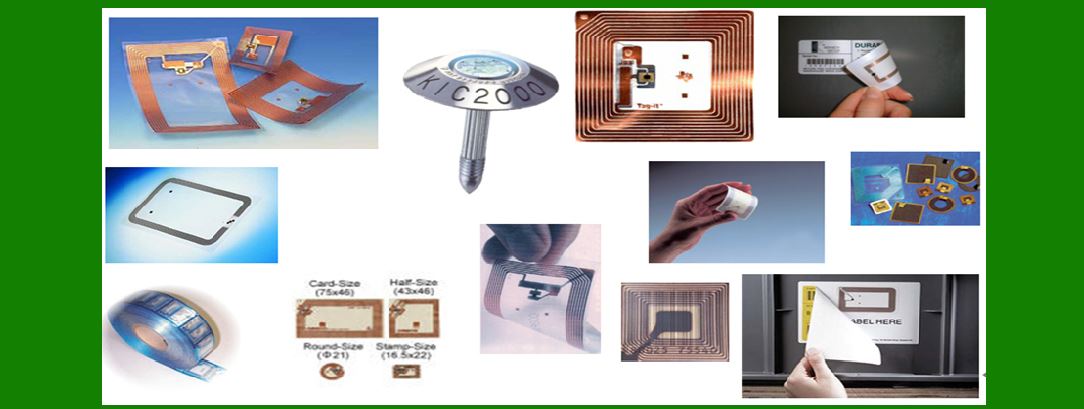
Materials: RFID tags are composed of an integrated circuit (IC) for storing and processing information, an antenna for receiving and transmitting signals, and a substrate to hold these components together. The IC contains silicon and metals like gold or aluminum, while the antenna is usually made of copper, aluminum, or silver.

Manufacturing: The production of RFID tags involves more complex manufacturing processes compared to barcodes. The ICs require semiconductor fabrication, which is energy-intensive and involves hazardous chemicals. The antennas are often created using etching processes that can produce chemical waste.

Sustainability: The use of precious metals and energy-intensive manufacturing makes RFID tags less environmentally friendly in their production phase. However, advancements are being made in developing eco-friendlier RFID tags, such as using biodegradable substrates and reducing the amount of metal used.

Barcodes:

Materials: Barcodes are printed on paper or plastic using ink. The materials are relatively simple and widely available.

Manufacturing: The process of printing barcodes is straightforward and less energy-intensive compared to producing RFID tags. It primarily involves printing technology, which can vary in environmental impact depending on the type of ink and printing process used.

Sustainability: Since barcodes can be printed on recyclable paper, they are generally considered more environmentally friendly in terms of materials and production. However, if printed on non-recyclable materials like certain plastics, their sustainability can be compromised.

2. Energy Consumption

RFID:

Operation: RFID systems require readers that emit radio waves and tags that respond. Active RFID tags have their own power source, usually a battery, while passive tags rely on the reader's signal for power.

Energy Use: Passive RFID tags consume less energy during use since they do not have their own power source. However, the readers and infrastructure required to support RFID systems consume significant energy.

Barcodes:

Operation: Barcode systems use scanners that emit light to read the printed code. These scanners generally consume less power compared to RFID readers.

Energy Use: The overall energy consumption of barcode systems is lower compared to RFID systems, especially since barcode labels do not require any power to operate.

3. Waste and End-of-Life

RFID:

Waste: RFID tags, especially those with integrated circuits and metal antennas, contribute to electronic waste (e-waste). The disposal and recycling of RFID tags can be challenging due to the combination of materials used.

Recycling: While some components of RFID tags can be recycled, the process is more complex compared to paper-based barcodes. Efforts are being made to design more recyclable RFID tags, but this is still an area in development.

Barcodes:

Waste: Barcodes printed on paper can be easily recycled along with the paper. When printed on plastic, the recyclability depends on the type of plastic and local recycling capabilities.

Recycling: Paper barcodes are highly recyclable, making them a more sustainable option at the end of their lifecycle. Plastic barcode labels are less sustainable but still easier to handle compared to e-waste from RFID tags.

4. Longevity and Reusability

RFID:

Longevity: RFID tags can be reused multiple times, which can offset some of the environmental impact of their production. Durable RFID tags are especially useful in supply chain management where repeated use can justify the initial environmental cost.

Reusability: High durability and reusability of RFID tags can contribute positively to sustainability if the tags are used extensively over their lifecycle.

Barcodes:

Longevity: Barcodes are typically used for single-use applications, especially in retail for individual product labeling.

Reusability: Barcodes are generally not reusable, which means they create more waste per use compared to reusable RFID tags.

5. Conclusion

While barcodes are more environmentally friendly in terms of materials and manufacturing processes, RFID tags offer benefits in reusability and efficiency in operations. The choice between RFID and barcodes should consider the specific application, the potential for reuse, and the overall lifecycle environmental impact. Sustainable innovations in both technologies can further reduce their ecological footprints.


EasierSoft Barcode Label Design & Bulk Printing Software

---- Use Excel Data to Batch Print Barcodes on Label Sheets or Roll Labels  

---- How to use this barcode software

Download:  Free Barcode Software + Barcode Label Designer

Download Free Barcode Software at Softonic

     Download at CNET

Once you obtain a GS1/UPC/EAN barcode, or other barcode type and QR code, you can use our free software to batch print barcode labels onto Roll label paper using a professional label printer, or to batch print barcodes onto Avery 5160 label sheets using a regular laser or inkjet printer. Our software has free and paid versions.

The free version fully meets your needs for batch printing GS1/UPC/EAN barcodes. The paid version can import data from Excel and databases to batch print barcode labels with different values.

How to Start

Input Data

Import Excel Data

Print Barcode

Barcode Format

Label Designer

All Screen Shot

Export Barcode Image

Save Template

Output Word Excel

How to Use & FAQ:

Input data (Pro)

Label Designer

Edit data in Label designer

Label Designer - Add new label

Label Designer - Printing

Set the barcode label format to be printed

Other Barcode Label Format Settings

Barcode types supported by this program

Barcode Label Font Settings

Configuring the Barcode Print Rotation

Text Alignment for Barcode Labels

Automatically Adjusting Barcode Width

Text Beneath the Barcode

Configuring Barcode Size

Auto Calculate the Barcode Size

Export Barcode images

Export Barcode Image Format

File Names for Exported Barcode

Resolution of Exported Barcode Images

Fixed Folder for Exporting Barcode

Default Barcode Image Export Format

Print bulk barcodes quickly

Print barcodes to Avery 5160 label

How to bulk Barcode Printing

Sample - Avery 5162 (2x7) Label Sheet

Example: Print barcodes to 5*3cm roll

Example: Print barcodes to 5161 label

Example: Print barcodes to 5162 label

Example: Print barcodes to 5163 label

Example: Print barcodes to 5164 label

Example: Print portrait orientation 5164

Example: Print barcodes to 5167 label

Example: Print barcodes to 5168 label

Example: Print portrait orientation 5168

Example: Print barcodes to 5169 label

Example: Print barcodes to 5660 label

Example: Print barcodes to 5661 label

Example: Print barcodes to 5662 label

Example: Print barcodes to 5663 label

Example: Print barcodes to 5664 label

Example: Print portrait orientation 5664

Example: Print barcodes to 5873 label

Example: Print barcodes to 5874 label

Two ways to import Excel data

Import Excel Data - Pro Edition

Import Excel Data - Std Edition

Import Data from Excel - Detail

Load Data From Excel File

Data Editing Table

Copy Data From Excel

Highlights

Excel integration: Import data directly from Excel to generate and print barcodes in bulk.

Label designer: Create complex labels with multiple barcodes, text, logos, and shapes.

Batch printing: Print thousands of barcodes at once using standard inkjet/laser printers or professional barcode printers.


Flexible editions:

Standard Edition: Simple batch printing with Excel data.

Professional Edition: Adds command-line automation for workflow integration.

Label Designer Edition: Advanced design features for complex labels.


Why Choose Our Barcode Solutions?

Cost-effective: Free online generator and permanent free desktop version available.

Easy to use: No technical expertise required—just input data and print.

Versatile: Supports nearly all 1D and 2D barcode types, including QR codes.

Trusted: Recommended by CNET and widely downloaded by users worldwide.


Suitable Use Cases

Small businesses and startups needing quick barcode labels for products.

Retailers and online sellers managing inventory with batch barcode printing.

Manufacturers requiring sequential or custom barcode labels for packaging.

Educational and testing environments where barcodes are used for tracking.


CONTACT

cs@easiersoft.com

If you have any question, please feel free to email us.


https://free-barcode.com


<<< Back to Directory <<<     Barcode Generator     Barcode Freeware     Privacy Policy