1. Introduction to RFID in Healthcare |
1.1 What is RFID? |
Radio-Frequency Identification (RFID) is a technology that uses electromagnetic fields to automatically identify and track tags attached to objects. An RFID system consists of a tag, a reader, and a backend system. The tag contains a microchip and an antenna, which communicates with the reader to transmit data. This technology is widely used in various industries, including healthcare, to enhance operational efficiency and accuracy. |
1.2 Importance of RFID in Healthcare |
In healthcare, RFID plays a crucial role in improving patient safety, streamlining operations, and reducing costs. Its applications range from tracking medical equipment and pharmaceuticals to monitoring patient movements and managing hospital inventory. By automating data collection and tracking processes, RFID minimizes human error and ensures timely availability of critical resources. |

|
2. Overview of NewYork-Presbyterian Hospital's RFID System |
2.1 Hospital Background |
NewYork-Presbyterian Hospital, one of the largest and most prestigious medical centers in the United States, is known for its commitment to excellence in patient care and innovation. The hospital provides a range of services, including surgery, emergency care, and specialized treatments, making efficient management of surgical instruments vital to its operations. |
2.2 RFID Implementation |
NewYork-Presbyterian Hospital has integrated RFID technology to manage and track surgical instruments throughout their lifecycle. This implementation focuses on two primary aspects: ensuring instrument availability and maintaining sterilization standards. |

|
3. Tracking Surgical Instruments |
3.1 Purpose of Tracking |
Tracking surgical instruments is essential to avoid delays and ensure that each instrument is available when needed. Accurate tracking helps in managing inventory, preventing loss, and ensuring that all instruments are properly sterilized and ready for use. |
3.2 RFID Tags on Instruments |
Each surgical instrument is equipped with an RFID tag. These tags are small, durable, and designed to withstand the harsh conditions of sterilization processes. The RFID tag stores critical information about the instrument, such as its ID number, type, and sterilization status. |
3.3 RFID Readers and Data Collection |
RFID readers are installed at various points within the hospital, such as in operating rooms, sterilization areas, and storage rooms. These readers scan the RFID tags on instruments, automatically recording their locations and status. The collected data is sent to a centralized database, which provides real-time information on instrument availability and location. |

|
4. Ensuring Sterilization |
4.1 Sterilization Standards |
Maintaining proper sterilization of surgical instruments is crucial to preventing infections and ensuring patient safety. Instruments must be sterilized according to strict protocols, and any deviation can result in significant risks. |
4.2 RFID and Sterilization Tracking |
RFID technology helps track the sterilization process of each instrument. When an instrument is placed in a sterilization machine, the RFID tag records the time and date of sterilization. This data is crucial for ensuring that instruments are sterilized according to protocol and are ready for the next procedure. |
4.3 Integration with Sterilization Equipment |
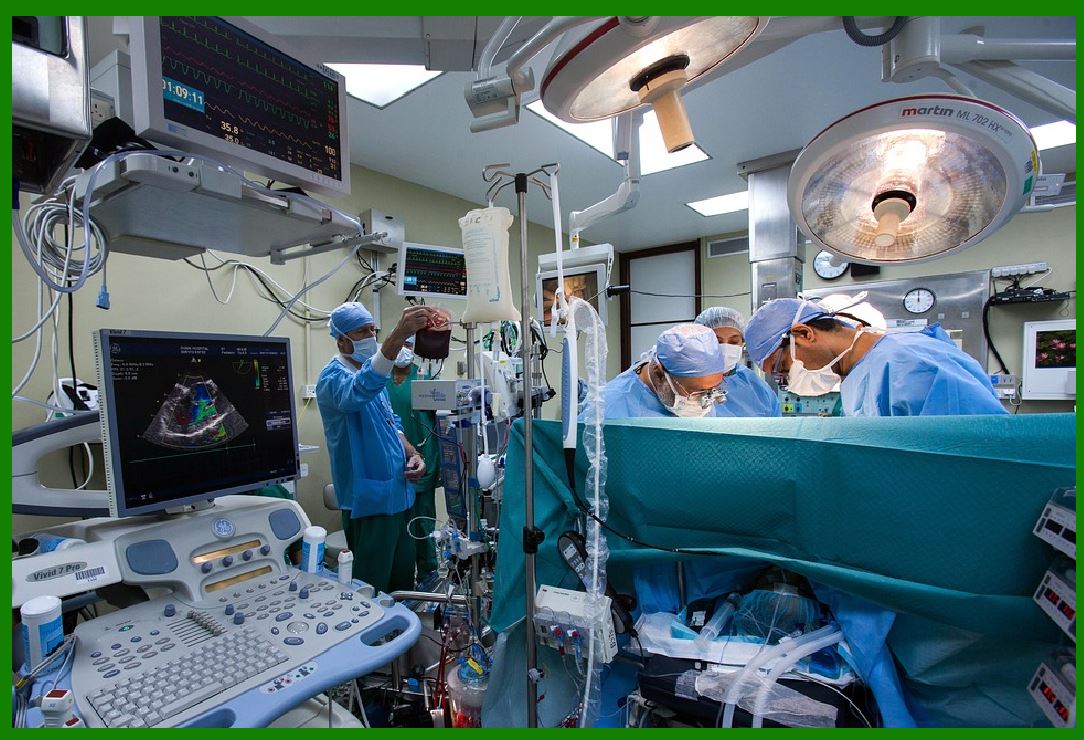
NewYork-Presbyterian Hospital has integrated RFID with its sterilization equipment. The sterilization machines are equipped with RFID readers that automatically scan instruments as they enter and exit the machine. This integration ensures that every instrument is properly sterilized and prevents any that have not been through the process from being used. |
|
5. Reducing Surgical Delays |
5.1 Impact of Delays |
Surgical delays can have serious consequences, including extended patient wait times, increased risks of complications, and inefficient use of resources. Ensuring that surgical instruments are readily available and correctly sterilized helps to minimize these delays. |
5.2 RFID's Role in Reducing Delays |
With RFID technology, NewYork-Presbyterian Hospital can quickly locate and retrieve surgical instruments. The real-time tracking system provides accurate information on instrument availability, reducing the time spent searching for instruments and minimizing the risk of delays. If an instrument is not available or is not properly sterilized, the system alerts the staff, allowing them to take corrective action before the surgery begins. |

|
6. Enhancing Patient Safety |
6.1 Importance of Patient Safety |
Patient safety is the top priority in any healthcare setting. Ensuring that all surgical instruments are sterile and readily available is a fundamental aspect of maintaining safety standards and preventing healthcare-associated infections. |
6.2 RFID's Contribution to Safety |
RFID technology enhances patient safety by providing accurate and real-time information on the status of surgical instruments. By preventing the use of non-sterilized or missing instruments, the RFID system helps reduce the risk of infections and complications. Additionally, the system ensures that all instruments are accounted for, preventing the risk of instruments being left inside patients after surgery. |

|
7. Examples and Case Studies |
7.1 Case Study: NewYork-Presbyterian Hospital |
NewYork-Presbyterian Hospital's RFID system has been successful in addressing several challenges associated with surgical instrument management. For example, in a case where a complex surgery required multiple specialized instruments, the RFID system enabled the surgical team to quickly locate and confirm the availability of all necessary tools, ensuring a smooth and timely procedure. |
7.2 Industry Comparisons |
Similar RFID implementations have been adopted by other leading hospitals worldwide. For instance, the Cleveland Clinic and Mayo Clinic have also integrated RFID technology to track surgical instruments and improve operational efficiency. These examples demonstrate the effectiveness of RFID in enhancing healthcare practices and patient safety across various institutions. |

|
8. Challenges and Considerations |
8.1 Implementation Challenges |
Implementing RFID technology requires significant investment in infrastructure, including RFID tags, readers, and integration with existing systems. Hospitals must also train staff to effectively use the new technology and address any potential technical issues that may arise. |
8.2 Privacy and Data Security |
Ensuring the security and privacy of patient and instrument data is crucial. Hospitals must implement robust security measures to protect the data collected by the RFID system from unauthorized access and breaches. |
8.3 Ongoing Maintenance and Support |
RFID systems require regular maintenance and updates to ensure continued functionality and accuracy. Hospitals must establish protocols for system maintenance and provide ongoing support to address any issues that may arise. |

|
9. Conclusion |
9.1 Summary |
RFID technology has proven to be a valuable tool in healthcare, particularly in managing and tracking surgical instruments. NewYork-Presbyterian Hospital's implementation of RFID has enhanced the availability and sterilization of instruments, reduced surgical delays, and improved patient safety. |
9.2 Future Prospects |
As technology continues to advance, RFID systems are likely to become even more sophisticated and integrated into various aspects of healthcare. Future developments may include enhanced data analytics, improved RFID tags, and greater integration with other hospital systems, further improving the efficiency and safety of healthcare operations. |

|
This detailed description provides a comprehensive overview of how RFID technology is utilized by NewYork-Presbyterian Hospital to enhance surgical instrument management and improve patient outcomes. |
 cs@easiersoft.com