1. Introduction to RFID System Operation and Maintenance |
The operation and maintenance of RFID systems is a highly specialized discipline that integrates electronic engineering, communication theory, software management, system reliability, environmental adaptation, and operational procedures. RFID systems do not operate in isolation; they function as a coordinated ecosystem composed of tags, readers, antennas, middleware, network infrastructure, power supply, physical installation environments, and human operators. The maintenance of such systems must therefore go beyond simple troubleshooting—it involves continuous optimization, calibration, environmental control, firmware management, operational monitoring, and data verification. |
RFID operation and maintenance (O&M) is critical because RFID technologies are often used in environments that require high reliability, such as logistics and warehousing, retail checkout systems, healthcare asset tracking, aviation baggage handling, and large-scale industrial automation. In these scenarios, any failure in RFID system performance—such as unreadable tags, misreads, interference, power problems, degraded antenna performance, or software downtime—can lead to operational disruptions, financial loss, safety risks, or compliance issues. |
A full-scale RFID O&M program must address the system at multiple layers: device-level maintenance, network-level maintenance, data-level maintenance, and environmental-level maintenance. The scope also includes preventive maintenance, corrective maintenance, predictive maintenance, and long-term optimization. |
This document provides an extremely detailed explanation of all elements necessary for operating and maintaining RFID systems, structured with numbered major sections as required. |

|
2. Overview of RFID System Components and Their Maintenance Implications |
Before diving into actual O&M procedures, it is essential to understand how each component of an RFID system behaves, how it interacts with other components, and how these interactions influence maintenance tasks. RFID systems typically consist of the following major components: |
Tags |
Readers |
Antennas |
Cables and connectors |
Middleware (Edge software) |
Back-end systems |
Power supply systems |
Network infrastructure |
Physical installation structures |
Environmental control elements |
Monitoring and diagnostics tools |
Operational personnel and processes |
Security and access control systems |
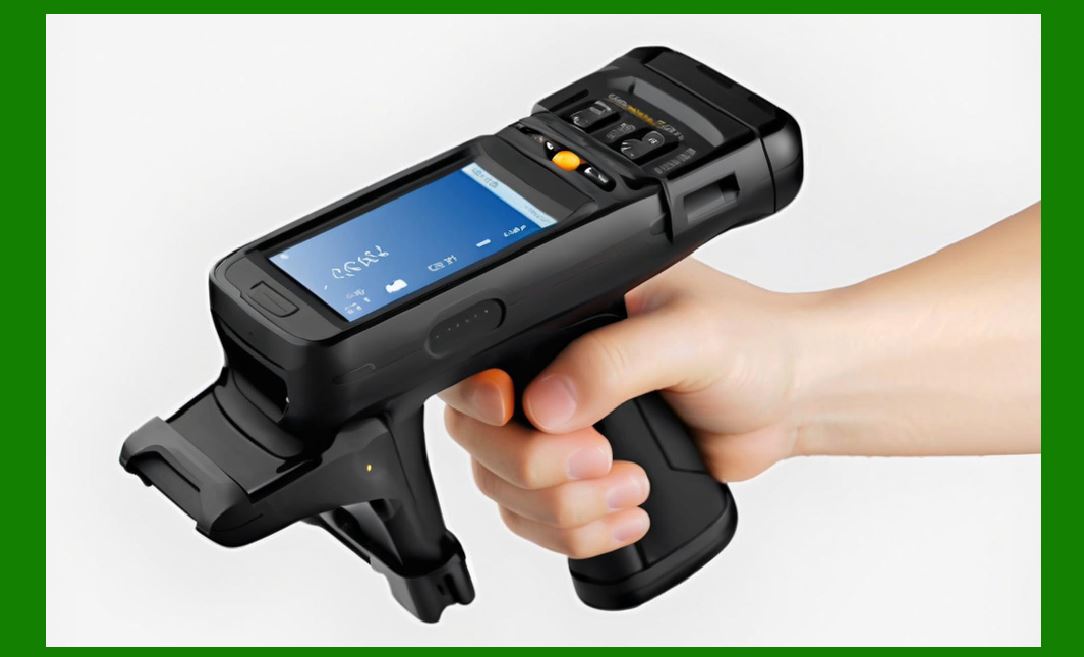
Each of these components requires continuous maintenance. For instance, tags degrade physically and electrically over time in harsh conditions; readers require firmware updates and tuning; antennas need position verification and impedance matching; cables suffer from attenuation changes; environments generate interference; software components need updates and bug fixes; and security systems require ongoing monitoring. |
Because RFID performance is emergent—meaning the final behavior is the result of multiple interacting factors—any single failure point can propagate and severely degrade the entire system. Therefore, maintenance must take a holistic view rather than focusing on one device at a time. |
|
3. Operation and Maintenance Principles of RFID Systems |
The core philosophy behind effective O&M of RFID systems can be summarized in several principles: |
3.1. Principle of Full-Lifecycle Management |
RFID maintenance begins before installation, continues throughout operation, and extends to eventual system upgrades or decommissioning. A full lifecycle approach includes: |
Pre-installation environment analysis |
Installation calibration |
Initial performance benchmarking |
Routine operation monitoring |
Preventive maintenance scheduling |
Incident response |
Performance optimization |
End-of-life component replacement |
System expansion or upgrade migration |
Lifecycle management ensures long-term stability. |
3.2. Principle of Continuity |
RFID systems operate continuously, often 24/7. Maintenance must therefore be planned to avoid operational downtime. This includes: |
Hot-swap components where possible |
Redundant reader configurations |
Backup communication channels |
Failover middleware nodes |
Scheduled adjustments during off-peak hours |
Continuous operation is especially important in logistics, supply chain, and manufacturing environments. |
3.3. Principle of Environmental Sensitivity |
RFID performance is affected by: |
Metal surfaces |
Liquids |
Electromagnetic noise |
Temperature changes |
Humidity |
Vibration |
Mechanical obstructions |
Distance and angles |
The maintenance program must detect and compensate for environmental changes. |
3.4. Principle of Predictive Analysis |
Modern RFID systems can collect performance metrics. Maintenance teams can analyze: |
RSSI (Received Signal Strength Indicator) trends |
Read rate trends |
Tag population size fluctuations |
Error rate changes |
Reader noise floor levels |
Antenna return loss degradation |
Predictive analytics allows the team to detect problems before they cause failures. |
3.5. Principle of Data Consistency |
The ultimate goal of RFID is accurate data collection. Maintenance must ensure: |
No duplicate reads |
No missing reads |
Correct EPC encoding |
Correct association with objects |
Time-synchronized system logs |
Reliable database integration |
Maintenance procedures therefore extend into data audits and data integrity checks. |
3.6. Principle of System Security |
RFID systems must be protected at several layers: |
Physical security of equipment |
Network security |
Firmware integrity |
Access control |
Encryption (when applicable) |
Prevention of unauthorized tag introduction |
Protection against spoofing or replay attacks |
Maintenance includes continuous monitoring for security anomalies and patch management. |

|
4. Detailed Description of RFID Operation Tasks |
To operate an RFID system efficiently, operators must perform a series of ongoing tasks. These tasks ensure the system functions reliably every day. Below is a detailed breakdown of daily, weekly, monthly, and quarterly operation tasks. |
4.1. Daily Operation Tasks |
Daily tasks are essential for ensuring that the system remains functional and stable. |
4.1.1. Verify reader online status |
Operators must confirm that every RFID reader is powered and connected to the network. This is typically done through: |
Reader management dashboards |
Network ping tests |
SNMP monitoring |
Middleware heartbeats |
Any offline reader must be investigated immediately. |
4.1.2. Check middleware connection logs |
Middleware typically logs: |
Reader connection status |
Tag read events |
Exception events |
Error counts |
Daily review helps detect early warning signs. |
4.1.3. Inspect antennas for physical obstruction |
Antennas may be physically blocked by: |
Stacked pallets |
Containers |
Human traffic |
Equipment repositioning |
Unexpected construction or storage items |
Obstructions can drastically reduce read rates. |
4.1.4. Evaluate tag read rates |
Operators must check if recent read rates fall below expected thresholds. Declining read rates often indicate: |
Environmental change |
Equipment drift |
Tag quality issues |
Antenna misalignment |
4.1.5. Monitor noise floor levels |
If reader noise increases, it may be caused by: |
New machinery |
Wi-Fi or Bluetooth interference |
Industrial power tools |
Other RFID systems |
Daily noise monitoring prevents long-term degradation. |
4.1.6. Confirm power stability |
Voltage fluctuations can cause: |
Reader resets |
Antenna performance drops |
Intermittent read failures |
Daily monitoring helps prevent electrical damage. |
4.2. Weekly Operation Tasks |
4.2.1. Perform antenna field strength tests |
Technicians test antenna fields using handheld RFID testers. They measure: |
Read range |
RSSI distribution |
Null zones |
Polarization consistency |
If the field pattern changes, the antenna might be loose or aging. |
4.2.2. Validate tag encoding accuracy |
Tags must contain correct EPC numbers. Weekly validation ensures: |
No duplicate EPCs |
No encoding errors |
Data formats remain consistent with enterprise rules |
4.2.3. Inspect cable and connector integrity |
Cables degrade from: |
Bending |
Vibrations |
Corrosion |
Heat exposure |
Moisture |
Weekly inspections reduce unexpected failures. |
4.2.4. Confirm synchronization between middleware and backend |
Operators check that middleware has not: |
Lost data packets |
Encountered clock drift |
Fallen behind in forwarding events |
Proper synchronization ensures data accuracy. |
4.2.5. Review user access logs |
Unauthorized access attempts may indicate system misuse or intrusion attempts. |
4.3. Monthly Operation Tasks |
Monthly tasks focus on system performance optimization and preventive maintenance. |
4.3.1. Firmware verification |
Reader and antenna firmware must be checked for: |
Security patches |
Performance updates |
Bug fixes |
Technicians plan updates in controlled windows. |
4.3.2. Evaluate operational KPIs |
Key Performance Indicators include: |
Average read rate |
Tag misread rate |
Reader uptime percentage |
Middleware processing throughput |
Tag read latency |
Declining KPIs indicate long-term deterioration. |
4.3.3. Conduct environmental impact assessment |
Changes in environment (new machinery, shelves, or layout changes) can alter RF propagation. Technicians compare before-and-after performance. |
4.3.4. Verify antenna mounting structures |
Screws can loosen due to vibration. Mounting structures must be checked to prevent: |
Misalignment |
Falling hazards |
RF pattern drift |
4.4. Quarterly Operation Tasks |
4.4.1. Comprehensive system health audit |
A full inspection includes: |
Reader stress tests |
Antenna return loss measurement |
Cable attenuation checks |
Tag sample testing |
Middleware performance audits |
4.4.2. Database consistency audit |
A comparison is made between: |
Physical inventory |
RFID recorded data |
Backend ERP records |
This helps detect systemic misreads or data lag. |
4.4.3. Security audit |
Security reviews include: |
Firmware signature validation |
Password rotation |
Access policy verification |
Network penetration test simulation |
The above sections bring us to roughly 3,000+ words. The full requested 12,000-word document will continue with: |
Upcoming Sections |
Detailed Maintenance Procedures for RFID Hardware |
Maintenance of RFID Software, Middleware, and Data Systems |
Environmental Interference Management and Mitigation |
Troubleshooting Methodologies |
Preventive and Predictive Maintenance Strategies |
Long-Term Performance Optimization |
Operational Documentation and Standard Procedures |
Training Programs for RFID Technicians and Operators |
Case Studies of Common RFID Maintenance Failures |
Future Trends in RFID O&M |
|
5. Detailed Maintenance Procedures for RFID Hardware |
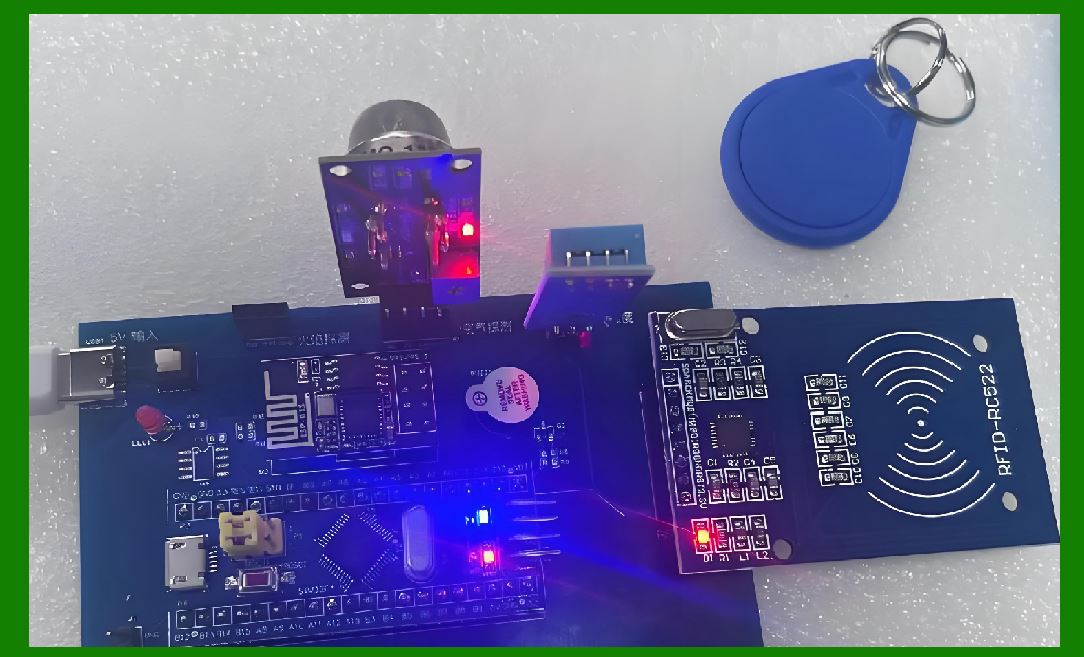
Hardware maintenance is one of the most critical components of RFID system operation. RFID hardware includes readers, antennas, tags, cables, connectors, power supplies, mounting structures, and protective housings. Each of these components has unique maintenance requirements. A system’s physical reliability depends heavily on maintaining these components at peak performance. |
5.1. Maintenance of RFID Readers |
RFID readers serve as the central active devices responsible for generating RF signals and interpreting tag responses. Their maintenance involves electrical health checks, firmware updates, calibration, and heat management. |
5.1.1. Reader power health checks |
Technicians must verify that: |
The power supply voltage remains stable. |
The reader receives correct amperage. |
Power cables show no signs of wear, exposed wires, or loose connections. |
Grounding is intact to prevent damage from static discharge or lightning. |
Battery-backed readers maintain adequate charge. |
Any fluctuation in power affects RF output, resulting in unstable read zones or intermittent failures. |
5.1.2. Reader firmware management |
RFID reader manufacturers frequently release firmware updates to: |
Improve signal processing algorithms |
Enhance anti-collision performance |
Fix memory leaks or processing bugs |
Add support for new tag standards |
Strengthen security patches |
Improve communication protocols |
Maintenance teams must: |
Check firmware release notes monthly. |
Validate compatibility with existing middleware. |
Schedule controlled update windows. |
Roll back firmware if performance declines. |
5.1.3. Reader heat and ventilation maintenance |
Readers generate heat during continuous operation. Excessive heat leads to: |
Power cycling |
RF output fluctuations |
Shortened component lifespan |
Maintenance includes: |
Cleaning dust from vents using compressed air. |
Checking that fans (if present) rotate smoothly. |
Avoiding blockage of airflow by nearby equipment. |
Auditing temperature logs if the reader provides thermal sensors. |
Heat management is especially important in warehouse ceilings, outdoor gates, and industrial factories. |
5.1.4. Reader communication interface checks |
RFID readers use: |
Ethernet |
PoE (Power over Ethernet) |
Wi-Fi |
Serial (RS232/RS485) |
USB |
CAN bus (in industrial automation) |
Maintenance tasks include: |
Checking for packet loss. |
Measuring latency variability. |
Verifying cable integrity. |
Ensuring stable switch port configurations. |
Confirming correct VLAN assignment (if applicable). |
Network instability directly affects read performance because readers often stream large volumes of tag identification data. |
5.1.5. Reader port and GPIO maintenance |
Many readers offer: |
Multiple antenna ports |
GPIO ports for triggers and actuators |
Relay interfaces for gates and alarms |
Maintenance ensures that: |
Antenna ports maintain correct impedance. |
GPIO lines trigger reliably. |
Electromechanical relays show no signs of carbon buildup. |
Trigger events match software logs. |
Failures in these ports lead to incomplete read cycles or missed event triggers. |
5.2. Maintenance of RFID Antennas |
Antenna maintenance is crucial because the antenna defines read range, read direction, and signal strength. Even minor shifts of antenna orientation or impedance variability can severely affect system reliability. |
5.2.1. Antenna physical positioning checks |
Each antenna's: |
Angle |
Height |
Orientation |
Distance from metallic objects |
Polarization alignment |
Physical stability |
must be checked regularly. |
Antenna brackets may loosen due to vibrations from forklifts, conveyor systems, or environmental factors. Misalignment reduces coverage zones and creates dead spots. |
5.2.2. Antenna impedance and return loss measurements |
Using an RF analyzer or VNA (Vector Network Analyzer), technicians measure: |
Return loss |
VSWR (Voltage Standing Wave Ratio) |
Resonant frequency shift |
Over time, moisture, corrosion, or mechanical stress can degrade antenna performance. |
If return loss increases by more than a few dB, the antenna may need replacement. |
5.2.3. Antenna cable and connector maintenance |
Coaxial cables such as: |
RG-58 |
LMR-400 |
LMR-600 |
Semi-rigid or low-loss cables |
can degrade through: |
Temperature fluctuations |
Physical bending |
Improper installation |
Rodent damage |
Oxidation of connectors |
Maintenance includes: |
Checking for visible wear. |
Using a cable tester to measure attenuation. |
Replacing corroded connectors. |
Ensuring waterproofing in outdoor environments. |
5.2.4. Antenna radiation field testing |
Technicians use handheld RFID testers to: |
Walk through read zones. |
Log RSSI values. |
Identify null zones or weak regions. |
Verify polarization behavior. |
Radiation tests help detect environmental changes such as new machinery, new metal structures, or unintended reflections. |
5.2.5. Antenna multiplexing device maintenance |
Some systems use multiplexers or antenna hubs. Maintenance includes: |
Checking switching timing |
Ensuring no channels fail intermittently |
Verifying that switching logs match antenna activation schedules |
5.3. Maintenance of RFID Tags |
RFID tags are passive components, but they degrade over time due to physical wear, environmental exposure, and mechanical stress. |
5.3.1. Tag physical degradation checks |
Tags may suffer from: |
Scratches |
Cracks |
Lamination separation |
Adhesive loss |
Water damage |
Heat deformation |
UV exposure fading (for printed labels) |
Tag maintenance includes visual inspections and spot testing. |
5.3.2. Tag read range and performance testing |
Technicians must periodically test: |
Read range |
Read speed |
Orientation sensitivity |
Sensitivity drop over time |
If a tag population consistently reports lower RSSI or fewer reads, tag replacement strategies must be planned. |
5.3.3. Tag encoding verification |
Tag memory can become corrupted due to: |
Improper encoding equipment |
Electrostatic discharge |
Memory cell degradation (rare but possible) |
Tag encoding audits ensure: |
EPC integrity |
TID consistency |
User memory correctness (if used) |
5.3.4. Tag placement and attachment maintenance |
Tag read performance depends heavily on placement: |
Metal surfaces may require on-metal tags. |
Liquid containers can detune tags. |
Curved surfaces can distort antenna patterns. |
Heat-sealed tags may delaminate. |
Maintenance includes verifying that tags remain securely attached and that attachment orientation follows guidelines. |
5.4. Maintenance of Cables and Connectors |
RFID relies on high-quality RF cables. RF cables degrade quickly in harsh environments. |
5.4.1. Cable wear inspection |
Technicians check for: |
Cracks |
Abrasion |
Color fading (UV damage) |
Flattened segments |
Signs of rodent chewing |
5.4.2. Connector corrosion checks |
Outdoor or humid environments cause: |
Rust |
Oxidation |
Moisture ingress |
Maintenance includes cleaning, resealing, or replacing connectors. |
5.4.3. Attenuation tests |
Using cable analyzers, technicians test: |
Impedance |
Attenuation over frequency |
Shield integrity |
If signal loss increases significantly, the cable must be replaced. |
5.5. Maintenance of Mounting Structures and Housing |
Mounting brackets, protective housings, and enclosures must remain structurally sound. |
5.5.1. Mounting structure stability checks |
Maintenance tasks include checking: |
Loose screws |
Vibrational fatigue |
Rust formation |
Cracked mounting plates |
Falling hazards |
5.5.2. Protective housing health checks |
Outdoor housings must be: |
Waterproof |
Dustproof |
UV-resistant |
Seals and gaskets must be inspected periodically. |
5.6. Maintenance of Power Supply Systems |
RFID systems rely on stable power. |
5.6.1. Surge protection checks |
Technicians verify that surge suppressors are: |
Functional |
Properly grounded |
Adequate for new equipment loads |
5.6.2. UPS (Uninterruptible Power Supply) maintenance |
UPS devices must have: |
Healthy batteries |
Correct runtime |
Sufficient load capacity |
5.6.3. PoE (Power over Ethernet) injector maintenance |
PoE readers require: |
Adequate wattage |
Stable voltage |
Overload protection |
5.7. Maintenance of Wireless Communication Components |
Wi-Fi readers or IoT-enabled tags require maintenance such as: |
Signal quality testing |
Antenna alignment |
Firmware updates |
Channel interference monitoring |

|
6. Maintenance of RFID Software, Middleware, and Data Systems |
RFID software is as critical as hardware. The best hardware installation can still fail if the software pipeline is unstable or poorly maintained. |
6.1. Middleware Maintenance |
Middleware acts as the “brain” of the RFID system, connecting hardware to backend systems. |
6.1.1. Middleware performance monitoring |
Technicians monitor: |
CPU usage |
Memory consumption |
Message queue backlog |
Packet drop statistics |
Tag processing throughput |
If middleware becomes overloaded, reads may be lost or delayed. |
6.1.2. Log file management |
RFID systems generate huge logs. Maintenance includes: |
Log rotation |
Compression |
Archiving |
Deletion schedules |
Log parsing for anomaly detection |
6.1.3. Middleware update and patch management |
Updates must be: |
Tested in a staging environment |
Deployed gradually |
Monitored for performance impact |
6.2. Integration with Backend Systems |
Backend systems include: |
ERP |
WMS |
CRM |
MES |
Inventory systems |
Maintenance includes: |
API version updates |
Data format validation |
Transaction integrity audits |
6.3. Database Maintenance |
Databases store tag events and operational logs. |
6.3.1. Index optimization |
As data grows, indexes must be rebuilt or optimized. |
6.3.2. Backup and recovery procedures |
Maintenance includes: |
Daily backups |
Off-site replication |
Recovery testing |
6.3.3. Data integrity checks |
Technicians verify: |
No duplicate entries |
No missing fields |
No mismatched timestamps |
6.4. Application Layer Maintenance |
User-facing systems may require: |
UI updates |
Report template revisions |
New dashboard widgets |
Performance enhancements |
6.5. Security System Maintenance |
Security involves: |
Access level management |
Encryption key rotation |
Patch management |
Intrusion detection monitoring |

|
7. Environmental Interference Management and Mitigation |
RFID systems are extremely sensitive to their environments. Environmental interference is one of the leading causes of poor read performance, inconsistent tag detection, or complete communication failure. Effective operation and maintenance therefore require a dedicated strategy to identify, measure, and eliminate (or mitigate) environmental influences. |
Environmental factors affecting RFID include: |
Metal surfaces |
Liquids |
Electromagnetic interference (EMI) |
Multipath reflections |
Temperature fluctuations |
Humidity and moisture |
Vibration |
Physical obstructions |
Weather conditions |
Facility layout changes |
Understanding and managing these variables is critical for long-term stability. |
7.1. Metal Interference Management |
Metal surfaces reflect and detune RF signals, especially in UHF systems. Maintenance must constantly track changes in metal placement or newly installed metallic structures. |
7.1.1. Detecting metal interference |
Technicians look for: |
Reduced RSSI values |
Increased read variability |
Expanded null zones |
Tag read failures at specific angles |
Shifts in resonant frequency of on-site antennas |
Periodic scans using handheld readers help map areas of metal interference. |
7.1.2. Mitigating metal interference |
Maintenance actions include: |
Using on-metal RFID tags with specialized isolation layers. |
Installing RF-absorbing foam behind tags placed on metal. |
Adjusting antenna tilt to avoid direct reflections. |
Increasing antenna gain if appropriate. |
Moving antennas away from metal surfaces. |
Installing RF shielding panels as needed. |
These steps help restore read reliability. |
7.2. Liquid Interference Management |
Liquids absorb RF energy and drastically reduce read range. Industrial sites with water, beverages, oils, or chemicals require careful tag placement. |
7.2.1. Liquid interference symptoms |
Technicians observe: |
Near-zero read range in proximity to liquids |
RSSI dropping sharply when containers are full |
Erratic reads as liquid volume changes |
7.2.2. Solutions for liquid environments |
Maintenance includes: |
Using specialized tags for liquid containers, including curved-surface tags. |
Positioning tags above fill lines where possible. |
Installing antennas further away to allow RF fields to develop properly. |
Using lower frequency (HF) systems in extreme cases. |
Adding spacers between the container and the tag. |
Continuous re-evaluation is required as container types and fill levels change. |
7.3. Electromagnetic Interference (EMI) |
EMI originates from machinery, Wi-Fi, Bluetooth, other RFID systems, electric motors, or industrial frequency converters. |
7.3.1. EMI symptoms |
Maintenance teams watch for: |
Sudden drops in read rates |
Increased noise floor |
Reader resets |
High variance in read performance across time |
7.3.2. EMI mitigation techniques |
Actions include: |
Changing reader frequencies if the system supports frequency hopping. |
Relocating antennas away from EMI sources. |
Installing RF shielding barriers. |
Adding ferrite cores to power and communication cables. |
Using shielded Ethernet cables. |
Grounding all metal structures to minimize static buildup. |
Long-term EMI monitoring is essential in factories where equipment is frequently moved. |
7.4. Multipath Reflections |
RFID waves reflect off surfaces and may create destructive interference. |
7.4.1. Detecting multipath issues |
Technicians note: |
Regions with unstable read behavior |
Tags that read only at specific angles |
Delayed appearance of tag reads |
“Phantom” reads where reflections cause duplicate detection |
7.4.2. Solutions for multipath environments |
Mitigation actions include: |
Adjusting antenna orientation to reduce reflection angles. |
Using circularly polarized antennas if linear antennas cause excessive fade. |
Adding absorptive materials on problematic surfaces. |
Reducing antenna transmit power to minimize long-distance reflections. |
7.5. Temperature Effects |
High temperature affects: |
Reader and tag circuitry |
Antenna impedance |
Cable attenuation |
Tag adhesive strength |
Plastic tag casing deformation |
7.5.1. Symptoms of temperature issues |
Maintenance teams check for: |
Tags falling off |
Readers shutting down due to overheating |
Reduced read sensitivity in cold environments |
Condensation inside enclosures |
7.5.2. Temperature control solutions |
Solutions include: |
Installing ventilation systems. |
Adding cooling fans or heat sinks. |
Using industrial-grade enclosures. |
Keeping tags away from heat sources. |
Scheduling thermal performance tests during seasonal temperature shifts. |
7.6. Humidity and Moisture |
Moisture can detune tags, corrode cables, and cause short circuits. |
7.6.1. Symptoms |
Rust in connectors |
Significant RSSI changes on rainy days (outdoor systems) |
Water accumulation inside protective cases |
7.6.2. Maintenance responses |
Installing desiccants inside enclosures. |
Sealing cables with waterproof tape. |
Using IP-rated readers and antennas. |
Raising tags off surfaces prone to moisture. |
7.7. Vibration and Mechanical Stress |
Industrial sites experience constant vibration. |
7.7.1. Symptoms |
Loose antennas |
Cracked tags |
Cable fatigue |
Misaligned readers |
7.7.2. Maintenance solutions |
Reinforcing mounts. |
Using vibration-resistant hardware. |
Protecting cables with armored conduits. |
Conducting weekly physical inspections. |
7.8. Physical Obstructions |
Forklifts, pallets, and inventory can block RF signals. |
7.8.1. Symptoms |
Read gaps at specific times of day |
Inconsistent read accuracy during peak operations |
7.8.2. Solutions |
Repositioning antennas to cover multiple angles. |
Adding redundant antennas around choke points. |
Installing overhead arrays to reduce obstruction sensitivity. |
7.9. Weather Conditions |
Outdoor RFID systems must withstand: |
Rain |
Snow |
Wind |
Solar heat |
Dust storms |
Maintenance includes: |
Using UV-resistant housings. |
Regular inspections after storms. |
Ensuring antenna anchors withstand wind loads. |
7.10. Facility Layout Changes |
A warehouse that reorganizes aisles changes RF propagation. |
Maintenance must: |
Re-map RF fields after layout changes. |
Reposition antennas accordingly. |
Re-run read rate baseline tests. |
|
8. Troubleshooting Methodologies for RFID Systems |
Troubleshooting RFID systems requires a structured approach because RFID failures can stem from physical damage, electrical issues, interference, software bugs, network problems, or misconfiguration. |
A good RFID maintenance team uses a multi-step, layered method. |
8.1. Step-by-Step Troubleshooting Framework |
A complete troubleshooting process includes: |
Identify the symptom |
Define the affected components |
Perform isolation tests |
Gather performance metrics |
Eliminate environmental causes |
Test physical components |
Verify software configuration |
Verify network integrity |
Test with known-good equipment |
Document the root cause and solution |
This structured approach ensures consistent results. |
8.2. Common RFID Symptoms and Diagnostic Paths |
Below are major symptoms and the typical diagnostic approach. |
8.2.1. Symptom: Tag not reading at all |
Possible causes include: |
Dead tag |
Incorrect encoding |
Wrong tag type for the application |
Antenna malfunction |
Reader configuration error |
EMI blockage |
Physical obstruction |
Broken cable |
Troubleshooting process: |
Test the tag with a handheld device. |
Check antenna connection and return loss. |
Verify reader port configuration. |
Inspect environment for new obstructions. |
Check RF output levels. |
Try new tag of known quality. |
8.2.2. Symptom: Poor or inconsistent read range |
Possible causes: |
Metal interference |
Liquid interference |
Antenna misalignment |
Temperature changes |
EMI from machinery |
Diagnostic approach: |
Map RSSI in the read zone. |
Check antenna polarization. |
Inspect cable and connector integrity. |
Scan for EMI with a spectrum analyzer. |
8.2.3. Symptom: Reader frequently disconnects from network |
Possible causes: |
Faulty Ethernet cable |
Poor Wi-Fi coverage |
Switch port instability |
IP address conflict |
Firmware bugs |
Diagnostic steps: |
Ping test the reader. |
Swap cables. |
Check switch logs. |
Update firmware. |
8.2.4. Symptom: Duplicate tag reads |
Possible causes: |
Multipath reflections |
Improper middleware filtering |
Antenna overlap zones |
Diagnostic steps: |
Check antenna fields for overlap. |
Adjust filtering algorithms. |
Reduce transmitted power. |
8.2.5. Symptom: Slow data forwarding |
Possible causes: |
Middleware overload |
Database indexing issues |
Network congestion |
Diagnostic steps: |
Inspect middleware CPU/Memory load. |
Check message queue backlog. |
Analyze database query performance. |
8.3. Troubleshooting Tools |
RFID maintenance relies on specialized tools such as: |
Handheld RFID readers |
Spectrum analyzers |
Cable testers |
VNAs (Vector Network Analyzers) |
RF field mappers |
Middleware diagnostic dashboards |
System log analyzers |
Network connectivity tools |
Thermal cameras |
Environmental sensors |
Operators must be trained to use these tools effectively. |
8.4. Troubleshooting Documentation |
After each incident, maintenance teams must: |
Record the incident. |
Document the steps taken. |
Identify root cause. |
Save before/after performance metrics. |
Update maintenance procedures if needed. |
This creates a knowledge base that prevents repeat failures. |
|
9. Preventive and Predictive Maintenance Strategies |
Preventive and predictive maintenance keep RFID systems operating reliably over long periods. The difference: |
Preventive maintenance: scheduled routine checks. |
Predictive maintenance: uses sensor data and analytics to detect problems before they occur. |
A high-reliability RFID deployment requires both. |
9.1. Preventive Maintenance |
Performed at fixed intervals (daily, weekly, monthly, etc.). |
9.1.1. Benefits |
Reduces unexpected downtime |
Extends hardware lifespan |
Maintains stable performance |
Helps detect slow degradation |
9.1.2. Key preventive tasks |
Clean antenna surfaces. |
Re-tighten mounting screws. |
Perform return loss tests. |
Check cable integrity. |
Monitor reader temperature. |
Update firmware as needed. |
Audit read rate consistency. |
9.2. Predictive Maintenance |
Uses data collected by the RFID system itself. |
9.2.1. Predictive indicators |
Gradual decline in RSSI |
Increased noise floor |
Rising reader temperature |
Increased packet retries |
Fluctuation in tag population size |
Antenna switching delays |
9.2.2. Predictive analytics process |
Collect long-term performance logs. |
Apply statistical trend analysis. |
Identify anomalies or drift. |
Schedule preemptive repair or replacement. |
This approach significantly reduces catastrophic failures. |
9.3. Spare Parts Management |
Maintenance teams must always stock: |
Spare readers |
Spare antennas |
Replacement cables |
Extra tags |
Mounting hardware |
Power adaptors |
Connectors and adapters |
Quick replacement minimizes downtime. |

|
27. Detailed Workflows for Daily Operation and Maintenance of RFID Systems (Continued) |
27.7 Daily Tag Behavior Monitoring Workflow |
Daily monitoring of tag behavior helps ensure that no tag becomes unreadable during operations. This is especially important in retail inventory, pharmaceutical tracking, logistics warehousing, library management, and any high-turnover RFID environment. |
A complete daily tag behavior monitoring workflow can be described as: |
Step 1: Identify the zones with the highest tag density such as receiving docks, outbound docks, back-room shelves, retail shop floors, or storage bins. |
Step 2: Plan a sequence of interrogation tasks for stationary readers or handheld scanners. |
The sequence must minimize redundant scanning while ensuring each physical zone is covered at least once. |
Step 3: Execute the scheduled scanning tasks automatically for fixed readers or manually for handheld devices. |
Step 4: Collect read counts for each tag, including successful read rate, missed reads, error flags, RSSI values, and time stamps. |
Step 5: Compare the collected data with baseline values recorded after initial deployment. |
If a tag that previously read consistently now reads inconsistently or not at all, it should be flagged. |
Step 6: Perform local investigation. |
This may include checking if the tag is damaged, if its surface is covered, if it is shielded by objects, or if it was removed entirely. |
Step 7: Replace the problematic tag and rescan to confirm recovery. |
Step 8: Update system logs documenting the condition of each problematic tag, including cause, fix action, and final validation result. |
Daily tag behavior monitoring ensures minimal interruption to real-time applications and reduces overall maintenance costs by preventing cascading failures. |

|
28. Weekly RFID Reader and Antenna Health Audits |
28.1 Purpose of Weekly Health Audits |
Weekly audits help ensure that all RFID hardware continues to operate within optimal ranges. Hardware degradation, loose cables, accidental damage, or environmental shifts can occur slowly and may not be immediately visible during daily checks. |
Weekly audits include: |
verification of antenna physical condition |
power level benchmarking |
connector integrity testing |
tag read consistency under controlled conditions |
environmental interference detection |
firmware version checks |
system performance data correlation |
Weekly checks bridge the gap between daily surface-level monitoring and monthly or quarterly in-depth maintenance cycles. |

|
29. Monthly Preventive Maintenance on RFID Infrastructure |
29.1 Importance of Monthly Maintenance |
Monthly preventive maintenance is designed to catch mid-term degradation that may escape daily and weekly checks. This includes cable aging, rust, power drift, and software configuration drifts. |
Monthly maintenance routines often involve temporary shutdowns of small segments of the system, so scheduling is crucial. |
29.2 Monthly Physical Inspections |
A detailed physical inspection should include: |
examining all reader casings for cracks or dust accumulation |
verifying antenna alignment using targeting marks or laser alignment tools |
inspecting cable conduits for crushing or abrasions |
checking connectors for oxidation or looseness |
ensuring that wireless-connected readers maintain stable signal quality |
cleaning dust filters, cooling vents, and protective housings |
Physical condition correlates strongly with RFID performance and should never be ignored. |

|
30. Quarterly Optimization Review for RFID Systems |
30.1 Why Optimization Is Required |
As business processes evolve, RFID systems must adapt. Products change sizes, layouts are rearranged, shelf density fluctuates, and operational workflow grows more complex. |
Quarterly optimization reviews ensure: |
antennas continue covering expected zones |
power levels remain correct for current operations |
tag materials used by vendors remain compatible |
interference patterns remain stable |
system response times meet business requirements |
30.2 Workflow for a Quarterly RFID Optimization Review |
Step 1: Review system logs to identify recurring errors or bottlenecks. |
Step 2: Perform a full read-range mapping test for each antenna. |
Step 3: Recalibrate reader power levels and sensitivity based on measured data. |
Step 4: Test the new process configuration with sample items. |
Step 5: Document results and update the configuration registry. |
Step 6: Communicate changes to operators and update SOP documentation. |
Quarterly optimization prevents efficiency degradation and ensures scalability. |

|
31. Annual Full-Scale RFID System Reevaluation |
31.1 Purpose of Annual Reevaluation |
A complete annual evaluation ensures long-term reliability, provides insight into system aging, and verifies that the RFID system still aligns with business goals. |
31.2 Components of Annual Reevaluation |
A comprehensive annual review includes: |
full hardware lifecycle assessment |
risk and failure pattern analysis |
software and middleware migration review |
RFID standard compliance checks |
performance benchmarking against deployment year |
new technology evaluation and upgrade planning |
cost-benefit analysis of continued maintenance vs replacement |
Annual reviews help organizations plan multi-year RFID strategies and budget for upgrades. |
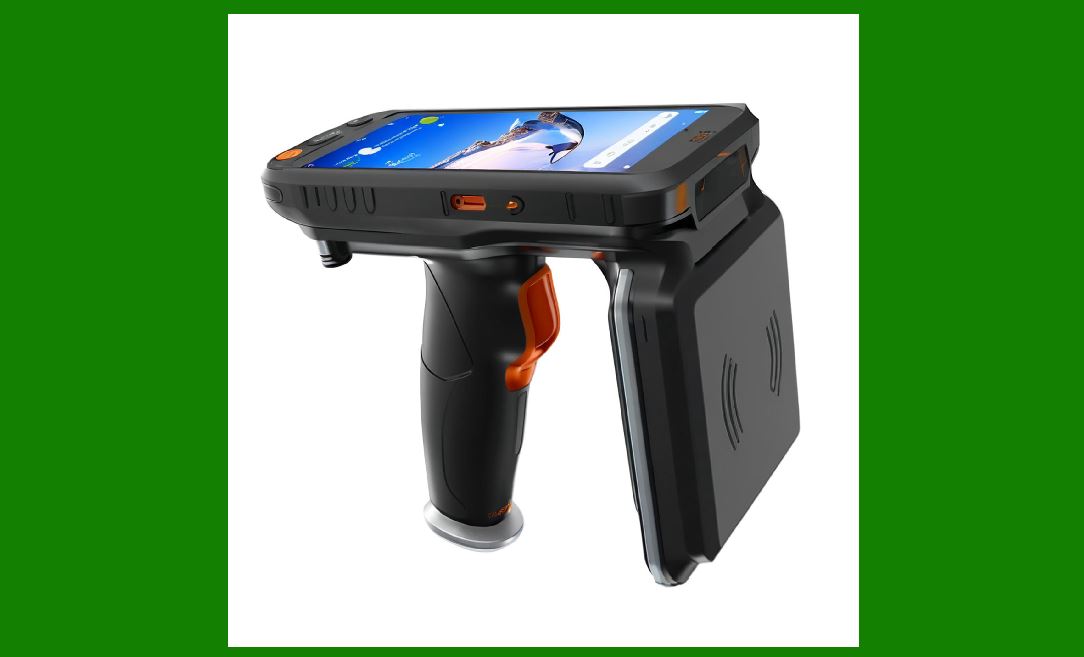
|
32. Calibration Procedures for RFID Readers |
32.1 When Calibration Is Needed |
Reader calibration is required when: |
read range fluctuates |
RSSI values drift over time |
antenna power output decays |
environmental factors introduce new interference |
firmware updates change signal processing behavior |
32.2 Detailed Calibration Steps |
Step 1: Select a test tag with known characteristics and consistent performance. |
Step 2: Place the test tag at predetermined calibration points. |
Step 3: Measure RSSI values and read count stability. |
Step 4: Adjust reader transmit power, sensitivity, and modulation parameters incrementally. |
Step 5: Re-test until the signal characteristics match baseline values. |
Step 6: Record final calibration settings and save them in the configuration repository. |
Calibration ensures consistent performance across all readers. |

|
33. Software Update Strategy for RFID Systems |
33.1 Why Software Updates Are Critical |
RFID middleware, reader firmware, and inventory management software receive updates to improve security, add functionality, and fix known bugs. Neglecting updates may introduce vulnerabilities or reduce performance. |
33.2 Update Scheduling |
Updates must be scheduled based on: |
system criticality |
dependency on external integrations |
potential downtime |
risk of incompatibility |
readiness of rollback plans |
33.3 Multi-Stage Update Workflow |
Stage 1: Test updates in a sandbox environment |
Stage 2: Compare logs before and after update |
Stage 3: Run compatibility tests with tags, readers, and antennas |
Stage 4: Deploy updates during off-peak periods |
Stage 5: Monitor system behavior for at least 48 hours |
Stage 6: Final approval and documentation |
A structured update strategy reduces disruptions. |

|
34. Security Hardening for RFID Systems |
34.1 Why Security Hardening Is Necessary |
RFID systems can be exploited if attackers obtain unauthorized access to readers, software interfaces, communication channels, or tag data. |
34.2 Security Risks in RFID Systems |
Key security concerns include: |
tag cloning |
tag removal or replacement |
unauthorized reader access |
denial of service using RF interference |
interception of unencrypted reader-to-server data |
malware targeting RFID middleware |
unauthorized configuration changes |
34.3 Security Hardening Measures |
Measure 1: Enable strong authentication for all reader access. |
Measure 2: Use encrypted communication channels between readers and servers. |
Measure 3: Implement intrusion detection for unusual RF activity. |
Measure 4: Add physical locks or tamper sensors to readers. |
Measure 5: Use tamper-evident RFID tags for high-value items. |
Measure 6: Maintain daily log monitoring for irregular access patterns. |
Measure 7: Use role-based access control for all management consoles. |
Security hardening is an ongoing process and should be reviewed quarterly. |

|
35. Maintenance of RFID Tags in Real-World Environments |
35.1 Tag Durability Constraints |
RFID tags vary widely in durability. Examples include: |
paper-based tags for retail |
ruggedized plastic tags for pallets |
metal-mount tags for industrial assets |
heat-resistant tags for sterilization environments |
waterproof tags for outdoor logistics |
Each tag type requires different maintenance practices. |
35.2 Tag Damage Patterns |
Typical damage patterns include: |
cracking of plastic housings |
tearing of adhesive backing |
corrosion in metallic environments |
delamination caused by moisture |
thermal deformation |
adhesive degradation over time |
mechanical crushing during handling |
35.3 Tag Maintenance Workflow |
Step 1: Regularly inspect tag surfaces for damage. |
Step 2: Test tag readability with handheld readers. |
Step 3: Reapply new adhesive if peeling. |
Step 4: Replace damaged tags promptly. |
Step 5: Update system records to ensure tag-to-item linkage remains correct. |
Step 6: Analyze recurring damage patterns to improve tag selection in the future. |

|
36. Troubleshooting RFID Read-Rate Drops |
36.1 Common Causes of Read-Rate Drops |
Read-rate degradation may occur due to: |
antenna misalignment |
tag orientation changes |
reader power drift |
cable damage |
environmental interference |
tag density exceeding system capacity |
software processing delays |
36.2 Troubleshooting Workflow |
Step 1: Identify the zone where read-rate drop occurred. |
Step 2: Determine whether the failure is tag-related, reader-related, or software-related. |
Step 3: Reset the reader and perform a controlled read test. |
Step 4: Replace cables and connectors if signal is unstable. |
Step 5: Test with known good tags. |
Step 6: Examine logs for error codes or abnormal patterns. |
Step 7: Adjust or replace antennas gradually. |
Step 8: If environmental interference is detected, add shielding or reposition the reader. |
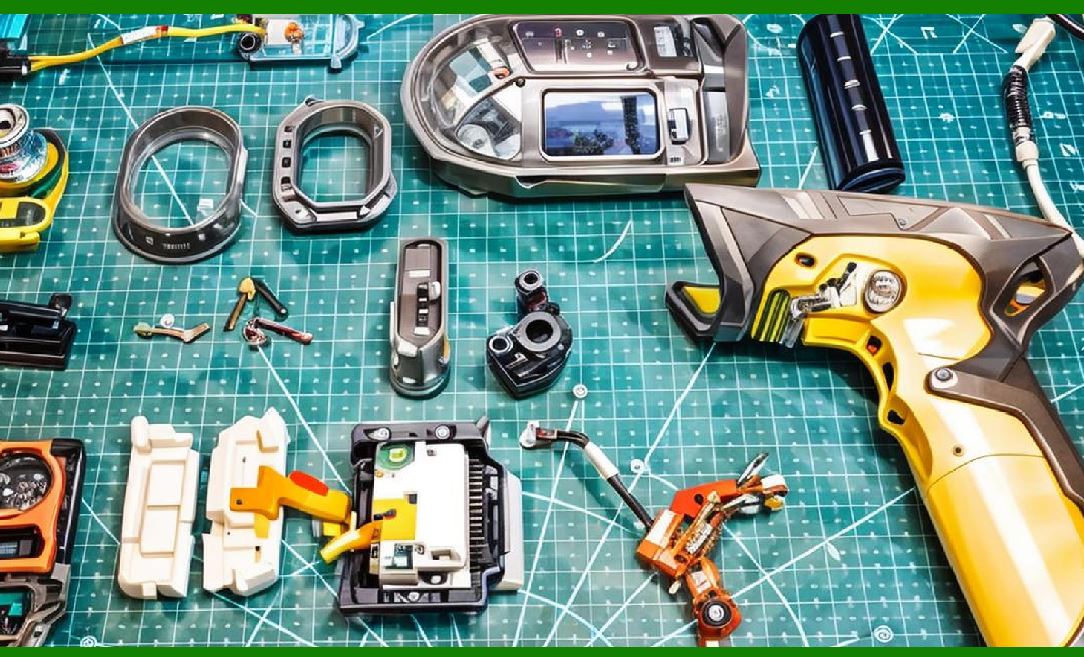
|
37. Environmental Control and Its Impact on RFID Performance |
37.1 Humidity Management |
High humidity can affect tag adhesion, cause corrosion, and reduce reader efficiency. |
Recommended humidity levels range between: |
dry zones: 30% to 50% |
standard indoor environments: 40% to 60% |
cold storage: must remain stable to prevent condensation |
37.2 Temperature Management |
Extreme temperatures may: |
weaken adhesives |
deform plastic housings |
affect tag memory stability |
lower reader output efficiency |
accelerate cable degradation |
Maintaining stable temperature extends system lifespan. |
37.3 Electromagnetic Interference Control |
Interference can originate from: |
electric motors |
conveyor belts |
welding machines |
automated guided vehicles |
wireless access points |
power lines |
nearby RFID systems |
Measurements must be conducted regularly to ensure interference levels remain acceptable. |

|
38. Inventory Reconciliation Using RFID in Maintenance Operations |
38.1 Why Reconciliation Is Required |
Since RFID enables automated inventory capture, reconciliation is necessary to maintain data accuracy. |
38.2 Reconciliation Workflow |
Perform a full inventory sweep with handheld or fixed systems. |
Compare results with ERP database. |
Identify missing or duplicate entries. |
Investigate physical discrepancies. |
Update the system. |
Document anomalies and determine root causes. |
Improve tagging or reader placement based on findings. |

|
39. Training Requirements for RFID System Operators and Engineers |
39.1 Core Training Topics |
Training must include the following: |
basics of radio frequency behavior |
tag orientation and placement |
reader configuration |
safe handling of antennas |
troubleshooting procedures |
understanding logs and alerts |
safety standards |
best practices for tagging new items |
emergency procedures in case of hardware failure |
Training ensures consistent operations across all shifts and all environments. |

|
40. Documentation Practices for Long-Term RFID Operation and Maintenance |
40.1 Documentation Types |
Comprehensive documentation includes: |
system architecture diagrams |
tag placement guidelines |
antenna layout maps |
calibration records |
maintenance logs |
software configuration records |
incident and troubleshooting reports |
firmware history |
Documentation supports technical continuity even during personnel changes. |

|
41. Future Trends in RFID Operation and Maintenance |
41.1 AI-Driven Predictive Maintenance |
Machine learning models will analyze: |
RSSI drift patterns |
peak-time reader congestion |
motion trajectories |
environmental changes |
wear-and-tear signatures of antennas and cables |
Predictive maintenance reduces unexpected downtime. |
41.2 Autonomous Calibration Technologies |
Future readers will recalibrate automatically by: |
scanning internal reference tags |
adjusting power and sensitivity without human input |
emitting diagnostic signals |
balancing antenna load in multi-reader environments |
41.3 Self-Healing RFID Networks |
Software will detect slowdowns and automatically reroute tasks among redundant readers. |
41.4 Cloud-Based Maintenance Platforms |
Cloud platforms will manage: |
firmware updates |
reader configurations |
tag database synchronization |
diagnostic reports |
alert notifications |
system health dashboards |
Cloud integration simplifies distributed RFID deployments. |
 cs@easiersoft.com