1. Introduction to RFID and Barcode Technologies |
1.1. Barcode Technology Overview |
Barcode technology involves encoding data into a series of parallel lines or dots that represent numerical or alphanumeric information. The most common types include Universal Product Code (UPC), Code 39, Code 128, and QR codes. Barcodes are read by optical scanners, which decode the information based on the width and spacing of the lines or dots. |
1.2. RFID Technology Overview |
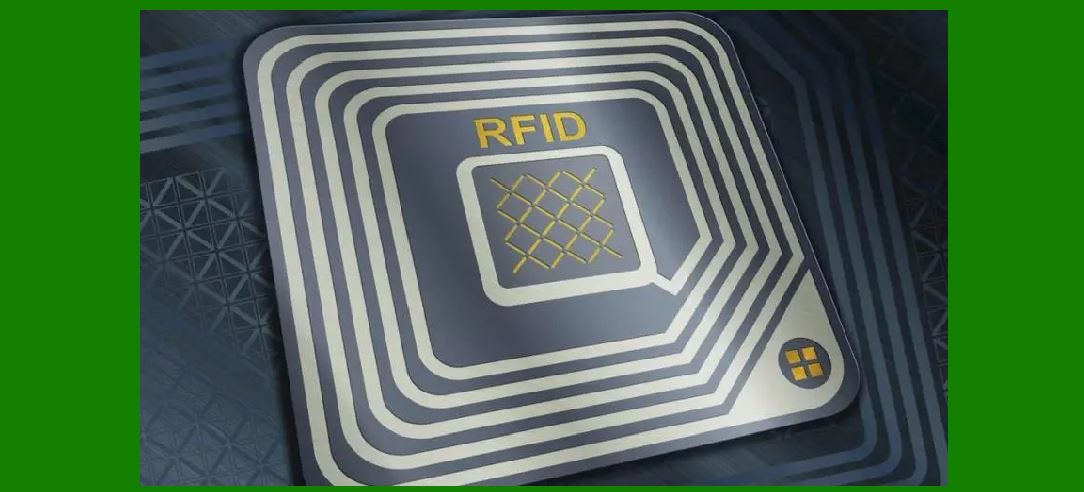
Radio Frequency Identification (RFID) uses radio waves to automatically identify and track tags attached to objects. RFID tags contain a microchip that stores data and an antenna that transmits the data to an RFID reader. There are two main types of RFID tags: passive (which do not have a power source and rely on the reader's energy) and active (which have their own power source and can transmit signals over greater distances). |

|
2. Comparison of RFID and Barcode Technologies |
2.1. Data Storage and Capacity |
Barcodes have a limited data capacity, typically ranging from 8 to 256 characters depending on the type. For example, a UPC code contains only 12 numeric digits. In contrast, RFID tags can store a significantly larger amount of data. For instance, a typical RFID tag can hold between 1KB and 64KB of data, depending on the type and use case. |
2.2. Read Distance |
Barcodes require a direct line of sight for scanning. This means the scanner must be physically aligned with the barcode, which can be a limitation in high-volume or fast-paced environments. RFID tags, however, do not require line-of-sight and can be read from a distance of up to several meters, depending on the tag's power and the reader's capabilities. |
2.3. Read/Write Capability |
Barcodes are read-only, meaning that once the data is encoded, it cannot be altered. RFID tags, particularly those with writable memory, allow for both reading and writing. This means they can be updated with new information throughout their lifecycle, such as recording additional data about the product's condition or history. |
2.4. Durability and Environmental Resistance |
Barcodes are generally less durable than RFID tags. Barcodes can become unreadable if they are damaged, dirty, or obscured. RFID tags, especially when encased in rugged materials, can withstand harsh conditions including extreme temperatures, moisture, and physical impact. For example, RFID tags are used in industries such as automotive and aerospace where durability is crucial. |
|
3. Practical Applications and Case Studies |
3.1. Retail and Inventory Management |
In retail environments, barcodes have been the traditional choice for product identification. However, RFID is increasingly being adopted for its ability to enhance inventory management. For instance, major retailers like Walmart and Target use RFID to track inventory levels in real-time, improving stock accuracy and reducing out-of-stock situations. RFID tags on products enable quick and accurate inventory checks without needing to scan each item individually. |
3.2. Supply Chain and Logistics |
RFID technology offers significant advantages in supply chain and logistics. The ability to scan multiple items simultaneously and track their movement through various stages of the supply chain enhances efficiency and accuracy. For example, companies like DHL and UPS use RFID to track packages and containers, reducing the risk of lost or misplaced items and improving delivery times. |
3.3. Healthcare |
In the healthcare sector, RFID is used for patient identification, medication management, and asset tracking. RFID tags on patient wristbands can ensure accurate patient identification and match medications to the right patient, reducing errors. RFID tags on medical equipment help hospitals keep track of valuable assets and ensure their availability when needed. |
3.4. Access Control and Security |
RFID is also utilized in access control systems for secure entry to facilities or areas. For instance, RFID-enabled key cards are commonly used in hotels and corporate offices. Unlike barcodes, which can be easily copied or duplicated, RFID tags provide a higher level of security due to their encrypted data and non-contact reading capability. |

|
4. Cost and Implementation Considerations |
4.1. Initial Costs |
The initial cost of implementing RFID technology can be higher than barcode systems. RFID tags and readers are generally more expensive than barcode labels and scanners. However, the cost of RFID technology has been decreasing over time, making it more accessible for various applications. |
4.2. Operational Costs |
While RFID tags may have a higher upfront cost, their advantages in efficiency and accuracy can lead to cost savings in the long run. For example, RFID systems can reduce labor costs associated with manual inventory counts and minimize losses due to errors. In contrast, barcodes require manual scanning and are more prone to errors if labels are damaged or misaligned. |
4.3. Integration and Infrastructure |
Integrating RFID technology into existing systems requires careful planning and investment in infrastructure. Businesses need to consider the compatibility of RFID with their current systems and processes. For instance, transitioning from barcode to RFID in a warehouse setting may involve upgrading or installing new readers, software, and training staff to manage the new system. |

|
5. Future Trends and Developments |
5.1. Advancements in RFID Technology |
Advancements in RFID technology continue to improve its functionality and cost-effectiveness. Innovations such as smaller, more flexible tags and enhanced data storage capabilities are expanding the potential applications of RFID. For example, new developments in ultra-high-frequency (UHF) RFID tags allow for longer read ranges and faster data transmission, making them suitable for a wider range of applications. |
5.2. Hybrid Systems |
In some cases, hybrid systems combining both RFID and barcode technologies are used to leverage the strengths of each. For example, RFID tags may be used for real-time tracking and inventory management, while barcodes are employed for point-of-sale transactions. This approach can provide a comprehensive solution that meets diverse needs within a single system. |
5.3. Increased Adoption in Emerging Markets |
As the cost of RFID technology continues to decrease, its adoption is expected to increase in emerging markets. Industries such as retail, logistics, and healthcare in these regions are likely to benefit from the efficiency and accuracy offered by RFID, leading to broader implementation across various sectors. |

|
6. Conclusion |
6.1. RFID vs. Barcode: Current Status |
RFID technology offers significant advantages over barcodes in terms of data capacity, read distance, and durability. However, barcodes remain a widely used and cost-effective solution for many applications. The choice between RFID and barcodes depends on the specific needs and constraints of each use case. |
6.2. Potential for Replacement |
While RFID has the potential to replace barcodes in certain applications, it is unlikely to completely replace barcodes in the near future. Instead, RFID and barcodes are likely to coexist, with RFID being used for applications that require advanced functionality and barcodes continuing to serve as a cost-effective solution for simpler needs. |
6.3. Looking Ahead |
As technology continues to evolve, the adoption of RFID and other identification technologies will be driven by factors such as cost, efficiency, and application requirements. Businesses should carefully evaluate their needs and consider both RFID and barcode solutions to determine the best approach for their specific circumstances. |

|
 cs@easiersoft.com