1. Introduction to RFID Smart Packaging |
RFID (Radio-Frequency Identification) smart packaging represents a significant advancement in packaging technology, leveraging the capabilities of RFID tags to enhance the functionality and interactivity of product packaging. This technology integrates miniaturized and flexible RFID tags into packaging materials, offering new opportunities for consumer engagement, supply chain management, and product authentication. The growing trend of RFID smart packaging reflects the increasing demand for innovative solutions that improve both the consumer experience and operational efficiencies. |
|
2. Overview of RFID Technology |
2.1. Basic Principles of RFID |
RFID technology involves the use of radio waves to automatically identify and track tags attached to objects. An RFID system consists of three main components: |
RFID Tags: These contain a microchip and an antenna. The microchip stores information about the product, while the antenna transmits and receives radio signals. RFID Readers: Devices that send radio waves to communicate with RFID tags and read the information stored on them. RFID Middleware: Software that processes the data collected by RFID readers and integrates it into various business systems. |
2.2. Types of RFID Tags |
RFID tags can be classified into three categories based on their power source: |
Passive RFID Tags: These do not have their own power source and rely on energy transmitted by the RFID reader. They are cost-effective and have a limited range. Active RFID Tags: These have an internal power source (battery) and can transmit signals over longer distances. They are more expensive and are used in applications requiring long-range communication. Semi-Passive RFID Tags: These have a battery to power the tag's internal circuitry but rely on the reader for communication. They offer a balance between passive and active tags in terms of cost and range. |

|
3. Evolution of RFID Smart Packaging |
3.1. Historical Development |
RFID technology has evolved significantly since its inception in the mid-20th century. Initially, RFID systems were large, expensive, and primarily used in specialized applications such as asset tracking and supply chain management. The development of miniaturized and flexible RFID tags has enabled their integration into consumer packaging, opening new possibilities for smart packaging solutions. |
3.2. Current Trends |
In recent years, there has been a notable shift towards using RFID tags in consumer packaging. Companies like Thinfilm have pioneered the development of flexible, NFC-enabled RFID tags that can be incorporated into packaging materials. This innovation has made RFID technology more accessible and versatile, leading to increased adoption across various industries. |

|
4. Applications of RFID Smart Packaging |
4.1. Consumer Engagement |
RFID smart packaging enhances consumer engagement by providing interactive experiences and valuable information. For example: |
Interactive Content: Consumers can scan RFID tags embedded in packaging to access additional content such as videos, recipes, or product usage tips. For instance, a food product's packaging might include an RFID tag that, when scanned, provides a recipe or cooking tips related to the product. Promotions and Rewards: Brands can use RFID tags to offer exclusive promotions or rewards. For example, scanning a tag might enter the consumer into a sweepstakes or provide a discount on future purchases. |
4.2. Product Authentication and Anti-Counterfeiting |
RFID smart packaging helps combat counterfeiting by providing a secure method for verifying product authenticity. Each RFID tag contains a unique identifier that can be checked against a central database to confirm the product's legitimacy. For example: |
Luxury Goods: High-end brands use RFID tags to ensure the authenticity of their products. Consumers can verify the authenticity of a luxury watch or handbag by scanning the RFID tag embedded in the packaging. Pharmaceuticals: RFID tags help ensure that medications are genuine and have not been tampered with. This is crucial for patient safety and regulatory compliance. |
4.3. Supply Chain Management |
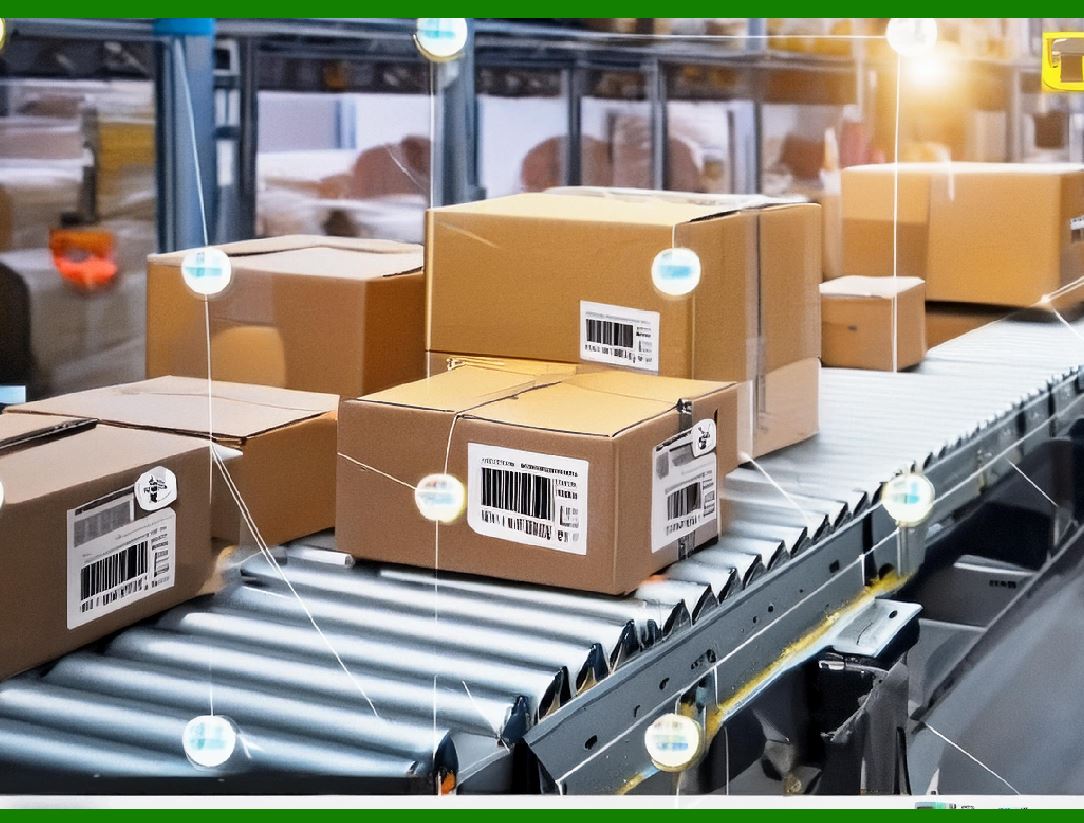
RFID smart packaging improves supply chain efficiency by enabling real-time tracking and monitoring of products. For example: |
Inventory Management: RFID tags provide accurate and up-to-date information about inventory levels, helping retailers manage stock more effectively. Automated systems can track the movement of products through the supply chain, reducing the risk of stockouts or overstocking. Logistics and Distribution: RFID tags facilitate the tracking of products during transportation, allowing companies to monitor the location and condition of goods in real-time. This helps prevent loss, theft, and damage. |
4.4. Sustainability |
RFID smart packaging can contribute to sustainability efforts by improving waste management and recycling processes. For example: |
Recycling: RFID tags can be used to provide information about the recyclability of packaging materials, helping consumers make informed decisions about disposal. Waste Reduction: By improving inventory management and supply chain efficiency, RFID smart packaging can help reduce waste and minimize the environmental impact of excess packaging. |

|
5. Technical Aspects of RFID Smart Packaging |
5.1. Miniaturized and Flexible RFID Tags |
The development of miniaturized and flexible RFID tags has been a key factor in the growth of RFID smart packaging. These tags are designed to be integrated into various packaging materials, including paper, plastic, and glass. Key features include: |
Thin and Lightweight: Flexible RFID tags are thin and lightweight, making them suitable for use in a wide range of packaging formats. Durable and Resilient: These tags are designed to withstand environmental conditions such as moisture, temperature variations, and physical stress. |
5.2. NFC (Near Field Communication) Technology |
NFC is a subset of RFID technology that operates at a short range (typically less than 10 cm) and is commonly used in consumer applications. NFC-enabled RFID tags are often used in smart packaging to facilitate easy and secure interactions. Examples include: |
Contactless Payments: NFC-enabled RFID tags can be used for contactless payment systems, allowing consumers to make purchases by tapping their smartphones against the packaging. Smart Labels: NFC tags embedded in packaging can store and transmit information such as product details, promotional offers, and interactive content. |
5.3. Integration with Digital Systems |
RFID smart packaging systems are often integrated with digital platforms and databases to enhance their functionality. For example: |
Database Integration: RFID tags can be linked to centralized databases that store information about products, inventory levels, and supply chain status. Mobile Apps: Many RFID smart packaging solutions include mobile apps that allow consumers to interact with the packaging and access additional content or features. |

|
6. Examples of RFID Smart Packaging in Action |
6.1. Thinfilm's NFC-Enabled RFID Tags |
Thinfilm is a leading company in the development of flexible, NFC-enabled RFID tags. Their tags are designed to be incorporated into various packaging materials, providing interactive experiences and valuable information. Examples include: |
Coca-Cola's Smart Packaging: Coca-Cola has used Thinfilm's NFC-enabled RFID tags in limited-edition packaging to offer consumers exclusive content and promotions. Unilever's Product Packaging: Unilever has incorporated Thinfilm's RFID tags into its product packaging to provide consumers with information about product ingredients, usage tips, and promotions. |
6.2. L'Oréal's Smart Packaging Innovations |
L'Oréal has adopted RFID smart packaging to enhance consumer engagement and product authentication. Examples include: |
Interactive Beauty Packaging: L'Oréal uses RFID tags in its beauty products to offer consumers personalized beauty tips and tutorials through an accompanying mobile app. Authentication and Anti-Counterfeiting: RFID tags embedded in L'Oréal's packaging help verify the authenticity of its products, protecting consumers from counterfeit goods. |
6.3. Walmart's Use of RFID for Inventory Management |
Walmart has implemented RFID technology to improve its inventory management and supply chain efficiency. Examples include: |
Real-Time Inventory Tracking: Walmart uses RFID tags to track the movement of products through its supply chain, providing real-time information about inventory levels and product location. Automated Reordering: The data collected by RFID systems helps Walmart automate the reordering process, reducing the risk of stockouts and improving product availability. |

|
7. Challenges and Considerations |
7.1. Cost and Scalability |
The implementation of RFID smart packaging can be expensive, particularly for small and medium-sized enterprises. The cost of RFID tags, readers, and integration with existing systems can be a barrier to widespread adoption. Companies must carefully consider the return on investment and scalability of RFID solutions. |
7.2. Privacy and Security |
RFID technology raises concerns about privacy and data security. Consumers may be concerned about the potential for their personal information to be collected and used without their consent. Companies must implement robust security measures to protect data and address privacy concerns. |
7.3. Technical Limitations |
While RFID technology offers many benefits, it also has technical limitations. For example: |
Interference: RFID signals can be affected by environmental factors such as metal objects, liquids, and electromagnetic interference. Tag Readability: The readability of RFID tags can be impacted by the packaging material and the design of the tag. |

|
8. Future Directions and Innovations |
8.1. Advances in RFID Technology |
Future advancements in RFID technology are likely to focus on improving the performance and affordability of RFID tags. Innovations may include: |
Enhanced Range and Sensitivity: Research is ongoing to develop RFID tags with longer read ranges and greater sensitivity, enabling more versatile applications. Integration with IoT: RFID technology is expected to become increasingly integrated with the Internet of Things (IoT), enabling smarter and more connected packaging solutions. |
8.2. Expanding Applications |
The applications of RFID smart packaging are expected to expand into new areas, including: |
Healthcare: RFID smart packaging can be used for tracking and managing medical supplies, pharmaceuticals, and patient information. Food Safety: RFID tags can provide detailed information about the origin, handling, and freshness of food products, enhancing food safety and traceability. |
|
9. Conclusion |
RFID smart packaging represents a transformative development in packaging technology, offering enhanced consumer engagement, improved supply chain management, and advanced product authentication. The integration of miniaturized and flexible RFID tags into packaging materials has opened new possibilities for interactive and secure packaging solutions. While there are challenges to address, such as cost and privacy concerns, the future of RFID smart packaging holds great promise for innovation and growth across various industries. Companies like Thinfilm and L'Oréal are leading the way in demonstrating the potential of RFID technology, and ongoing advancements are expected to drive further adoption and expansion of smart packaging solutions. |
 cs@easiersoft.com