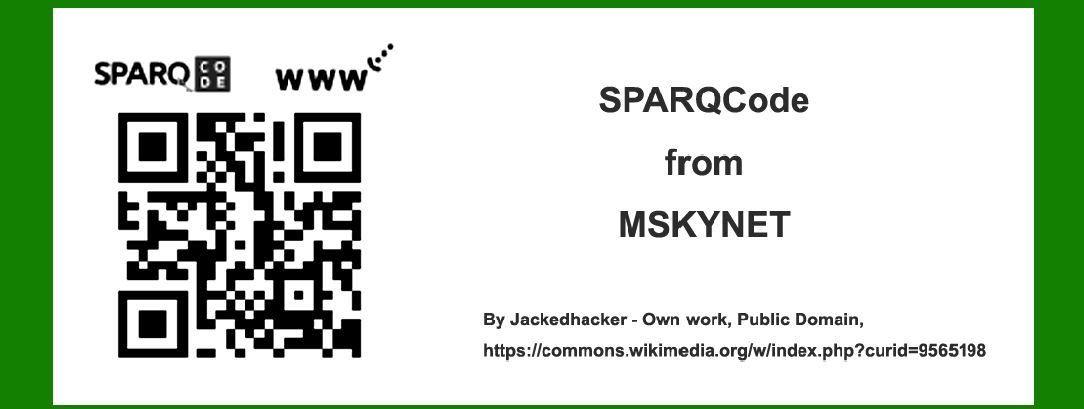
SPARQCode is an intriguing 2D barcode technology developed by MSKYNET, designed to enhance the versatility and functionality of barcode systems. Initially released in the early 2000s, SPARQCode aimed to overcome limitations of traditional barcodes by offering advanced data storage capabilities and the ability to encode various types of information beyond alphanumeric characters. This comprehensive guide will delve into the technology details of SPARQCode, its architecture, encoding process, decoding mechanisms, and explore a wide range of application examples across different industries. |
|
Introduction to SPARQCode |
SPARQCode represents a significant advancement in barcode technology, incorporating sophisticated encoding techniques and data storage capabilities. Developed by MSKYNET, SPARQCode was designed to surpass traditional 1D barcodes by offering enhanced data capacity, increased error correction, and improved readability under various conditions. The technology enables the encoding of a wide array of data types, including text, URLs, contact information, and multimedia content, making it suitable for diverse applications in sectors such as retail, logistics, healthcare, and marketing. |

|
Technology Details of SPARQCode |
1. Structure and Design |
SPARQCode utilizes a matrix structure consisting of black and white modules arranged in a square grid. Unlike traditional linear barcodes, which encode data linearly, SPARQCode employs a 2D matrix, allowing for both horizontal and vertical data storage. This matrix format enables SPARQCode to store significantly more data compared to 1D barcodes, making it suitable for applications requiring extensive information storage. |
2. Encoding Process |
The encoding process of SPARQCode involves several key steps to convert data into a format readable by barcode scanners: |
Data Segmentation: The input data, whether text, URL, or other forms of information, is segmented into smaller units for efficient encoding. Error Correction: SPARQCode integrates advanced error correction algorithms, such as Reed-Solomon error correction, to ensure data integrity and readability even if the barcode is partially damaged or obscured. Module Placement: Modules are strategically placed within the matrix grid to encode the segmented data while maintaining optimal scanning efficiency. |

|
3. Data Capacity |
One of the distinguishing features of SPARQCode is its high data capacity. The size of the matrix grid can vary, allowing SPARQCode to encode different amounts of data based on application requirements. The technology supports encoding capabilities ranging from a few characters to several kilobytes of data, accommodating diverse information needs across industries. |
4. Decoding Mechanisms |
SPARQCode scanners and software use image processing algorithms to decode the matrix structure and extract encoded data. Decoding mechanisms typically involve: |
Image Capture: Scanners capture an image of the SPARQCode using optical sensors or cameras. Image Processing: Software algorithms analyze the captured image to identify and decode the matrix pattern. Data Extraction: Once decoded, the software extracts the encoded data segments and reconstructs the original information. |

|
Applications of SPARQCode |
SPARQCode finds extensive application across various industries due to its versatility, robust data storage capabilities, and enhanced error correction features. The following are notable examples of SPARQCode applications: |
Retail and Consumer Goods |
In retail environments, SPARQCode facilitates efficient inventory management, product tracking, and consumer engagement through: |
Product Labeling: SPARQCode is used on product labels to encode detailed information such as SKU numbers, batch codes, expiration dates, and manufacturing locations. Consumer Engagement: Retailers utilize SPARQCode on promotional materials to provide consumers with instant access to product information, discounts, and loyalty programs via smartphones. |

|
Logistics and Supply Chain Management |
SPARQCode enhances logistics operations by enabling: |
Package Tracking: Logistics companies use SPARQCode on shipping labels to track packages throughout the supply chain, improving shipment visibility and reducing errors. Inventory Control: Warehouses employ SPARQCode on inventory items to streamline stocktaking processes and monitor stock levels in real-time. |
Healthcare and Pharmaceuticals |
In the healthcare sector, SPARQCode supports: |
Patient Identification: Medical institutions use SPARQCode on patient wristbands and medical records to accurately identify patients and access their medical history. Medication Management: Pharmaceutical companies integrate SPARQCode on medication packaging to provide dosage instructions, expiration dates, and safety information to healthcare providers and patients. |

|
Marketing and Advertising |
SPARQCode serves as a powerful tool for digital marketing campaigns by enabling: |
Interactive Advertising: Marketers incorporate SPARQCode into print advertisements, posters, and billboards to engage consumers with multimedia content, promotions, and product demonstrations. Event Promotion: Event organizers use SPARQCode on event tickets and promotional materials to provide attendees with event details, schedules, and exclusive offers. |
Automotive and Manufacturing |
In the automotive and manufacturing industries, SPARQCode supports: |
Parts Identification: Automotive manufacturers use SPARQCode on vehicle components and parts to facilitate assembly processes, maintenance, and repairs. Quality Control: Manufacturers integrate SPARQCode on product labels to track manufacturing data, perform quality inspections, and ensure compliance with industry standards. |

|
Future Trends and Innovations |
Looking ahead, the future of SPARQCode technology is poised for continued innovation and integration across emerging sectors and applications. Key trends include: |
Augmented Reality Integration: SPARQCode may evolve to support augmented reality (AR) experiences, enabling users to interact with virtual content overlaid on physical objects via smartphone apps. Blockchain Integration: Integration with blockchain technology could enhance the security and traceability of data encoded in SPARQCode, particularly in sectors such as supply chain management and digital payments. Environmental Sustainability: Advances in eco-friendly materials and printing technologies may promote the adoption of SPARQCode for sustainable packaging solutions and waste reduction initiatives. |

|
Conclusion |
SPARQCode represents a significant advancement in barcode technology, offering enhanced data storage capabilities, robust error correction features, and versatility across diverse industries. Developed by MSKYNET, SPARQCode continues to evolve as a fundamental tool for improving operational efficiency, enhancing consumer engagement, and enabling innovative applications in retail, logistics, healthcare, marketing, and beyond. As technology advances and market demands evolve, SPARQCode is poised to play a pivotal role in shaping the future of barcode systems and digital connectivity worldwide. |
 cs@easiersoft.com