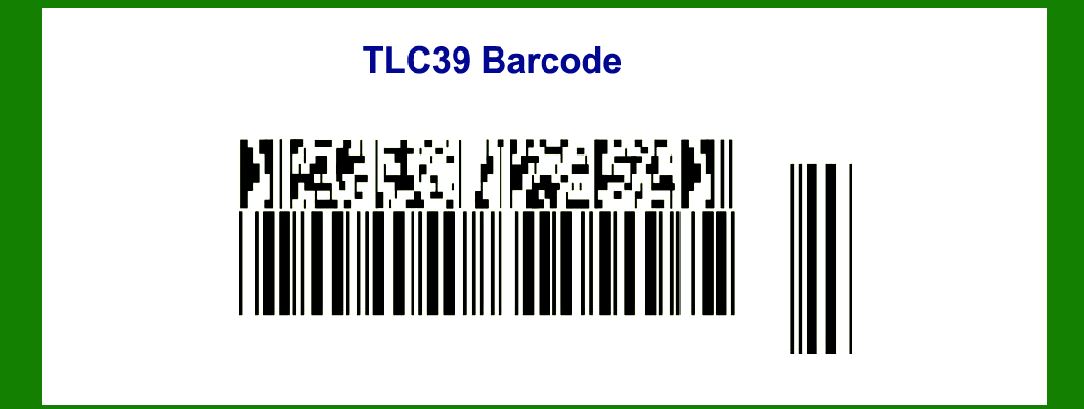
The TLC39 (Truncated Linear Code 39) barcode is a specialized form of the traditional Code 39 barcode symbology, designed primarily for logistics and warehousing applications where space limitations on labels are a concern. This barcode format retains the essential features of Code 39 while optimizing space efficiency through truncation, enabling it to encode large amounts of data within a compact footprint. Below is a comprehensive exploration of TLC39 barcode technology, its features, encoding structure, applications across various industries, advantages, limitations, and future prospects. |
|
Introduction to TLC39 Barcode |
Definition and Purpose |
The TLC39 barcode, or Truncated Linear Code 39, is a modification of the standard Code 39 barcode symbology. It is specifically designed to maximize data capacity while minimizing the required label space. This makes it particularly suitable for applications where label size is constrained but extensive data encoding is necessary, such as in logistics, transportation, and inventory management. |

|
Features and Characteristics |
1.Compact Design: TLC39 retains the basic structure of Code 39 but employs truncation techniques to reduce its overall length. This allows it to fit into smaller label areas without sacrificing data capacity. 2.Data Encoding: Like Code 39, TLC39 uses a set of alphanumeric characters (0-9, A-Z, and special characters) for encoding. It includes a start and stop character to delineate the barcode's boundaries. 3.Scanning Compatibility: TLC39 barcodes are readable by standard Code 39 barcode scanners, ensuring compatibility with existing scanning infrastructure. 4.Error Detection: It incorporates error-checking mechanisms to ensure data integrity during scanning and decoding processes. |

|
Structure and Encoding |
Barcode Layout |
The TLC39 barcode structure follows a similar pattern to Code 39: |
Start Character: Signals the beginning of the barcode data. Data Characters: Alphanumeric characters and special symbols encoded to represent specific information. Stop Character: Indicates the end of the barcode data. |
Encoding Efficiency |
Truncation Technique: TLC39 achieves space efficiency by truncating the wide bars of the Code 39 symbol, reducing the overall length of the barcode while maintaining data integrity. Data Capacity: Despite its truncated format, TLC39 can encode significantly more data than traditional linear barcodes, making it suitable for applications requiring extensive data storage on limited label space. |
Error Correction |
Checksum Digit: Similar to Code 39, TLC39 incorporates a checksum digit to verify data accuracy and prevent scanning errors. |

|
Applications Across Industries |
Logistics and Inventory Management |
1.Warehouse Operations: TLC39 barcodes are widely used in warehouses and distribution centers for inventory tracking, order fulfillment, and stock management. Their compact size allows for efficient labeling of shelves, pallets, and individual items. 2.Transportation: In the transportation sector, TLC39 is utilized for tracking packages and cargo, ensuring accurate routing and delivery logistics. |
Retail and Consumer Goods |
1.Product Identification: Retailers use TLC39 barcodes on products for efficient checkout processes, inventory control, and product authentication. 2.Promotional and Pricing: TLC39 facilitates price and promotional labeling, enabling retailers to manage pricing changes and promotions effectively. |
Healthcare |
1.Medical Supplies: TLC39 barcodes are applied to medical supplies and equipment for inventory management, expiration date tracking, and patient safety initiatives. 2.Pharmaceuticals: In pharmaceuticals, TLC39 ensures accurate medication tracking, compliance with regulatory requirements, and counterfeit prevention. |
Automotive and Manufacturing |
1.Parts and Components: Automotive manufacturers use TLC39 for tracking parts and components throughout the production process, ensuring assembly line efficiency and quality control. 2.Maintenance and Repair: TLC39 barcodes on machinery and equipment streamline maintenance schedules, service history tracking, and inventory replenishment. |
Government and Defense |
1.Asset Management: Government agencies and defense contractors utilize TLC39 for asset tracking, inventory management, and secure supply chain operations. 2.Identification: TLC39 is employed in identity cards, access badges, and secure documents to encode personal or sensitive information securely. |

|
Advantages of TLC39 Barcode |
1.Space Efficiency: Its truncated design optimizes label space utilization without compromising data capacity. 2.Compatibility: TLC39 is backward-compatible with standard Code 39 scanners and decoding systems, minimizing infrastructure upgrade costs. 3.Data Security: Error-checking features ensure data integrity, reducing the risk of scanning errors and data discrepancies. 4.Versatility: It supports a wide range of applications across diverse industries, from retail and healthcare to manufacturing and government sectors. |

|
Limitations and Challenges |
1.Readability Issues: In some cases, the truncation of bars can lead to reduced scanning reliability if labels are damaged or poorly printed. 2.Dependency on Infrastructure: Effective implementation requires compatible scanning equipment and software, which may require investment in upgrades. 3.Data Capacity Constraints: While superior to traditional linear barcodes, TLC39 may have limitations compared to 2D barcodes in terms of maximum data storage capacity. |

|
Future Prospects and Innovations |
1.Enhanced Data Capacity: Continued advancements may focus on increasing data storage capabilities within the confines of truncated linear barcode formats. 2.Integration with IoT: Integration with Internet of Things (IoT) platforms and cloud-based systems could enhance real-time data visibility and analytics capabilities. 3.Security Enhancements: Incorporation of advanced encryption and authentication features to enhance data security and protection against counterfeit activities. |

|
Conclusion |
The TLC39 barcode represents a specialized evolution of the traditional Code 39 barcode, tailored for applications requiring high data density within limited label space. Its compact design, compatibility with existing scanning infrastructure, and versatility across various industries make it a valuable tool for improving operational efficiency, inventory management, and supply chain logistics. While facing challenges such as scanning reliability and data capacity limitations, ongoing innovations and integration with emerging technologies hold promise for expanding its utility and enhancing security features in the future. |
 cs@easiersoft.com