Barcode Technology

Barcode History

Barcode Label Paper

Barcode Printer

Barcode Application

Inventory Management

AI Barcode QRCode

Barcode Scanner

Barcode Software

Barcode Software B

Barcode Software C

Barcode Software D

Barcode Software E

New Technology A

New Technology B

Robot Technology

Barcode Types

Barcode Types B

Barcode Types C

Barcode Types D

Barcode Types E

Barcode Types F

Electronic Technology

Psychology at Work

Barcode Technology and Barcode Software Related   <<< Back to Directory <<<

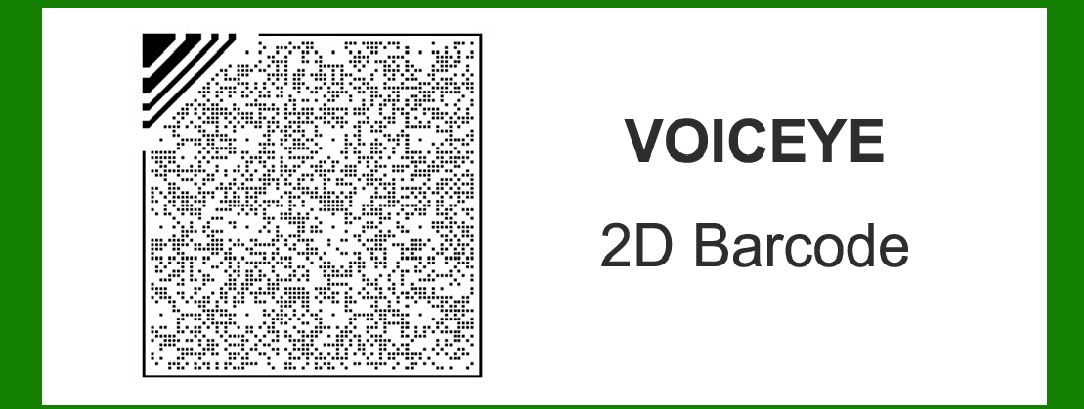
Encoding of VOICEYE 2D barcode

Encoding of the VOICEYE 2D barcode involves a unique process designed to provide accessibility to printed information for individuals with visual impairments. Developed by VOICEYE, Inc., this barcode system uses a combination of dots arranged in a matrix format to encode data. Here's a detailed exploration of how VOICEYE encoding works:

Matrix and Dot Arrangement

1.Matrix Layout: VOICEYE uses a matrix of dots to encode data. Unlike traditional barcodes that use lines or squares, VOICEYE employs a grid-like pattern where information is stored in a two-dimensional array.

2.Dot Placement: Each dot within the matrix can either be filled (black) or unfilled (white). The arrangement of these dots in the matrix determines the encoded data. The dot placement adheres to specific rules and standards defined by VOICEYE to ensure readability and accuracy.

Encoding Process

1.Data Input: The encoding process begins with converting textual or numeric data into a format suitable for encoding in the VOICEYE matrix. This can include alphanumeric characters, symbols, and even binary data.

2.Data Segmentation: The input data is segmented into blocks or sections that fit within the matrix size constraints. VOICEYE supports encoding various types of data, from short messages to longer documents.

3.Error Correction: To enhance reliability, VOICEYE incorporates error correction techniques. This ensures that even if parts of the barcode are damaged or obscured, the encoded information remains recoverable. Error correction is crucial for maintaining data integrity and readability.

Example of Encoding

Let's illustrate the encoding process with a simple example:

Example Data: 'HELLO'

1.Convert to Binary: The text 'HELLO' is first converted into its binary representation:

H: 01001000

E: 01000101

L: 01001100

O: 01001111

2.Data Formatting: VOICEYE then formats this binary data into segments that can fit within the matrix. For instance, it may divide the data into smaller chunks like '01001', '00010', '10010', etc., depending on the matrix size and encoding rules.

3.Matrix Representation: Using predefined rules, the binary segments are mapped onto the matrix of dots. Each segment's pattern of filled and unfilled dots corresponds to the binary data it represents. This creates a unique pattern within the matrix that encodes the original text 'HELLO'.

4.Error Correction: Additional dots are strategically placed within the matrix to facilitate error correction. These dots help in reconstructing the original data even if parts of the barcode are damaged or unreadable.

Standards and Variants

1.Standardization: VOICEYE encoding standards ensure compatibility across different implementations and devices. This standardization is crucial for universal accessibility and readability of encoded information.

2.Variants: Over time, VOICEYE has evolved to support different variants and enhancements, such as increased data capacity, improved error correction capabilities, and compatibility with various printing technologies.

Application and Usage

1.Accessibility: VOICEYE barcodes are primarily used to provide access to printed information for individuals with visual impairments. They can be found on various printed materials such as books, labels, packaging, and documents.

2.Reading Devices: Specialized devices and software applications are used to scan and interpret VOICEYE barcodes. These devices translate the encoded dots into readable text or audio output, enabling users to access information independently.

Conclusion

VOICEYE's encoding process is tailored to meet the needs of visually impaired individuals by converting textual and numeric data into a matrix of dots. This innovative approach not only facilitates accessibility but also ensures data integrity through robust error correction mechanisms. As technology advances, VOICEYE continues to evolve, enhancing its encoding capabilities and expanding its applications across different industries and use cases.


EasierSoft Barcode Label Design & Bulk Printing Software

---- Use Excel Data to Batch Print Barcodes on Label Sheets or Roll Labels  

---- How to use this barcode software

Download:  Free Barcode Software + Barcode Label Designer

Download Free Barcode Software at Softonic

     Download at CNET

Once you obtain a GS1/UPC/EAN barcode, or other barcode type and QR code, you can use our free software to batch print barcode labels onto Roll label paper using a professional label printer, or to batch print barcodes onto Avery 5160 label sheets using a regular laser or inkjet printer. Our software has free and paid versions.

The free version fully meets your needs for batch printing GS1/UPC/EAN barcodes. The paid version can import data from Excel and databases to batch print barcode labels with different values.

How to Start

Input Data

Import Excel Data

Print Barcode

Barcode Format

Label Designer

All Screen Shot

Export Barcode Image

Save Template

Output Word Excel

How to Use & FAQ:

Text Beneath the Barcode

Configuring Barcode Size

Auto Calculate the Barcode Size

Export Barcode images

Export Barcode Image Format

File Names for Exported Barcode

Resolution of Exported Barcode Images

Fixed Folder for Exporting Barcode

Default Barcode Image Export Format

Print bulk barcodes quickly

Print barcodes to Avery 5160 label

How to bulk Barcode Printing

Sample - Avery 5162 (2x7) Label Sheet

Example: Print barcodes to 5*3cm roll

Example: Print barcodes to 5161 label

Example: Print barcodes to 5162 label

Example: Print barcodes to 5163 label

Example: Print barcodes to 5164 label

Example: Print portrait orientation 5164

Example: Print barcodes to 5167 label

Example: Print barcodes to 5168 label

Example: Print portrait orientation 5168

Example: Print barcodes to 5169 label

Example: Print barcodes to 5660 label

Example: Print barcodes to 5661 label

Example: Print barcodes to 5662 label

Example: Print barcodes to 5663 label

Example: Print barcodes to 5664 label

Example: Print portrait orientation 5664

Example: Print barcodes to 5873 label

Example: Print barcodes to 5874 label

Two ways to import Excel data

Import Excel Data - Pro Edition

Import Excel Data - Std Edition

Import Data from Excel - Detail

Load Data From Excel File

Data Editing Table

Copy Data From Excel

Four ways to input barcode data

Add ASCII Key E

Input Multiple Lines of Text for Barcodes

Generates Sequential Serial Numbers

Import or copy data from Excel sheets

Special sequence number generation

Std Details: Simple Input Form

Std Details: Multiple Line Text Input

Details: Sequence Barcode Generator

Examples: Sequence Barcode Generator

Import Data From Excel Spreadsheet

Barcode Data Correspondence Diagram

Highlights

Excel integration: Import data directly from Excel to generate and print barcodes in bulk.

Label designer: Create complex labels with multiple barcodes, text, logos, and shapes.

Batch printing: Print thousands of barcodes at once using standard inkjet/laser printers or professional barcode printers.


Flexible editions:

Standard Edition: Simple batch printing with Excel data.

Professional Edition: Adds command-line automation for workflow integration.

Label Designer Edition: Advanced design features for complex labels.


Why Choose Our Barcode Solutions?

Cost-effective: Free online generator and permanent free desktop version available.

Easy to use: No technical expertise required—just input data and print.

Versatile: Supports nearly all 1D and 2D barcode types, including QR codes.

Trusted: Recommended by CNET and widely downloaded by users worldwide.


Suitable Use Cases

Small businesses and startups needing quick barcode labels for products.

Retailers and online sellers managing inventory with batch barcode printing.

Manufacturers requiring sequential or custom barcode labels for packaging.

Educational and testing environments where barcodes are used for tracking.


CONTACT

cs@easiersoft.com

If you have any question, please feel free to email us.


https://free-barcode.com


<<< Back to Directory <<<     Barcode Generator     Barcode Freeware     Privacy Policy