Introduction |
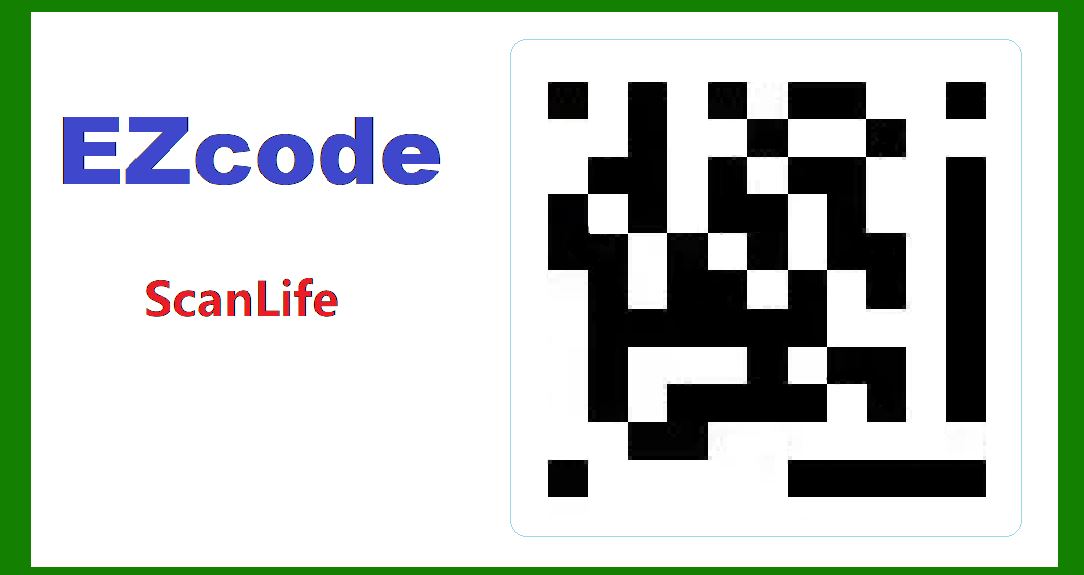
The ScanLife EZcode is a 2D barcode technology designed for use with mobile devices, created by Scanbuy. Unlike other barcode formats that rely on patterns of black and white cells or lines, EZcode uses a proprietary format based on color and geometric shapes. This unique design allows it to store more information in a smaller space and to be easily scanned by mobile devices, even under less-than-ideal conditions. |
One of the most crucial aspects of any barcode technology is its error correction capability. Error correction ensures that the data encoded in the barcode can be accurately retrieved even if the barcode is damaged, dirty, or partially obscured. This document provides a detailed examination of the error correction mechanism used in the ScanLife EZcode barcode, explaining how it works and illustrating it with examples. |
|
Overview of Error Correction Mechanisms |
Error correction in barcodes generally involves two key processes: error detection and error correction. Error detection identifies errors in the data read from the barcode, while error correction reconstructs the original data. Several error correction algorithms are commonly used in barcodes, such as Reed-Solomon codes, BCH codes, and convolutional codes. The specific method used by EZcode leverages a sophisticated error correction scheme tailored to its unique structure and use case. |

|
Structure of EZcode |
To understand the error correction mechanism of EZcode, it is essential to first comprehend its structure. An EZcode consists of a grid of colored modules arranged in a square or rectangular pattern. Each module can be one of several different colors, and the combination of these colored modules encodes the data. |
The layout of an EZcode includes: |
Data modules: These modules directly encode the information. Timing patterns: These help the scanner determine the structure and alignment of the barcode. Error correction modules: These modules contain redundant information used for error correction. |

|
Error Detection in EZcode |
EZcode employs several strategies to detect errors: |
1.Checksum: A checksum is a simple form of redundancy that adds a calculated value to the data. If the read data does not match the expected checksum, an error is detected. 2.Redundancy: Multiple copies of critical data elements are stored in different parts of the barcode. If one part is damaged, another copy can be used to verify the information. |

|
Error Correction Techniques |
The primary error correction technique used in EZcode is based on Reed-Solomon codes, which are particularly effective for correcting burst errors-sequences of erroneous data. Reed-Solomon codes add redundancy to the data by encoding it in such a way that it can recover from multiple errors in the read data. |
Reed-Solomon Error Correction |
Reed-Solomon error correction works by treating the data as a sequence of coefficients of a polynomial over a finite field. Redundant data, known as parity symbols, is added to this sequence, allowing for the detection and correction of errors. |
Steps in Reed-Solomon Error Correction: |
1.Encoding: The original data is divided into blocks. Each block is represented as a polynomial. Redundant parity symbols are added to each polynomial. |
2.Transmission/Storage: The encoded data (original data + parity symbols) is stored in the barcode. |
3.Decoding: The scanner reads the data, including any errors introduced by damage or noise. The received data is treated as a polynomial, which is likely to have errors. Error locator polynomials and error evaluator polynomials are computed to identify the positions and values of the errors. The errors are corrected, reconstructing the original data. |

|
Example of Reed-Solomon Error Correction in EZcode |
Step-by-Step Example |
To illustrate Reed-Solomon error correction in EZcode, consider a simplified example: |
1.Encoding the Data: Suppose the original data to be encoded is D = [d0, d1, d2, d3]. Using Reed-Solomon encoding, we generate parity symbols P = [p0, p1]. The encoded data becomes E = [d0, d1, d2, d3, p0, p1]. |
2.Transmission and Error Introduction: The encoded data is printed as an EZcode and then scanned. During scanning, an error occurs, changing the data to E' = [d0, d1', d2, d3, p0, p1] where d1' is an erroneous value. |
3.Decoding and Error Correction: The scanner reads E' = [d0, d1', d2, d3, p0, p1]. The error detection process identifies that an error exists by comparing the received data with the parity symbols. The error locator polynomial is computed, indicating the position of the error. The error evaluator polynomial determines the magnitude of the error. The erroneous data d1' is corrected to d1, reconstructing the original data D = [d0, d1, d2, d3]. |

|
Error Tolerance and Performance |
The effectiveness of the Reed-Solomon error correction in EZcode is influenced by several factors: |
Error Correction Capacity: The number of errors that can be corrected depends on the number of parity symbols added. For example, with two parity symbols, the system can correct up to one error. Error Patterns: Reed-Solomon codes are particularly effective against burst errors, where multiple erroneous symbols are clustered together. Redundancy Level: Increasing the number of parity symbols improves error correction capability but reduces the data storage efficiency. |

|
Practical Considerations |
Scanning Environment |
The performance of the error correction mechanism is also affected by the scanning environment: |
Lighting Conditions: Poor lighting can introduce noise in the scanned image, increasing the likelihood of errors. Surface Condition: Dirty or damaged surfaces can obscure parts of the barcode, leading to errors. Scanner Quality: Higher quality scanners with better resolution and processing capabilities can more accurately read the barcode and facilitate error correction. |
Example Scenario |
Consider a real-world scenario where an EZcode is used on a product label. The label may be subjected to various forms of wear and tear during transportation and handling: |
Initial Encoding: The product information is encoded into an EZcode with four data symbols and two parity symbols. Damage: During transportation, a portion of the label is scratched, resulting in an error in one of the data symbols. Scanning: At the point of sale, the scanner reads the damaged EZcode and identifies the error through the parity symbols. Correction: Using the Reed-Solomon error correction algorithm, the scanner corrects the erroneous symbol, ensuring that the correct product information is retrieved. |

|
Conclusion |
The ScanLife EZcode barcode incorporates robust error correction mechanisms to ensure data integrity even in adverse conditions. By leveraging Reed-Solomon codes, EZcode can detect and correct multiple errors, making it a reliable choice for various applications. The ability to recover data from damaged or partially obscured barcodes enhances the usability of EZcode in real-world scenarios, where barcodes are often subjected to wear and tear. |
Through the detailed exploration of its error correction mechanism, it is evident that the ScanLife EZcode is designed to provide high data reliability and resilience, crucial for its effectiveness in practical applications. By understanding and implementing these error correction techniques, developers and users can ensure that their barcodes remain functional and accurate, even in challenging environments. |

|
 cs@easiersoft.com