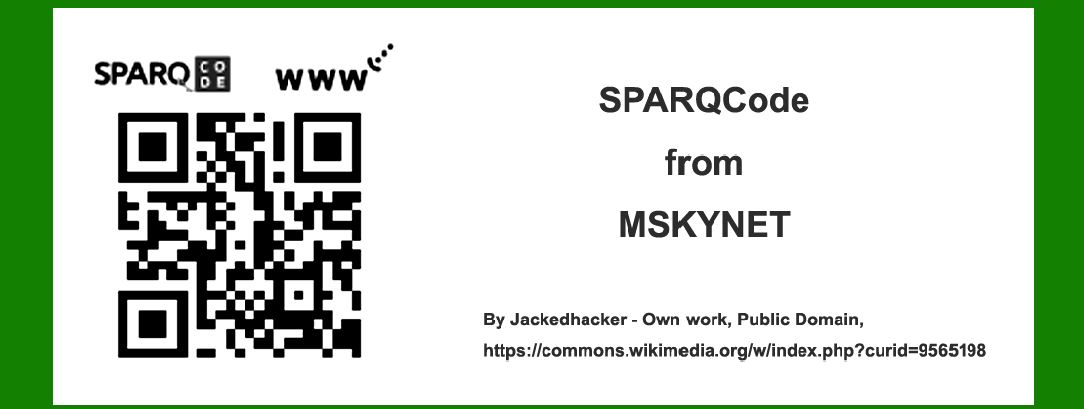
SPARQCode, developed by MSKYNET, is a type of 2D barcode that integrates error correction techniques to enhance data reliability and robustness. Error correction is crucial for ensuring that the encoded data can be accurately decoded even when the barcode is damaged or partially obscured. In this detailed explanation, we will explore the error correction mechanisms used in SPARQCode, including theoretical foundations, practical implementations, and examples to illustrate how error correction works in real-world scenarios. |
|
Overview of Error Correction in 2D Barcodes |
Error correction in 2D barcodes typically involves the use of algorithms that can detect and correct errors in the data. These algorithms are designed to add redundancy to the data, allowing the barcode to be read accurately even if parts of it are damaged. The most common error correction techniques used in 2D barcodes are based on Reed-Solomon error correction codes. |
Reed-Solomon codes are a type of block error correction code that can correct multiple errors in data. They work by adding redundant data to the original message, which can then be used to detect and correct errors during decoding. The amount of redundant data added determines the level of error correction capability. |

|
SPARQCode Error Correction Mechanism |
SPARQCode employs a sophisticated error correction mechanism based on Reed-Solomon codes. This mechanism is designed to provide a high level of reliability and robustness, ensuring that the barcode can be decoded accurately even under adverse conditions. The error correction process in SPARQCode can be broken down into several key steps: |
1.Encoding with Redundancy: The original data to be encoded is first processed to add redundant information using Reed-Solomon codes. This redundant information is derived from the original data and is appended to it to form the complete encoded message. 2.Data Distribution in Barcode: The encoded message, including both the original data and the redundant information, is distributed across the 2D barcode pattern. The distribution is done in a way that maximizes the likelihood of successful decoding, even if parts of the barcode are damaged. 3.Error Detection and Correction: During decoding, the Reed-Solomon algorithm is used to analyze the encoded message. If errors are detected, the redundant information is used to identify and correct these errors, allowing the original data to be accurately reconstructed. |

|
Detailed Example of SPARQCode Error Correction |
To illustrate how SPARQCode error correction works, let's consider a detailed example. Assume we have a small amount of data that we want to encode into a SPARQCode barcode. We'll walk through the entire process, from encoding to decoding and error correction. |
Step 1: Encoding with Redundancy |
Suppose we have the following data to encode: 'HELLO'. In binary form, this data might be represented as follows: |
H: 01001000 E: 01000101 L: 01001100 L: 01001100 O: 01001111 |
Combining these, we get the binary sequence: 01001000 01000101 01001100 01001100 01001111 |
To add redundancy, we apply Reed-Solomon encoding. Reed-Solomon encoding involves generating redundant data (called parity symbols) based on the original data. The number of parity symbols added depends on the desired level of error correction. |
For simplicity, let's assume we add 4 parity symbols. The encoded message might look like this (the actual parity symbols are determined by the Reed-Solomon algorithm): |
Original Data: 01001000 01000101 01001100 01001100 01001111 Parity Symbols: P1 P2 P3 P4 |
The combined encoded message is: 01001000 01000101 01001100 01001100 01001111 P1 P2 P3 P4 |
Step 2: Data Distribution in Barcode |
The encoded message is then distributed across the SPARQCode pattern. The distribution is done in such a way that even if parts of the barcode are damaged, the redundancy ensures that the original data can still be recovered. For simplicity, assume our SPARQCode pattern is a 5x5 grid. The data and parity symbols are arranged in this grid. |
[01][00][10][00][01] [00][01][01][01][00] [01][00][11][00][01] [01][00][11][00][01] [01][00][11][11][Px] |
In this example, 'Px' represents the parity symbols (P1, P2, P3, P4) distributed across the grid. |
Step 3: Error Detection and Correction |
Suppose during scanning, the barcode is partially damaged, and we receive the following corrupted data: |
[01][00][10][XX][01] <- Error in 4th position [00][XX][01][01][00] <- Error in 2nd position [01][00][11][00][XX] <- Error in 5th position [01][00][11][00][01] [XX][00][11][11][Px] <- Error in 1st position |
During decoding, the Reed-Solomon algorithm is applied to detect and correct these errors. The algorithm uses the redundant parity symbols to identify the locations and values of the errors. By analyzing the parity symbols and the remaining intact data, the algorithm can reconstruct the original message. |
For example, if the parity symbols indicate that errors exist in the 4th, 2nd, 5th, and 1st positions, the Reed-Solomon algorithm can correct these errors to recover the original binary sequence: |
Corrected Data: 01001000 01000101 01001100 01001100 01001111 |
This corresponds to the original message 'HELLO'. |

|
Levels of Error Correction |
SPARQCode supports multiple levels of error correction, allowing users to choose the appropriate level based on their specific needs. Higher levels of error correction provide greater robustness but require more redundant data, which increases the size of the barcode. |
The levels of error correction in SPARQCode are typically categorized as follows: |
1.Low (L): Can correct approximately 7% of errors. 2.Medium (M): Can correct approximately 15% of errors. 3.Quartile (Q): Can correct approximately 25% of errors. 4.High (H): Can correct approximately 30% of errors. |
The choice of error correction level depends on the expected level of damage or distortion the barcode might encounter. For example, if the barcode is likely to be exposed to harsh conditions, a higher level of error correction might be chosen to ensure data integrity. |

|
Practical Considerations and Examples |
In real-world applications, the choice of error correction level and the effectiveness of the error correction mechanism can be influenced by various factors, including the printing quality, the scanning environment, and the specific use case. Here are a few practical examples to illustrate these considerations: |
Example 1: Retail Environment |
In a retail environment, SPARQCode might be used for encoding product information on packaging. The barcodes could be exposed to moderate wear and tear, such as scratches or smudges from handling. A medium level of error correction (M) might be chosen to balance robustness and barcode size. Even if a portion of the barcode is damaged, the error correction mechanism can still recover the data, ensuring accurate scanning at checkout. |
Example 2: Industrial Setting |
In an industrial setting, barcodes might be subjected to more extreme conditions, such as exposure to chemicals, abrasion, or dirt. In this case, a high level of error correction (H) would be appropriate to ensure data integrity. The added redundancy allows the barcode to be read accurately even if a significant portion is damaged. |
Example 3: Healthcare Application |
In healthcare, SPARQCode could be used for patient identification or medication tracking. Accuracy and reliability are critical, as errors can have serious consequences. A high level of error correction (H) would be used to ensure that the barcodes remain readable despite potential damage from handling or environmental factors. |

|
Advanced Error Correction Techniques |
While Reed-Solomon codes are the primary method for error correction in SPARQCode, other advanced techniques can be employed to enhance robustness further. These techniques include: |
1.Interleaving: Data is interleaved so that contiguous errors are spread out across different parts of the barcode, making it easier for the error correction algorithm to handle them. 2.Multiple Error Correction Codes: Combining different types of error correction codes can provide additional layers of protection. For example, using both Reed-Solomon and Hamming codes can improve error correction capability. 3.Adaptive Error Correction: The error correction level can be adjusted dynamically based on the scanning environment. For example, a higher level of error correction might be used in low-light conditions where scanning errors are more likely. |

|
Conclusion |
The error correction mechanism of SPARQCode from MSKYNET is a critical feature that ensures data reliability and robustness. By using Reed-Solomon codes, SPARQCode can detect and correct errors, allowing accurate decoding even when the barcode is damaged. The choice of error correction level and the implementation of advanced techniques further enhance the effectiveness of this mechanism, making SPARQCode suitable for a wide range of applications, from retail to healthcare to industrial settings. |
Through detailed examples, we have illustrated how error correction works in practice, demonstrating the ability of SPARQCode to maintain data integrity under various conditions. Whether dealing with minor wear and tear or significant damage, SPARQCode's error correction ensures that the encoded data can be accurately recovered, providing a reliable solution for 2D barcode applications. |

|
 cs@easiersoft.com