Error Correction in WeChat Mini Program Codes |
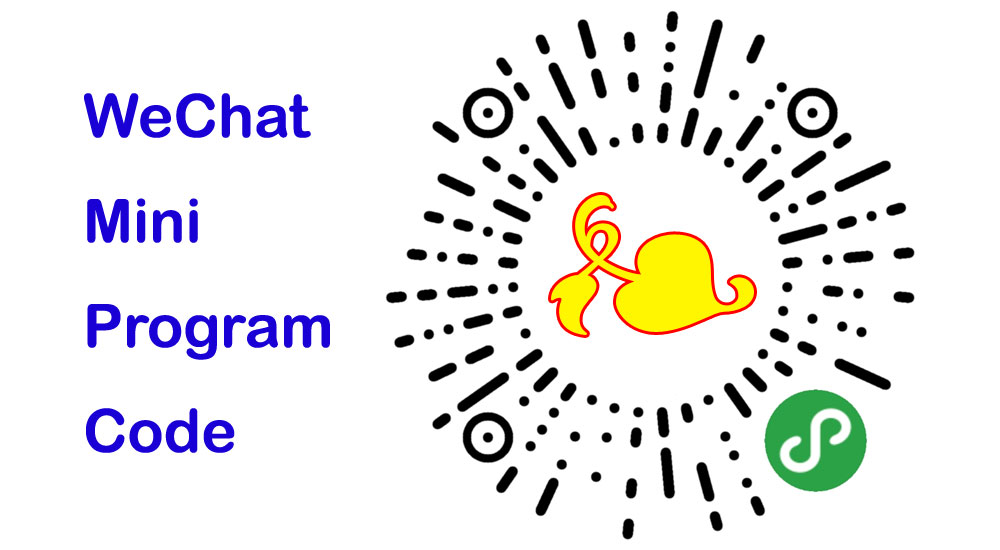
WeChat Mini Program Codes, also known as WeChat Mini QR Codes, are a specific type of 2D barcode used within the WeChat ecosystem to link to mini programs. These mini programs are lightweight applications that run within WeChat, providing a variety of services such as e-commerce, games, utilities, and more. One of the critical aspects of these codes is their error correction capability, which ensures that the code remains scannable even if it is partially damaged, obscured, or otherwise degraded. |
Error correction is a crucial feature for any QR code, including WeChat Mini Program Codes, because it allows the data encoded in the barcode to be reconstructed even when parts of the code are unreadable. This feature is particularly important in real-world applications where codes might be subject to wear and tear, printing errors, or other forms of damage. |
|
1. Introduction to Error Correction |
Error correction in QR codes, including WeChat Mini Program Codes, is typically based on the Reed-Solomon error correction algorithm. Reed-Solomon codes are a group of error-correcting codes that are widely used in digital communications and storage. These codes add redundancy to the original data, allowing the recovery of the original data even if some of the data is lost or corrupted. |
The basic idea behind Reed-Solomon error correction is to treat the data as a sequence of coefficients of a polynomial. Redundant data is generated by evaluating this polynomial at multiple points and adding these evaluations to the original data. When the code is scanned, the Reed-Solomon algorithm can use the redundant data to detect and correct errors. |

|
2. Levels of Error Correction |
WeChat Mini Program Codes, like standard QR codes, offer different levels of error correction. These levels determine the amount of redundancy added to the code and, consequently, the amount of damage the code can tolerate while still being readable. The four standard levels of error correction are: |
Level L (Low): Recovers up to 7% of the code. Level M (Medium): Recovers up to 15% of the code. Level Q (Quartile): Recovers up to 25% of the code. Level H (High): Recovers up to 30% of the code. |
Each level of error correction increases the number of redundant bits added to the code, which in turn increases the overall size of the QR code. Higher levels of error correction are useful in environments where the code is likely to be damaged or obscured, but they also require more space and can be more complex to encode and decode. |

|
3. Implementation of Reed-Solomon Error Correction |
The implementation of Reed-Solomon error correction in WeChat Mini Program Codes follows the general principles of Reed-Solomon coding but is adapted to the specific format and requirements of the QR code standard. |
Encoding Process: |
1.Data Preparation: The original data to be encoded is divided into blocks, each consisting of a certain number of data bytes. The number of blocks and the size of each block depend on the version of the QR code and the error correction level. 2.Polynomial Generation: Each block of data is treated as a sequence of coefficients of a polynomial over a finite field (Galois field). The degree of the polynomial is one less than the number of data bytes in the block. 3.Error Correction Codewords: Redundant data, known as error correction codewords, are generated by evaluating the polynomial at several points and performing polynomial division to find the remainder. These codewords are appended to the original data. 4.Interleaving: To improve robustness against localized damage, the data and error correction codewords are interleaved. This means that the data and codewords from different blocks are mixed together, so that damage to a small area of the QR code affects multiple blocks rather than a single block. 5.Placement in Matrix: The interleaved data and error correction codewords are placed into the QR code matrix according to a specific pattern. This pattern includes alignment with the code's finder patterns, timing patterns, and format information. |
Decoding Process: |
1.Scanning: The QR code is scanned to obtain a digital representation of the matrix. This matrix includes the data and error correction codewords. 2.Demodulation: The scanned data is demodulated to recover the original data and the error correction codewords. This step may involve thresholding, binarization, and other image processing techniques to extract the bits from the scanned image. 3.Error Detection and Correction: The Reed-Solomon algorithm is applied to the recovered data and codewords to detect and correct errors. This involves polynomial division and solving systems of linear equations to identify and correct erroneous symbols. 4.Deinterleaving: The corrected data and error correction codewords are deinterleaved to separate the original data blocks. 5.Data Extraction: The original data is extracted from the corrected data blocks and reassembled to form the complete data payload. |

|
4. Practical Considerations and Examples |
The effectiveness of error correction in WeChat Mini Program Codes can be illustrated through several practical examples. These examples demonstrate how different levels of error correction can help maintain the readability of the code under various conditions. |
Example 1: Low-Level Damage |
Scenario: A WeChat Mini Program Code is printed on a flyer and a small section of the code is smudged or scratched. Error Correction Level: Level L (Low) Result: The code can recover from up to 7% damage. In this case, the damage is minimal, and the code remains readable. The error correction algorithm can correct the few erroneous bits caused by the smudge or scratch. |
Example 2: Moderate Damage |
Scenario: A WeChat Mini Program Code is printed on a product label and part of the label is torn off. Error Correction Level: Level M (Medium) Result: The code can recover from up to 15% damage. The torn section results in a larger area of the code being unreadable, but the medium level of error correction is sufficient to recover the original data. The Reed-Solomon algorithm detects and corrects the errors, allowing the code to be successfully scanned. |
Example 3: Significant Damage |
Scenario: A WeChat Mini Program Code is displayed on a poster that is exposed to the elements, causing parts of the code to fade and become illegible. Error Correction Level: Level Q (Quartile) or Level H (High) Result: The code can recover from up to 25% or 30% damage. Despite the significant fading and illegibility, the higher levels of error correction provide enough redundancy to reconstruct the original data. The code remains scannable, ensuring that users can access the mini program linked to the code. |
Example 4: Extensive Damage |
Scenario: A WeChat Mini Program Code is printed on a ticket that is heavily creased and partially torn. Error Correction Level: Level H (High) Result: The code can recover from up to 30% damage. Even with extensive creases and tears, the high level of error correction allows the code to remain readable. The Reed-Solomon algorithm corrects the errors caused by the physical damage, ensuring that the code can still be used. |

|
5. Benefits and Limitations of Error Correction |
Benefits: |
1.Robustness: Error correction enhances the robustness of WeChat Mini Program Codes, making them more resistant to damage and degradation. This is particularly important in real-world applications where codes may be subject to physical wear and tear. 2.Reliability: Higher levels of error correction improve the reliability of code scanning, reducing the likelihood of scanning failures. This is crucial for applications where uninterrupted access to mini programs is essential. 3.Flexibility: Different levels of error correction allow for flexibility in code design. Users can choose the appropriate level of error correction based on the anticipated environmental conditions and the importance of ensuring successful scans. |
Limitations: |
1.Increased Size: Higher levels of error correction require more redundant data, which increases the overall size of the QR code. This can be a limitation in applications where space is constrained. 2.Complexity: Implementing higher levels of error correction increases the complexity of the encoding and decoding processes. This can result in higher computational requirements and longer processing times. 3.Trade-offs: There is a trade-off between the level of error correction and the amount of data that can be encoded. Higher levels of error correction reduce the available space for user data, limiting the amount of information that can be stored in the code. |

|
6. Advanced Techniques and Future Developments |
In addition to the standard Reed-Solomon error correction, there are advanced techniques and future developments that could further enhance the error correction capabilities of WeChat Mini Program Codes. |
Advanced Techniques: |
1.Adaptive Error Correction: Adaptive error correction techniques dynamically adjust the level of error correction based on the scanning environment. For example, a code might initially use a low level of error correction, but if scanning conditions are poor, it can switch to a higher level. 2.Hybrid Error Correction: Hybrid error correction combines different error correction algorithms to provide more robust protection. For example, combining Reed-Solomon codes with convolutional codes or other error correction methods could enhance overall performance. 3.Machine Learning: Machine learning algorithms can be used to improve error correction by learning from scanning patterns and environmental conditions. These algorithms can optimize the placement of redundant data and improve the accuracy of error detection and correction. |
Future Developments: |
1.Improved Algorithms: Ongoing research in error correction algorithms could lead to more efficient and effective methods for handling errors in QR codes. These advancements could provide better performance with less computational overhead. 2.Enhanced Materials: Advances in printing and display technologies could result in more durable QR codes that are less susceptible to damage. This could reduce the need for high levels of error correction in certain applications. 3.Integration with IoT: As the Internet of Things (IoT) continues to grow, QR codes could be integrated with IoT devices to provide real-time feedback on code conditions. This could enable dynamic adjustment of error correction levels based on environmental data. |

|
Conclusion |
Error correction is a vital feature of WeChat Mini Program Codes, ensuring their robustness and reliability in various real-world conditions. By leveraging Reed-Solomon error correction and offering different levels of redundancy, these codes can recover from a range of damages, from minor smudges to significant tears. While higher levels of error correction increase the code size and complexity, they provide greater protection against errors, making them suitable for critical applications. Advanced techniques and future developments hold the promise of further enhancing the error correction capabilities of QR codes, ensuring their continued utility in an ever-expanding range of applications. |

|
 cs@easiersoft.com