The MSKYNET SPARQCode is a specialized 2D barcode designed for various applications, particularly in the realm of linking physical objects to digital content. |
Below is a detailed exploration of its structure, functionalities, applications, and technical specifications. |
|
Overview of MSKYNET SPARQCode |
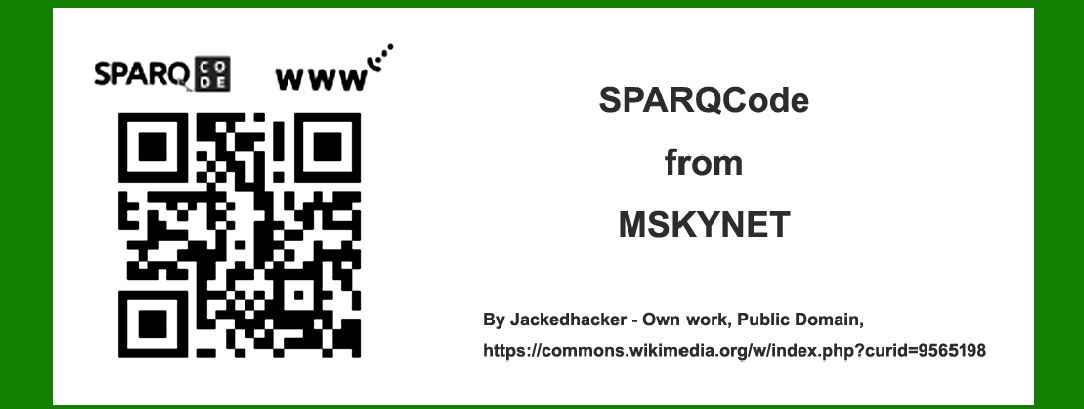
MSKYNET SPARQCode, often simply referred to as SPARQCode, is a proprietary 2D barcode technology developed by MSKYNET, a company focused on enhancing the interaction between physical objects and digital information. This barcode type is distinct from traditional QR codes and other 2D barcodes due to its specific design features and functionality. |

|
Structure and Design |
Basic Structure |
SPARQCode is characterized by its square shape, similar to QR codes, but with a more intricate arrangement of modules (black and white squares) within the code matrix. The code is typically printed on physical objects or embedded in digital displays to serve as a bridge between the physical and digital worlds. |
Encoding Scheme |
The encoding scheme of SPARQCode is proprietary, optimized for compactness and robustness in various real-world environments. Unlike some traditional barcodes that rely on fixed patterns, SPARQCode's encoding can accommodate customized data payloads, including URLs, text, or other types of digital identifiers. |
Error Correction |
Similar to QR codes, SPARQCode incorporates error correction techniques to ensure reliable scanning even when the code is partially damaged or obscured. This feature enhances the durability and usability of SPARQCodes in everyday applications. |
Data Capacity |
SPARQCode offers a variable data capacity depending on the specific implementation and encoding settings. This capacity ranges from a few dozen characters to several hundred bytes of data, making it suitable for a wide range of applications from simple URLs to complex data payloads. |

|
Technical Specifications |
Matrix Layout |
The SPARQCode matrix layout consists of a grid of black and white modules arranged in a square grid. Unlike traditional QR codes, SPARQCode modules are designed to maximize scanning efficiency and readability across different types of scanning devices, including smartphones, dedicated barcode scanners, and industrial equipment. |
Size and Scalability |
SPARQCode can be scaled to various sizes depending on the application requirements. The minimum size is determined by the scanning capabilities of the target devices, ensuring that even smaller codes remain scannable without compromising data integrity or readability. |
Color and Contrast |
While SPARQCode traditionally uses black and white modules for simplicity and reliability, some implementations may support limited color options for branding or aesthetic purposes. However, contrast between modules is carefully maintained to ensure optimal scanning performance across different lighting conditions. |
Printing and Application |
SPARQCode can be printed on various surfaces using standard printing technologies, including inkjet, laser, and thermal printers. The choice of printing method and substrate (e.g., paper, plastic, metal) depends on the intended use case and environmental factors such as durability and longevity. |

|
Functionality and Applications |
Linking Physical Objects to Digital Content |
One of the primary functions of SPARQCode is to provide a seamless link between physical objects and digital information. For example, a SPARQCode printed on product packaging can direct consumers to product details, promotions, or customer support services by scanning with a smartphone. |
Marketing and Advertising |
In marketing and advertising campaigns, SPARQCodes are used to engage consumers with interactive content such as videos, surveys, or exclusive offers. Brands can track engagement metrics and gather valuable consumer insights through analytics integrated into the scanning process. |
Asset Tracking and Inventory Management |
In industrial and logistics settings, SPARQCodes facilitate asset tracking and inventory management by encoding unique identifiers or tracking numbers. This enables real-time monitoring of goods throughout the supply chain, enhancing efficiency and reducing operational costs. |
Authentication and Security |
SPARQCodes can be integrated with authentication features such as digital signatures or encrypted data to verify product authenticity or prevent counterfeit activities. This is particularly valuable in industries where brand reputation and consumer trust are critical. |
Access Control and Ticketing |
In events and facilities management, SPARQCodes serve as digital tickets or access passes, allowing secure entry and tracking attendance. Integrated scanning systems can validate codes in real-time, improving security and streamlining admission processes. |

|
Integration and Development |
Software Development Kits (SDKs) |
MSKYNET provides SDKs and developer tools for integrating SPARQCode scanning functionality into mobile applications, web platforms, and enterprise systems. These SDKs offer support for multiple programming languages and operating systems, facilitating seamless integration and customization. |
APIs and Cloud Services |
SPARQCode APIs enable developers to generate, decode, and manage SPARQCodes programmatically. Cloud-based services offer scalability and reliability for handling large volumes of SPARQCode transactions, analytics, and security protocols. |

|
Future Trends and Innovations |
Enhanced Interactivity |
Future iterations of SPARQCode may incorporate augmented reality (AR) or near-field communication (NFC) capabilities to enhance interactivity and user engagement. This could enable immersive experiences such as virtual product demonstrations or interactive storytelling. |
Blockchain Integration |
Blockchain technology may be integrated into SPARQCode systems to enhance data security, transparency, and traceability across supply chains and digital transactions. Smart contracts and decentralized ledgers could automate verification and authentication processes. |
AI and Machine Learning |
Advancements in AI and machine learning algorithms could improve SPARQCode recognition accuracy and speed, even in challenging environments such as low-light conditions or high-speed scanning scenarios. This would further enhance usability and reliability in diverse applications. |

|
Conclusion |
MSKYNET SPARQCode represents a versatile and robust solution for linking physical objects to digital content, enhancing user engagement, operational efficiency, and data security across various industries. With its proprietary design, scalable capabilities, and integration flexibility, SPARQCode continues to evolve as a key technology in the expanding ecosystem of digital interaction and connectivity. As technology advances and adoption grows, SPARQCode is poised to play a pivotal role in shaping the future of interactive marketing, logistics, healthcare, and beyond. |
 cs@easiersoft.com