The ScanLife EZcode is a type of 2D barcode designed for easy scanning with mobile devices. It was developed by Scanbuy, Inc., a company specializing in mobile engagement solutions. |
EZcode is notable for its versatility and robust encoding capabilities, making it suitable for various applications ranging from marketing and advertising to logistics and consumer engagement. Let's delve into a detailed exploration of the format, structure, encoding method, applications, and technical specifications of the ScanLife EZcode. |
|
Overview of ScanLife EZcode |
Development and Purpose: ScanLife EZcode was developed to bridge the gap between traditional 1D barcodes and more complex 2D codes by offering enhanced capabilities for mobile interaction. It aims to provide a user-friendly and flexible solution for businesses looking to integrate mobile engagement into their products and services. |
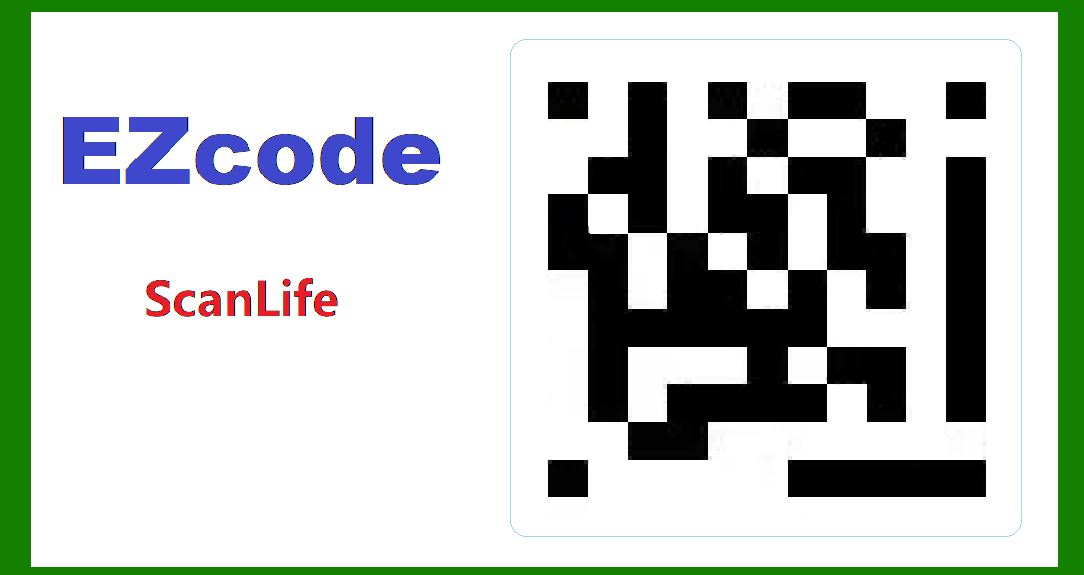
Appearance and Layout: EZcode appears as a square matrix composed of black and white modules (or cells), similar to other 2D barcodes like QR codes. The exact size and dimensions can vary depending on the application and the resolution of the scanning device. The modules are arranged in a grid pattern, with specific alignment and timing patterns to assist scanners in identifying and decoding the code. |

|
Structure and Encoding |
Grid Layout: EZcode consists of a grid pattern with a specific number of rows and columns. The size of the grid can vary, but it typically ranges from a few dozen to a few hundred modules per side, allowing for a scalable encoding capacity. |
Data Encoding: EZcode employs a sophisticated encoding scheme that allows it to store various types of data efficiently. It can encode alphanumeric characters, binary data, and even multimedia content such as URLs, text, images, and videos. This versatility makes it suitable for applications requiring extensive data storage and retrieval. |
Error Correction: To ensure robustness against scanning errors and environmental conditions, EZcode integrates error correction techniques. These techniques enable the code to withstand minor damages or distortions without significantly affecting its readability. Error correction also contributes to the code's reliability in challenging scanning environments. |

|
Technical Specifications |
Resolution and Scaling: EZcode supports scalable resolution, meaning it can be generated and scanned at various sizes without compromising readability. This scalability is crucial for applications where the code needs to be printed on different materials or displayed on screens of varying sizes. |
Color and Contrast: While EZcode is primarily designed to be monochromatic (black and white), it can incorporate color elements for branding or enhanced visual appeal. However, the core functionality relies on the high contrast between the modules to facilitate accurate scanning. |
Encoding Capacity: The exact encoding capacity of EZcode varies depending on factors such as grid size and error correction level. Generally, it can store several hundred bytes of data, making it suitable for storing URLs, contact information, product details, and other forms of digital content. |

|
Integration and Deployment |
Generation and Printing: EZcodes can be generated using specialized software tools provided by Scanbuy or other third-party vendors. These tools allow businesses to customize the appearance, content, and functionality of EZcodes to align with their branding and marketing objectives. EZcodes can be printed on various surfaces, including packaging, labels, posters, and promotional materials. |
Scanning and Decoding: EZcodes are compatible with a wide range of mobile devices equipped with camera sensors and QR code scanning applications. Users can scan EZcodes using dedicated mobile apps (such as the ScanLife app) or integrated scanning functionality within other mobile applications. The scanning process involves capturing the code's image, decoding the encoded data, and redirecting the user to the associated digital content or action. |

|
Future Trends and Innovations |
Enhanced Interactivity: Future advancements in EZcode technology may focus on enhancing interactivity and real-time data exchange capabilities. This could include support for augmented reality (AR) experiences, interactive gaming, and dynamic content updates based on user interactions. |
Security and Privacy: As EZcodes continue to gain popularity, there will likely be increased emphasis on enhancing security features to protect against unauthorized access and data breaches. This may involve incorporating encryption techniques and secure authentication protocols into EZcode applications. |
Integration with IoT: EZcodes may be integrated with Internet of Things (IoT) devices and smart objects to enable seamless communication and data exchange. This integration could facilitate automated inventory management, personalized customer experiences, and predictive analytics based on real-time data collected from scanned EZcodes. |

|
Conclusion |
ScanLife EZcode represents a versatile and innovative solution for integrating mobile interaction into various industries and applications. With its robust encoding capabilities, scalability, and ease of integration, EZcode continues to evolve as a preferred choice for businesses seeking to enhance consumer engagement, streamline operations, and leverage digital technologies effectively. As technology advances and market demands evolve, EZcode is poised to play a pivotal role in shaping the future of mobile engagement and digital connectivity. |
This comprehensive overview highlights the technical intricacies, applications, and potential future developments of ScanLife EZcode, underscoring its significance in modern digital ecosystems and its role in driving innovation across diverse sectors. |
 cs@easiersoft.com